aicoolies verdict
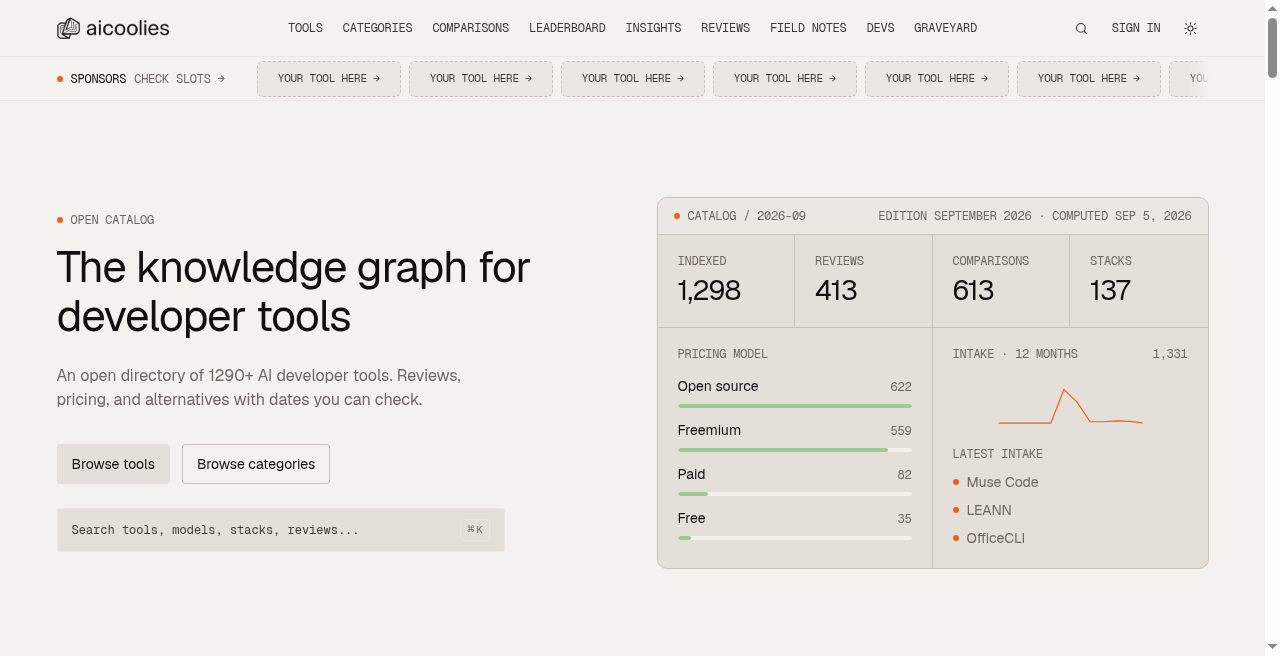
aicoolies is the right starting point for a developer who wants structured, date-stamped pricing data on AI coding tools without wading through vendor marketing. Its machine-readable API and MCP server set it apart from every static list on the web, but the editorial depth per tool is thin compared to a specialist review site, and the catalog skews heavily toward coding and infrastructure tools rather than the full AI product space. If you need broad AI tool coverage beyond the developer niche, look elsewhere.
Strengths
Machine-readable catalog via CC-BY 4.0 JSON, OpenAPI, and MCP server lets AI agents query tool data directly, a capability no comparable free directory offers.
Every entry is date-stamped and re-verified on a cycle, so pricing data reflects actual current tiers rather than stale screenshots.
Weaknesses
The catalog covers 1,299 tools but editorial depth per entry is limited; individual tool pages are structured data summaries, not the kind of hands-on analysis a specialist review site provides.
Coverage is strongest in AI coding and infrastructure; adjacent categories like AI design, AI writing, and AI marketing tools are present but noticeably thinner, making the site a poor fit for non-developer tool research.
GitHub Copilot verdict
GitHub Copilot is the default choice for developers already living inside GitHub, where its tight pull-request integration and multi-model chat give it a genuine edge over pure editor plugins. The June 2026 switch to AI Credits billing means your $10 Pro subscription now carries a variable tail cost for heavy chat and agent use, which Cursor's flat-rate model avoids. Teams that want a full AI-native editor rather than a plugin should look at Cursor instead.
Strengths
Deep GitHub integration: code review summaries, PR descriptions, and the cloud agent that moves from Issue to merged PR are features no pure editor plugin can match.
Multi-model choice across all paid tiers, including GPT, Claude, and Gemini variants, with model selection available even on the $10 Pro plan.
Weaknesses
The June 2026 switch to AI Credits billing means the $10 Pro seat price is a floor, not a ceiling: heavy chat and agent use can push the monthly bill above the listed plan price, and the credit math (1,500 credits at $0.01 each) requires active monitoring to avoid surprises.
The tool is a plugin, not an editor. Cursor's codebase-wide context and multi-file editing are built into the editor layer; Copilot's equivalent features depend on the host IDE's capabilities and are less consistent across JetBrains, Eclipse, and Xcode than in VS Code.