
AutoDub
Free browser extension that dubs any captioned YouTube video with AI voice in 42 languages, with bilingual subtitles, no account required.
Are you the maker? Claim this listing to keep info, pricing and screenshots current. Verified via your tool's domain email.
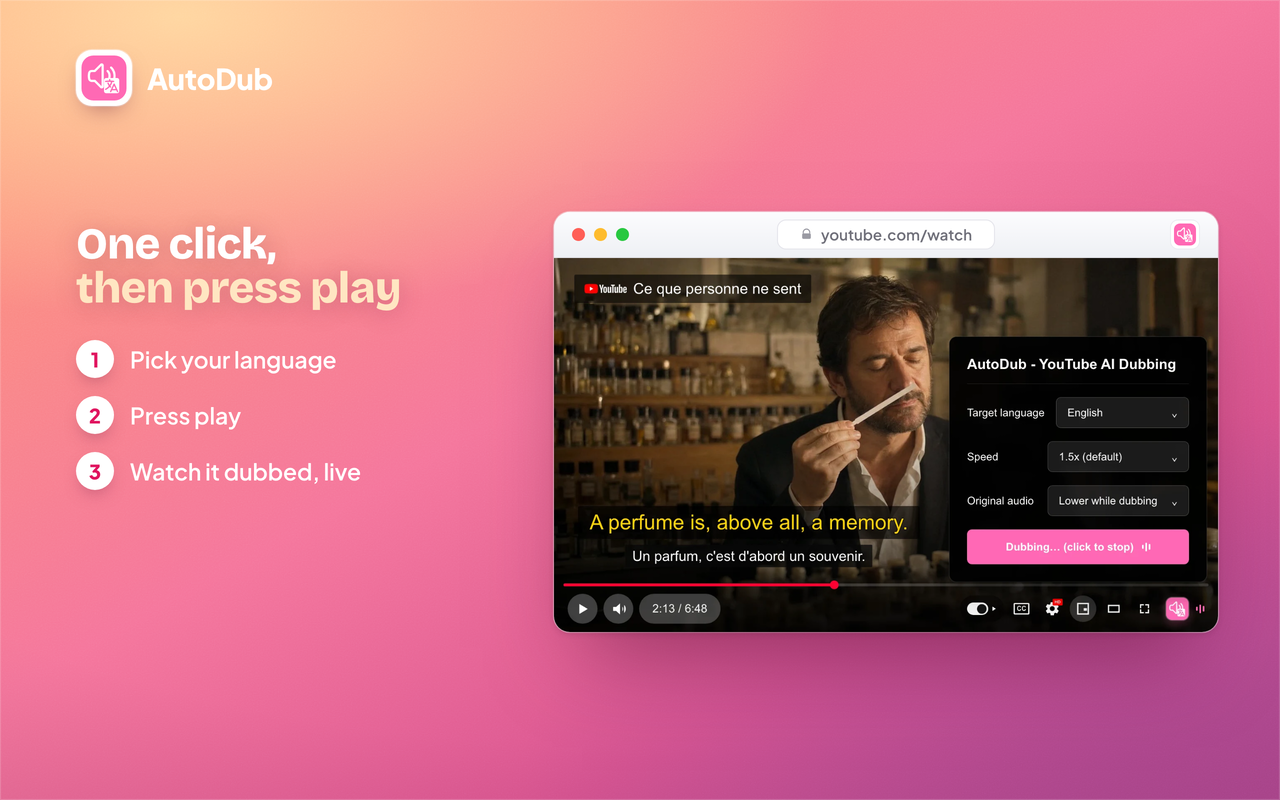
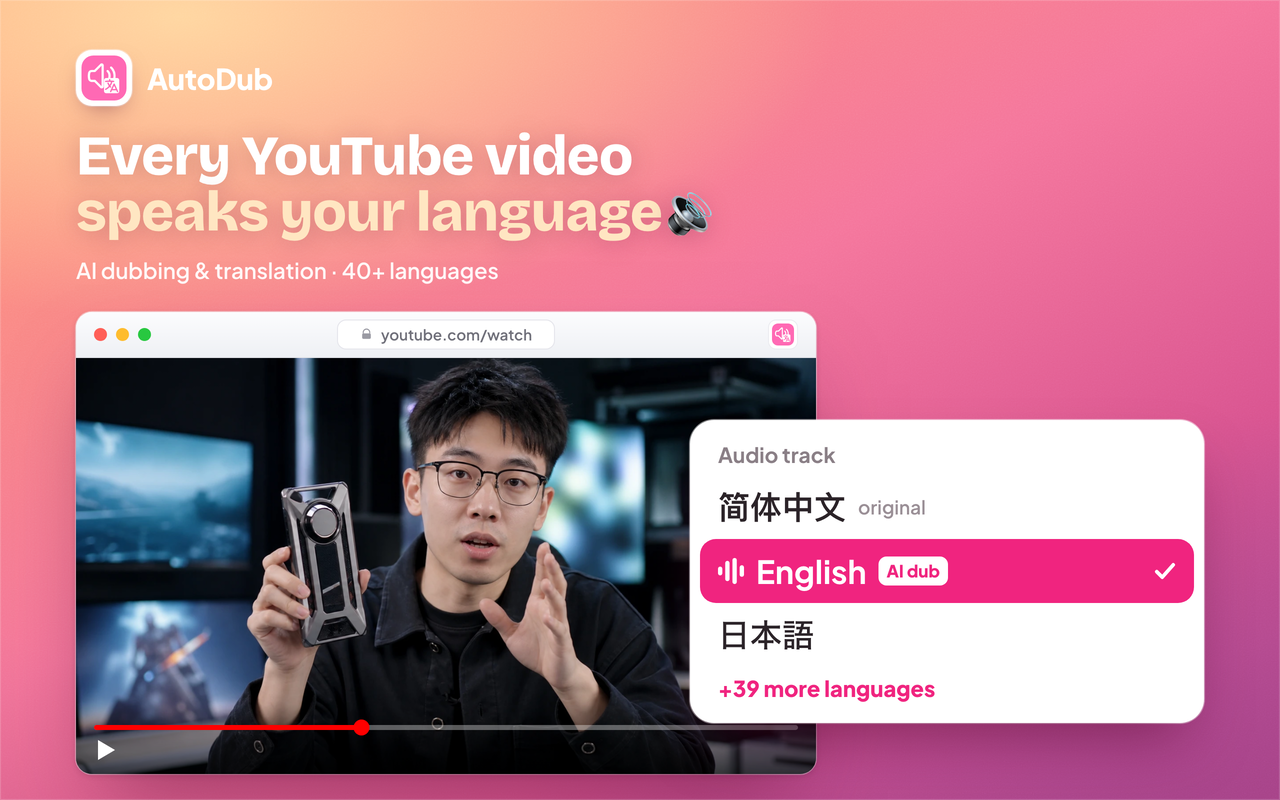
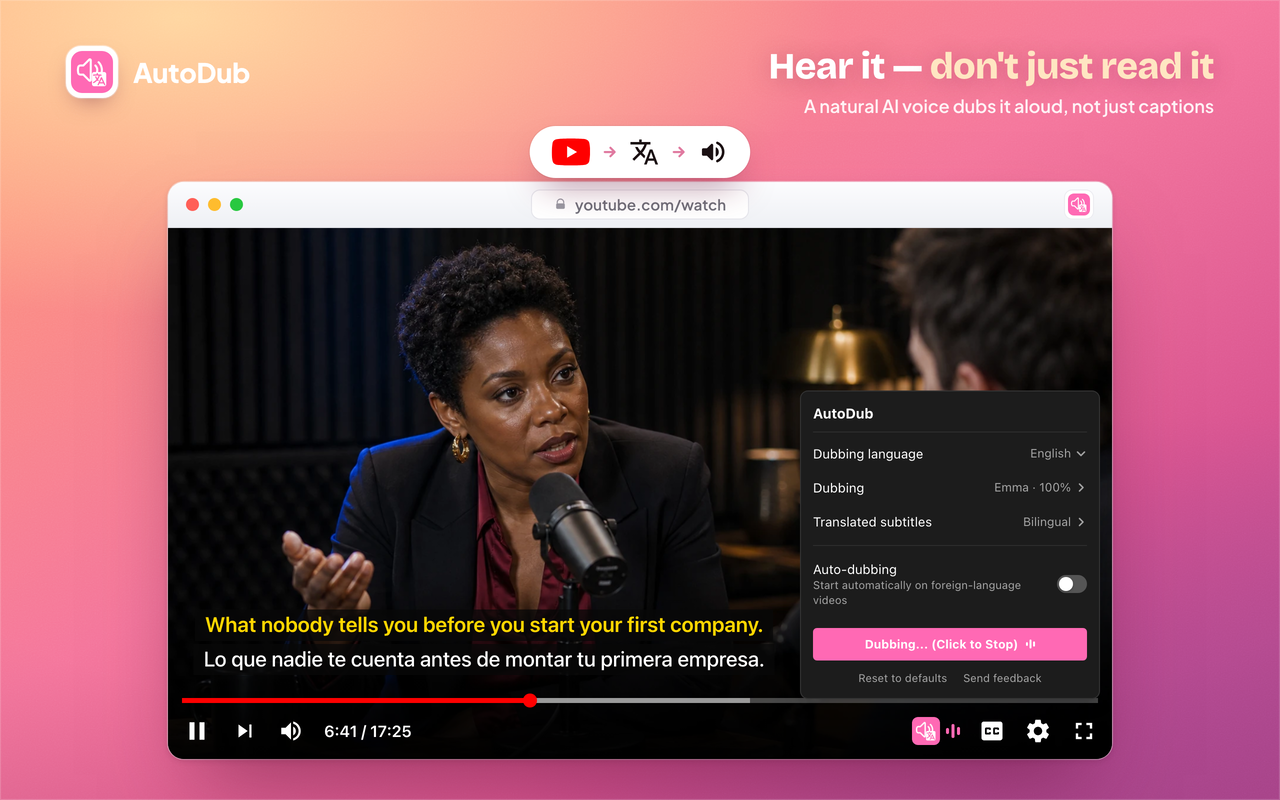
AutoDub is the right pick for anyone who watches a lot of foreign-language YouTube content and wants dubbed audio without paying or signing up. Its hard dependency on YouTube caption tracks means it silently fails on uncaptioned videos, and it does nothing outside YouTube. Teams or creators who need to produce translated video files should look at HeyGen instead.
What is AutoDub?
AutoDub is a browser extension for Chrome, Edge, Brave, and Firefox that translates and dubs YouTube videos in real time. It adds an AI-generated voice in the viewer's chosen language while displaying bilingual subtitles inside the existing YouTube player, with automatic detection of the source language and support for 42 target languages and over 90 neural voices.
The extension is free for personal use with no daily usage limit and no account or API key required. It works by processing the video's existing caption track, so auto-generated captions are sufficient. Live streams, the YouTube mobile app, and dubbed-video downloads are not supported. AutoDub is developed by Galaxy Edge Studio and is available as a one-click install from the Chrome Web Store and Firefox Add-ons.
How we scored AutoDub
Capability lands at 18 because AutoDub does its narrow job well: real-time dubbing with bilingual subtitles, 42 languages, and 90-plus voices is a genuinely useful feature set for a viewer-side tool. But the hard caption-track dependency and YouTube-only scope are real functional limits that named competitors like HeyGen do not share. Ease of use scores 23 because one-click install, no account, no API key, and a button embedded directly in the YouTube player is about as frictionless as a browser extension gets. Value scores a full 25: the tool is free with no daily cap and no hidden paid tier currently in place, which is exceptional for the category. Delivery drops to 6 because the Firefox Add-ons listing directly contradicts the main site's 'no account required' claim, creating a documented trust inconsistency that a buyer would encounter before installing; this is not a minor discrepancy but a core promise of the product that appears to be false on at least one distribution channel.
Pros and cons
What we liked
- Genuinely free with no daily cap, no account, and no API key: the site explicitly commits to announcing any future paid features in advance rather than changing terms quietly.
- Real-time dubbing inside the YouTube player with bilingual subtitles means no pre-processing wait and no tab-switching; the dub starts when you press play.
- Broad browser support across Chrome, Edge, Brave, and Firefox, with a manual.crx download option for users who cannot access the Chrome Web Store.
Where it falls short
- Hard dependency on YouTube caption tracks is a tool-specific limitation: videos without any caption track, including many older uploads and niche creator content, produce no dub at all, with no fallback.
- Locked to YouTube only; there is no support for Netflix, Vimeo, or any other video platform, and the developers describe YouTube as where it 'works best' with no confirmed roadmap for expansion.
- No offline mode and no way to download or export a dubbed version of a video, which rules out any creator or team workflow that needs a translated file rather than a live browser session.
Key features
AutoDub pricing
Fully free for personal use with no daily limit and no paid tier currently listed. The site states that if optional paid features are ever introduced, users will be notified in advance.
| Plan | Price | Who it is for |
|---|---|---|
| Personal Use | Free | Unlimited personal use with no daily limit, no account required, no API key required, full access to 42 dubbing languages and 90+ voices. No paid tier currently exists; the site states any future paid features will be announced in advance. |
Pricing reflects what we saw at time of review (2026-10). Always confirm current pricing on the tool's own site.
Who should use AutoDub?
AutoDub fits viewers who regularly watch YouTube content in a language they do not speak fluently: students following university lectures published in another language, developers learning from coding channels like Fireship or Traversy Media that publish in English, or non-English speakers who want to follow long-form interviews and documentaries from global creators. The zero-cost, no-account setup makes it practical for casual use without any commitment.
Anyone who needs to produce translated video content for an audience, rather than just consume it personally, should look elsewhere. HeyGen is the better fit there: it generates fully dubbed, exportable video files with lip-sync and is built for creators publishing multilingual content. Similarly, if your viewing happens on mobile, on Netflix, or in Safari, AutoDub simply will not work.
Skip it if: Creators who need to export translated video files, or anyone watching on Netflix, mobile, or Safari
Tags
Frequently asked questions
Does AutoDub cost anything?+
AutoDub is free for personal use with no daily limit and no paid tier currently available. The site states that if optional paid features are introduced in the future, users will be notified in advance.
What languages can AutoDub dub into?+
AutoDub supports 42 target languages including English, Chinese, Japanese, Korean, Spanish, Portuguese, French, German, Russian, Arabic, Hindi, Indonesian, and Ukrainian. The source video can be in any language, as AutoDub detects it automatically.
Does the video need subtitles or captions to work?+
Yes. AutoDub requires a YouTube caption track to function. Auto-generated captions are sufficient, but videos with no caption track at all cannot be dubbed.
Does it work on Netflix, Vimeo, or other platforms?+
No. AutoDub is built specifically for YouTube and does not support other video platforms. Live streams on YouTube are also not supported.
Which browsers are supported?+
AutoDub works on Chrome, Edge, Brave, and other Chromium-based browsers, plus Firefox via Firefox Add-ons. Safari is not supported, and there is no mobile app.
Can I download a dubbed version of a video?+
No. AutoDub plays the dub in real time inside your browser and does not download, modify, or export the video file in any form.
More AI Video Tools
See all categoriesGet your tool listed on 300+ directories.
One listing here is a strong start. But the founders who get discovered everywhere are listed everywhere. Our sister site, Free AI Directories, submits your tool to 300+ AI directories for you, every single one by hand, by a real person.
It is a one-time payment of $49, no subscription, and you can follow along as the submissions land. Prefer the slow route? The same site keeps a free list of 450+ directories you can work through yourself.
Get my tool listed on 300+ directoriesOne-time payment, no subscription · 100% human submissions · Free list of 450+ directories included.