
Cilevi
One-time $50 Windows screen recorder that auto-zooms on clicks and transcribes in 99 languages, all on-device.
Are you the maker? Claim this listing to keep info, pricing and screenshots current. Verified via your tool's domain email.
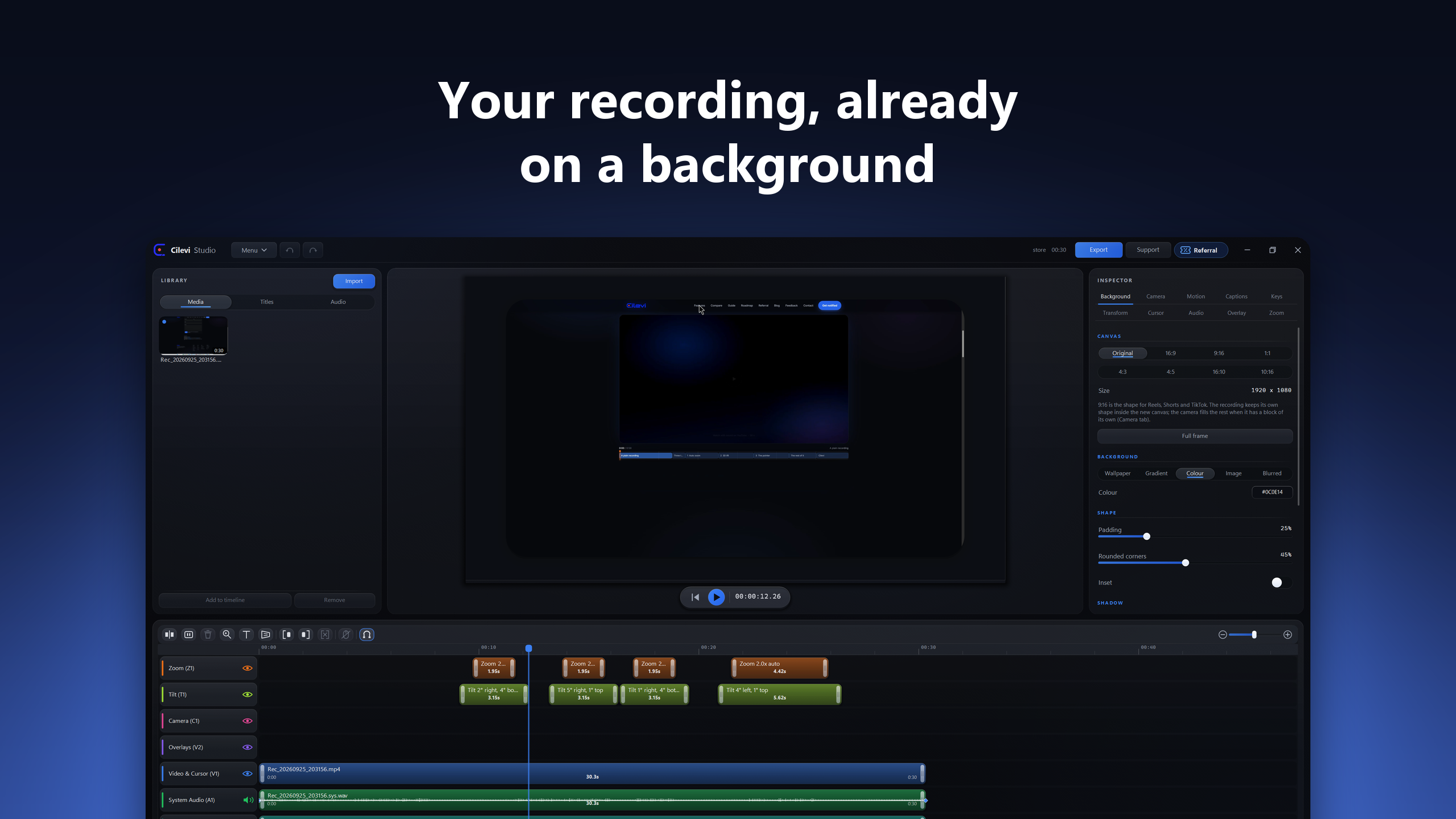
Cilevi is the clearest choice for Windows users who want polished product demos without a monthly bill: the $50 flat price undercuts every subscription rival over any multi-year horizon. Its on-device processing is a genuine differentiator for privacy-conscious teams, but the tool is Windows-only with no Mac version yet, which rules out mixed-OS teams. If you need cloud collaboration, timeline-heavy editing, or a Mac build today, look at Descript or wait for a version that does not yet exist.
What is Cilevi?
Cilevi is a native Windows screen recorder and video editor for founders, educators and creators making product demos, tutorials and presentations. It records screens, webcams, microphones and system audio, with automatic zooms, smooth cursor effects, styled backgrounds and timeline editing. On-device speech-to-text produces captions in 99 languages; transcript editing and privacy blur help prepare videos before MP4 or GIF export. All features are available in a 7-day trial, followed by a US$50 one-time purchase with no subscription. Cilevi is published by Doment Digital in the United Arab Emirates and distributed through the Microsoft Store.
How we scored Cilevi
Value scores near the ceiling: $50 one-time versus $179.88 per year for Camtasia Essentials or $108 per year for Screen Studio is a genuinely hard-to-beat proposition, and the 7-day full-featured trial with no watermark removes purchase risk. Ease of use scores high because the core workflow requires no manual editing: record, stop, export. Capability is solid for its narrow job but docked because the tool is Windows-only with no Mac support, has no cloud or collaboration layer, and lacks the multi-track timeline depth of Descript. Delivery scores low not from a documented trust controversy but from a near-total absence of third-party reviews or user sentiment data, which makes the vendor's own performance claims (4-second GPU export, 99-language accuracy) unverifiable from external sources at this time; a new tool with thin public track record cannot score in the high teens here.
Pros and cons
What we liked
- $50 one-time purchase with no subscription, no seat licence, and a 14-day refund window, making it cheaper than FocuSee Standard ($49.99/year) or Camtasia Essentials ($179.88/year) after the first year alone.
- All processing runs locally: recording, editing, captions in 99 languages, and export never touch a server, which matters for anyone demoing unreleased or sensitive software.
- Automatic zoom placement reads click data from the recording and writes zoom clips without manual intervention, removing the most time-consuming step in polishing a screen demo.
Where it falls short
- Windows-only with no Mac version available and no release date given; the pricing page explicitly warns buyers not to purchase expecting a Mac build.
- No cloud sync, team workspace, or collaboration layer of any kind, so anyone working with an editor or on a shared content pipeline has no handoff path inside the tool.
- Version 3 will be a separate paid upgrade with pricing not yet set, meaning the one-time price covers only the current version line; long-term cost is not fully fixed.
Key features
Cilevi pricing
A single tier: $50 one-time purchase, no subscription. Includes the full recorder and Studio editor, on-device captions in 99 languages, and all future version 2 updates. A free 7-day trial with every feature and no watermark is available via the Microsoft Store. A future version 3 will be a separate paid upgrade.
| Plan | Price | Who it is for |
|---|---|---|
| Full License | $50 | One-time purchase covering the complete recorder and Studio editor, all features, on-device captions in 99 languages, and all version 2 updates. No subscription, no seat licence, no account required. A 7-day full-featured trial is available free via the Microsoft Store before purchase. 14-day refund on request. Version 3 will be a separate paid upgrade. |
Pricing reflects what we saw at time of review (2026-10). Always confirm current pricing on the tool's own site.
Who should use Cilevi?
Cilevi fits a solo Windows creator who records product walkthroughs, onboarding videos, or tutorial content regularly and is tired of paying monthly for the privilege. A founder shipping weekly demo clips, a developer advocate producing docs videos, or a course creator who wants captions without a cloud transcription bill will all get direct value from the one-time price and the automatic zoom workflow.
Anyone on a Mac should stop reading here: there is no Mac build and no firm date for one. Teams that need cloud-based collaboration, multi-speaker podcast editing, or text-based video editing should look at Descript, which handles all three and runs on both platforms. Creators who need AI avatar generation or video translation rather than screen recording should look at HeyGen instead.
Skip it if: Mac users, teams needing cloud collaboration, or anyone wanting timeline-heavy multi-track editing
Tags
Frequently asked questions
Is there really no subscription, ever?+
The current price is $50 once, covering the full program and all version 2 updates. A future version 3 will be a separate paid upgrade, but the pricing page states no date or price for it yet. There is no monthly or yearly plan.
Can I try it before paying?+
Yes. Installing from the Microsoft Store is free and gives you the complete program for 7 days with every feature and no watermark. You buy a licence key on cilevi.com only when you decide to keep it.
Does it work on a Mac?+
No. Cilevi runs on Windows 10 and 11 only. A Mac version is in development but has no release date, and the pricing page explicitly says not to buy expecting one.
Are captions processed in the cloud?+
No. Speech-to-text runs locally using a downloaded model. No audio or video is uploaded, and there is no per-minute transcription charge.
What is the refund policy?+
A licence key bought on cilevi.com is refunded in full on request within 14 days of purchase.
Does it support languages other than English for captions?+
Yes. On-device captions cover 99 languages, all recognised locally without uploading anything.
More AI Video Tools
See all categoriesGet your tool listed on 300+ directories.
One listing here is a strong start. But the founders who get discovered everywhere are listed everywhere. Our sister site, Free AI Directories, submits your tool to 300+ AI directories for you, every single one by hand, by a real person.
It is a one-time payment of $49, no subscription, and you can follow along as the submissions land. Prefer the slow route? The same site keeps a free list of 450+ directories you can work through yourself.
Get my tool listed on 300+ directoriesOne-time payment, no subscription · 100% human submissions · Free list of 450+ directories included.