
ClipShrink
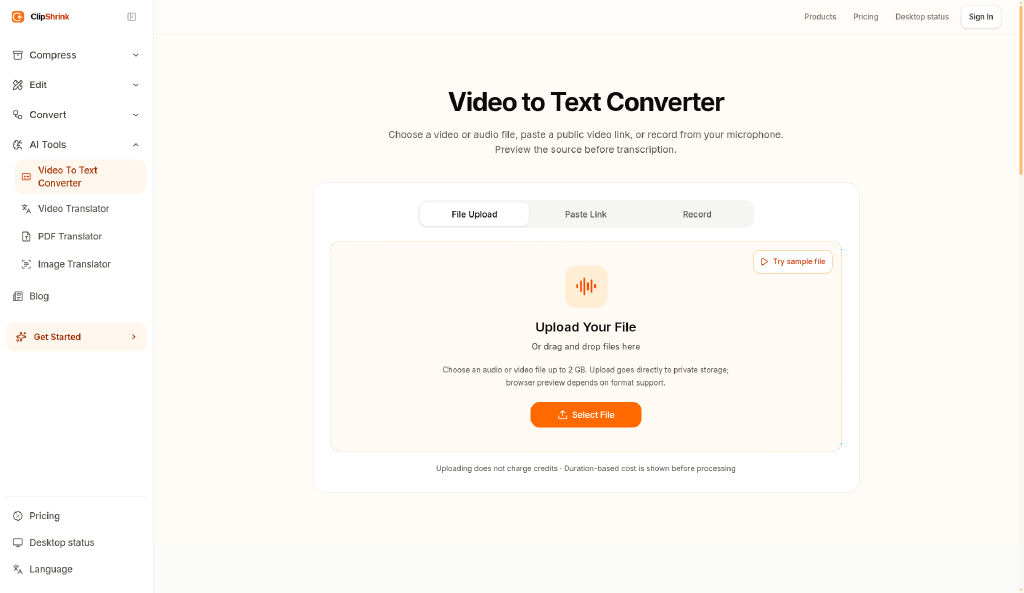
Browser-based video-to-text transcription that shows you a credit cost before processing your file.
Are you the maker? Claim this listing to keep info, pricing and screenshots current. Verified via your tool's domain email.
ClipShrink suits occasional users who want a quick transcription without committing to a subscription blind, since the credit-quote-before-processing model removes the guesswork on cost. Against Descript, it has no transcript-based editing, and the credit system can get expensive for anyone processing files regularly. Teams or creators who need to edit video by editing text should skip it and go straight to Descript.
What is ClipShrink?
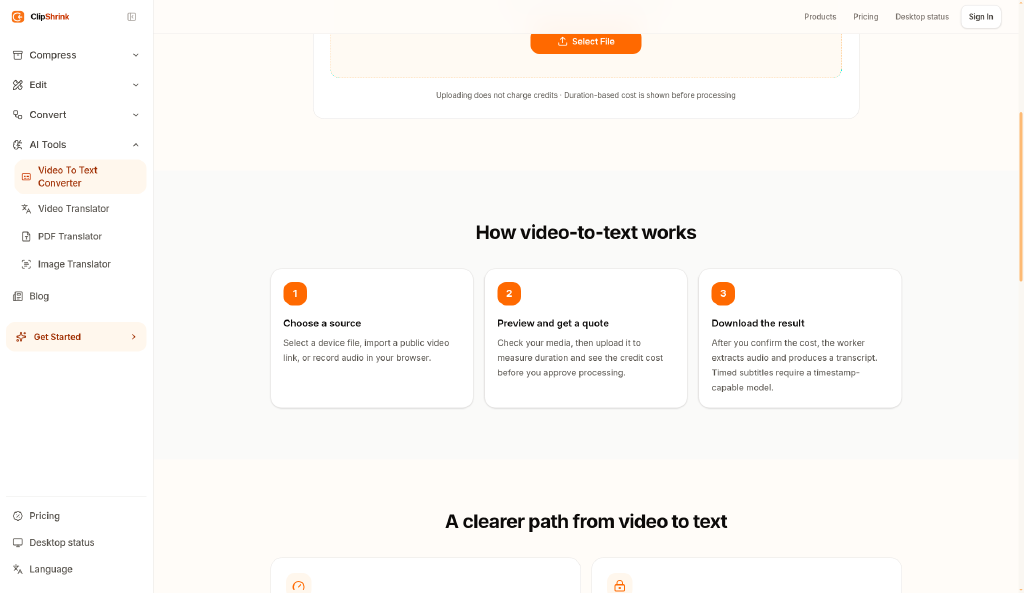
ClipShrink is a web-based tool that converts video and audio files into text transcripts using a cloud-based processing pipeline. Users must create an account and hold credits to run transcriptions; before any file is processed, the tool displays the credit cost so users can confirm before committing. Transcription files are uploaded to ClipShrink's servers for processing.
Separately, ClipShrink offers compression, trimming, and format conversion features that run entirely in the browser using local encoding. Files handled by these tools are never uploaded to the cloud, keeping them on the user's device throughout. The tool is web-only and targets individuals or small teams who need straightforward transcription or lightweight video file manipulation without installing desktop software.
How we scored ClipShrink
Capability lands at 14 because ClipShrink covers transcription and browser-local file manipulation but has no transcript-based editing, no captioning workflow, and no speaker diarization confirmed, leaving it well behind Descript on the feature set that matters most to video creators. Ease of use scores 16: the credit-quote-before-processing design is genuinely thoughtful and reduces friction for new users, but requiring an account just to transcribe adds a step that purely local tools skip. Value scores 12 because exact pricing could not be verified at all, credit-based models typically cost more per minute than flat subscriptions for regular users, and there is no confirmed free credit amount to anchor the value judgment. Delivery scores 12 because ClipShrink has essentially no public footprint: no user reviews, no third-party coverage, and no social presence were found, making it impossible to confirm the tool delivers on its claims at any meaningful scale.
Pros and cons
What we liked
- Credit-quote-before-processing removes billing surprises, a feature absent from most subscription-based transcription tools.
- Browser-local encoding for compression and trimming means device-picked files are never uploaded, giving users a genuine privacy option for sensitive footage.
- No subscription required to get started; the credit model lets infrequent users pay only when they actually process a file.
Where it falls short
- No transcript-based video editing: unlike Descript, you cannot cut or rearrange footage by editing the text output, so ClipShrink is a dead end once the transcript is generated.
- Credit pricing details are not publicly surfaced in search results, making it hard to compare per-minute costs against flat-rate competitors before signing up.
- Transcription requires cloud upload and an account, so users with strict data-residency requirements or who want fully offline processing have no path forward on the core feature.
Key features
Who should use ClipShrink?
ClipShrink fits someone who transcribes video or audio occasionally, such as a journalist pulling quotes from interview recordings a few times a month, or a small business owner who needs meeting audio turned into text without committing to a monthly subscription. The credit-quote model is particularly useful if your volume is unpredictable: you pay for what you use and you know the cost before you start.
Anyone who processes video regularly, edits podcasts, or needs to cut and rearrange footage by manipulating a transcript should look elsewhere. Descript, already in this directory, does exactly that: you edit the transcript and the video follows. If your main need is captioning short-form clips rather than raw transcription, CaptionBolt is the better fit for that workflow.
Skip it if: Teams or creators who need transcript-based video editing
Tags
Frequently asked questions
Do I need an account to use ClipShrink?+
Yes, for transcription. An account and credits are required before you can convert video or audio to text. The compression, trimming, and conversion tools that run locally in the browser may not require an account, but transcription does.
How does the credit system work?+
ClipShrink shows you the credit cost for a transcription job before processing begins, so you can confirm before any credits are deducted. Exact credit bundle prices and free credit allotments were not publicly verifiable at review time; check the pricing page directly.
Are my video files uploaded to the cloud?+
It depends on the feature. Transcription files are uploaded to ClipShrink's servers for processing. Compression, trimming, and format conversion for device-picked files run as browser-local encoding and are not uploaded.
Can I edit my video using the transcript ClipShrink produces?+
No. ClipShrink outputs a text transcript but does not offer transcript-based video editing. If you need to cut or rearrange footage by editing text, Descript is the tool for that.
What file types does ClipShrink support for transcription?+
The submitted description references both video and audio files, but specific supported formats were not confirmed from publicly available sources at review time. The tool's own feature page should be checked for a definitive list.
More AI Video Tools
See all categoriesGet your tool listed on 300+ directories.
One listing here is a strong start. But the founders who get discovered everywhere are listed everywhere. Our sister site, Free AI Directories, submits your tool to 300+ AI directories for you, every single one by hand, by a real person.
It is a one-time payment of $49, no subscription, and you can follow along as the submissions land. Prefer the slow route? The same site keeps a free list of 450+ directories you can work through yourself.
Get my tool listed on 300+ directoriesOne-time payment, no subscription · 100% human submissions · Free list of 450+ directories included.