
Describe Music
AI audio analysis tool that extracts genre, mood, BPM, key, instruments, and mix diagnostics from any uploaded track.
Are you the maker? Claim this listing to keep info, pricing and screenshots current. Verified via your tool's domain email.
Describe Music is the right pick for producers and content creators who want a single dashboard covering song identification, genre tagging, stem splitting, MIDI export, and mix QA without juggling five separate apps. Its credit-based model means heavy users will hit the 1,000-credit Base Plan ceiling fast, and the free tier's 200 credits per month is thin for anything beyond occasional curiosity. If you only need voice cloning or text-to-speech, look elsewhere entirely.
What is Describe Music?
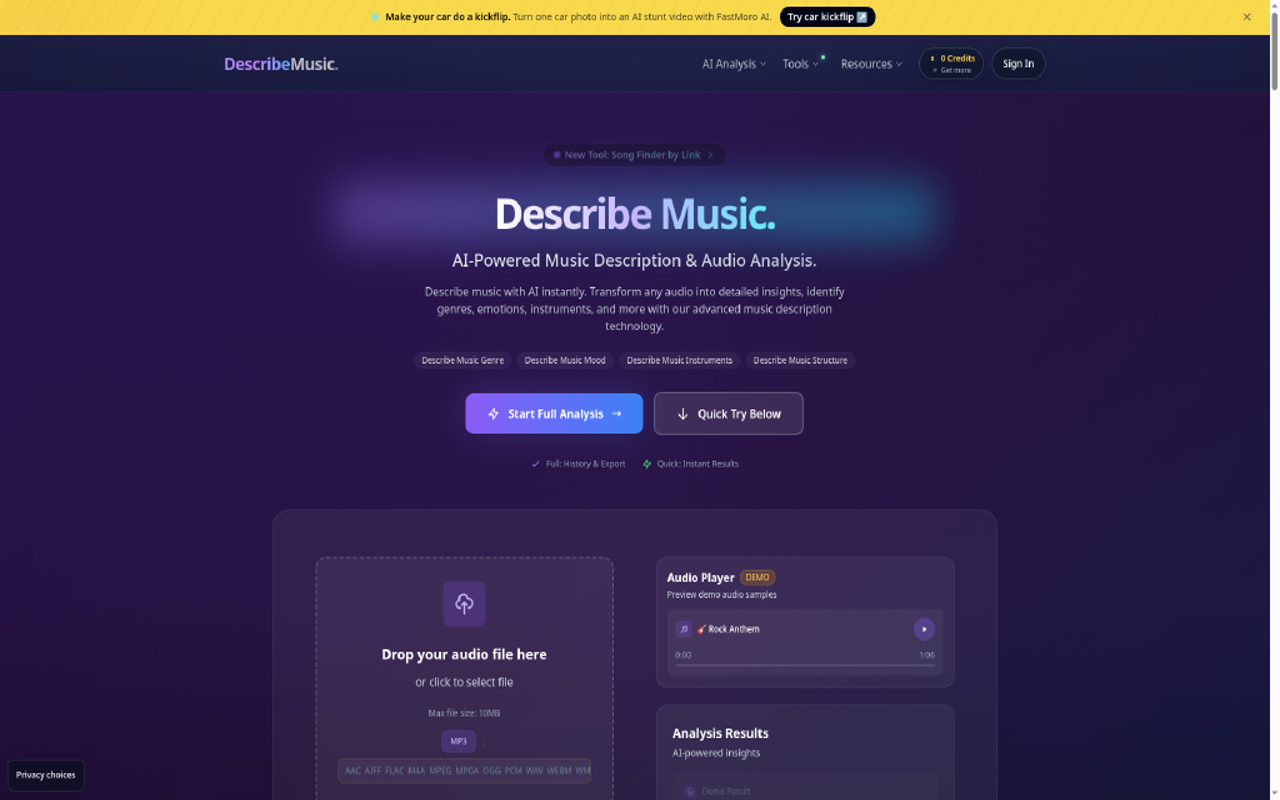
Describe Music is an AI audio analysis tool for creators who need to understand what is in a track. Upload an audio file and get a written description of the music along with tags for genre, mood, instruments and song structure, plus voice and speech analysis and sound effect recognition. Results can be exported and shared, and signed-in users keep a history of past analyses. The site also offers related tools: Audio Finder identifies a song from an uploaded audio or video file, Song Finder by Link works from a video URL, Similar Song Finder suggests tracks that sound alike, and a BPM tapper helps measure tempo by hand. It is useful for podcasters and YouTubers looking for background music, musicians and producers studying reference tracks, and marketers organizing a music library.
How we scored Describe Music
Capability scores well because the toolset is genuinely broad for a single platform: ten distinct named tools covering analysis, identification, stem splitting, MIDI export, and mix diagnostics is more than most single-purpose audio AI tools offer. Ease of use benefits from a no-card free tier, a clean web interface, and API access from the lowest paid plan. Value takes a hit because the free tier's 200 credits covers roughly one three-minute song per month, which is too thin to properly evaluate the tool before paying, and the Base Plan's 50 MB file cap and MP3/WAV-only restriction at $9.90 is a real constraint for producers working in lossless formats. Delivery lands lower because no published accuracy benchmarks exist for genre or mood classification, no substantial independent user review corpus was found, and the tool launched only in early 2026, leaving its track record unestablished.
Pros and cons
What we liked
- Unusually broad toolset for a single platform: song ID, genre and mood tagging, stem splitting, MIDI export, piano roll, mix diagnostics, and background noise removal all under one credit account.
- One-time credit packs ($19.90 for 1,500 credits, $99.90 for 11,000 credits) never expire, making it practical for occasional or project-based use without a recurring subscription.
- API access is included on all paid plans starting at $9.90 per month, which is low for a tool offering programmatic audio analysis at that price point.
Where it falls short
- The free tier's 200 credits per month translates to roughly 3 minutes of audio analysis, which is genuinely too thin to evaluate the tool's accuracy on a real project before committing to a paid plan.
- No published accuracy benchmarks for genre or mood classification, so buyers have no independent way to compare output quality against dedicated analyzers like Mixed In Key before purchasing.
- The Base Plan at $9.90 per month caps file uploads at 50 MB and restricts formats to MP3 and WAV only; FLAC, M4A, and AIFF require the $19.90 Pro Plan, which is a meaningful limitation for producers working in lossless formats.
Key features
Describe Music pricing
Free tier gives 200 credits per month with no credit card required. Monthly subscriptions start at $9.90 per month (Base, 1,000 credits), $19.90 per month (Pro, 3,000 credits), and $39.90 per month (Premium, 7,200 credits). One-time credit packs are also available: 1,500 credits for $19.90, 4,000 credits for $39.90, and 11,000 credits for $99.90. One-time packs never expire.
| Plan | Price | Who it is for |
|---|---|---|
| Free | Free | 200 credits per month, no credit card required. MP3 and WAV files up to 10 MB. No export, no saved history, no API access. |
| Base Plan | $9.90/mo | 1,000 credits per month. MP3 and WAV files up to 50 MB. CSV, JSON, and clipboard export. Saved analysis history. API access. Unlimited Pro Mix QA checks. Email support. |
| Pro Plan | $19.90/mo | 3,000 credits per month. FLAC, M4A, AIFF, and more up to 200 MB. All Base Plan features plus larger file support and API access. Unlimited Pro Mix QA checks. |
| Premium Plan | $39.90/mo | 7,200 credits per month. Files up to 500 MB. All Pro Plan features plus priority support for active projects. |
| Basic Credit Pack | $19.90 | 1,500 credits, one-time purchase, never expire. No subscription required. |
| Pro Credit Pack | $39.90 | 4,000 credits, one-time purchase, never expire. |
| Premium Credit Pack | $99.90 | 11,000 credits, one-time purchase, never expire. |
Pricing reflects what we saw at time of review (2026-10). Always confirm current pricing on the tool's own site.
Who should use Describe Music?
Producers and beatmakers who regularly pull reference tracks will get the most out of Describe Music. The combination of genre and mood tagging, BPM and key detection, stem splitting, and Mix QA in one place saves real time compared to running separate tools. DJs building playlists by key and tempo, music students reverse-engineering arrangements, and podcasters checking voice clarity before publishing are also natural fits.
Content creators who need background music tagged for licensing or SEO purposes will find the auto-generated tag export useful. That said, anyone whose primary need is generating voiceovers, cloning a voice, or dubbing video into other languages should go straight to ElevenLabs or Murf AI. Those tools are built for synthesis; Describe Music only analyzes audio that already exists. Similarly, teams needing multilingual transcription or captions at scale will be better served by Tremigos.
Skip it if: Teams needing voice synthesis, dubbing, or transcription at scale
Frequently asked questions
How many credits does a typical song analysis use?+
The platform charges one credit per second of audio. A three-minute track costs 180 credits. The free tier's 200 credits per month covers roughly one full song analysis with little room for retries.
Can I use Describe Music without a subscription?+
Yes. The free tier provides 200 credits per month with no credit card required. One-time credit packs starting at $19.90 for 1,500 credits are also available and never expire, making them a practical option for occasional project work.
Which file formats are supported, and does the plan affect this?+
The free tier and Base Plan support MP3 and WAV. The Pro Plan ($19.90 per month) and above enable FLAC, M4A, AIFF, and additional formats, along with larger file size limits up to 200 MB or 500 MB on Premium.
Does Describe Music have an API?+
API access is included on all paid monthly plans, starting with the Base Plan at $9.90 per month. The free tier and one-time credit packs do not include API access based on the pricing page.
How accurate is the genre and mood detection?+
The site does not publish a numeric accuracy figure. The platform uses AI models trained on a broad range of genres and styles, but results depend on input audio quality and content type. No independent benchmark is publicly available.
Can Describe Music generate or synthesize audio?+
No. Describe Music is an analysis-only tool. It reads and describes audio that already exists but cannot create, clone, or synthesize voices or music.
More AI Voice, Audio & Music tools
See all categoriesGet your tool listed on 300+ directories.
One listing here is a strong start. But the founders who get discovered everywhere are listed everywhere. Our sister site, Free AI Directories, submits your tool to 300+ AI directories for you, every single one by hand, by a real person.
It is a one-time payment of $49, no subscription, and you can follow along as the submissions land. Prefer the slow route? The same site keeps a free list of 450+ directories you can work through yourself.
Get my tool listed on 300+ directoriesOne-time payment, no subscription · 100% human submissions · Free list of 450+ directories included.