
EchoLearn
AI transcription and summarization tool for students, content creators, and teams that turns recordings into structured PDFs, subtitles,
Are you the maker? Claim this listing to keep info, pricing and screenshots current. Verified via your tool's domain email.
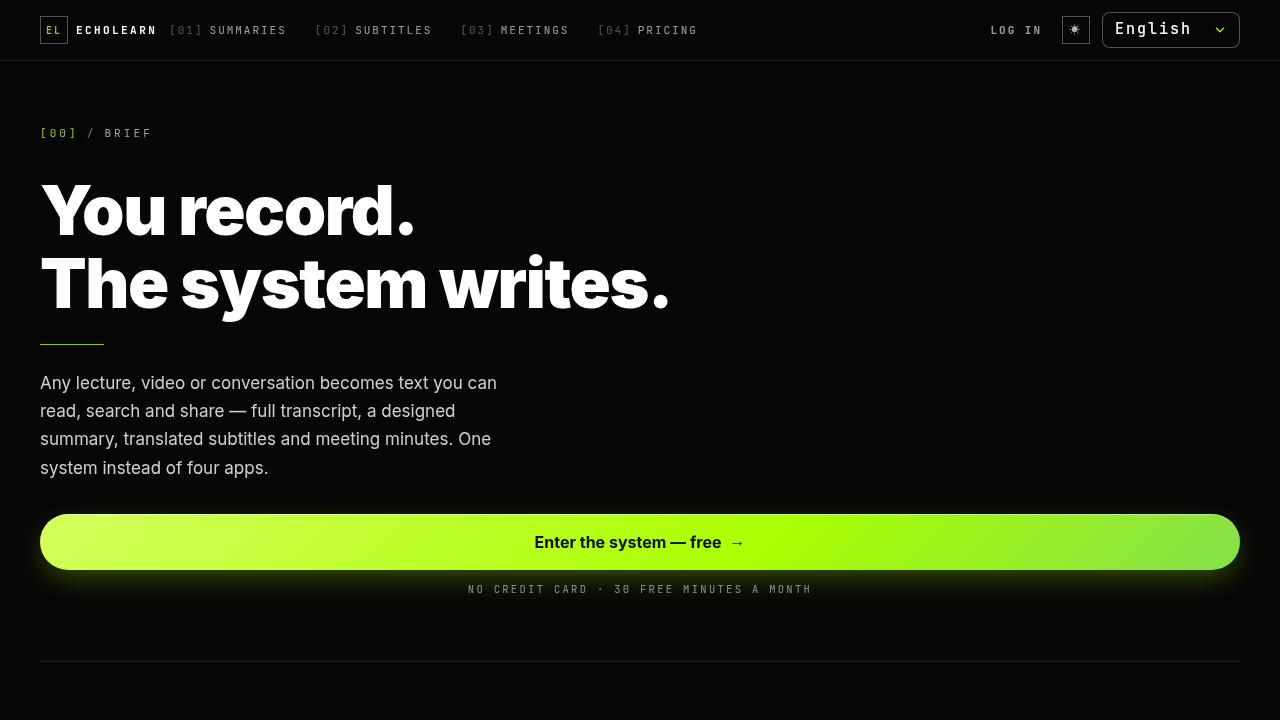
EchoLearn is the clearest fit for students who accumulate recorded lectures faster than they can rewatch them, offering a tidy three-in-one pipeline: transcript, designed PDF summary, and translated subtitles from a single upload. Its free tier is genuinely usable at 30 minutes a month with no credit card required, but the Pro plan's value depends heavily on how much audio you process each month, and the tool has almost no public track record or user reviews to validate its accuracy claims. If you need a battle-tested transcription tool with a proven accuracy record, Notion AI's summarization inside a workspace you already use will serve you better.
What is EchoLearn?
I built EchoLearn for students who have more recorded lectures than time to rewatch them. Record a class in the browser or upload an audio or video file, and EchoLearn returns the full transcript plus a designed PDF summary: a short abstract, the points that mattered, and an explanation of every term that came up. It detects the language automatically and can translate. The same pipeline also makes meeting minutes (decisions, tasks and owners) and translated subtitles for videos. The free plan includes 30 minutes a month with no credit card; Pro is $9/month for longer recordings.
How we scored EchoLearn
Capability lands at 17 because the three-output pipeline (PDF summary, subtitles, meeting minutes) is genuinely differentiated from raw transcription tools, but no accuracy benchmarks exist and the feature set is thin compared to established tools that offer speaker diarization, searchable transcript libraries, and integrations. Ease of use scores 19 because the input-to-output flow is simple and the free tier requires no credit card, lowering the barrier to a first test. Value scores 16 because $9/month for Pro is not expensive in absolute terms, but the Pro plan's actual processing cap is undisclosed, making it impossible for a buyer to confirm the plan covers their real workload before paying. Delivery scores 10 because the product has essentially zero public track record: no independent reviews, no user testimonials, and no third-party coverage of echolearn.co.il were findable, which means the site's claims about accent handling, noise tolerance, and translation quality are entirely unverified.
Pros and cons
What we liked
- Three distinct output formats (PDF lecture summary, subtitled video, meeting minutes) from one upload pipeline, covering the most common student and team use cases without switching tools.
- Free tier requires no credit card and provides 30 minutes of processing per month, which is enough to evaluate the output quality on real content before committing.
- Accepts input from YouTube, TikTok, X, and Zoom links in addition to file uploads, so students can process content from wherever it lives without downloading it first.
Where it falls short
- No public accuracy benchmarks, independent reviews, or user testimonials are available for the echolearn.co.il product specifically, making it impossible to verify how well the transcription handles accented speech, technical vocabulary, or noisy recordings before paying.
- The Pro plan at $9/month enables longer recordings but the pricing page does not specify what the actual minute or hour cap is on Pro, leaving buyers unable to calculate whether it covers their real workload.
- The tool is web-only with no mobile app, no API access listed, and no integrations with note-taking or project management tools, so every output requires a manual download-and-paste step into whatever system the user actually works in.
Key features
EchoLearn pricing
Free plan includes 30 minutes of processing per month with no credit card required. Pro plan is $9/month and covers longer recordings. No other tiers are listed on the pricing page.
| Plan | Price | Who it is for |
|---|---|---|
| Free | Free | 30 minutes of processing per month. No credit card required. Access to all three output types: lecture summaries, subtitles, and meeting minutes. |
| Pro | $9/month | Longer recordings beyond the 30-minute free cap. Specific minute or hour limit not stated on the pricing page. |
Pricing reflects what we saw at time of review (2026-10). Always confirm current pricing on the tool's own site.
Who should use EchoLearn?
The clearest user is a university student sitting on a backlog of two-hour recorded lectures. EchoLearn's PDF output, with its term glossary and structured key points, is more useful for studying than a raw transcript. Students who record in one language and need to review in another will also find the translation layer genuinely practical rather than a novelty.
Content creators who publish in one language and want subtitles in another without paying for a dedicated subtitle service are a reasonable secondary audience. That said, anyone who needs verified transcription accuracy for legal, medical, or compliance purposes should look elsewhere entirely. Notion AI is the better pick for knowledge workers who already live in Notion and want summarization built into their existing notes workflow rather than a separate upload-and-download loop.
Skip it if: Teams needing enterprise-grade transcription accuracy or deep integrations with project management tools.
Frequently asked questions
Do I need a credit card to try EchoLearn?+
No. The free plan provides 30 minutes of processing per month and requires no credit card to sign up.
What file types and sources does EchoLearn accept?+
EchoLearn accepts microphone recordings made directly in the browser, uploaded audio and video files, and links from YouTube, TikTok, X, and Zoom or Google Meet screen shares.
How much does the Pro plan cost and what does it include?+
The Pro plan is $9/month. It removes the 30-minute monthly cap of the free plan to allow longer recordings, but the pricing page does not specify the exact minute or hour limit included.
What languages does EchoLearn support?+
The tool detects spoken language automatically and can translate output into any language. The interface is available in Hebrew, English, Arabic, Spanish, and French.
Can I get the output as something other than a PDF?+
Yes. The subtitle feature returns either an MP4 with subtitles burned in or a standalone subtitle file. Meeting minutes are also available as a downloadable document. The lecture summary output is a PDF.
Is there a mobile app?+
Based on the product page, EchoLearn is web-only. No iOS or Android app is listed.
More AI Productivity Tools
See all categoriesGet your tool listed on 300+ directories.
One listing here is a strong start. But the founders who get discovered everywhere are listed everywhere. Our sister site, Free AI Directories, submits your tool to 300+ AI directories for you, every single one by hand, by a real person.
It is a one-time payment of $49, no subscription, and you can follow along as the submissions land. Prefer the slow route? The same site keeps a free list of 450+ directories you can work through yourself.
Get my tool listed on 300+ directoriesOne-time payment, no subscription · 100% human submissions · Free list of 450+ directories included.