
Enzo Celebration AI
A one-photo generator that puts anyone into the viral Enzo Fernandez Topo Gigio stadium celebration as an 8-second 720p MP4.
Are you the maker? Claim this listing to keep info, pricing and screenshots current. Verified via your tool's domain email.
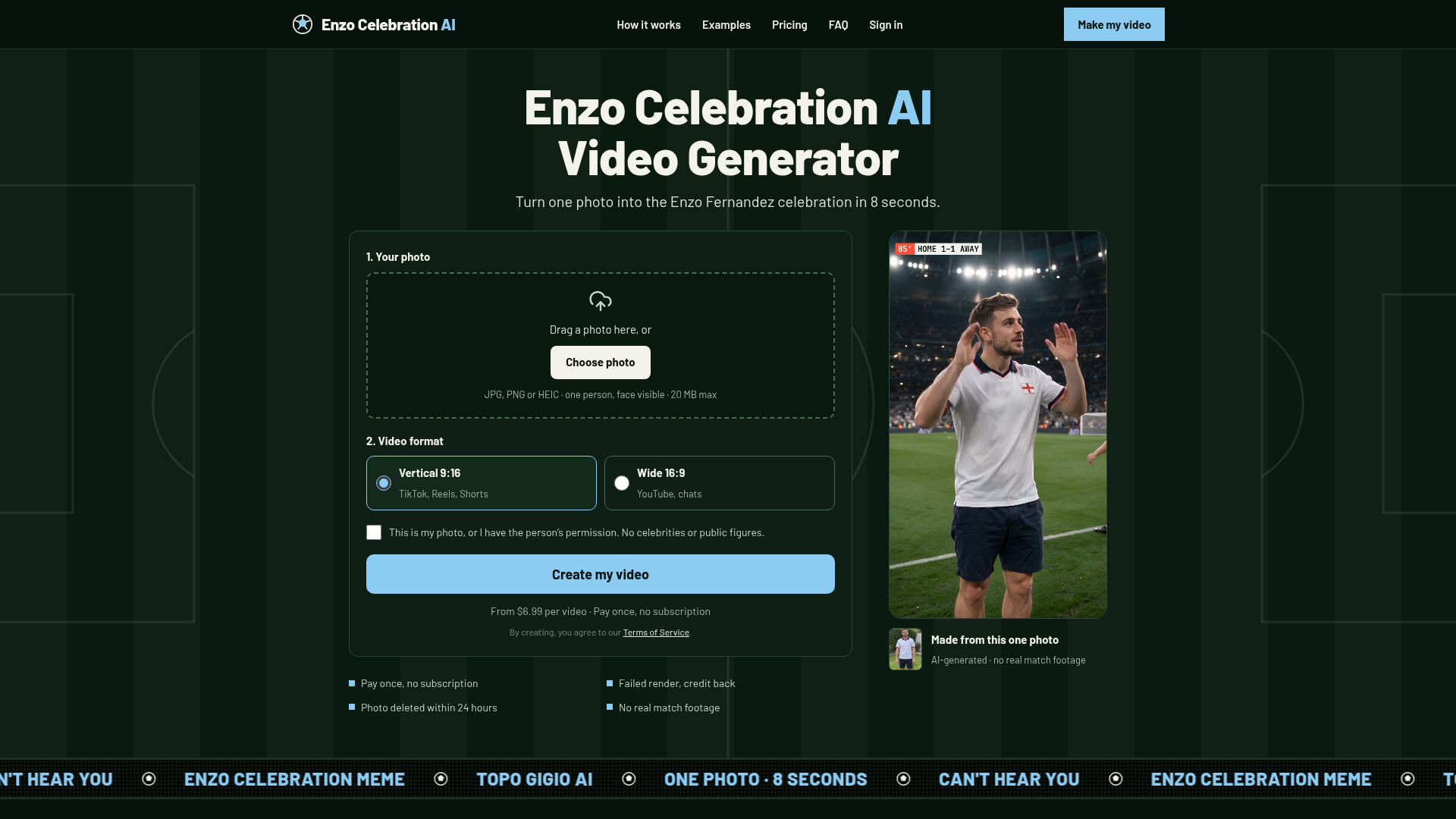
Enzo Celebration AI is the right pick for anyone who wants the Topo Gigio clip done in minutes with no editing skills, no app download, and no watermark. It does exactly one thing, and the pay-once credit model is honest; the $6.99 single-video entry price is fair for a novelty clip. Skip it if you need anything beyond this single celebration template, or if 720p output is too low for your use case.
What is Enzo Celebration AI?
Enzo Celebration AI rebuilds the viral Enzo Fernandez Topo Gigio celebration (hands cupped behind the ears, lips out, toward the stands) around your own photo. Upload one clear photo of one person, choose vertical 9:16 for TikTok, Reels and Shorts or wide 16:9 for YouTube and chats, and get an 8-second 720p MP4 with crowd sound, in your own clothes, on an AI-generated stadium, with no watermark. Works in any browser with no app, failed renders get the credit back automatically, and photos are deleted within 24 hours. Make it for a rival fan, your dad, your partner, or yourself.
How we scored Enzo Celebration AI
Capability scores 13 because the tool does exactly one thing: a single fixed celebration template at 720p with no resolution upgrade path, no second template, and no creative controls. Every named competitor in the directory (Runway, HeyGen) can produce a wider range of outputs. Ease of use scores 22 because the zero-prompt, browser-only workflow with automatic credit refunds and no app install is genuinely frictionless for its target task. Value scores 16: $6.99 for a single no-watermark novelty clip is not unreasonable in isolation, but there is no free preview, no way to judge output quality for your specific photo before paying, and the tool's single-template nature means the credits have zero utility once the trend fades. Delivery scores 12 because no independent user sentiment corpus was found to verify output quality claims, the tool is very new with no established track record, and the single-template design means any AI generation inconsistency (hand anatomy, face fidelity) has no fallback option within the product.
Pros and cons
What we liked
- Zero-prompt workflow: one photo in, finished MP4 out, with crowd audio already baked in and no editing required.
- Credits never expire and failed renders are refunded automatically, so there is no risk of losing money to a bad generation.
- No watermark on any tier, including the $6.99 single-video pack, which is unusual for a tool at this price point.
Where it falls short
- Locked to a single celebration template: the tool cannot produce any other pose, sport, or video style, so its usefulness ends the moment the Topo Gigio trend fades.
- Output is capped at 720p with no higher-resolution option, which limits usability for anyone publishing to platforms that reward 1080p or 4K.
- No free preview or trial generation: you pay $6.99 before seeing how your specific photo renders, with no way to judge output quality for your image in advance.
Key features
Enzo Celebration AI pricing
Three one-time credit packs: Single at $6.99 for 1 video, Squad at $16.99 for 3 videos ($5.66 each), and Stadium at $34.99 for 8 videos ($4.37 each). No subscription, no free tier. Credits never expire and a failed render automatically returns its credit.
| Plan | Price | Who it is for |
|---|---|---|
| Single | $6.99 | 1 video credit. 8-second 720p MP4, crowd sound, no watermark. Credit never expires. Failed renders return the credit automatically. |
| Squad | $16.99 | 3 video credits at $5.66 each (19% saving vs Single). Same specs as Single. Credits never expire. |
| Stadium | $34.99 | 8 video credits at $4.37 each (37% saving vs Single). Same specs as Single. Credits never expire. |
Pricing reflects what we saw at time of review (2026-10). Always confirm current pricing on the tool's own site.
Who should use Enzo Celebration AI?
This tool is built for a very specific buyer: the football fan who wants to drop a personalized Topo Gigio clip into the group chat, the person making a birthday or rivalry gift for a Chelsea or Argentina supporter, or the social media creator who wants to ride the trend without spending an hour in CapCut. The $6.99 single-video price is low enough that it is an impulse purchase, and the no-watermark output means the clip looks clean on TikTok or Reels without any post-processing.
If you need general AI video creation, multi-template flexibility, or the ability to generate longer or higher-resolution clips, look elsewhere. Runway gives you a full browser-based video studio with far more creative control and multiple generation modes, making it the better fit for anyone who needs more than one fixed template. HeyGen is the right alternative if your goal is talking-head or avatar video rather than a sports celebration clip.
Skip it if: Anyone needing general-purpose AI video creation, higher resolution output, or a free trial before paying.
Frequently asked questions
Is there a free trial or free video?+
No. There is no free tier or preview generation. The cheapest option is the Single pack at $6.99 for one video. Unused credits never expire, and failed renders are refunded automatically.
What resolution and length do I get?+
Every video is 8 seconds long and rendered at 720p. There is no higher-resolution option available on any tier.
Can I use this for a photo of my pet or a child?+
The site's consent checkbox specifies the photo must be of an adult or a pet, so pets are explicitly permitted. Photos of minors are not allowed under the stated terms.
What happens to my photo after I upload it?+
Photos are deleted within 24 hours of the video finishing or failing. The site also states that photos are not used to train its own models and videos are never shown in a public gallery.
Do credits expire if I buy a pack and don't use all the videos?+
Credits never expire. If you buy the Stadium pack for $34.99 and only use two of the eight credits, the remaining six stay in your account indefinitely.
Is this tool affiliated with Enzo Fernandez, Chelsea FC, or the Argentine Football Association?+
No. The site explicitly states it is an independent tool with no affiliation to Enzo Fernandez, any club, federation, league, broadcaster, or the Topo Gigio character.
More AI Video Tools
See all categoriesGet your tool listed on 300+ directories.
One listing here is a strong start. But the founders who get discovered everywhere are listed everywhere. Our sister site, Free AI Directories, submits your tool to 300+ AI directories for you, every single one by hand, by a real person.
It is a one-time payment of $49, no subscription, and you can follow along as the submissions land. Prefer the slow route? The same site keeps a free list of 450+ directories you can work through yourself.
Get my tool listed on 300+ directoriesOne-time payment, no subscription · 100% human submissions · Free list of 450+ directories included.