
Life Sprites
A chat-first personal assistant that builds to-dos, trackers, step-by-step guides, and live data alerts from a single conversation.
Are you the maker? Claim this listing to keep info, pricing and screenshots current. Verified via your tool's domain email.
Life Sprites is best for solo users who want a single conversational interface to replace a scattered stack of reminder apps, habit trackers, and weather widgets. Its MCP bridge to Claude and ChatGPT is a genuine differentiator, but the product is early-stage and pricing details are not publicly documented in a way that lets buyers compare it confidently against established tools. Anyone who needs team collaboration, deep integrations with work software, or a proven track record should look at ChatGPT or Claude instead.
What is Life Sprites?
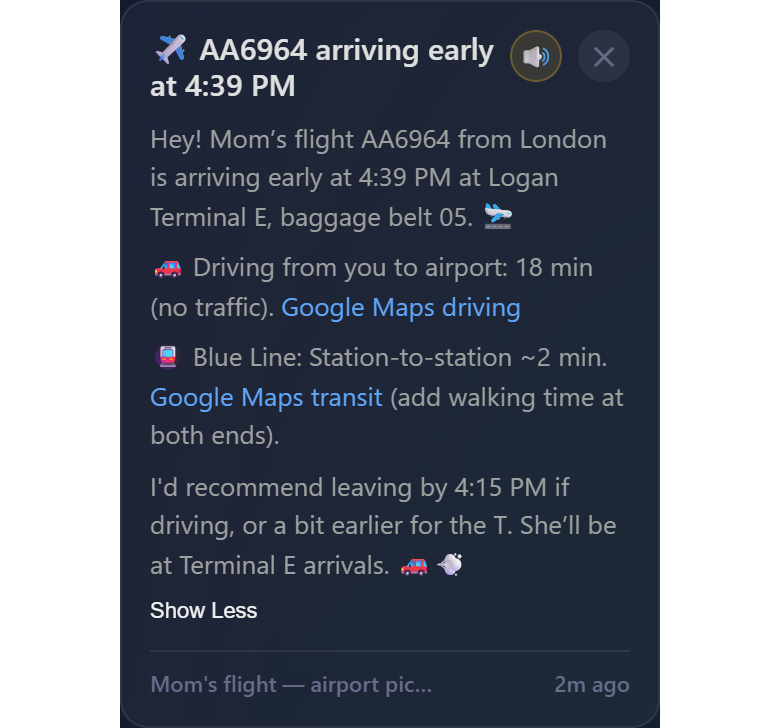
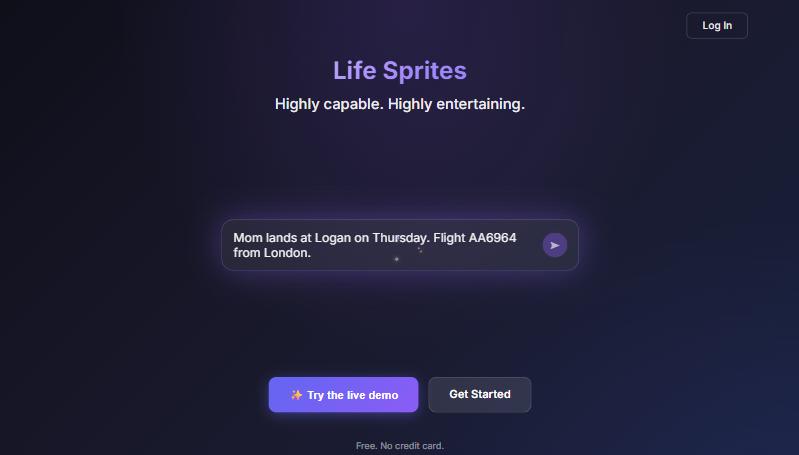
Life Sprites is a chat-based personal productivity app that converts natural-language conversations into structured task cards, habit trackers, step-by-step guides with timers, and live data alerts. Users describe what they need in plain language and the app's sprite characters build the corresponding tools automatically, covering everything from daily to-do lists to real-time watches on weather, flight arrivals, tides, and price changes. Morning briefings summarize the day in the sprite's own voice.
The app targets individuals who want a single conversational interface instead of multiple separate productivity and alert apps. It supports document uploads for page-by-page Q&A on manuals or textbooks, and connects to Claude and ChatGPT via MCP so those assistants can read and write the same tasks and trackers. Sprites have distinct personalities, and the app uses a progression mechanic where completing tasks enables additional sprite characters.
How we scored Life Sprites
Capability scores 17 because the live data watch system and MCP bridge to Claude and ChatGPT are genuinely differentiated features not found in most personal productivity chatbots, but the product is early-stage and no competitor-verified output quality signals exist. Ease of use scores 16 because the conversational card-building premise is inherently low-friction, but the sparse public web presence and absence of documented onboarding or help content make it impossible to confirm the experience holds up beyond the concept. Value scores 12 because pricing is entirely undiscoverable at review time, meaning a buyer cannot evaluate cost before committing to a trial, which is a real barrier regardless of what the price turns out to be. Delivery scores 13 because there are zero third-party reviews, no documented user base, and no verifiable evidence that the live data watches, MCP integration, and document Q&A all function as described in production, not just in a demo context.
Pros and cons
What we liked
- Live data watches for weather, flights, tides, and prices push alerts proactively, a capability most personal productivity chatbots do not offer natively.
- MCP integration lets Claude and ChatGPT read and write Life Sprites tasks and trackers, so users keep their existing AI assistant while gaining the structured card system.
- Document upload with page-by-page Q&A gives the tool a practical research use case beyond scheduling, useful for anyone working through a manual, textbook, or appliance guide.
Where it falls short
- Pricing is not publicly documented in a discoverable way at review time, which makes it impossible for a buyer to compare cost against alternatives before signing up for a trial.
- The product is early-stage with no visible third-party reviews, no documented user base size, and a sparse public web presence, making delivery claims hard to verify independently.
- The sprite personality and gamification mechanic, while distinctive, means the interface is built around a specific aesthetic that will feel out of place in professional or team contexts, limiting the tool's addressable audience.
Key features
Who should use Life Sprites?
Life Sprites suits people who find conventional productivity apps too rigid or too boring to stick with. A solo commuter who wants a single morning briefing covering their task list, the weather, and a flight their family is on will get real value from the watch system. Someone working through a technical manual or textbook will find the document Q&A feature more focused than asking a general-purpose chatbot. The gamified sprite progression is a genuine hook for users who have tried and abandoned habit trackers before.
Anyone managing a team, running a business workflow, or needing integrations with tools like Slack, Notion, or Google Calendar should look elsewhere. ChatGPT's paid tiers offer a far more mature ecosystem of plugins and memory features for complex, multi-step work. Claude is the stronger pick for users who primarily need long-document reasoning and want a well-documented, stable product with transparent pricing.
Skip it if: Teams, power users needing deep app integrations, or anyone who needs a mature, well-documented product
Tags
Frequently asked questions
What exactly is a 'watch' in Life Sprites?+
A watch is a live data monitor that tracks an external source, such as weather forecasts, flight arrival times, tide schedules, or product prices, and sends an alert when a specified condition is met. You set it up through conversation rather than through a configuration form.
Can I use Life Sprites alongside Claude or ChatGPT I already pay for?+
Yes. Life Sprites connects to Claude and ChatGPT over MCP, which means those assistants can read and write the same tasks, trackers, and watches stored in Life Sprites. You do not have to choose one or the other.
How much does Life Sprites cost?+
The submitted pricing model is FREE_TRIAL, indicating a trial period before paid access begins, but specific tier names and prices were not publicly discoverable at review time. Check the pricing page directly before signing up.
What kinds of documents can I upload for Q&A?+
The product description references appliance manuals, car guides, and textbooks as examples. The feature is described as page-by-page querying, suggesting it works best with structured reference documents rather than unstructured prose.
Is Life Sprites available on mobile?+
The step-by-step guides are explicitly described as designed to be walked through on a phone, and the product targets daily personal use cases, suggesting mobile access is central to the experience. A dedicated iOS or Android app listing was not confirmed at review time.
What happens when I complete my to-do list?+
Completing your to-do list enables additional sprite characters, each with a distinct personality. This is the app's core gamification mechanic, intended to make daily task completion feel rewarding rather than routine.
More AI Chatbots & Assistants tools
See all categoriesGet your tool listed on 300+ directories.
One listing here is a strong start. But the founders who get discovered everywhere are listed everywhere. Our sister site, Free AI Directories, submits your tool to 300+ AI directories for you, every single one by hand, by a real person.
It is a one-time payment of $49, no subscription, and you can follow along as the submissions land. Prefer the slow route? The same site keeps a free list of 450+ directories you can work through yourself.
Get my tool listed on 300+ directoriesOne-time payment, no subscription · 100% human submissions · Free list of 450+ directories included.