
Maeve Social
A flat-rate social media management platform covering planning, approvals, publishing, and reporting across 9 platforms for agencies and
Are you the maker? Claim this listing to keep info, pricing and screenshots current. Verified via your tool's domain email.
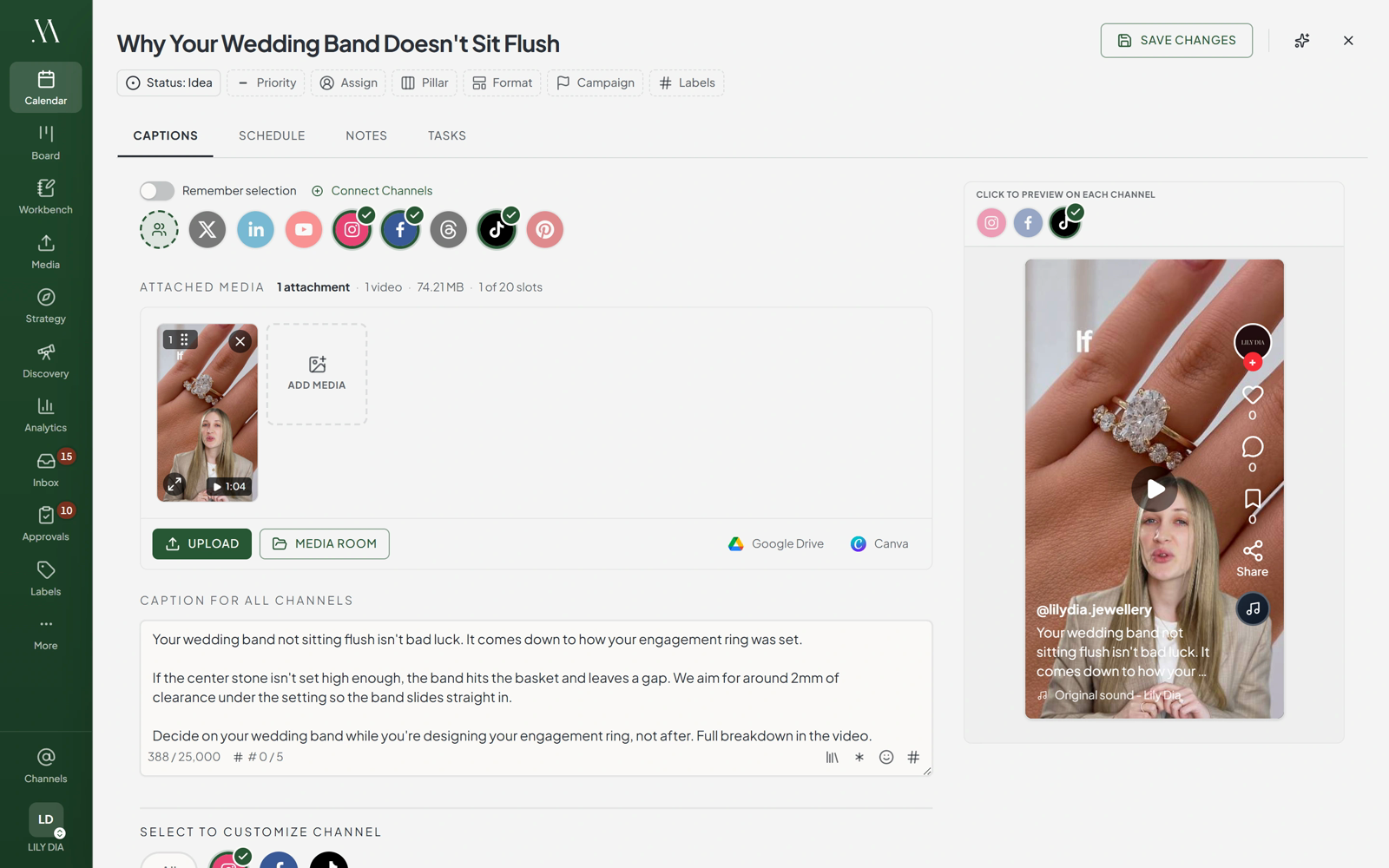
Maeve Social is the clearest fit for small agencies and freelancers who need client approval workflows without paying per seat, starting at $25/month flat for one user and 20 social connections. The AI assistant works from brand memory, but it does not generate images or video, which puts it behind broader tools like Vista Social for teams that need AI-assisted creative production. Solo creators who only want simple scheduling and do not need approvals or a unified inbox will find the $25 entry price hard to justify against cheaper single-purpose schedulers.
What is Maeve Social?
Maeve Social is an all-in-one social media project management platform for creators, small businesses, agencies, freelancers, and in-house marketing teams. Plan content on a calendar and board, develop briefs and scripts in the Workbench, organize assets in the Media Room, and manage internal or client approvals. Clients can review through a link without creating an account. Publish to Instagram, Facebook, TikTok, YouTube, LinkedIn, X, Threads, Pinterest, and Google Business Profile. Maeve includes an AI assistant, API, CLI and MCP automation, a unified social inbox, analytics, and branded PDF reports. Paid plans start at $25 per month with a three-day trial; there is no ongoing free plan.
How we scored Maeve Social
Capability lands at 19 because the feature set is genuinely broad for the price tier: flat-rate team seats, client review links, a six-network inbox, Discovery, and API/CLI/MCP access on every plan are all real differentiators. The specific gap that costs points is the text-only AI assistant; at a time when named competitors offer image and video generation, the absence is a concrete capability deficit. Value scores 20 because $99/month flat for five users and 50 connections is objectively competitive against per-seat tools, and the yearly discount brings Basic to $20/month. Ease of use scores 20 based on the observable interface design and the no-login client review flow, which removes a known friction point. Delivery scores 13 because the platform launched in September 2026, giving it roughly one month of public history at review time; there are no independent third-party reviews to verify that the published feature list matches the live product, and the 3-day trial window is short for agencies to validate a migration. That short track record is a real delivery risk specific to this tool, not a category-level observation.
Pros and cons
What we liked
- Client approval links require no client account or login, which removes a common friction point for agencies managing multiple brands.
- Flat-rate team pricing: Standard covers 5 users and 50 connections for $99/month total, not $99 per seat.
- REST API, CLI, and MCP server access are included on every plan, including the $25 Basic tier, which is rare at this price point.
Where it falls short
- The AI assistant does not generate images or video; it drafts text only, which means teams that need AI-assisted creative production must bring a separate image or video tool.
- No ongoing free plan exists. The 3-day trial is short for agencies that need time to migrate content calendars, connect multiple accounts, and run a real approval cycle before committing.
- Launched in September 2026, so the platform has a very short public track record, limited third-party reviews, and an integration library that has not had time to mature compared to established competitors.
Key features
Maeve Social pricing
Three paid tiers, no ongoing free plan. Basic is $25/month (or $240/year, which works out to $20/month). Standard is $99/month (or $950/year). Premium is $199/month (or $1,900/year). Every plan includes a 3-day free trial.
| Plan | Price | Who it is for |
|---|---|---|
| Basic | $25/mo | 1 user, 2 workspaces, 20 social connections, 800 AI credits/month, publishing to all 9 platforms, social inbox, analytics, Media Room with 20GB storage, hashtag and label manager, 1 competitor and 3 hashtag watches in Discovery, API/CLI/MCP access. Billed $240/year (effectively $20/mo). |
| Standard | $99/mo | Everything in Basic plus 5 team members, 5 workspaces, 50 social connections, 1,500 AI credits/month, roles and permissions, internal approvals, client review links, client portal and contact management, comment-to-DM and keyword auto-replies (Instagram and Facebook), PDF reports with scheduled sends, Meta/TikTok/LinkedIn ads and boosting, 5 competitors and 10 hashtag watches, 50GB storage. Billed $950/year. |
| Premium | $199/mo | Everything in Standard plus unlimited team members, unlimited workspaces, unlimited social connections, 3,000 AI credits/month, 15 competitors and 20 hashtag watches, team performance insights, dedicated success manager, white-glove phone support, 100GB storage. Billed $1,900/year. |
Pricing reflects what we saw at time of review (2026-10). Always confirm current pricing on the tool's own site.
Who should use Maeve Social?
A freelance social media manager handling three to ten client accounts is the clearest fit. The Basic plan at $25/month covers 20 connections and 2 workspaces, and the client review link means clients can approve posts without you setting up a guest account for each one. Standard at $99/month makes sense the moment a second team member joins or a client needs to sign off before anything publishes.
Agencies with a growing roster should look at Standard or Premium. The flat pricing means adding a new client brand does not trigger a new per-seat charge. Developers who want to automate publishing or wire social scheduling into an AI agent pipeline will find the API, CLI, and MCP access on every plan genuinely useful. Who should look elsewhere: if you only manage one or two personal accounts and have no approval or reporting needs, Simple Post from our directory is a lighter, more affordable option built specifically for solo creators and small teams who want AI-assisted drafting without the agency overhead.
Skip it if: Solo creators who only need basic scheduling and can live without approvals or a unified inbox
Tags
Frequently asked questions
Is there a free plan?+
No. Maeve Social has no ongoing free tier. Every paid plan includes a 3-day free trial, and the pricing page states you can cancel before the trial ends to avoid the first charge.
How does the client approval process work?+
You send the client a review link. They open it in a browser, leave comments or approve posts, and their feedback attaches to the specific post in your workspace. The client does not need to create an account or log in.
What does a social connection count as?+
One account on one platform. An Instagram account and a Facebook Page connected to the same workspace count as two connections. Basic allows 20, Standard allows 50, and Premium has no cap.
Does the AI assistant generate images or video?+
No. The AI assistant drafts text captions only, using stored brand voice settings, content pillars, and preferred or banned phrases. Image and video generation are not part of the platform.
What does the yearly discount work out to?+
Roughly 20 percent off the monthly rate. Basic drops from $25/month to $240/year (about $20/month). Standard drops from $99/month to $950/year. Premium drops from $199/month to $1,900/year.
Do all plans include API and developer access?+
Yes. The REST API, CLI, and MCP server for AI agent workflows are included on every plan, including Basic at $25/month.
More AI Marketing Tools
See all categoriesGet your tool listed on 300+ directories.
One listing here is a strong start. But the founders who get discovered everywhere are listed everywhere. Our sister site, Free AI Directories, submits your tool to 300+ AI directories for you, every single one by hand, by a real person.
It is a one-time payment of $49, no subscription, and you can follow along as the submissions land. Prefer the slow route? The same site keeps a free list of 450+ directories you can work through yourself.
Get my tool listed on 300+ directoriesOne-time payment, no subscription · 100% human submissions · Free list of 450+ directories included.