
ModelAny
Free Chrome and Edge extension that sends one prompt to 11 AI models simultaneously and shows every answer side by side.
Are you the maker? Claim this listing to keep info, pricing and screenshots current. Verified via your tool's domain email.
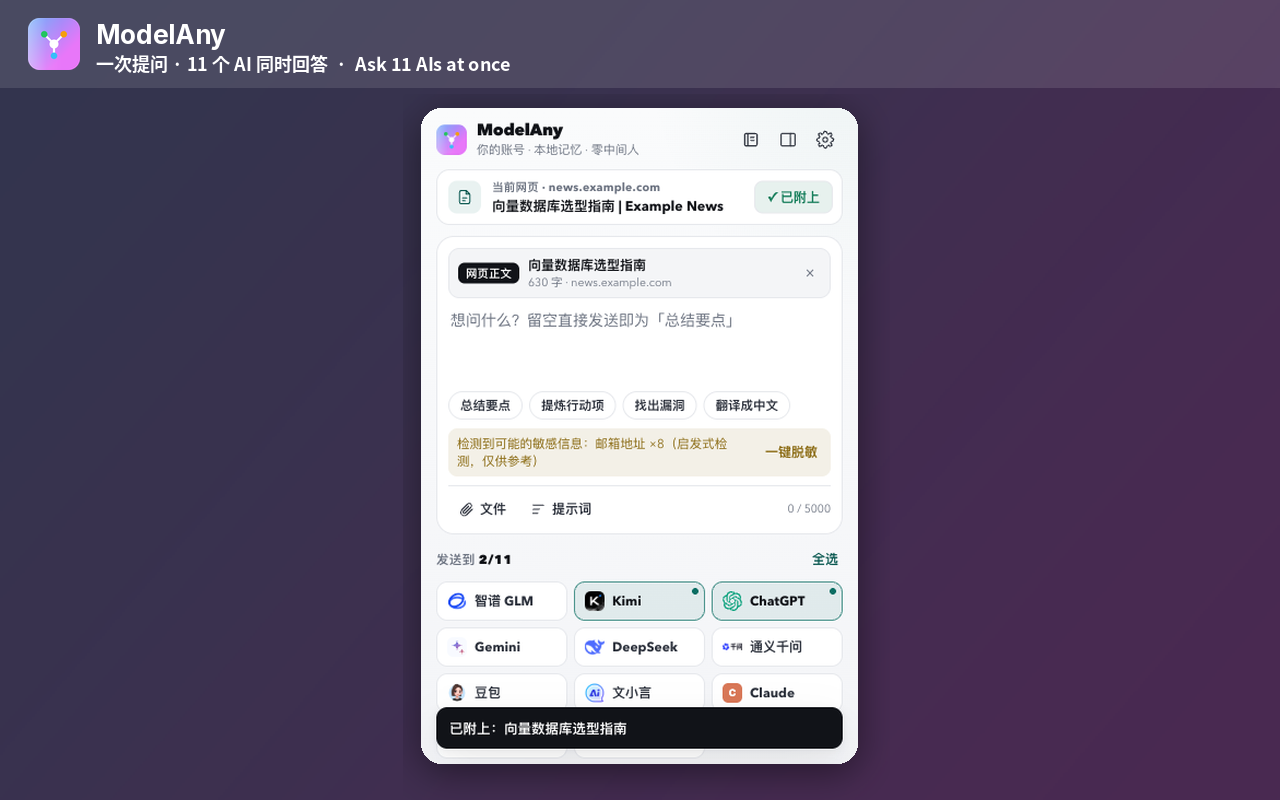
ModelAny is the right pick for anyone who wants to compare AI outputs without paying for multiple subscriptions or managing API keys. It does one thing well: parallel querying across 11 models in a single browser window. The catch is that it depends entirely on you already having accounts at each AI service, so it is not a shortcut past paywalls, and users who want a single unified AI assistant rather than a comparison tool will find it redundant.
What is ModelAny?
ModelAny is a free browser extension available on Chrome and Microsoft Edge that lets users send a single prompt to up to 11 AI services simultaneously, including ChatGPT, Claude, Gemini, and DeepSeek, and view all responses in a side-by-side layout. It requires no API key and stores no prompts on its own servers; all data stays local in the browser, and the source code is publicly available on GitHub for auditing.
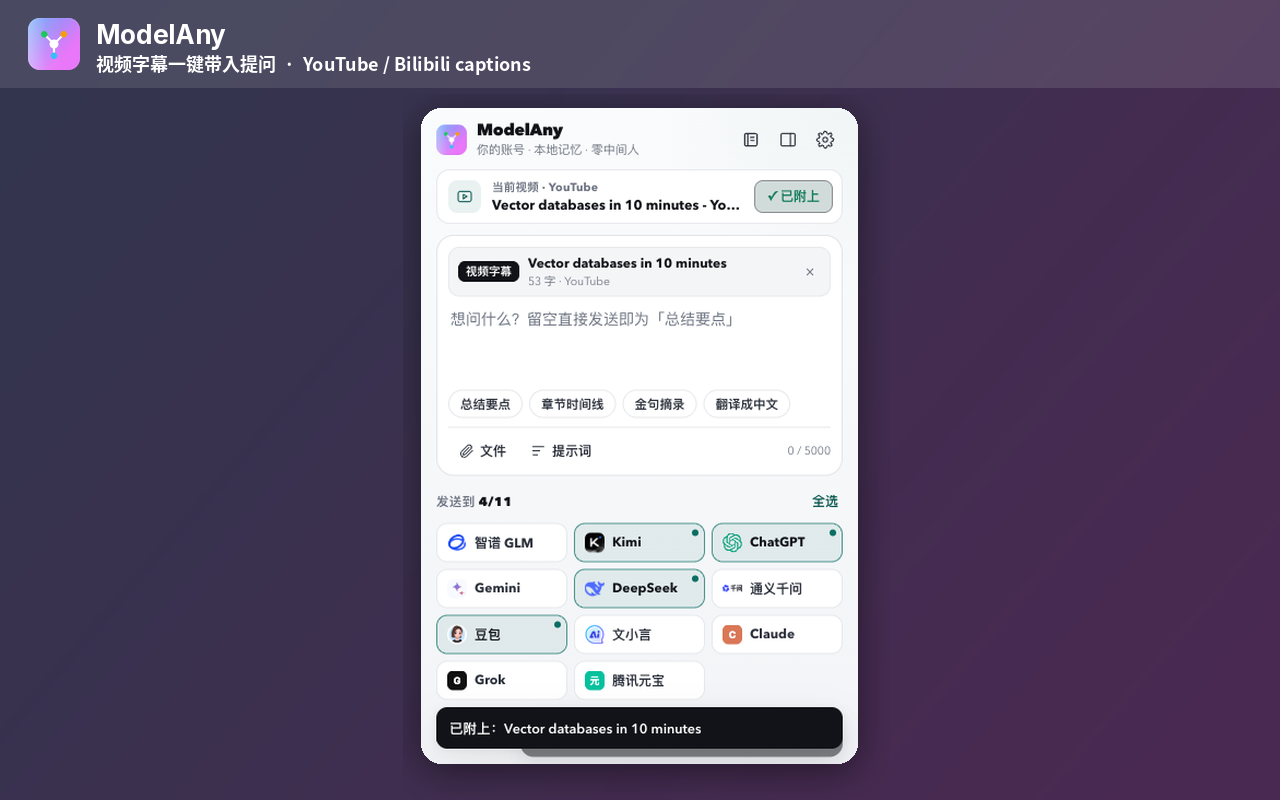
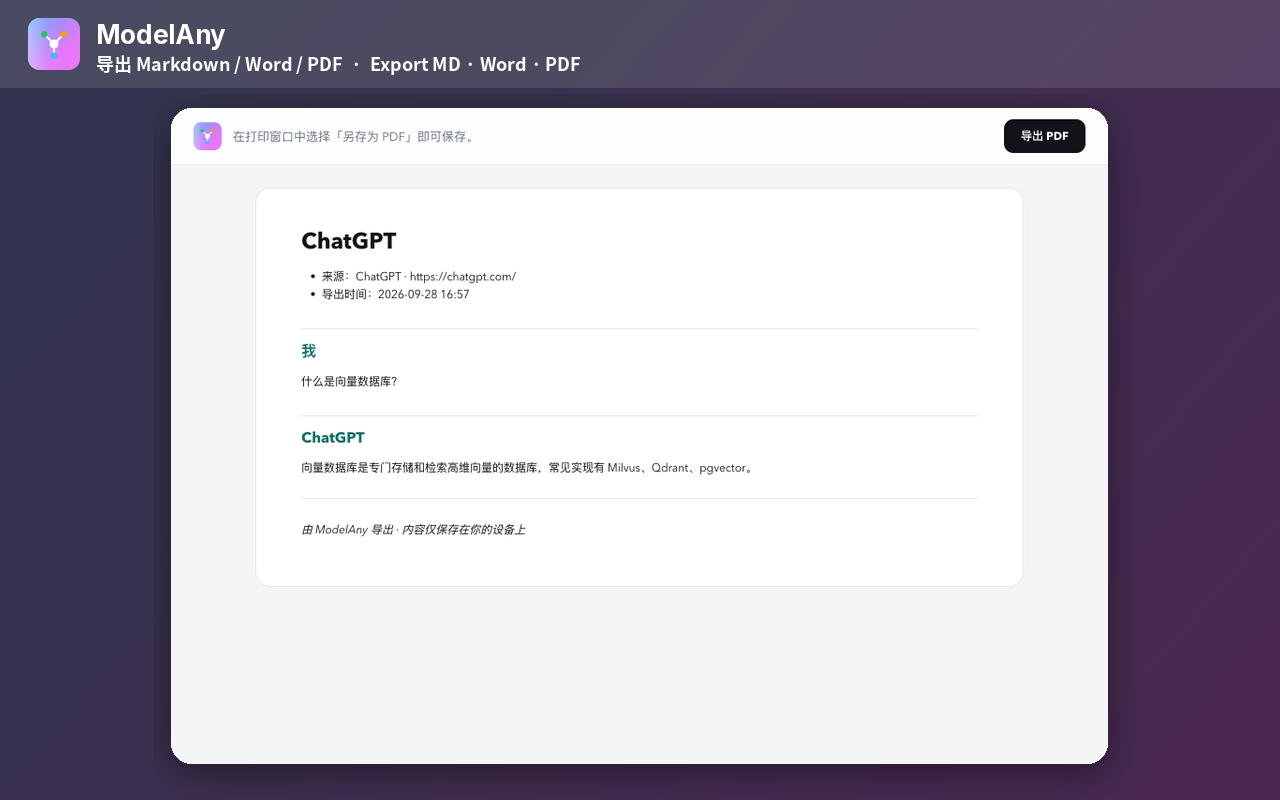
Beyond parallel querying, ModelAny supports exporting conversations to PDF, Word, and Markdown formats, summarizing YouTube videos, and continuing a conversation started in one AI model inside a different one. It is aimed at researchers, developers, and curious users who regularly compare AI outputs and want to do so without juggling multiple browser tabs or paying for multiple AI subscriptions.
How we scored ModelAny
Value scores the maximum 25 because the tool is genuinely free with no paid tier, no credits, and no API key requirement, verified from the live pricing page at $0. Ease of use scores 22 because a browser extension with no account or setup requirement is about as low-friction as a tool gets, though the multi-column layout at 11 models creates real readability friction on standard monitors. Capability scores 18 because parallel querying across 11 models plus export and YouTube summarization is a useful and focused feature set, but the tool is entirely dependent on the user's existing AI service sessions and adds no AI capability of its own, which limits its ceiling compared to tools that provide direct model access. Delivery scores 7 because no user sentiment data, Chrome Web Store review data, or independent coverage of ModelAny was findable in search results, making it impossible to verify that the tool delivers on its claims at scale; a tool with no independently verifiable track record cannot score in the mid-range on delivery, and the human editor should revisit this sub-score after checking live reviews.
Pros and cons
What we liked
- Genuinely free with no paid tier, no credit system, and no API key requirement, making it accessible to anyone with a browser.
- Local-first architecture with source-available code on GitHub gives privacy-conscious users a concrete way to verify what the extension does with their data.
- Covers 11 AI services in one interface, including ChatGPT, Claude, Gemini, and DeepSeek, plus export to PDF, Word, and Markdown and YouTube summarization.
Where it falls short
- Depends entirely on the user holding active logged-in sessions at each AI service; it cannot query a model the user has not already authenticated with, so it does not reduce subscription costs.
- Browser-extension-only delivery means no mobile access, no desktop app, and no API for teams wanting to build comparison workflows into their own tools.
- The side-by-side layout is constrained by browser window width; comparing 11 responses simultaneously on a standard monitor produces columns too narrow to read comfortably without scrolling.
Key features
ModelAny pricing
Fully free. No paid tiers, no credits, no API key required. The extension is source-available on GitHub. The pricing page lists a single offer at $0.
| Plan | Price | Who it is for |
|---|---|---|
| Free | $0 | Full access to all extension features: parallel querying across up to 11 AI models, side-by-side comparison, PDF/Word/Markdown export, YouTube summarization, and cross-model conversation continuation. No paid tier exists. |
Pricing reflects what we saw at time of review (2026-10). Always confirm current pricing on the tool's own site.
Who should use ModelAny?
ModelAny fits people who already use two or more AI services and want to stop copying the same prompt into separate tabs. A researcher stress-testing a factual claim across models, a developer choosing which model to integrate, or a writer who wants to see how Claude and ChatGPT handle the same brief will all get immediate value from the parallel layout. Because it is free and requires no account of its own, the barrier to trying it is essentially zero.
Anyone who wants a single AI assistant with memory, integrations, or a polished chat interface should look elsewhere. Notion AI is a better fit if the work already lives in Notion and the goal is drafting or summarizing within a workspace rather than comparing raw model outputs. FutureStoreAI is worth checking if the goal is discovering and experimenting with AI tools in a more structured environment rather than running head-to-head prompt comparisons.
Skip it if: Users who want a single polished AI assistant or who do not already hold accounts at multiple AI services.
Tags
Frequently asked questions
Does ModelAny cost anything?+
No. ModelAny is free with no paid tier, no subscription, and no credit system. The pricing page lists a single offer at $0.
Do I need an API key to use ModelAny?+
No API key is required. The extension works by opening the official websites of each AI provider in your browser using your existing logged-in sessions, so it never routes through its own API layer.
Which AI models does ModelAny support?+
The submitted description lists 11 services, including ChatGPT, Claude, Gemini, and DeepSeek. The exact full list of all 11 is not enumerated in the publicly available page text, so the human editor should verify the complete list on the extension's Chrome Web Store or GitHub page.
Does ModelAny store my prompts or conversation history?+
No. The tool is local-first: drafts, settings, and history stay in your browser. Prompts are sent only to the AI services you choose and are not uploaded to ModelAny's servers.
Can I use ModelAny on mobile or as a standalone app?+
No. ModelAny is a browser extension for Chrome and Microsoft Edge only. There is no mobile app, no desktop app, and no web app version.
Is the source code available to inspect?+
Yes. ModelAny describes itself as source-available, with the code publicly hosted on GitHub. This lets users audit what the extension does before installing it.
More AI Productivity Tools
See all categoriesGet your tool listed on 300+ directories.
One listing here is a strong start. But the founders who get discovered everywhere are listed everywhere. Our sister site, Free AI Directories, submits your tool to 300+ AI directories for you, every single one by hand, by a real person.
It is a one-time payment of $49, no subscription, and you can follow along as the submissions land. Prefer the slow route? The same site keeps a free list of 450+ directories you can work through yourself.
Get my tool listed on 300+ directoriesOne-time payment, no subscription · 100% human submissions · Free list of 450+ directories included.