
Money Tracker Expense & Budget
A free, no-bank-link expense and budget app for Android and iPhone with AI voice and receipt entry.
Are you the maker? Claim this listing to keep info, pricing and screenshots current. Verified via your tool's domain email.
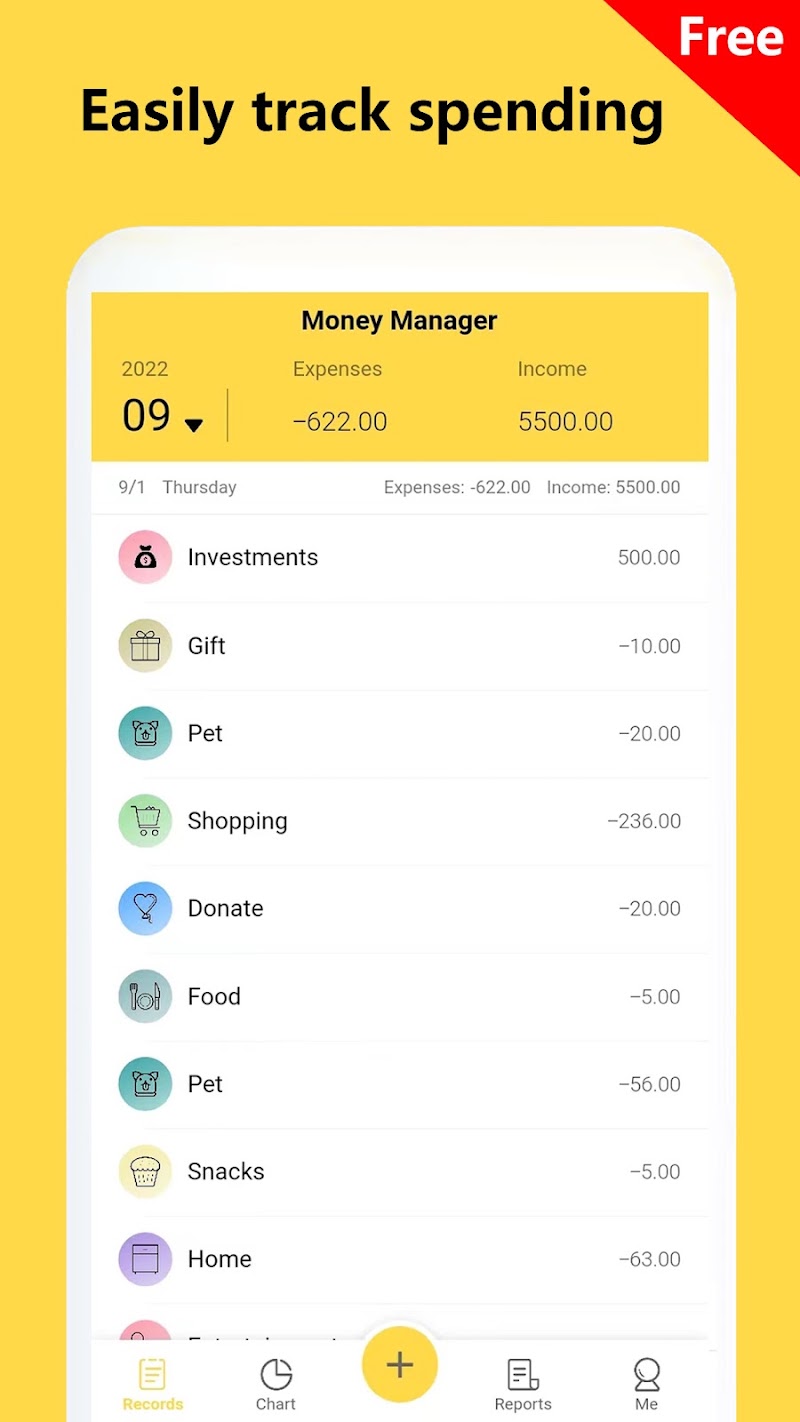
Money Tracker suits privacy-conscious users who want to log every transaction manually and never hand over bank credentials. The AI entry features (voice, photo, Smart Notification) are genuinely useful additions, but they are gated behind a $29.99/year Premium plan and the free tier runs ads. If you want automatic bank sync or a richer analytics dashboard, Notion AI or a dedicated finance app will serve you better.
What is Money Tracker Expense & Budget?
Money Tracker Expense & Budget is a free mobile app for Android and iPhone that lets users log income, expenses, and transfers manually without connecting to a bank account. Core features include category-based budgeting, monthly reports, spending charts, multi-currency support, expense splitting, and team books.
An optional yearly Premium plan removes ads and adds unlimited AI-powered entry by voice or receipt photo, Smart Notification Entry on Android (which reads payment app notifications and pre-fills transactions for user confirmation), bill import, app lock, and access to more books and accounts. The app supports over 40 languages and is developed by XinZhe Zhang.
How we scored Money Tracker Expense & Budget
Capability lands at 17 because the core tracking and budget features are solid, but the most distinctive AI feature (Smart Notification Entry) is Android-only and paywalled, leaving iPhone users with a thinner AI story than competitors like Finny or YNAB. Ease of use scores 19 because the manual-entry loop is genuinely simple, onboarding requires no account linking, and 40-plus language support reduces friction for a global audience. Value scores 16: $29.99 per year is reasonable in absolute terms, but the free tier runs ads inside a personal finance app, which is an uncomfortable trade for a privacy-positioned product, and the most useful Premium feature is locked to one platform. Delivery scores 14 because the app delivers on its stated manual-tracking promise, but the pricing page returned no structured tier data at review time, the social presence could not be confirmed, and the free AI entry cap is undisclosed, all of which signal limited transparency for a product asking users to trust it with daily financial records.
Pros and cons
What we liked
- No bank login ever required: the privacy model is genuine, not just a marketing claim, and Smart Notification Entry on Android still keeps the user in control with a confirm-before-save step.
- AI entry covers three real input methods (voice, receipt photo, notification reading) that meaningfully reduce typing, not just a single gimmick feature.
- Broad language support (40+ languages) and multi-currency handling make it one of the more globally usable manual trackers in its price range.
Where it falls short
- Smart Notification Entry, the most distinctive AI feature, is Android-only and locked behind Premium; iPhone users get no equivalent automatic-entry shortcut even on a paid plan.
- The free tier shows ads inside a personal finance app, which is an uncomfortable pairing when users are entering sensitive spending data.
- No web or desktop client: all entry and review happens on mobile, so anyone who wants to reconcile accounts on a laptop or export data for a spreadsheet workflow has to work around the app rather than with it.
Key features
Money Tracker Expense & Budget pricing
Free tier with ads covers core tracking, budgets, and reports. Monthly Premium is $2.99/month; Yearly Premium is $29.99/year. Premium removes ads and enables unlimited AI entry, Smart Notification Entry (Android), bill import, app lock, and additional books and accounts.
| Plan | Price | Who it is for |
|---|---|---|
| Free | Free | Core transaction logging, category budgets, monthly reports, spending charts, multi-currency, AA split, limited AI voice and photo entry. Shows ads. |
| Monthly Premium | $2.99/month | All Free features plus: no ads, unlimited AI entry, Smart Notification Entry (Android), bill import, CSV/Excel/PDF statement import, app lock, additional books and accounts. |
| Yearly Premium | $29.99/year | Everything in Monthly Premium at a reduced annual rate (equivalent to about $2.50/month). |
Pricing reflects what we saw at time of review (2026-10). Always confirm current pricing on the tool's own site.
Who should use Money Tracker Expense & Budget?
This app fits people who track every purchase deliberately and want a clean record without giving a third party access to their bank. A freelancer managing multiple currencies across client projects, a couple splitting household costs with the AA feature, or someone in a country where bank-sync apps do not support local institutions will all find the manual-entry model practical rather than limiting. The Android Smart Notification Entry feature makes it especially useful for Android users who transact frequently through payment apps like Google Pay and want near-automatic logging without full bank access.
If you want your transactions to appear automatically without any manual step, look elsewhere. Notion AI paired with a dedicated finance integration, or a bank-syncing app outside this directory, will save you the daily entry discipline this app requires. Within this directory, Notion AI is the closest productivity-layer alternative for users who already live in Notion and want AI-assisted financial note-keeping rather than a dedicated tracker.
Skip it if: Users who want automatic bank sync or ad-free tracking without paying
Tags
Frequently asked questions
Does Money Tracker connect to my bank account?+
No. The app never asks for a bank login or credentials. Android Premium users can enable Smart Notification Entry, which reads payment app notifications and pre-fills transactions, but the user confirms each entry before it saves.
How much does Premium cost?+
Premium is $2.99 per month or $29.99 per year. The yearly plan works out to roughly $2.50 per month.
What does the free tier actually include?+
The free tier covers transaction logging, category budgets, monthly reports, spending charts, multi-currency, and limited AI voice and photo entry. It shows ads.
Is Smart Notification Entry available on iPhone?+
No. Smart Notification Entry is Android-only, even on Premium. iPhone users can still add expenses by voice or receipt photo, but there is no notification-reading shortcut.
Can I import existing bank statements?+
Yes, on Premium. The app accepts CSV, Excel, PDF, and image imports of bank statements, which lets you bulk-load historical data without manual entry.
Is there a web or desktop version?+
No. Money Tracker is a mobile-only app for Android and iPhone. There is no browser-based interface for reviewing or entering data on a computer.
More AI Productivity Tools
See all categoriesGet your tool listed on 300+ directories.
One listing here is a strong start. But the founders who get discovered everywhere are listed everywhere. Our sister site, Free AI Directories, submits your tool to 300+ AI directories for you, every single one by hand, by a real person.
It is a one-time payment of $49, no subscription, and you can follow along as the submissions land. Prefer the slow route? The same site keeps a free list of 450+ directories you can work through yourself.
Get my tool listed on 300+ directoriesOne-time payment, no subscription · 100% human submissions · Free list of 450+ directories included.