
Motion Transfer
Browser-based tool that animates a portrait photo using a reference video clip, with multi-model support including Kling 3.0 and Seedance
Are you the maker? Claim this listing to keep info, pricing and screenshots current. Verified via your tool's domain email.
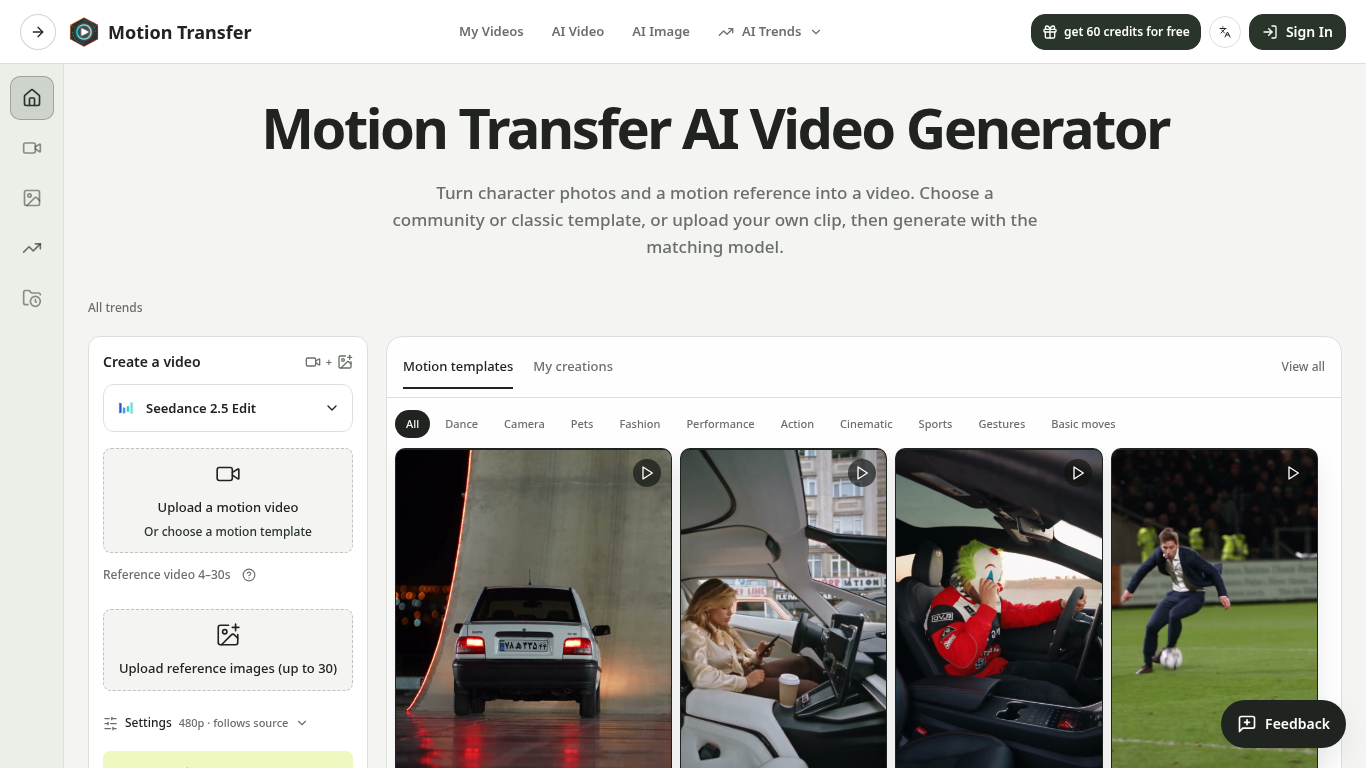
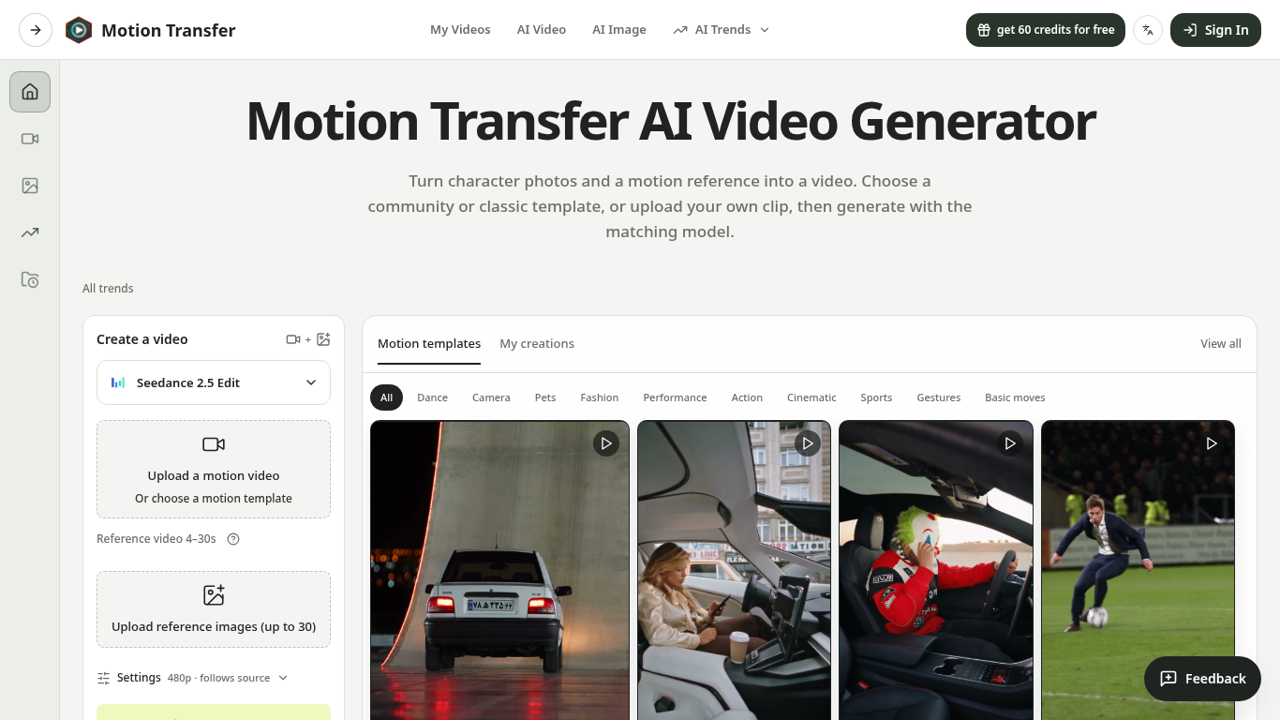
Motion Transfer suits solo creators who want to drop a face into a trending video motion without touching model settings or writing prompts. Its credit system spans image generation and video in one balance, which is convenient but means video-heavy users burn through credits faster than the tier counts suggest. If you need avatar-driven talking-head videos or full video translation rather than motion transfer, HeyGen is the more capable choice for that specific job.
What is Motion Transfer?
Motion Transfer is a web-based AI video tool that animates a still portrait photo by mapping the movement from a user-supplied reference video clip onto the subject. It supports multiple generation models, including Kling 3.0, Seedance 2.5, and Wan 2.2, each accepting different file formats and clip lengths, with reference videos ranging from 2 to 30 seconds depending on the model chosen. The platform also includes AI image generation and broader video creation tools, all drawing from a single shared credit balance.
The tool targets social media creators who want to produce motion-animated character videos without configuring model parameters manually. Community-sourced motion templates let users skip the reference-clip step and go straight to photo upload. Output is watermark-free on all paid plans, with resolution up to 4K for images and HD for videos depending on the selected model.
How we scored Motion Transfer
Capability scores 17 because multi-model support (Kling 3.0, Seedance 2.5, Wan 2.2) and community templates are genuine differentiators, but the tool does not attempt avatar video, lip sync, translation, or any editing of existing footage, leaving it well behind HeyGen and Runway on breadth. Ease of use scores 20 because the upload-and-generate flow with no prompt writing is genuinely low-friction, and the shared credit balance simplifies account management. Value scores 15 because the Basic free tier's 18 credits are barely enough to test one video, the Starter plan's 2,400 annual credits yield only 133 videos for $100 per year, and the credit-sharing model means image-heavy users effectively subsidize video costs in ways that are not obvious at signup. Delivery scores 13 because the tool launched in 2026 with no disclosed funding, no confirmed social presence, no third-party user reviews found, and no mobile app, making it difficult to assess reliability or output consistency; a 72-hour refund window with processing fee deductions adds friction for dissatisfied buyers.
Pros and cons
What we liked
- Multi-model support (Kling 3.0, Seedance 2.5, Wan 2.2, and others) gives users real choice over output style and clip length limits, which single-engine competitors cannot match.
- Community motion templates let users animate a photo without sourcing or trimming their own reference clip, cutting the workflow to a single upload step.
- One shared credit balance covers motion transfer, AI image generation, and video creation, so the subscription does not fragment across separate tools.
Where it falls short
- The Basic free tier gives only 18 one-time credits, enough for roughly one video with watermarked output, making it nearly impossible to evaluate output quality across different models before committing to a paid plan.
- Credits are shared across image and video generation, and video costs far more per output: a Starter subscriber's 2,400 annual credits yield at most 133 videos, meaning heavy video users exhaust the tier quickly relative to the $100/year price.
- The platform launched in 2026 with no disclosed funding, no confirmed social media presence, and no mobile app, which raises real questions about long-term support and product continuity that an established competitor like Runway does not carry.
Key features
Motion Transfer pricing
Four tiers: Basic (free, 18 one-time credits, watermarked), Starter ($8.30/month billed as $100/year, 2,400 credits/year), Pro ($30/month billed as $360/year, 21,600 credits/year), Business ($49.90/month billed as $599/year, 48,000 credits/year). One-time credit packs also available; subscription credits expire each period, one-time credits do not.
| Plan | Price | Who it is for |
|---|---|---|
| Basic | Free | 18 one-time signup credits, generation history, watermarked previews and downloads, up to 3 images or 1 video. Watermark-free downloads require a paid plan. |
| Starter | $8.30/month | $100.00 charged yearly. 2,400 credits per year, up to 400 images and up to 133 videos. Supports all listed image and video models. Up to 4K images and HD videos depending on model. Watermark-free downloads and generation history included. |
| Pro | $30.00/month | $360.00 charged yearly (discounted from $49.90/month). 21,600 credits per year, up to 3,600 images and up to 1,200 videos. All Starter features plus credits usable across image and video models. |
| Business | $49.90/month | $599.00 charged yearly (discounted from $99.90/month). 48,000 credits per year, up to 8,000 images and up to 2,666 videos. All Pro features. |
Pricing reflects what we saw at time of review (2026-10). Always confirm current pricing on the tool's own site.
Who should use Motion Transfer?
A solo creator posting short-form content on TikTok or Instagram Reels who wants to animate a consistent character or personal photo to match a trending motion clip will find Motion Transfer's template library and multi-model setup genuinely useful. The no-prompt, upload-and-generate flow means there is almost no ramp-up time, and the shared credit balance across image and video tools makes it practical as a single subscription for lightweight creative production.
Anyone who needs talking-head avatar videos, AI-driven video translation, or lip-sync output should look at HeyGen instead. HeyGen's avatar and translation capabilities are purpose-built for those jobs in a way Motion Transfer does not attempt. Creators who need to edit existing footage, add captions, or work from a transcript-first workflow will find Descript a better fit, since Motion Transfer has no editing layer for pre-existing video content.
Skip it if: Teams needing talking-head avatars, video translation, or a mobile app
Tags
Frequently asked questions
What file formats does Motion Transfer accept for the reference video?+
It depends on the model. Kling 2.6 and Kling 3.0 accept JPEG or PNG images up to 10 MB. Wan 2.2 also accepts WebP. Seedance 2.0 and 2.5 accept multiple reference images plus a motion video. Reference video length ranges from 2 to 30 seconds depending on the model selected.
How many videos can I make on the Starter plan?+
The Starter plan includes 2,400 credits per year, which yields up to 133 videos or up to 400 images. Credits are shared across both output types, so mixing image and video generation will reduce the video count proportionally.
Does the free plan produce watermark-free output?+
No. The Basic free tier gives 18 one-time signup credits with watermarked previews and downloads. Watermark-free output requires any paid plan starting at $8.30 per month billed annually.
Do unused credits roll over to the next month?+
Subscription credits expire at the end of each billing period and do not roll over. One-time credit packs purchased separately never expire.
What is the difference between Match photo and Match video in Kling?+
These Kling-specific settings control whether the animated character's orientation follows the uploaded photo or the reference video. Match photo supports reference clips up to 10 seconds; Match video supports up to 30 seconds.
Can I get a refund if the output quality is not what I expected?+
Refund requests must be submitted within 72 hours of purchase. Used credits and applicable non-refundable processing costs of up to 6% are deducted from any eligible refund.
More AI Video Tools
See all categoriesGet your tool listed on 300+ directories.
One listing here is a strong start. But the founders who get discovered everywhere are listed everywhere. Our sister site, Free AI Directories, submits your tool to 300+ AI directories for you, every single one by hand, by a real person.
It is a one-time payment of $49, no subscription, and you can follow along as the submissions land. Prefer the slow route? The same site keeps a free list of 450+ directories you can work through yourself.
Get my tool listed on 300+ directoriesOne-time payment, no subscription · 100% human submissions · Free list of 450+ directories included.