
Opa Opa AI
A one-photo AI generator that animates the viral Opa Opa bouncy hair trend into a 10.5-second vertical MP4, no prompts required.
Are you the maker? Claim this listing to keep info, pricing and screenshots current. Verified via your tool's domain email.
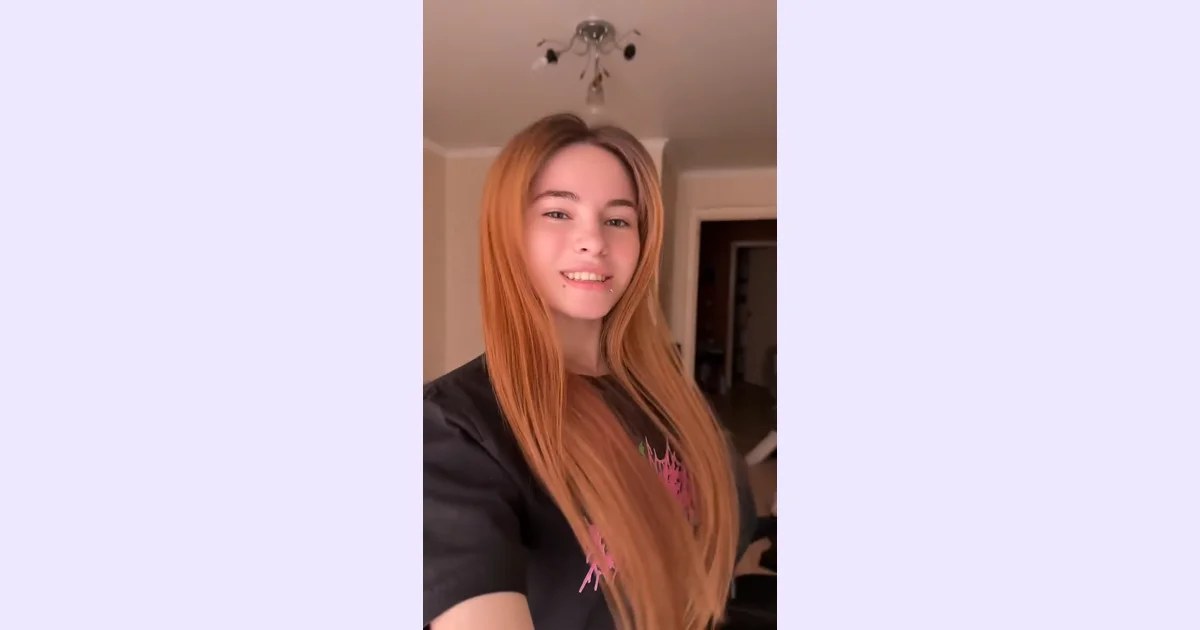
Opa Opa AI is the fastest path for a social media user who wants to join the Opa Opa trend without filming anything, because the motion reference, framing, and soundtrack are all pre-set. The tradeoff is radical: this is a single-effect tool locked to one TikTok trend, and at $9.90 per video it costs more per clip than a month of access to general-purpose AI video tools. Anyone who needs creative control, multiple effects, or volume output should look elsewhere.
What is Opa Opa AI?
Opa Opa AI turns one portrait into a short selfie-style bouncy hair video. No filming or prompt writing needed. Upload one clear portrait and use a ready-made motion reference to animate the bounce, hair movement and playful expressions. Download an approximately 10.5-second vertical 9:16, 720p MP4 with the reference soundtrack.
How we scored Opa Opa AI
Capability scores low because the tool does exactly one thing at a fixed 720p resolution with no creative controls, no alternative templates, and no higher-resolution output option, while named directory competitors like HeyGen and Runway offer orders of magnitude more creative range. Ease of use is the genuine high point: zero configuration, one photo, one button, and a pre-set output format make this about as frictionless as a web tool can be. Value is poor for most buyers: at $9.90 per single video with no free generation, the per-clip cost is high compared to subscription AI video tools that offer multiple generations per month at comparable spend, and the Party pack of 7 videos for $49.90 still locks you into one effect. Delivery scores low because no independent user sentiment or third-party testing was found to verify output quality, the site's own FAQ warns that AI can alter facial details and hair, and the music inclusion without rights granted creates a real practical risk for the tool's primary social-media audience.
Pros and cons
What we liked
- Zero configuration required: motion reference, framing, resolution, and soundtrack are all pre-set, so the time from upload to finished MP4 is as short as the generation itself takes.
- One-time payment model with no subscription means you pay only for what you use, with no recurring charge if you only want one or two videos.
- The finished MP4 includes the synchronized reference soundtrack, so the downloaded file is ready to post without any additional audio editing.
Where it falls short
- Locked to a single viral trend: the tool produces only the Opa Opa bouncy hair effect, making it worthless the moment that trend fades or a user wants any other animation style.
- At $9.90 per video for the Single pack, the per-clip cost is high relative to subscription-based AI video tools that offer multiple generations per month at comparable or lower total spend.
- Output is capped at 720p with no higher-resolution option, and the site explicitly notes that AI can alter facial details, hair length, and movement timing, so results are not guaranteed to match the source photo closely.
Key features
Opa Opa AI pricing
Three one-time credit packs, no subscription. Single: $9.90 for 1 video (250 credits). Trio: $24.90 for 3 videos (750 credits). Party: $49.90 for 7 videos (1,750 credits). Previewing and uploading a photo is free; generating costs 250 credits.
| Plan | Price | Who it is for |
|---|---|---|
| Single | $9.90 | 250 credits, enough for 1 video generation. One-time payment, no subscription. |
| Trio | $24.90 | 750 credits, enough for 3 video generations. One-time payment, no subscription. |
| Party | $49.90 | 1,750 credits, enough for 7 video generations. One-time payment, no subscription. Listed as best value at approximately $7.13 per video. |
Pricing reflects what we saw at time of review (2026-10). Always confirm current pricing on the tool's own site.
Who should use Opa Opa AI?
This tool suits someone who saw the Opa Opa trend on TikTok or Instagram Reels and wants to recreate it with their own face in under two minutes. A casual social media user, a brand account running a one-off trend post, or a parent who wants to make a fun clip of a family photo will get exactly what they came for. The workflow is genuinely minimal: one photo, one button, one download.
Anyone who needs more than that should go elsewhere. A content creator producing weekly short-form videos will find the per-video cost unsustainable and the single-effect output creatively limiting. HeyGen is the better call for creators who want talking photo animations with custom scripts and multiple avatar styles. Runway is the right tool for anyone who needs generative video with real creative control over motion, style, and duration.
Skip it if: Creators who need multiple effects, custom motion, or cost-efficient bulk video generation.
Frequently asked questions
How much does one Opa Opa AI video cost?+
Each video costs 250 credits. The cheapest pack is $9.90 for 250 credits (1 video). Buying the Party pack of 7 videos for $49.90 brings the per-video cost down to roughly $7.13.
Is there a free tier or free trial generation?+
No. Selecting and previewing your photo is free, but generating a video requires 250 credits from a paid pack. There is no free generation or subscription trial.
What photo formats and sizes does it accept?+
The tool accepts JPG, PNG, and WebP portrait files up to 8 MiB. The site recommends a sharp head-and-shoulders portrait with one visible face and hair in the frame.
Does the output video include music?+
Yes. The tool adds the original reference clip's soundtrack to the finished MP4 after generation. The site explicitly states this does not grant rights to the song.
Can I use it for anything other than the Opa Opa trend?+
No. The tool is built around one fixed motion reference. There is no anime mode, pet mode, or alternative animation template currently offered.
What resolution and length is the output video?+
Every video is approximately 10.5 seconds long, delivered as a vertical 9:16 MP4 at 720p. There is no option to change the resolution or aspect ratio.
More AI Video Tools
See all categoriesGet your tool listed on 300+ directories.
One listing here is a strong start. But the founders who get discovered everywhere are listed everywhere. Our sister site, Free AI Directories, submits your tool to 300+ AI directories for you, every single one by hand, by a real person.
It is a one-time payment of $49, no subscription, and you can follow along as the submissions land. Prefer the slow route? The same site keeps a free list of 450+ directories you can work through yourself.
Get my tool listed on 300+ directoriesOne-time payment, no subscription · 100% human submissions · Free list of 450+ directories included.