
PageColor AI
A browser-based coloring page tool that generates line art from text or photos and lets you color it online, with print-ready exports on
Are you the maker? Claim this listing to keep info, pricing and screenshots current. Verified via your tool's domain email.
PageColor AI suits casual users and parents who want a no-install coloring experience with a genuinely usable free tier, but the free plan caps text generation at 5 per day and withholds 300-DPI exports entirely. Photo-to-line-art conversion is locked behind Pro and Studio tiers that are not yet available, which is a real gap versus competitors already shipping that feature. Anyone who needs commercial rights, batch generation, or KDP publishing tools should look elsewhere now rather than wait for roadmap features.
What is PageColor AI?
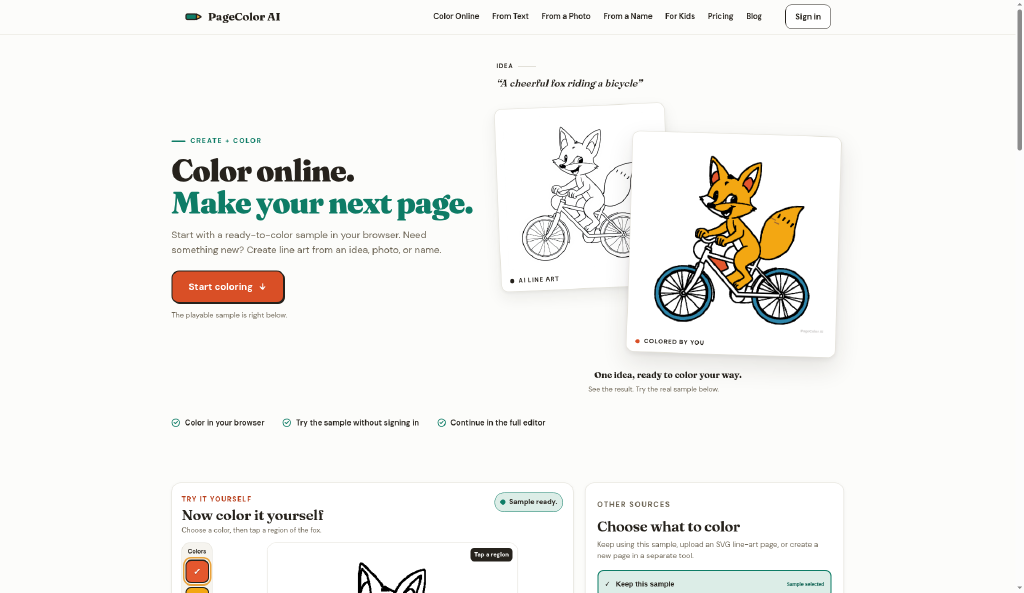
PageColor AI is a web-based tool that generates black-and-white coloring page line art from text prompts or photos and provides an integrated browser coloring environment. Users can fill, brush, undo, redo, and zoom within the same session that produced the art, then download or cloud-save the result. The free plan supports up to 5 text generations per day and saves up to 3 artworks, while the Plus subscription at $4.99 per month adds 300-DPI watermark-free PNG and PDF exports and unlimited cross-device cloud saves.
The tool targets parents, kids, and casual colorers who want a no-install, all-in-one generate-and-color workflow. Photo-to-line-art conversion and commercial-use rights are planned for future Pro and Studio tiers not yet released. A one-time Launch Palette Pack ($9.99) is also available for users who want the full palette library without a monthly subscription.
How we scored PageColor AI
Capability lands at 13 because two of the tool's three advertised generation modes (photo-to-line-art, batch generation) are not available in any current plan, and the text generation cap of 5 per day is lower than what named competitors ship on free tiers. Ease of use scores 18 because the browser-only, no-install workflow with an integrated coloring environment is genuinely frictionless for its target audience, and the free tier requires no credit card. Value scores 16: Plus at $4.99/month is cheap in absolute terms, but it adds zero generation credits and no commercial rights, making it a narrow export-quality upgrade rather than a meaningful capability step. Delivery scores 11 because the product's own pricing page lists multiple features (photo AI, Pro, Studio, Launch Palette Pack) as not yet available, meaning a significant portion of what the site describes cannot actually be used today, which is a real gap between what is marketed and what is delivered.
Pros and cons
What we liked
- Integrated generate-and-color workflow keeps everything in one browser session, with no separate app or export-then-import step required.
- Free tier includes colorblind-safe palettes, 5 text generations per day, and unlimited name-based coloring pages with no sign-in needed.
- Plus plan at $4.99/month or $29.99/year delivers 300-DPI watermark-free PNG and PDF exports, a concrete print-quality upgrade at a low monthly cost.
Where it falls short
- Photo-to-line-art conversion is listed on the pricing page as a Pro/Studio feature at 32 credits per conversion, but both Pro and Studio tiers are marked 'not available' with no confirmed launch date, making this a missing feature today.
- Plus does not add any AI generation credits; text generation stays at the free allowance of 5 per day even on a paid subscription, which is unusually restrictive compared to competitors that tie generation volume directly to plan tier.
- No commercial-use rights, batch generation, or KDP publishing tools exist in any currently available plan, locking out the creator and self-publishing audience entirely until future tiers launch.
Key features
PageColor AI pricing
Free plan at $0 with watermarked screen-resolution PNG exports and 5 text generations per day. Plus is $4.99/month or $29.99/year, adding 300-DPI watermark-free PNG and PDF exports for Online Coloring artwork and unlimited cross-device cloud saves (soft cap at 5,000 artworks). A one-time Launch Palette Pack costs $9.99. Pro and Studio tiers are listed on the pricing page but marked as not yet available.
| Plan | Price | Who it is for |
|---|---|---|
| Free | $0 | Core online coloring tools (fill, brush, undo, redo, zoom), classic and colorblind-safe palettes, screen-resolution PNG download with PageColor AI watermark and footer credit, up to 3 cloud-saved artworks with Google sign-in, 5 text generations per day with Google sign-in (reset at 00:00 UTC), unlimited name coloring pages with no sign-in. Photo AI not included. |
| Plus | $4.99 per month | Everything in Free, plus 300-DPI watermark-free PNG and PDF exports for Online Coloring artwork, all cleared subscription theme palettes released while Plus is active, and unlimited cross-device cloud saves subject to a 5,000-artwork-per-account Fair Use soft cap. Does not add generation credits, HD generation exports, batch generation, commercial-use rights, KDP tools, or Photo AI. |
| Plus (Annual) | $29.99 per year | Same as monthly Plus, billed annually at $29.99. Renews automatically until canceled. |
| Launch Palette Pack | $9.99 one-time | Permanently enables the launch palette collection while the order grant remains valid. Does not include Plus exports, cloud saves, generation credits, batch generation, commercial-use rights, or KDP tools. Not yet available at time of review. 14-day refund window, reviewed manually; a completed full refund permanently removes pack access. |
| Pro | Not yet available | Planned to include generation capacity and creator workflows. Photo AI conversion is described as a Pro feature at 32 credits per conversion. No launch date confirmed. |
| Studio | Not yet available | Planned to include publishing workflows. No launch date confirmed. |
Pricing reflects what we saw at time of review (2026-10). Always confirm current pricing on the tool's own site.
Who should use PageColor AI?
Parents looking for a quick, safe activity for kids will find the free tier covers most of what they need: unlimited name-based coloring pages (no sign-in required), a simple browser coloring interface, and a daily text generation allowance that resets overnight. Teachers who want to print custom coloring sheets for a classroom will need Plus for the 300-DPI PDF export, which at $4.99/month is a low bar.
Anyone building a coloring book business, selling on Amazon KDP, or needing to convert personal photos to line art should not wait on PageColor AI's roadmap. Leonardo.Ai handles high-volume image generation with far more style control for creators who can work from generated assets, and Midjourney produces line-art-style outputs that experienced users adapt for print. Both are available today with commercial licensing options that PageColor AI does not yet offer.
Skip it if: Creators needing commercial rights, batch generation, or photo-to-line-art today
Frequently asked questions
Does the Plus plan give me more AI generation credits?+
No. Plus does not change the text generation allowance. Free users get 5 successful text generations per day with Google sign-in, and that limit stays the same on Plus. Plus only adds 300-DPI watermark-free exports and expanded cloud saves.
Can I convert a photo to a coloring page right now?+
Not yet. Photo AI conversion is listed as a Pro and Studio feature at 32 credits per successful conversion, but both Pro and Studio tiers are currently marked as unavailable on the pricing page with no confirmed launch date.
How much does PageColor AI cost per year on Plus?+
The annual Plus plan is $29.99 per year, compared to $4.99 per month on the monthly plan. Both renew automatically until canceled.
Can I use PageColor AI without creating an account?+
Yes, for name-based coloring pages. That feature has no sign-in requirement and no stated usage limit. Text generation and cloud saves require a Google sign-in.
Does PageColor AI include commercial-use rights on any current plan?+
No. The pricing page explicitly states that no currently available plan includes commercial-use rights. That feature is planned for future Pro and Studio tiers.
What is the Launch Palette Pack and is it available now?+
It is a $9.99 one-time purchase that permanently enables the launch palette collection. The pricing page states it is not yet available. It does not include Plus exports, generation credits, or any publishing tools.
More AI Image Generators tools
See all categoriesGet your tool listed on 300+ directories.
One listing here is a strong start. But the founders who get discovered everywhere are listed everywhere. Our sister site, Free AI Directories, submits your tool to 300+ AI directories for you, every single one by hand, by a real person.
It is a one-time payment of $49, no subscription, and you can follow along as the submissions land. Prefer the slow route? The same site keeps a free list of 450+ directories you can work through yourself.
Get my tool listed on 300+ directoriesOne-time payment, no subscription · 100% human submissions · Free list of 450+ directories included.