
Remorphy
Prompt-driven AI background changer for product photos and portraits, with a credit-based free entry point.
Are you the maker? Claim this listing to keep info, pricing and screenshots current. Verified via your tool's domain email.
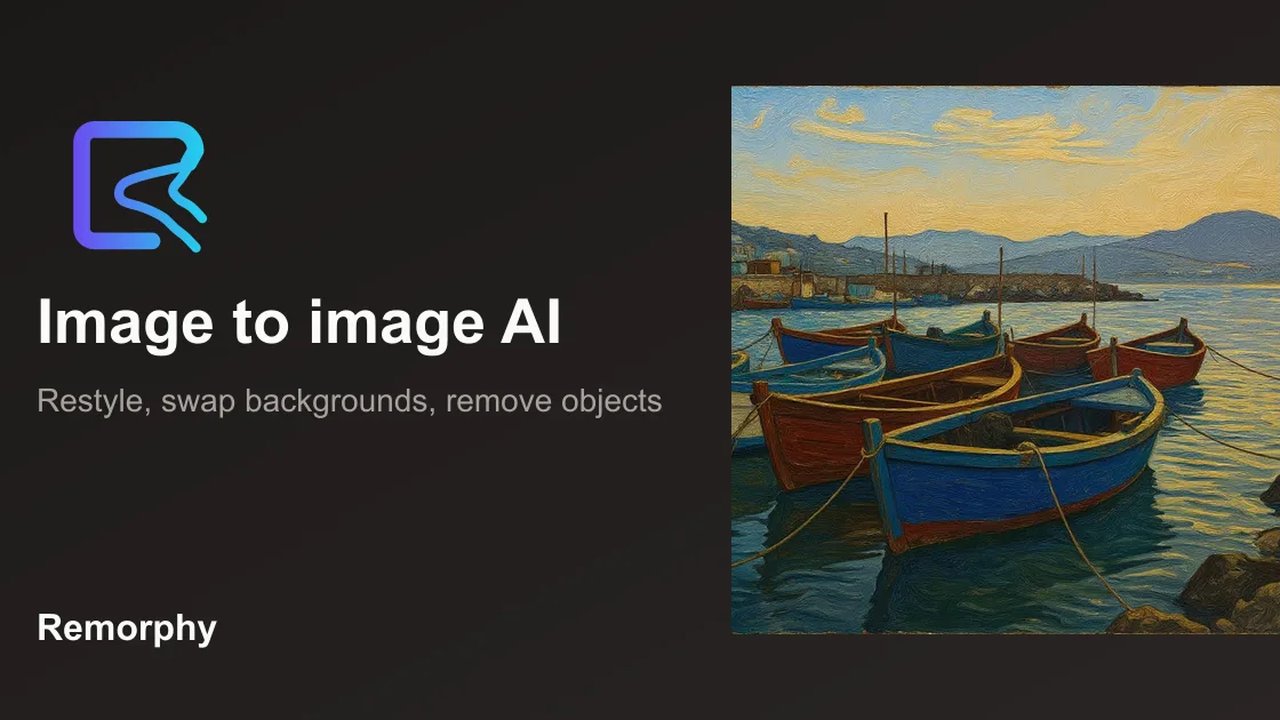
Remorphy suits solo product photographers and small brand teams who want to swap photo backgrounds by describing a scene in plain text, without touching a masking tool. The free tier is thin at 5 credits after sign-in, and specific paid plan prices are not published openly, which makes budget planning harder than with Leonardo.Ai or Midjourney. Anyone needing original image generation rather than background replacement should skip it entirely.
What is Remorphy?
Remorphy is a web-based AI photo editing tool focused on background replacement through text prompts. Users upload a subject photo, describe the desired new environment, and the tool generates a replacement background using FLUX.2 image models while preserving the original subject. It supports JPG, PNG, and WebP uploads up to approximately 10MB.
The tool targets product photographers, portrait retouchers, and brand teams who need to place subjects into new settings without manual masking. A free tier provides 5 credits after sign-in. Paid plans add higher-quality FLUX.2 model tiers, flexible aspect ratios, and priority processing. Related tools on the same platform include object removal and image-to-image general editing.
How we scored Remorphy
Capability lands at 15 because Remorphy does one thing (background replacement) and explicitly acknowledges it fails on fine hair and glass in a single pass, while named competitors like Leonardo.Ai and Midjourney offer full generative image creation alongside editing. Ease of use scores 18 because the prompt-only workflow genuinely removes masking friction and the example prompt library lowers onboarding time, though the web-only platform and lack of API access limit flexibility. Value scores 12 because the free tier is 5 credits at fast quality only, and paid plan prices are not publicly listed, making it impossible for a buyer to compare cost per edit against Leonardo.Ai or Midjourney before signing up. Delivery scores 13 because no third-party reviews or user sentiment could be found to validate output quality claims, the tool openly flags reliability issues with complex subjects, and the opaque pricing structure raises questions about what a buyer actually gets before committing.
Pros and cons
What we liked
- Prompt-only workflow eliminates manual masking entirely, which is a genuine time saver for repetitive background swaps across a product catalog.
- Multiple FLUX.2 model tiers (Pro, Flex, Max) on paid plans give users a real quality ceiling, not just a single generation mode.
- The tool ships example prompts for common scenarios (white studio, mountain vista, neon alley, beach morning) that lower the learning curve for users new to image-to-image prompting.
Where it falls short
- Paid plan prices are not published on the pricing page, making it impossible to compare cost per credit against Leonardo.Ai or Midjourney before committing to a sign-up.
- Fine hair, flyaway strands, and glass objects are explicitly flagged as unreliable in a single pass, meaning complex subjects require multiple credit-consuming regenerations.
- The free tier is effectively a trial: 5 credits after sign-in is enough for a handful of test generations at fast quality only, with no access to aspect ratio controls or higher FLUX.2 models.
Key features
Remorphy pricing
One free signed-out generation (human-checked), then 5 credits on sign-in. Paid plans cover monthly credit bundles described as sufficient for hundreds of standard edits, with priority queue access. Specific paid tier prices were not published on the pricing page at review time.
| Plan | Price | Who it is for |
|---|---|---|
| Free (signed out) | Free | One generation after a human check, no sign-in required. Fast quality only. |
| Free (signed in) | Free | 5 credits on sign-in. Fast quality mode only. Original aspect ratio only. No priority queue. |
| Paid (monthly credit plans) | Not publicly listed | Monthly credit bundles described as covering hundreds of standard edits. Enables Balanced and High Quality FLUX.2 Pro, Flex, and Max modes; all aspect ratios (1:1, 16:9, 9:16, 4:3, 3:4); and priority queue access. |
Pricing reflects what we saw at time of review (2026-10). Always confirm current pricing on the tool's own site.
Who should use Remorphy?
A solo e-commerce photographer who shoots products on a plain surface and needs to drop them into lifestyle or studio settings for a lookbook will get direct value here. The prompt-based workflow means no selection tools, no layer masks, and no Photoshop license. Real estate agents wanting a consistent portrait backdrop for newsletter headers, or brand managers standardizing team headshots to a single background color, are the use cases the site itself names.
Anyone who needs to generate images from scratch, work with video, or compare costs openly before signing up should look elsewhere. Leonardo.Ai is the stronger pick for users who want a full generative image platform with transparent credit pricing and a meaningful free tier. Midjourney is the better choice if output quality and stylistic range matter more than background-swap convenience.
Skip it if: Users who need original image generation or transparent upfront pricing
Remorphy alternatives
Frequently asked questions
How many free credits do I get without paying?+
One generation is available signed out after a human check. Signing in gives 5 credits, usable only in Fast quality mode. Heavy commercial use requires a paid balance.
What image formats and sizes does Remorphy accept?+
The tool accepts JPG, PNG, and WebP files up to approximately 10MB.
Can I change both the background and the outfit in one pass?+
The site advises against it. Combined edits drift more often than single-task prompts; separate passes for background and outfit changes produce cleaner results.
Will fine hair or glass objects be preserved accurately?+
Not reliably in a single generation. The tool recommends uploading a higher-contrast original and regenerating with softer light requests if fringes appear. This is an acknowledged limitation of the image-to-image approach.
What are the paid plan prices?+
Specific tier prices were not published on the pricing page at review time. The site describes monthly plans as covering hundreds of standard edits but does not list dollar amounts publicly.
Is this the same as a background remover?+
No. Remorphy replaces the background with a new scene described by a prompt. A dedicated background remover produces a transparent or plain backdrop. The site lists a separate Remove Background AI tool for that use case.
More AI Image Generators tools
See all categoriesGet your tool listed on 300+ directories.
One listing here is a strong start. But the founders who get discovered everywhere are listed everywhere. Our sister site, Free AI Directories, submits your tool to 300+ AI directories for you, every single one by hand, by a real person.
It is a one-time payment of $49, no subscription, and you can follow along as the submissions land. Prefer the slow route? The same site keeps a free list of 450+ directories you can work through yourself.
Get my tool listed on 300+ directoriesOne-time payment, no subscription · 100% human submissions · Free list of 450+ directories included.