
RemoveHandwriting
AI-powered handwriting and annotation remover for images, PDFs, and scans that preserves printed text and document layout.
Are you the maker? Claim this listing to keep info, pricing and screenshots current. Verified via your tool's domain email.
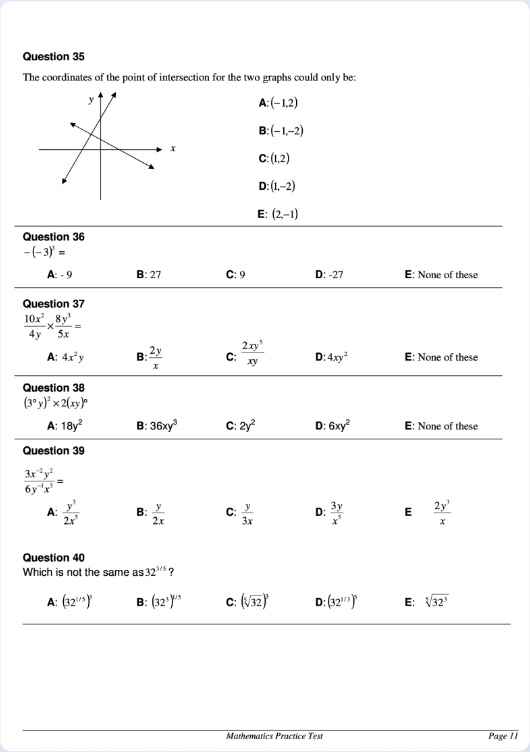
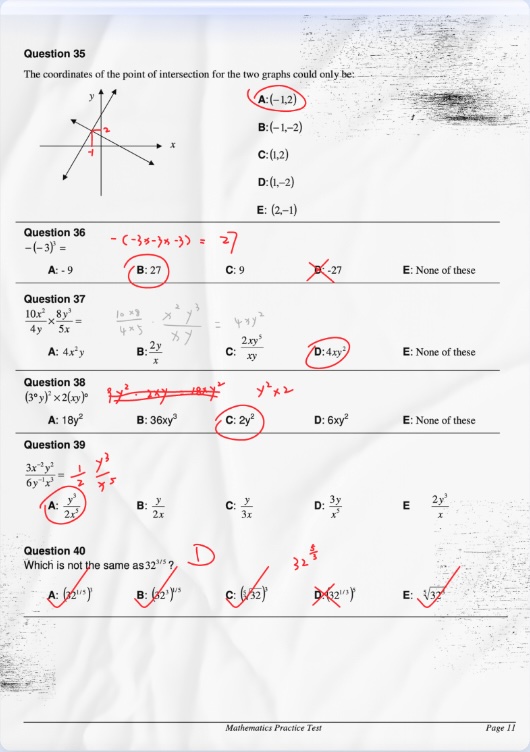
RemoveHandwriting is the clearest choice for someone who occasionally needs to clean a marked-up worksheet or archived scan, with three processing modes that let you trade speed for quality. The credit model gets expensive fast for anyone processing more than a few dozen pages a month, and the batch cap of five images per job puts it behind general-purpose document tools for high-volume work. If you need bulk document processing or a free unlimited tier, look elsewhere.
What is RemoveHandwriting?
RemoveHandwriting is an AI tool that removes handwriting, pen marks, and annotations from photos, PDFs, and scans while keeping printed text and layout. It is for people who need marked-up documents cleaned without losing the printed text.
How we scored RemoveHandwriting
Capability scores 17 because the three-mode system (Standard, Color, Ultra) and document restoration features give real depth for the core task, but the five-image batch cap and the absence of any text extraction or annotation search put it well behind broader document tools for anything beyond basic cleanup. Ease of use scores 20 because the upload-and-process workflow is genuinely simple, an iOS app exists, and the credit cost per mode is clearly disclosed upfront. Value scores 13 because the Basic Monthly plan's 60 credits at $3.90 translates to just 12 Ultra-mode images per month, and the Color and Ultra modes consume credits at a rate that makes even the Pro Monthly plan ($24.90 for 700 credits) feel thin for heavy users; there is no meaningful free tier beyond one trial credit. Delivery scores 13 because the tool is a young service launched in 2025 with modest traffic around 7,100 monthly visits, third-party sources show meaningfully outdated pricing information suggesting the product has changed significantly in a short time, and the exact nature of the advertised Expert Cleanup option could not be confirmed from available sources, leaving a gap between the marketing claim and verifiable substance.
Pros and cons
What we liked
- Three distinct processing modes (Standard at 1 credit, Color at 3 credits, Ultra at 5 credits) give real control over the quality-versus-cost tradeoff rather than a single one-size output.
- Unused subscription credits carry forward to the next billing period, and one-time pack credits never expire, so occasional users are not penalized for months when volume is low.
- REST API with published documentation lets developers integrate handwriting removal directly into document pipelines without manual uploads.
Where it falls short
- Batch processing is capped at five images per job, which is a hard ceiling that makes the tool impractical for anyone processing large document sets without writing API automation.
- The Color and Ultra modes consume three and five credits respectively per image, meaning a $3.90/month Basic subscriber gets only 20 Ultra-mode cleanups before running out, which is a poor value for difficult scans.
- No permanently free tier exists beyond the single trial credit on registration; sustained use requires a paid subscription or credit purchase, unlike many competing document tools that offer a meaningful free allowance.
Key features
RemoveHandwriting pricing
No permanently free tier; new accounts get one free trial credit. Subscriptions start at $3.90/month for 60 credits (Basic Monthly) up to $239.90/year for 8,400 credits (Pro Yearly). One-time credit packs available from $9.99 for 65 credits to $34.99 for 280 credits. Credits carry over between billing periods and never expire on one-time packs.
| Plan | Price | Who it is for |
|---|---|---|
| Basic Monthly | $3.90/month | 60 credits per month. Unused credits carry to the next period. Access to Standard, Color, and Ultra modes plus Expert Cleanup. Works on web and app. |
| Basic Quarterly | $10.90/quarter | 180 credits per quarter (saves 7% vs monthly). Same feature access as Basic Monthly. |
| Basic Yearly | $39.90/year | 720 credits per year (saves 15% vs monthly). Same feature access as Basic Monthly. |
| Pro Monthly | $24.90/month | 700 credits per month. Unused credits carry to the next period. Full feature access including Expert Cleanup, web and app use. |
| Pro Quarterly | $68.90/quarter | 2,100 credits per quarter (saves 8% vs monthly). Same feature access as Pro Monthly. |
| Pro Yearly | $239.90/year | 8,400 credits per year (saves 20% vs monthly). Same feature access as Pro Monthly. |
| Starter Pack | $9.99 | 65 one-time credits that never expire. No subscription required. |
| Popular Pack | $18.99 | 130 one-time credits that never expire. Saves approximately 5% versus the Starter Pack per credit. |
| Bulk Pack | $34.99 | 280 one-time credits that never expire. Saves approximately 19% versus the Starter Pack per credit. |
Pricing reflects what we saw at time of review (2026-10). Always confirm current pricing on the tool's own site.
Who should use RemoveHandwriting?
Students who regularly receive graded papers they want to reuse, teachers who prepare printed worksheets that get annotated and need a clean master copy, and archivists or office staff dealing with a backlog of marked-up scanned documents are the clearest fits. The three processing modes mean a teacher cleaning simple pencil marks can stay on the cheap Standard tier, while someone restoring a heavily annotated historical document can step up to Ultra without switching tools.
Anyone processing hundreds of pages a month will find the credit costs stack up quickly: 700 credits at the Pro Monthly rate of $24.90 covers only 140 Ultra-mode images. Developers who want to automate document cleanup at scale should look at the API tier, but the per-credit API pricing is separate and higher. If your need is general file conversion, PDF manipulation, or productivity utilities that go beyond document cleanup, EveryTool4U offers over 100 browser-based file and productivity tools for free with no account required and no per-use cost.
Skip it if: High-volume document pipelines or users who need a genuinely free unlimited tier
Tags
Frequently asked questions
Is there a free plan?+
There is no ongoing free tier. New accounts receive one free trial credit on registration, which processes one Standard-mode image. Any further use requires a paid subscription or credit pack purchase.
How does the credit system work?+
Each processed image costs credits depending on the mode chosen: Standard costs 1 credit, Color costs 3 credits, and Ultra costs 5 credits. Subscription credits carry over to the next billing period; one-time pack credits never expire.
What is the difference between Standard, Color, and Ultra modes?+
Standard mode produces a fast, scan-style black-and-white cleanup at 1 credit per image. Color mode preserves the original document colors at 3 credits. Ultra mode applies the deepest cleanup pass for difficult or degraded scans at 5 credits per image.
Does it support PDF files?+
Yes. The platform has native PDF processing alongside single-image and batch workflows. Earlier third-party sources suggested PDF required conversion to images first, but the current site lists PDF processing as a distinct feature.
Is there an API for developers?+
Yes. RemoveHandwriting offers a REST API with Bearer token authentication and published documentation. API credits are priced separately from consumer subscription credits, with an API Starter pack at $99 for 500 credits and a Popular pack at $349 for 5,000 credits.
What happens to uploaded files after processing?+
Files are automatically deleted after processing. The service does not retain uploaded documents, which is relevant for anyone handling sensitive or confidential materials.
More AI Productivity Tools
See all categoriesGet your tool listed on 300+ directories.
One listing here is a strong start. But the founders who get discovered everywhere are listed everywhere. Our sister site, Free AI Directories, submits your tool to 300+ AI directories for you, every single one by hand, by a real person.
It is a one-time payment of $49, no subscription, and you can follow along as the submissions land. Prefer the slow route? The same site keeps a free list of 450+ directories you can work through yourself.
Get my tool listed on 300+ directoriesOne-time payment, no subscription · 100% human submissions · Free list of 450+ directories included.