
Romantic Video AI
Generate AI kiss, hug, wedding, and dance videos from two portrait photos, via web or Telegram bot.
Are you the maker? Claim this listing to keep info, pricing and screenshots current. Verified via your tool's domain email.
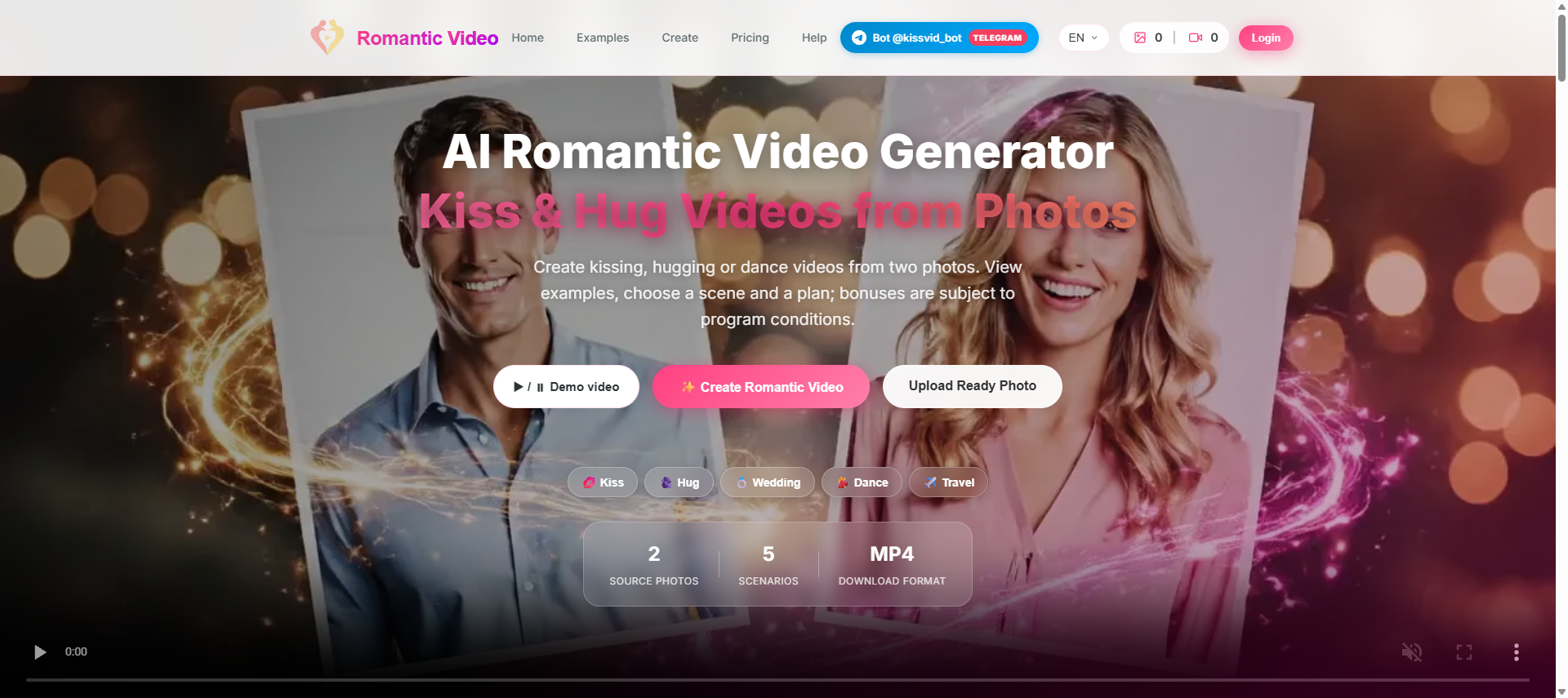
Romantic Video AI is best for someone who wants a novelty gift video for Valentine's Day or an anniversary and needs nothing more than two decent portrait photos. Its five scene categories and custom scene field cover the basics, but output resolution and video duration are mode-dependent with no published specs, which makes it hard to know what you are actually buying before you pay. Anyone who needs reliable, high-quality video output or a transparent credit system should look at MiniMax H3 Video Generator instead.
What is Romantic Video AI?
Romantic Video AI is a web-based and Telegram-accessible tool that generates short MP4 couple videos from two portrait photos. It supports five scene categories (kiss, hug, wedding, dance, and travel) with more than 10 preset backdrops, plus a custom scene description field. The interface is available in English, Russian, Spanish, Portuguese, German, and French.
The tool is aimed at individuals creating personalized gifts or social media content for occasions like Valentine's Day, anniversaries, and birthdays. Output resolution and video duration depend on the selected generation mode. Photos are processed by third-party AI providers and stored temporarily, with scheduled deletion after three days.
How we scored Romantic Video AI
Capability lands at 14 because the tool does one narrow job (photo-to-romantic-video) with over 10 scenes and a custom description field, but publishes no output resolution specs and offers nothing that approaches the depth of MiniMax H3 or Runway for any creator beyond the most casual use. Ease of use scores 16 because the two-photo upload flow and Telegram bot are genuinely low-friction, and six language options help, but the dynamically hidden pricing creates real friction before a user can even commit. Value scores 8 because exact pricing could not be confirmed at all, there is no published free tier with defined limits, and buyers cannot verify output quality before spending credits, making it impossible to assess whether any plan is fairly priced. Delivery scores 9 because the site's own FAQ contains a direct, unresolved contradiction about photo storage (immediate deletion vs. three-day retention), which is a specific trust problem for a tool that handles personal photos of real people, and no third-party user sentiment was findable to offset it.
Pros and cons
What we liked
- Dual access via web browser and Telegram bot (@kissvid_bot) covers both desktop and mobile-first users without extra setup.
- More than 10 preset backdrop scenes plus a custom scene description field give meaningful variety for a single-purpose tool.
- Credit refund policy for technical failures reduces the risk of losing paid credits on a failed generation.
Where it falls short
- Output resolution and video duration are not published anywhere on the site; buyers cannot verify what quality they will receive before spending credits, which is a specific and unusual opacity for a paid video tool.
- Pricing tiers load dynamically and are not disclosed in plain text on the pricing page, making it impossible to compare plans without logging in or initiating a purchase flow.
- Photos are processed by third-party AI providers with only a three-day deletion window by default, and the site's own FAQ contradicts itself: one section says files are 'stored temporarily' with scheduled cleanup, while another says photos are 'deleted immediately after generation.'
Key features
Who should use Romantic Video AI?
This tool fits someone who wants a quick, personalized video gift and has no interest in video editing software. A person surprising a partner on their anniversary, a friend making a birthday card with a twist, or a social media user who wants a novelty couple clip for TikTok will get real value from the narrow feature set. The Telegram bot access makes it especially practical for mobile-first users who do not want to open a browser.
Anyone producing content professionally, or who needs to know the exact output resolution before committing credits, should look elsewhere. MiniMax H3 Video Generator publishes its output specs (up to 2K resolution) and is built for creators and small production teams who need predictable, repeatable results. Runway is the better pick for users who want a full video editing environment alongside AI generation.
Skip it if: Creators or marketers who need consistent output specs, API access, or professional-grade video quality
Romantic Video AI alternatives
Frequently asked questions
How long does it take to generate a video?+
Image composition takes roughly 10 to 30 seconds. Video generation takes one to four minutes depending on the selected mode and current queue length.
What photo formats and sizes are accepted?+
The tool accepts JPG and PNG files up to 20 MB each. Faces should be clearly visible, well-lit, and unobstructed by sunglasses or coverings.
How much does Romantic Video AI cost?+
Exact tier names and prices could not be confirmed because the pricing page loads dynamically and was not exposed in plain text. A referral program grants one free photo credit to both parties. Contact the site directly or initiate the purchase flow to see current plan prices.
Are my photos stored permanently?+
Photos are scheduled for deletion after three days. Users can contact support to request earlier removal. Note that the site's FAQ contains conflicting statements: one section says files are deleted immediately after generation, another says they are stored temporarily with a three-day cleanup window.
Can I change the scene after generating the image?+
Yes. After the initial image is created, users can click 'Change Scene' to apply a different backdrop to the same photo without re-uploading.
Is there a Telegram option?+
Yes. The full creation workflow is available through @kissvid_bot on Telegram, with plans and bonus conditions also accessible inside the bot.
More AI Video Tools
See all categoriesGet your tool listed on 300+ directories.
One listing here is a strong start. But the founders who get discovered everywhere are listed everywhere. Our sister site, Free AI Directories, submits your tool to 300+ AI directories for you, every single one by hand, by a real person.
It is a one-time payment of $49, no subscription, and you can follow along as the submissions land. Prefer the slow route? The same site keeps a free list of 450+ directories you can work through yourself.
Get my tool listed on 300+ directoriesOne-time payment, no subscription · 100% human submissions · Free list of 450+ directories included.