
subtitle.im
A Chrome extension that automatically manages YouTube captions and detects burned-in subtitles to prevent duplicate caption clutter.
Are you the maker? Claim this listing to keep info, pricing and screenshots current. Verified via your tool's domain email.
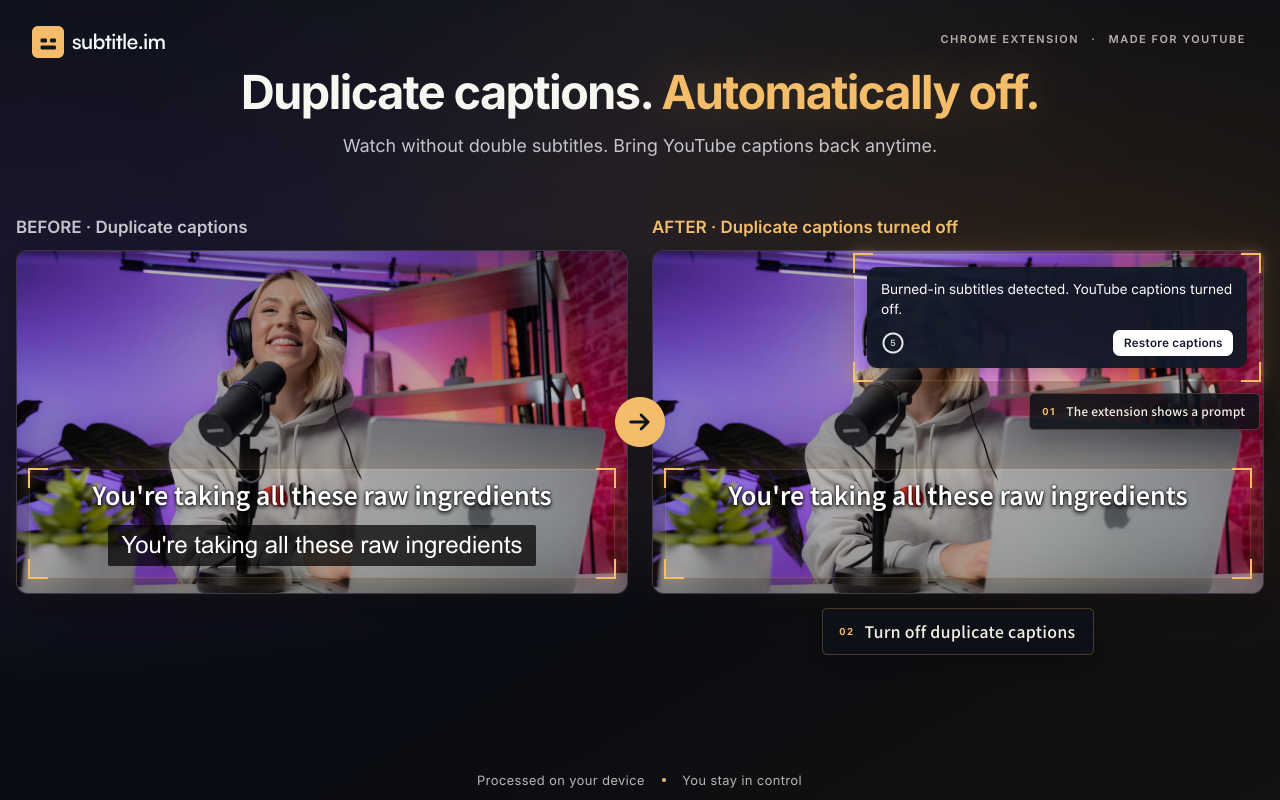
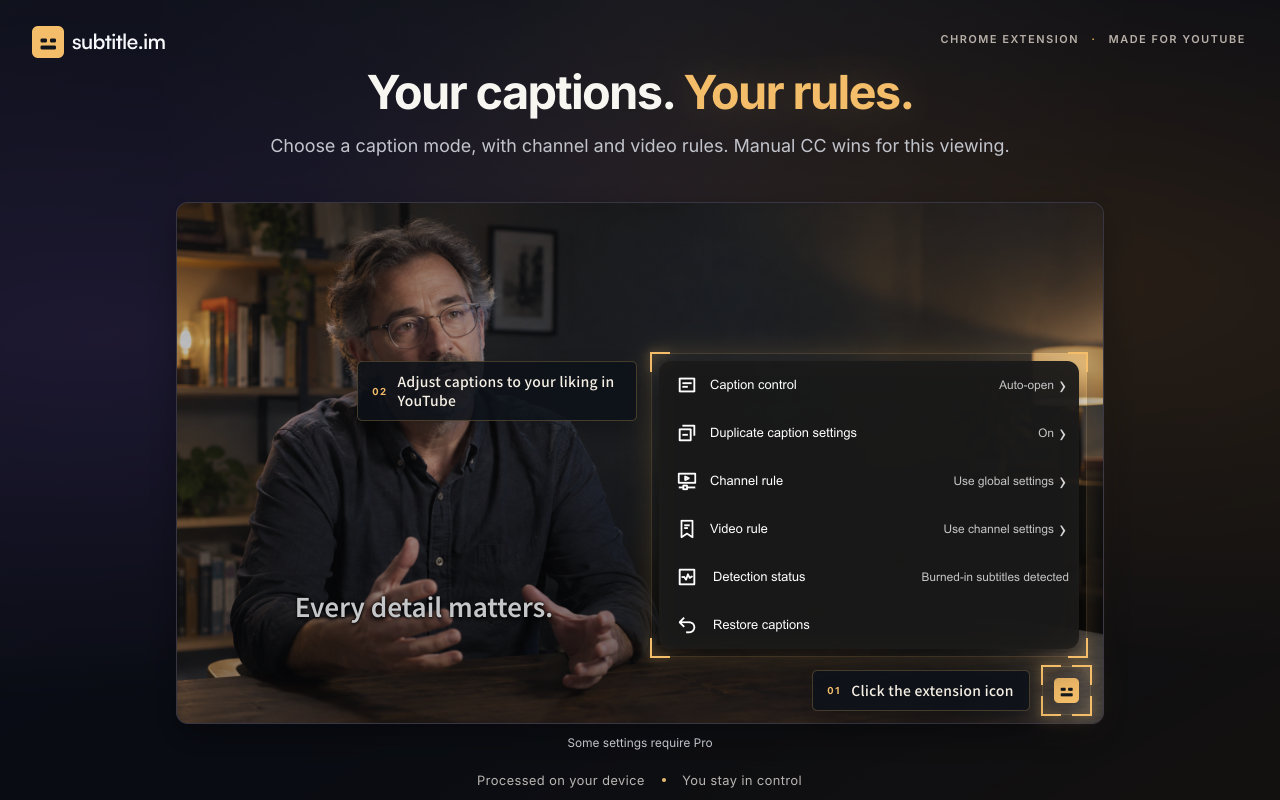
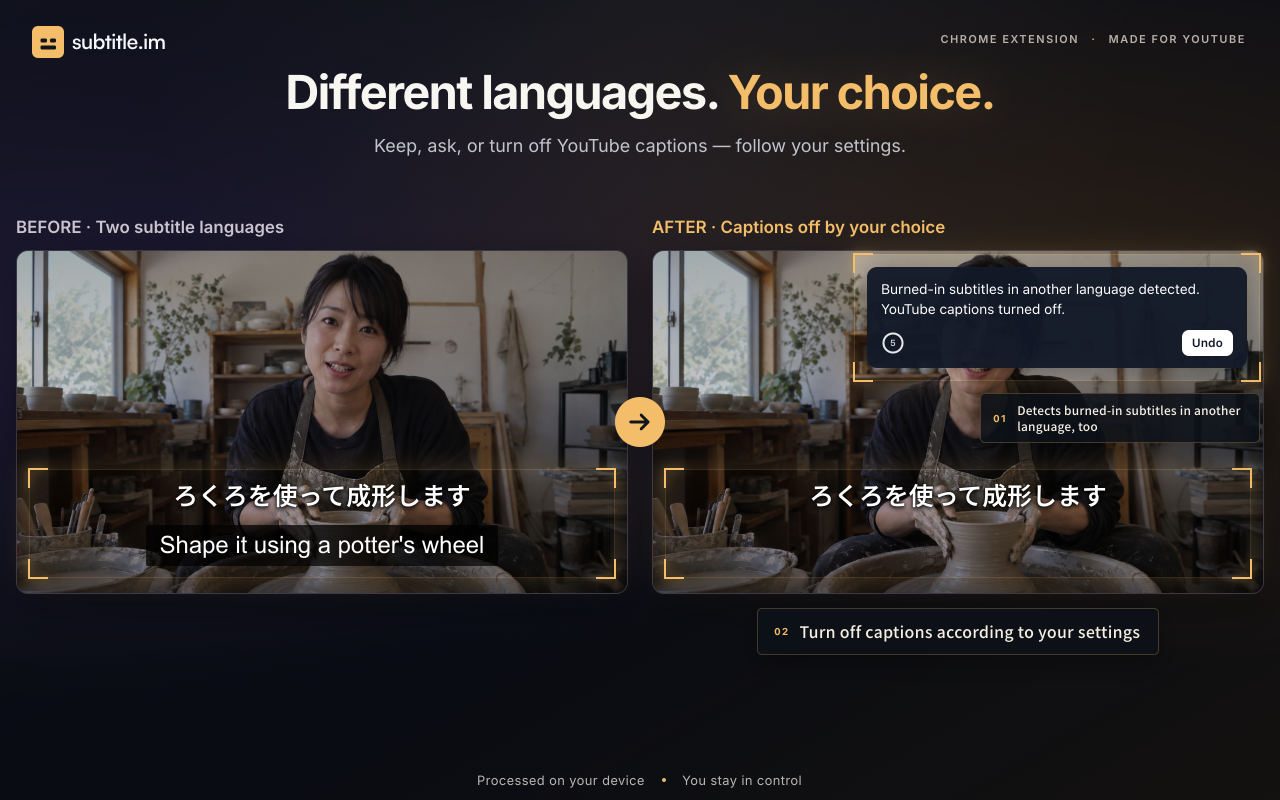
subtitle.im is the right pick for viewers who watch YouTube with captions and are tired of manually toggling them off when a video already has burned-in subtitles. Its local OCR detection is a genuine differentiator, but the free tier caps out at 10 handled videos total with no reset, which pushes regular users toward Pro faster than it might seem. Anyone who needs to generate, translate, or edit subtitles should look elsewhere entirely.
What is subtitle.im?
subtitle.im manages existing YouTube captions in Chrome. Choose follow YouTube, automatically on or automatically off across videos. Local OCR detects burned-in subtitles to help handle duplicate soft captions according to your settings. Restore captions anytime. Try 10 successfully handled videos without signup; optional Pro supports continued handling, channel rules, video exceptions and memory of confirmed closures. It does not generate, translate, download or remove burned-in subtitles.
How we scored subtitle.im
Capability scores 13 because the tool does exactly one thing (YouTube caption layer management) and explicitly cannot generate, translate, or edit subtitles; every named subtitle tool in the same broad category does far more. Ease of use scores 20 because the extension requires no sign-up, works immediately after installation, and the rule hierarchy is clearly explained on the site. Value scores 12 because the free tier's lifetime cap of 10 videos with no monthly reset is unusually tight for a viewer-facing tool, and the Pro price is not publicly listed, making it impossible for a buyer to evaluate the upgrade cost before installing. Delivery scores 13 because there are no third-party reviews, app store ratings, or independent coverage to corroborate the feature claims, and the detection system's own site acknowledges it requires 'sufficient evidence' and only works with 'supported languages,' leaving meaningful uncertainty about real-world reliability.
Pros and cons
What we liked
- Local OCR runs entirely in the browser with no video frames or subtitle text sent to any server, a concrete privacy advantage over cloud-based caption tools.
- Granular rule hierarchy (global, channel, video) lets power users set a default behavior once and handle exceptions without touching settings again.
- No sign-up or account required to use the free tier; the extension works immediately after installation for the first 10 handled videos.
Where it falls short
- The free tier's 10-video lifetime cap with no monthly reset is unusually restrictive; a daily YouTube viewer could exhaust it in under two weeks, making the 'free' label misleading for regular use.
- The extension only works in desktop Chrome; there is no Firefox, Safari, Edge, or mobile support, which cuts out a large share of YouTube viewers.
- Detection only works with supported languages and requires 'sufficient evidence' per the site's own language, meaning it can silently fail on videos with short, sparse, or stylized burned-in text without alerting the user.
Key features
subtitle.im pricing
Free tier handles 10 videos total with no monthly reset and no sign-up required. Pro tier pricing was not fully surfaced in the live page text extracted; the page references a Pro plan with channel rules, video exceptions, and memory of confirmed closures, but exact Pro price figures were not present in the extracted content.
| Plan | Price | Who it is for |
|---|---|---|
| Free | $0 | No sign-up required. Handles up to 10 videos total with no monthly reset. Includes automatic caption control, local burned-in subtitle detection, and basic duplicate caption handling. Channel and video rules are not included. |
| Pro | Not publicly listed in extracted page content | All Free features plus channel-level rules, per-video exceptions, memory of confirmed caption closes, and separate handling settings when burned-in and YouTube captions are in different languages. |
Pricing reflects what we saw at time of review (2026-10). Always confirm current pricing on the tool's own site.
Who should use subtitle.im?
This extension suits viewers who rely on captions for accessibility or language learning and watch a mix of YouTube content, some with burned-in subtitles and some without. If you have ever sat through a video with two overlapping caption tracks because YouTube kept its captions on over a video that already had hardcoded text, subtitle.im solves exactly that problem. The local processing model also makes it a reasonable choice for anyone cautious about sending viewing data to third-party servers.
Anyone who needs to produce, edit, or translate subtitle files should skip this entirely. Content creators looking to add captions to their own videos, teams captioning video libraries, or users who want to download SRT files have no use for this extension. For subtitle generation and editing, EveryTool4U offers a browser-based toolkit of file utilities that runs locally with no uploads, covering a broader range of productivity tasks without a per-video cap.
Skip it if: Content creators, subtitle editors, or anyone needing subtitle generation or translation
Tags
Frequently asked questions
Does subtitle.im work on Firefox, Edge, or Safari?+
No. The extension is built for desktop Chrome only. There is no stated support for other browsers or for mobile YouTube.
What happens after I use all 10 free handled videos?+
The free allowance is a lifetime cap of 10 successfully handled videos with no monthly reset. Once exhausted, continued handling requires a Pro purchase.
Does the extension upload my video or subtitle text to a server?+
No. Frame sampling and OCR run locally in the browser. The site states that video frames and subtitle text are recognized locally without being sent to a server.
Can subtitle.im generate or translate subtitles?+
No. The tool only manages whether YouTube's existing soft caption layer is on or off. It does not create, translate, download, or alter burned-in subtitle text.
What is the Pro plan's price?+
The Pro tier price was not present in the publicly extracted pricing page content at review time. The pricing page must be checked directly for the current figure.
Will the extension turn off captions on every video automatically?+
Only if you configure it to do so. The global setting can be set to auto-close, auto-open, or follow YouTube. Any manual CC/C button press overrides the rule for the current viewing session only.
More AI Productivity Tools
See all categoriesGet your tool listed on 300+ directories.
One listing here is a strong start. But the founders who get discovered everywhere are listed everywhere. Our sister site, Free AI Directories, submits your tool to 300+ AI directories for you, every single one by hand, by a real person.
It is a one-time payment of $49, no subscription, and you can follow along as the submissions land. Prefer the slow route? The same site keeps a free list of 450+ directories you can work through yourself.
Get my tool listed on 300+ directoriesOne-time payment, no subscription · 100% human submissions · Free list of 450+ directories included.