
ToSong
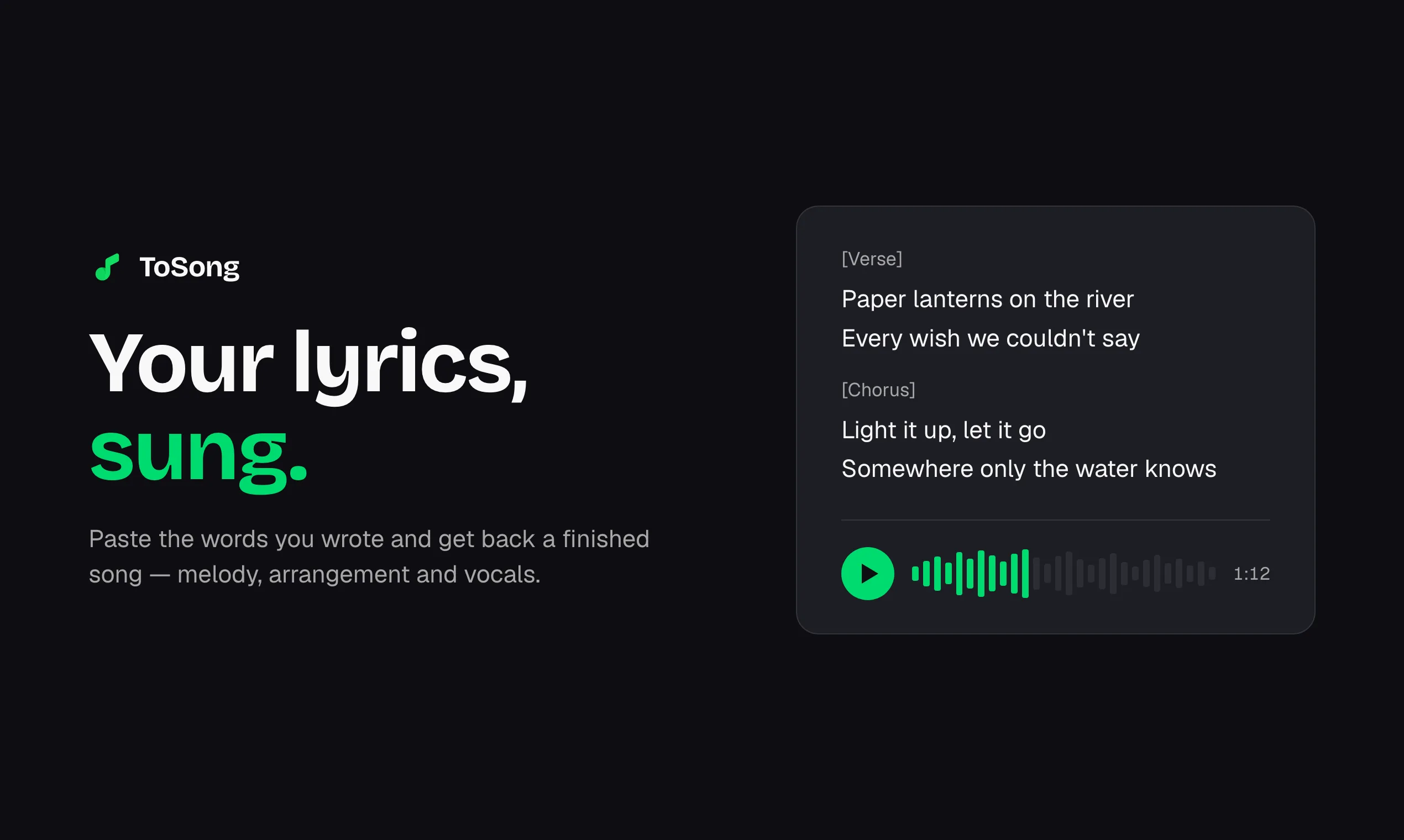
An AI song generator that turns your lyrics or a text description into a finished track with vocals, melody, and arrangement.
Are you the maker? Claim this listing to keep info, pricing and screenshots current. Verified via your tool's domain email.
ToSong is the right pick for content creators and hobbyist songwriters who want to feed in their own lyrics and get a listenable, commercially licensed track without touching a DAW. It is narrower than tools like Suno that let you extend, remix, or edit stems, and the absence of a persistent free tier means you burn through your starter credits and then face a $14/month minimum. Anyone who needs audio editing, vocal separation, or stem exports should look elsewhere.
What is ToSong?
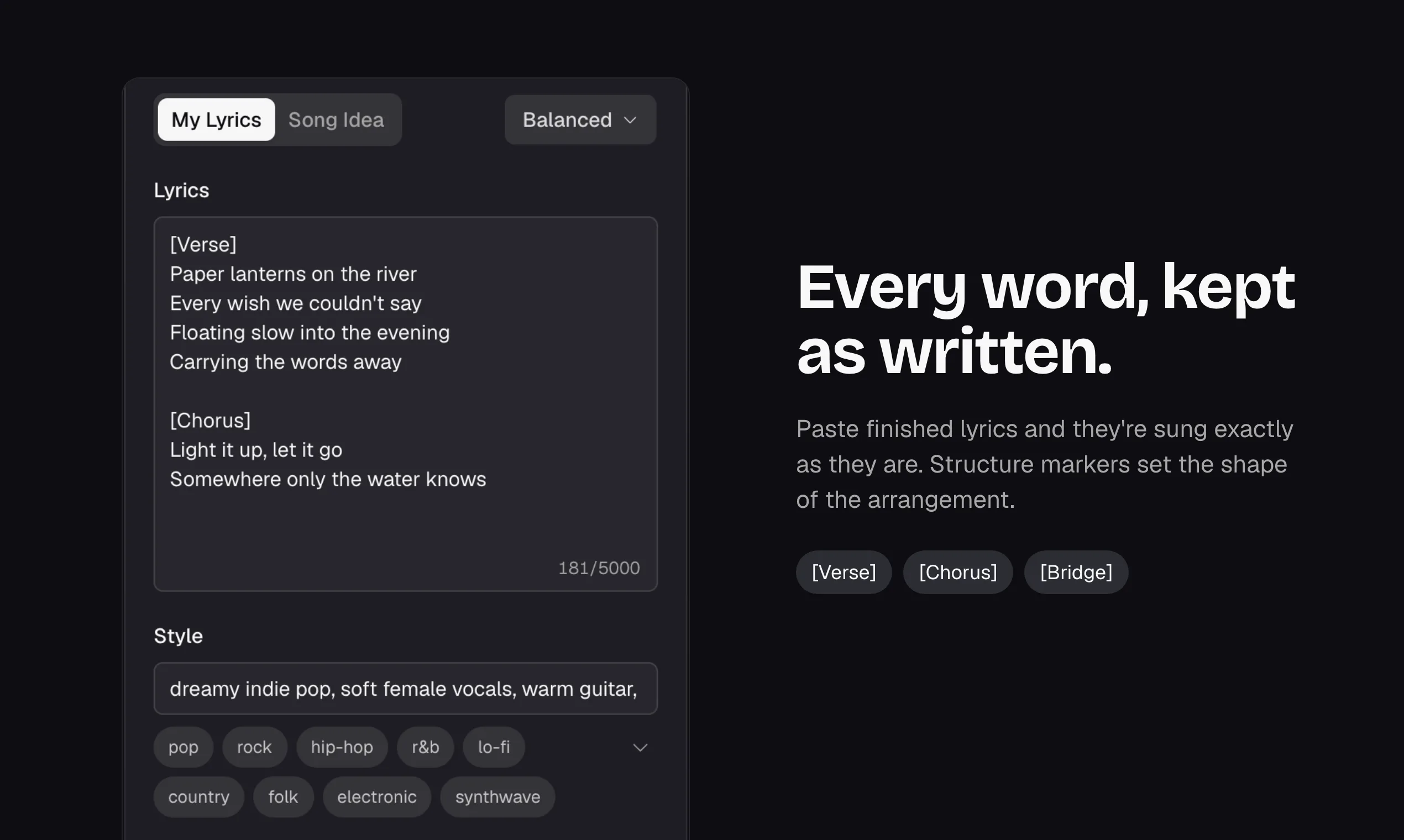
ToSong is an AI song maker for people who have the words but not the studio. Paste your own lyrics and the AI builds a song around them - mark [Verse], [Chorus] and [Bridge] to help guide the arrangement. No lyrics yet? Describe the song and AI writes them. Choose a genre, a male or female voice, or instrumental only; fine-tune with excluded styles, weirdness and style influence. New accounts get free credits, failed generations are refunded, and paid plans include commercial rights.
How we scored ToSong
Capability lands at 16 because ToSong does one thing, lyrics-to-song generation, with a genuinely useful structural tagging system, but it lacks stem export, vocal separation, and song extension that multiple named competitors in the AI music space include at comparable price points. Ease of use scores 20 because the interface is deliberately minimal: paste lyrics, pick a genre, generate; the credit auto-refund and upfront annual allocation also reduce friction meaningfully. Value scores 14 because there is no persistent free tier and the entry price of $14/month (yearly) or $19/month (monthly) is not low for a tool that produces only finished tracks with no editing capability; one-time packs help occasional users but the per-song cost at the Plus tier is not clearly competitive. Delivery scores 13 because no independent user sentiment data was found to verify output quality claims, the 'freemium' label on the submitted listing does not match the live pricing page's actual structure, and the web-only, no-API, no-integration footprint limits confidence that the tool delivers reliably across real production workflows.
Pros and cons
What we liked
- Lyrics-first workflow with [Verse]/[Chorus]/[Bridge] tagging gives songwriters more arrangement control than a generic prompt box.
- Automatic credit refund on failed generations and upfront annual credit allocation (e.g. all 24,000 Plus credits at once) remove the frustration of losing credits to errors or monthly caps mid-project.
- Commercial use rights included on every paid plan, including the entry-level Plus tier at $14/month billed yearly, making it usable for client and monetized work without an extra license fee.
Where it falls short
- No stem export, vocal separation, or song extension: once a track is generated, you cannot edit its components, which is a meaningful gap compared to tools like Suno or Udio that let you continue and remix.
- No persistent free tier: starter credits run out and the cheapest ongoing access is $14/month (yearly) or $19/month (monthly), which is a hard stop for casual users who want to experiment without committing.
- The platform is web-only with no mobile app, no API access mentioned on the pricing page, and no integrations listed, limiting how it fits into existing content production pipelines.
Key features
ToSong pricing
No free tier after starter credits are exhausted. Three paid subscription tiers billed monthly or yearly: Plus at $19/month (or $14/month billed yearly at $168), Pro at $29/month (or $22/month billed yearly at $264), and Max at $99/month (or $75/month billed yearly at $900). One-time credit packs are also available and valid for 365 days. All paid plans include commercial use rights.
| Plan | Price | Who it is for |
|---|---|---|
| Plus | $14/mo | Billed $168 yearly. 24,000 credits per year (about 2,400 songs). Commercial use license, permanent song library, auto-refund on failed generations. Credits reset each cycle and do not roll over. Monthly price without annual billing is $19/month. |
| Pro | $22/mo | Billed $264 yearly. 42,000 credits per year (about 4,200 songs). Same feature set as Plus. Monthly price without annual billing is $29/month. |
| Max | $75/mo | Billed $900 yearly. 156,000 credits per year (about 15,600 songs). Same feature set as Plus and Pro, suited for high-volume generation. Monthly price without annual billing is $99/month. |
Pricing reflects what we saw at time of review (2026-10). Always confirm current pricing on the tool's own site.
Who should use ToSong?
A solo YouTuber or podcaster who writes their own intro lyrics but has no way to produce them will get real value here: paste the words, pick a genre, download a track with commercial rights, and move on. The same goes for a social media manager who needs a handful of original background tracks per month without paying for a full music licensing subscription.
Anyone who needs to edit what comes out, separate vocals from instrumentals, extend a track, or work with stems should skip ToSong and look at a more production-oriented tool. ElevenLabs, which is already in our directory, covers AI voice generation with far more control over vocal output and is the better choice if the voice itself, rather than the full song, is what you need to shape.
Skip it if: Music producers or anyone needing stem exports, vocal separation, or a free ongoing tier
Frequently asked questions
Is there a free plan for ToSong?+
New accounts receive starter credits to try the service, but there is no ongoing free tier. Once those credits are used, the cheapest subscription is Plus at $19/month or $14/month billed annually.
Do unused credits roll over to the next month?+
No. For subscriptions, credits reset at the start of each billing cycle and unused credits do not carry over. One-time credit packs are the exception: they are valid for 365 days from purchase.
Can I use generated songs commercially?+
Yes. All paid plans, including subscriptions and one-time credit packs, include a commercial use license. The free starter credits do not explicitly include commercial rights per the pricing page.
What happens if a generation fails?+
Credits are deducted when a job is created and automatically refunded if the job fails. You do not need to contact support for failed generation refunds.
Can I edit or extend a song after it is generated?+
ToSong does not offer stem export, vocal separation, or song extension. The output is a finished track you can download; post-generation editing is not part of the tool.
How does the yearly credit allocation work?+
Yearly subscribers receive their full annual credit allowance in one go at the start of the subscription, not in monthly installments. A Plus yearly subscriber gets all 24,000 credits immediately, valid until the next renewal.
More AI Voice, Audio & Music tools
See all categoriesGet your tool listed on 300+ directories.
One listing here is a strong start. But the founders who get discovered everywhere are listed everywhere. Our sister site, Free AI Directories, submits your tool to 300+ AI directories for you, every single one by hand, by a real person.
It is a one-time payment of $49, no subscription, and you can follow along as the submissions land. Prefer the slow route? The same site keeps a free list of 450+ directories you can work through yourself.
Get my tool listed on 300+ directoriesOne-time payment, no subscription · 100% human submissions · Free list of 450+ directories included.