
VoiceVibe
A desktop voice productivity app for Windows, macOS, and Linux that lets you dictate, transform text, generate images, and launch AI agents
Are you the maker? Claim this listing to keep info, pricing and screenshots current. Verified via your tool's domain email.
VoiceVibe is best for power users who want a single hotkey to drive dictation, AI text transformation, image generation, and agent launching across any desktop app. Its free tier is genuinely useful offline, but the Pro tier at $14.99/month is a meaningful recurring cost for what is still a relatively young tool with unproven long-term track record. Anyone who only needs high-quality text-to-speech or voice cloning should look at ElevenLabs instead.
What is VoiceVibe?
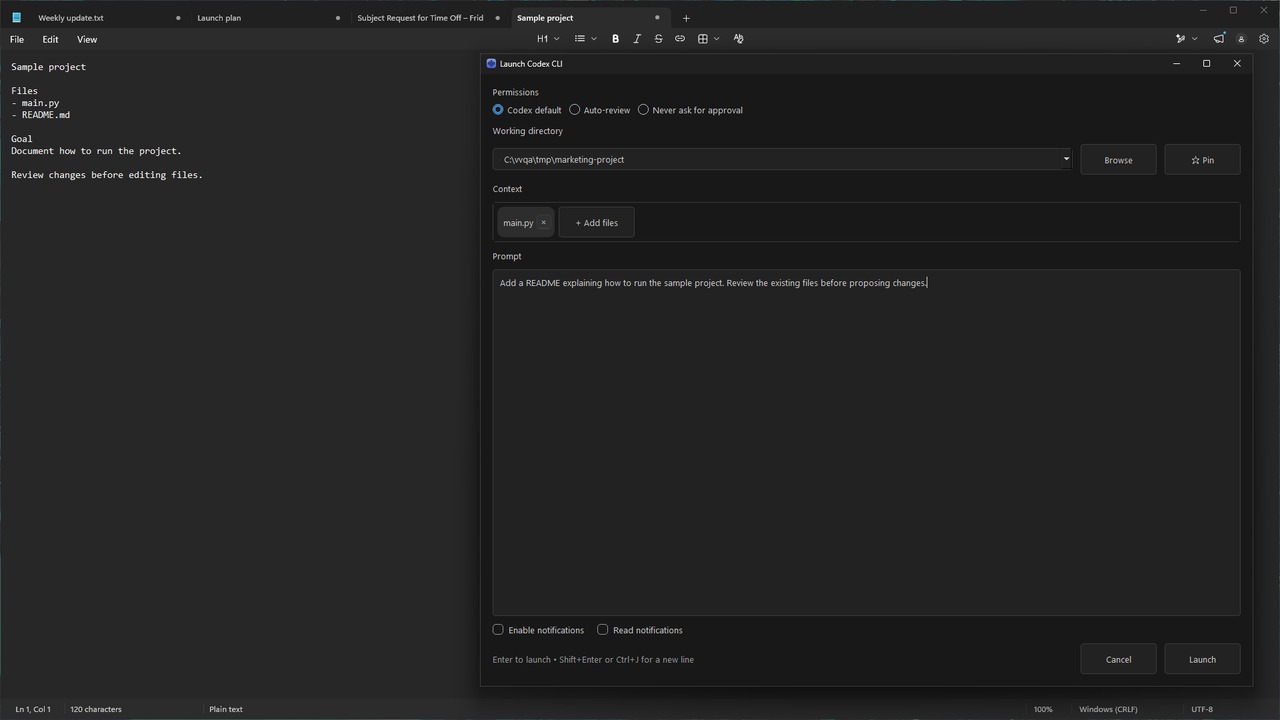
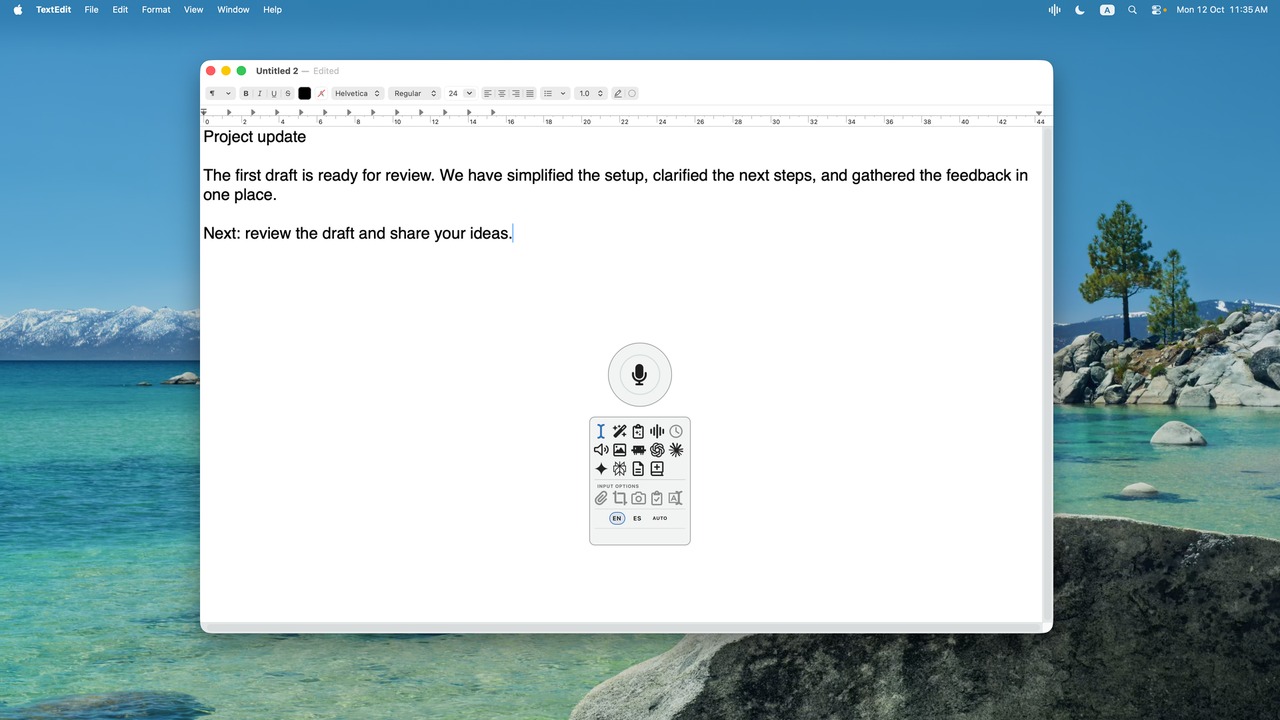
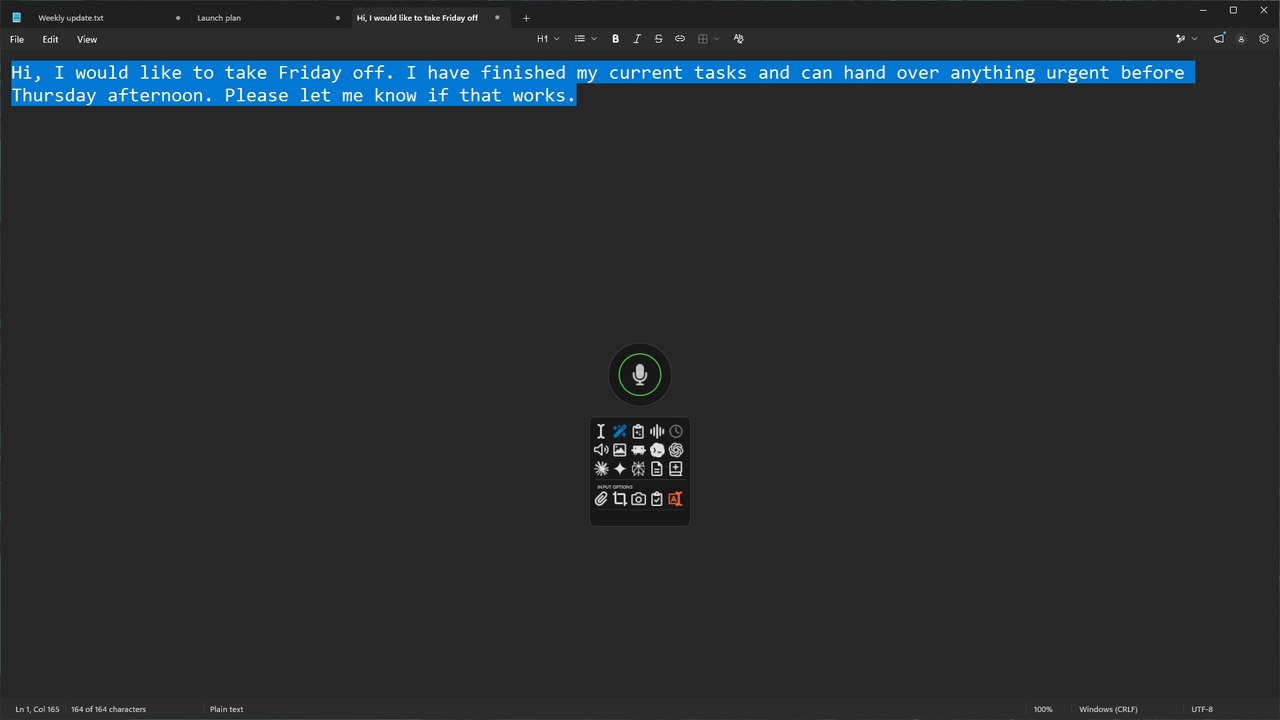
VoiceVibe lets you talk to your computer, in any app or website. Press a key and say what you need; while you speak, choose what happens: type it, transform text, ask about what's on your screen, or launch an AI chat or agent with the task. Do more without losing your train of thought. Modes include Voice Typing (free, on-device and offline), Voice Typing Pro, Magic Typing, Magic Clipboard, Voice Assistant, Text-to-Speech, AI Images, Chat Launcher and Agent Launcher. Runs on Windows 10+, macOS 14+ (Apple Silicon) and Linux (X11). Free voice typing is free forever; Pro starts at $14.99/month, and you can try Pro modes without a credit card.
How we scored VoiceVibe
Capability scores well because the 10-mode voice control system with multi-modal inputs (screenshots, files, clipboard) is genuinely broader than a typical dictation tool, and the offline free tier with Parakeet is a real differentiator. Ease of use benefits from a single-hotkey design and no-account free tier, but the Intel Mac exclusion and Linux X11-only limitation create real onboarding friction for a meaningful slice of the target audience. Value is held back by the $14.99/month Pro price with an undisclosed usage cap: buyers cannot evaluate whether Pro is sufficient before subscribing, and the annual commitment of $143.90 is steep for a tool with no publicly verifiable third-party review track record. Delivery scores lowest because no independent user sentiment could be confirmed for voicevibe.ai specifically, the baseline Pro usage limit is hidden, and the tool is young enough that its long-term reliability is unproven.
Pros and cons
What we liked
- Genuinely free offline tier: the Parakeet-powered voice typing mode is unlimited, works without an account, and keeps all audio on-device, which is a real differentiator versus cloud-only competitors.
- Unusually broad command surface for a voice tool: 10 voice modes and 5 input types (partial screenshot, full screenshot, selected text, clipboard, files) let you act on almost any on-screen context without leaving your current app.
- Pro plan covers up to 3 devices at a flat $14.99/month with no per-seat pricing, which is fair for a solo user with a desktop, laptop, and a secondary machine.
Where it falls short
- macOS support is limited to Apple Silicon (macOS 14+), which locks out anyone still running an Intel Mac, a specific hardware restriction that tools like ElevenLabs do not impose.
- The free tier locks all nine Pro voice modes entirely, so users who want anything beyond basic dictation must commit to a paid subscription with no usage-based or pay-as-you-go option.
- Usage limits on the Pro tier are not publicly quantified on the pricing page: the Pro Max plan advertises '4x usage limits' but the baseline Pro limit is not stated, making it impossible to evaluate whether Pro is sufficient before subscribing.
Key features
VoiceVibe pricing
Free forever tier with offline-only voice typing using the on-device Parakeet model. Pro is $14.99/month (billed annually at $143.90/year). Pro Max is $29.99/month (billed annually at $287.90/year) with 4x usage limits. A 7-day money-back guarantee applies to paid plans. No credit card required for the free tier.
| Plan | Price | Who it is for |
|---|---|---|
| Free | $0 | Unlimited voice typing using the on-device Parakeet model (~2.7GB RAM while loaded). Works 100% offline, single device, no account required. All 9 Pro voice modes are locked. No AI-enhanced transcription or text transformation. |
| VoiceVibe Pro | $14.99/mo | All 10 voice modes: Advanced Voice Typing, Magic Typing, Magic Clipboard, Voice Assistant, Text-to-Speech, AI Images, Agent Launcher, Chat Launcher, Note Taker, and Add to Dictionary. AI-enhanced cloud transcription, text transformation, voice cloning, multi-modal inputs (screenshots, files, clipboard). Up to 3 devices. Priority support. Billed annually at $143.90/year. 7-day money-back guarantee. |
| VoiceVibe Pro Max | $29.99/mo | Everything in Pro plus 4x usage limits for power users. Includes Voice Assistant with audio responses and multi-modal AI. Up to 3 devices. Priority support. Billed annually at $287.90/year. 7-day money-back guarantee. |
Pricing reflects what we saw at time of review (2026-10). Always confirm current pricing on the tool's own site.
Who should use VoiceVibe?
VoiceVibe fits professionals who live in many different apps throughout the day and want a single voice layer on top of all of them: a developer who wants to dictate commit messages and then immediately launch a coding agent task, a writer who drafts in one app and edits in another, or a researcher who wants to ask questions about whatever is on their screen without switching to a chat window. The offline free tier also makes it a reasonable option for anyone with privacy concerns about sending audio to the cloud.
Anyone whose primary need is high-quality voice synthesis, voice cloning for content production, or professional voiceover work should look elsewhere. ElevenLabs is the stronger choice for that use case, with a much deeper library of voices and a purpose-built studio for audio output. Similarly, if your workflow is mobile-first, VoiceVibe does not run on iOS or Android at all.
Skip it if: Users who only need TTS or voice cloning, or those on mobile-only workflows
VoiceVibe alternatives
Tags
Frequently asked questions
Does the free tier require an account or credit card?+
No. The free tier requires neither an account nor a credit card. The first offline use downloads the local Parakeet speech model, and all audio stays on your device.
What does the Pro plan cost and what does it include?+
Pro is $14.99/month, billed annually at $143.90/year. It enables all 10 voice modes, cloud AI transcription with filler-word removal, text transformation, voice cloning TTS, AI image generation, agent and chat launchers, and support for up to 3 devices. A 7-day money-back guarantee applies.
Does VoiceVibe work on Intel Macs?+
No. macOS support requires macOS 14 or later running on Apple Silicon. Intel Mac users are not supported at this time.
What is the difference between Pro and Pro Max?+
Pro Max costs $29.99/month (billed annually at $287.90/year) and includes everything in Pro plus 4x usage limits. The baseline Pro usage cap is not publicly specified on the pricing page, so the practical difference depends on how heavily you use the tool.
Does VoiceVibe work on mobile devices?+
No. VoiceVibe runs on Windows 10+, macOS 14+ (Apple Silicon), and Linux (X11) only. There is no iOS or Android app.
Can I try Pro modes before paying?+
Yes. The pricing page states that a Pro Preview is available inside the app without a credit card, so you can evaluate Pro features before committing to the $14.99/month subscription.
More AI Voice, Audio & Music tools
See all categoriesGet your tool listed on 300+ directories.
One listing here is a strong start. But the founders who get discovered everywhere are listed everywhere. Our sister site, Free AI Directories, submits your tool to 300+ AI directories for you, every single one by hand, by a real person.
It is a one-time payment of $49, no subscription, and you can follow along as the submissions land. Prefer the slow route? The same site keeps a free list of 450+ directories you can work through yourself.
Get my tool listed on 300+ directoriesOne-time payment, no subscription · 100% human submissions · Free list of 450+ directories included.