
VORAvideo
Multi-model AI video generator that turns text or images into 4K videos using WAN 2.5, Veo 3.1, Kling, and other leading models.
Are you the maker? Claim this listing to keep info, pricing and screenshots current. Verified via your tool's domain email.
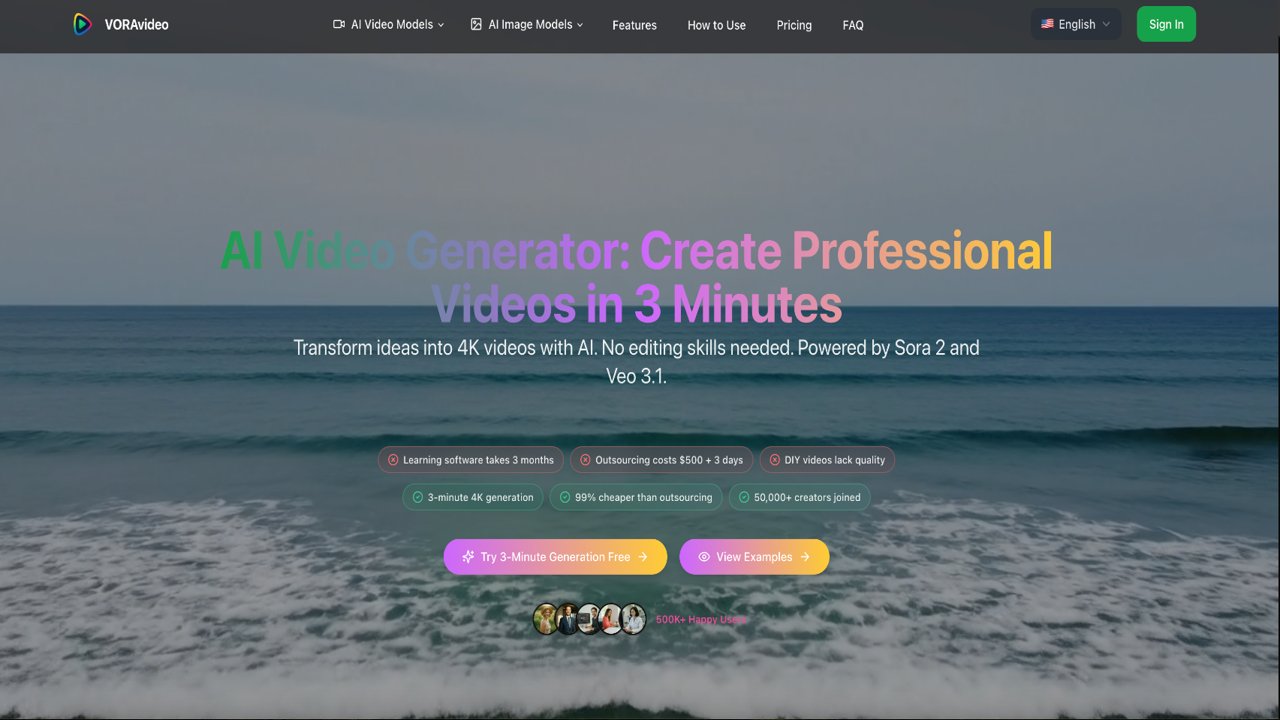
VORAvideo suits solo content creators and small marketing teams who want access to multiple frontier video models, including Veo 3.1 and WAN 2.5, without managing separate API accounts. Its credit system burns fast at 4K and high-duration settings, and Runway's built-in timeline editor gives video professionals far more post-generation control. If you need collaborative editing or a proper video workspace rather than a generation-only tool, look elsewhere.
What is VORAvideo?
VORAvideo turns text and images into professional AI videos with multiple generation models, commercial-ready output, flexible formats, and resolutions up to 4K. Built for content creators, marketing teams, filmmakers, ecommerce teams, agencies, educators, game designers, and architectural visualizers.
How we scored VORAvideo
Capability scores well because the model roster is genuinely broad: Veo 3.1, WAN 2.5, Kling 4.0, and a dozen image models under one balance is a real differentiator over single-model tools, and 4K output with native audio is not available on every competitor. Ease of use is solid for a prompt-in, video-out workflow with no editing skills required, though the lack of any credit-cost transparency per model is a friction point that costs a few points. Value is the weakest dimension: the Basic plan at $25/month annual delivers only 1,000 non-rollover credits, which works out to a thin monthly production budget at Veo-quality settings, and the monthly billing rate of $50/month is steep for what is essentially an API aggregator with no editing tools. Delivery loses points because no independent review sources were found to corroborate the 500,000-user claim, the tier naming is inconsistent between the pricing page and marketing copy, and the credit-cost table per model is absent, making it impossible for a buyer to verify what they are actually paying per video before committing.
Pros and cons
What we liked
- Access to over a dozen frontier video and image models, including Veo 3.1 and Kling 4.0, under one subscription with a shared credit balance.
- Veo 3.1 integration delivers true 4K output with layered audio, including dialogue, ambient sound, and background music, without requiring a separate Google API account.
- Full commercial license included on all paid tiers, with no watermark on paid-plan outputs, making generated footage usable in client work immediately.
Where it falls short
- Credits reset monthly with no rollover, so a creator who skips a week loses that portion of their paid allocation permanently, a policy that penalizes irregular production schedules.
- The platform is generation-only: no timeline editor, no transcript-based editing, and no native caption workflow outside the Smart Montage feature, which means every generated clip must be finished in a separate tool.
- Pricing is opaque at the credit level. The site does not publish a clear credit-cost table per model and resolution, so buyers cannot calculate actual per-video cost before committing to a plan.
Key features
VORAvideo pricing
Three paid tiers billed annually: Basic at $25/month (1,000 credits), Standard at $41.67/month (2,500 credits), and Pro at $83.33/month (6,000 credits). Monthly billing roughly doubles those rates. A free trial with starter credits appears to be available based on site copy, but no permanent free tier exists. Credits reset monthly and do not roll over.
| Plan | Price | Who it is for |
|---|---|---|
| Free Trial | $0 | Starter credits to test the platform. Outputs carry a watermark. Exact credit amount not published on the pricing page. |
| Basic | $25/month (billed annually; $50/month billed monthly) | 1,000 credits per month, credits reset monthly, access to all AI video and image models including Veo 3.1, high-quality output, full commercial license, priority technical support, batch download. |
| Standard | $41.67/month (billed annually; $83.33/month billed monthly) | 2,500 credits per month, credits reset monthly, same feature set as Basic including Veo 3.1 access, full commercial license, priority technical support, batch download. |
| Pro | $83.33/month (billed annually; $166.67/month billed monthly) | 6,000 credits per month, credits reset monthly, same feature set as Basic and Standard including Veo 3.1 access, full commercial license, priority technical support, batch download. |
Pricing reflects what we saw at time of review (2026-10). Always confirm current pricing on the tool's own site.
Who should use VORAvideo?
A solo YouTuber or social media creator who publishes several videos a week and wants to test different AI models without juggling multiple subscriptions will get real value from VORAvideo's consolidated model library. E-commerce sellers who need product-photo-to-video conversion for multiple SKUs, and small marketing teams running A/B tests on ad creatives, are also a reasonable fit, provided they can work within the monthly credit reset and do not need frame-level editing.
Anyone who needs to edit, trim, or refine generated footage should look elsewhere. Runway offers a proper video editing workspace alongside its generation tools, making it the better choice for professionals who treat AI generation as one step in a longer post-production workflow. Teams that need per-seat access controls or collaborative review queues will also find VORAvideo's single-balance model limiting.
Skip it if: Teams needing collaborative editing, timeline tools, or predictable per-seat pricing
VORAvideo alternatives
Tags
Frequently asked questions
Does VORAvideo have a free plan?+
There is no permanent free tier. The site offers a free trial with starter credits, but paid plans begin at $25/month billed annually. Free-trial outputs carry a watermark; paid-plan outputs do not.
Do unused credits roll over to the next month?+
No. Credits reset at the start of each billing cycle. Any unused credits from the previous month are lost, regardless of which plan you are on.
Which AI models are available on VORAvideo?+
The platform currently lists WAN 2.5, WAN 3.0, Veo 3.1, Kling 4.0, Seedance 2.5, Seedance 2.0 Mini, MiniMax H3, Gemini Omni, and Kling Avatar for video, plus GPT Image 2.5, Flux 2, Imagen 4, Seedream 5 Pro, and Nano Banana Pro for images. All draw from the same credit balance.
What resolution can VORAvideo produce?+
WAN 2.5 generates up to 1080p at up to 20 seconds per clip. Veo 3.1 outputs true 4K ultra-HD with complete audio. 4K generation is available on Creator and Studio plans according to site copy, though the live pricing page lists three tiers named Basic, Standard, and Pro.
Is there a commercial license included?+
Yes. All paid tiers include a full commercial license. Watermarks appear only on free-trial outputs.
Can VORAvideo edit or trim generated video?+
No. VORAvideo is a generation-only platform. It has no timeline editor or transcript-based editing. The Smart Montage feature chains clips automatically, but manual frame-level editing requires a separate tool.
More AI Video Tools
See all categoriesGet your tool listed on 300+ directories.
One listing here is a strong start. But the founders who get discovered everywhere are listed everywhere. Our sister site, Free AI Directories, submits your tool to 300+ AI directories for you, every single one by hand, by a real person.
It is a one-time payment of $49, no subscription, and you can follow along as the submissions land. Prefer the slow route? The same site keeps a free list of 450+ directories you can work through yourself.
Get my tool listed on 300+ directoriesOne-time payment, no subscription · 100% human submissions · Free list of 450+ directories included.