
Wingdings Translator
A free, browser-based converter that turns plain text into Wingdings 1, 2, 3 or Webdings symbols and decodes them back, with no account
Are you the maker? Claim this listing to keep info, pricing and screenshots current. Verified via your tool's domain email.
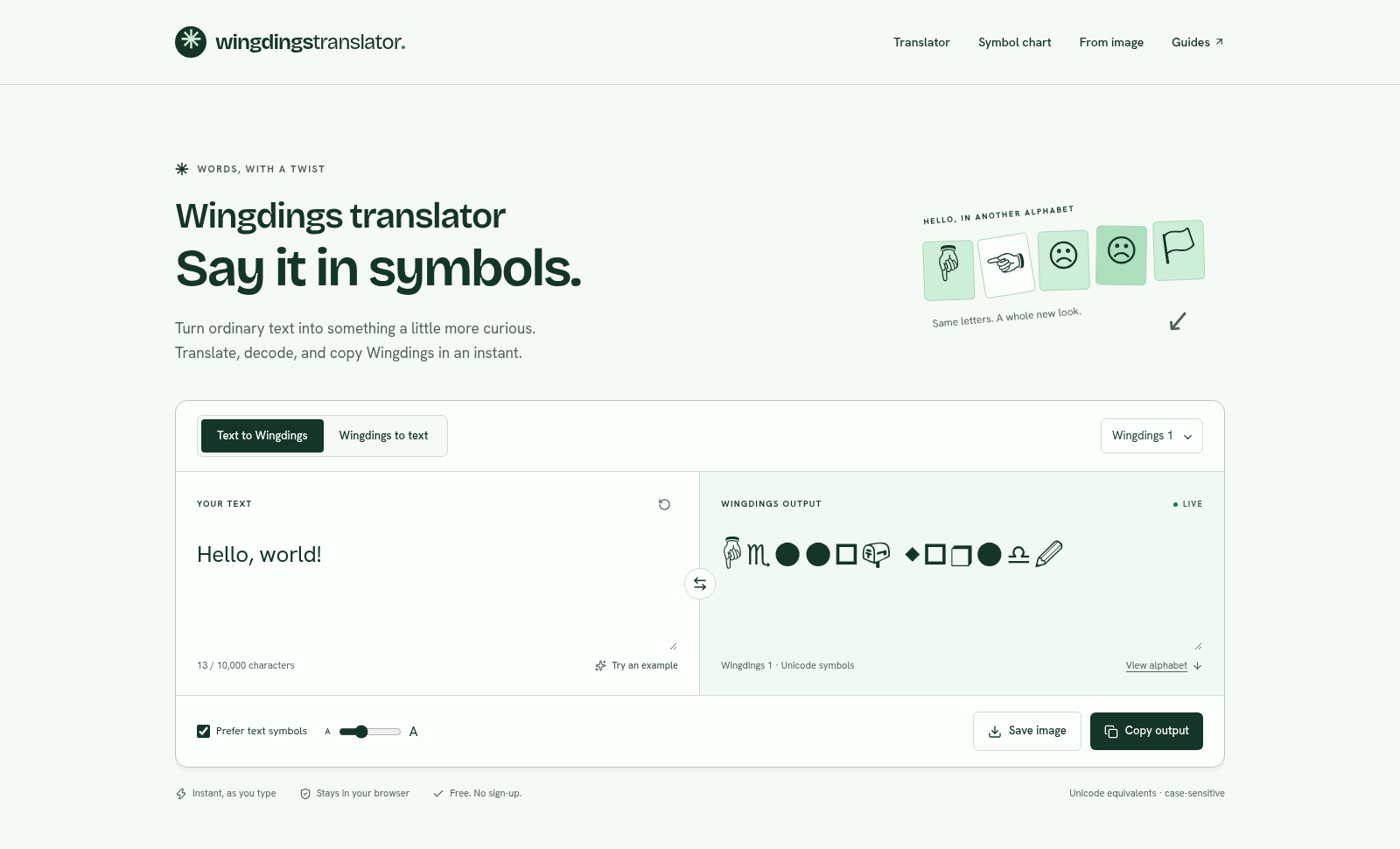
Wingdings Translator is the cleanest free option for anyone who needs a quick, private Wingdings conversion without creating an account. It handles all four symbol font variants and keeps everything in the browser, but it offers no OCR-based image decoding and no API, which puts it behind broader utility toolkits like EveryTool4U for teams who need more than one conversion type. Anyone expecting AI-assisted features or automation should look elsewhere entirely.
What is Wingdings Translator?
Wingdings Translator is a free, browser-based tool for converting plain text into Wingdings or Webdings symbols and decoding them back into English. It supports Wingdings 1, 2, 3, and Webdings, handles up to 10,000 characters per session, and updates the output in real time as you type. All processing runs locally in the browser, so no text or image data is sent to an external server.
The tool includes a full Wingdings alphabet chart, a case-sensitive conversion engine, one-click copy, and an image save option. An assisted image decoder lets users manually match symbols from a screenshot against the reference chart. Three editorial guides explain the differences between font variants, copy-paste rendering behavior across apps, and Wingdings as used in the Undertale game. No account or payment is required.
How we scored Wingdings Translator
Capability lands at 15 because the tool does its narrow job correctly, including case-sensitive conversion and four font variants, but it has no OCR, no API, no batch processing, and the image decoder is entirely manual, leaving it well behind broader utilities for any non-trivial use case. Ease of use scores 22 because the interface is genuinely simple: live output, no account, clear three-step flow, and honest editorial guides that explain edge cases most competitors ignore. Value scores 21 because the tool is completely free with a $0 price and a 10,000-character limit, which is fair for what it offers, though the ceiling of what it offers is low. Delivery scores 0 because this tool contains no AI component whatsoever despite being submitted under 'AI Productivity Tools'; the category assignment appears to be a mismatch, and the score reflects that the tool does not deliver on the implied AI capability of its listed category. The human editor should reassess the category before publishing.
Pros and cons
What we liked
- Genuinely free with no hidden tiers: the site lists $0 and there are no credit limits, paywalls, or sign-up gates anywhere on the page.
- Case-sensitive conversion is handled correctly, preserving uppercase and lowercase distinctions that most competing converters silently flatten.
- All four symbol font variants (Wingdings 1, 2, 3, and Webdings) are available in a single interface with live output, plus an image-save option for preserving rendered appearance.
Where it falls short
- The image decoder is entirely manual: users must match each symbol against the chart by eye, with no OCR or automated recognition, making it impractical for screenshots longer than a few words.
- No API, no embeddable widget, and no export format beyond clipboard copy and PNG image, which rules out any programmatic or batch use.
- The tool is web-only with no mobile app and no offline mode; users on restricted networks or without a browser cannot access it at all.
Key features
Wingdings Translator pricing
Completely free. No paid tiers, no credits, no sign-up. The tool runs entirely in the browser and the site lists a price of $0.
| Plan | Price | Who it is for |
|---|---|---|
| Free | $0 | Full access to all features: live conversion, all four font variants, bidirectional translation, alphabet chart, assisted image decoder, copy and image save. No account required, no usage limits beyond the 10,000-character input cap. |
Pricing reflects what we saw at time of review (2026-10). Always confirm current pricing on the tool's own site.
Who should use Wingdings Translator?
This tool fits anyone who needs a fast, private Wingdings conversion for a one-off task: a student decoding a puzzle, a fan recreating Undertale's Gaster dialogue, a designer who wants to save a symbol layout as an image, or a teacher building a cipher activity. The 10,000-character limit and live preview make it comfortable for anything up to a full page of text.
If you need a broader set of browser-based utilities beyond Wingdings, EveryTool4U covers 100-plus file and productivity tools that also run locally with no uploads or account, and is a better fit for teams or individuals who want one destination for many conversion tasks. If you need automated symbol processing via API, or true OCR-based image decoding, this tool has neither and you should look elsewhere.
Skip it if: Teams or developers who need API access, OCR image decoding, or a broader set of productivity utilities
Frequently asked questions
Is Wingdings Translator really free, or is there a paid tier?+
It is entirely free. The site lists a price of $0 and there are no paid plans, credit packs, or sign-up requirements anywhere on the site.
How many characters can I convert at once?+
The input field accepts up to 10,000 characters per session, which is enough for several pages of text.
Can it decode Wingdings from a screenshot automatically?+
No. The image decoder is assisted, not automated. You upload the screenshot and manually match each visible symbol against the built-in alphabet chart. The site explicitly states it does not use OCR.
Does the tool send my text to a server?+
No. Conversion runs entirely in your browser. The site notes that Cloudflare may process standard request logs when serving the website, but your typed text and image uploads are not sent to an application server.
Why do uppercase and lowercase letters produce different symbols?+
Wingdings is case-sensitive by design: uppercase H and lowercase h are mapped to different keys in the font. This tool preserves your original case rather than normalizing it, which is the correct behavior.
Can I use the output in Microsoft Word?+
The output is Unicode equivalents, which you can paste into most apps. For the original Wingdings appearance in Word specifically, the site recommends typing the original text and applying a licensed Wingdings font directly in Word.
More AI Productivity Tools
See all categoriesGet your tool listed on 300+ directories.
One listing here is a strong start. But the founders who get discovered everywhere are listed everywhere. Our sister site, Free AI Directories, submits your tool to 300+ AI directories for you, every single one by hand, by a real person.
It is a one-time payment of $49, no subscription, and you can follow along as the submissions land. Prefer the slow route? The same site keeps a free list of 450+ directories you can work through yourself.
Get my tool listed on 300+ directoriesOne-time payment, no subscription · 100% human submissions · Free list of 450+ directories included.