
Yap Online Dictation
A free, browser-based dictation tool that runs OpenAI Whisper locally so your voice never leaves your device.
Are you the maker? Claim this listing to keep info, pricing and screenshots current. Verified via your tool's domain email.
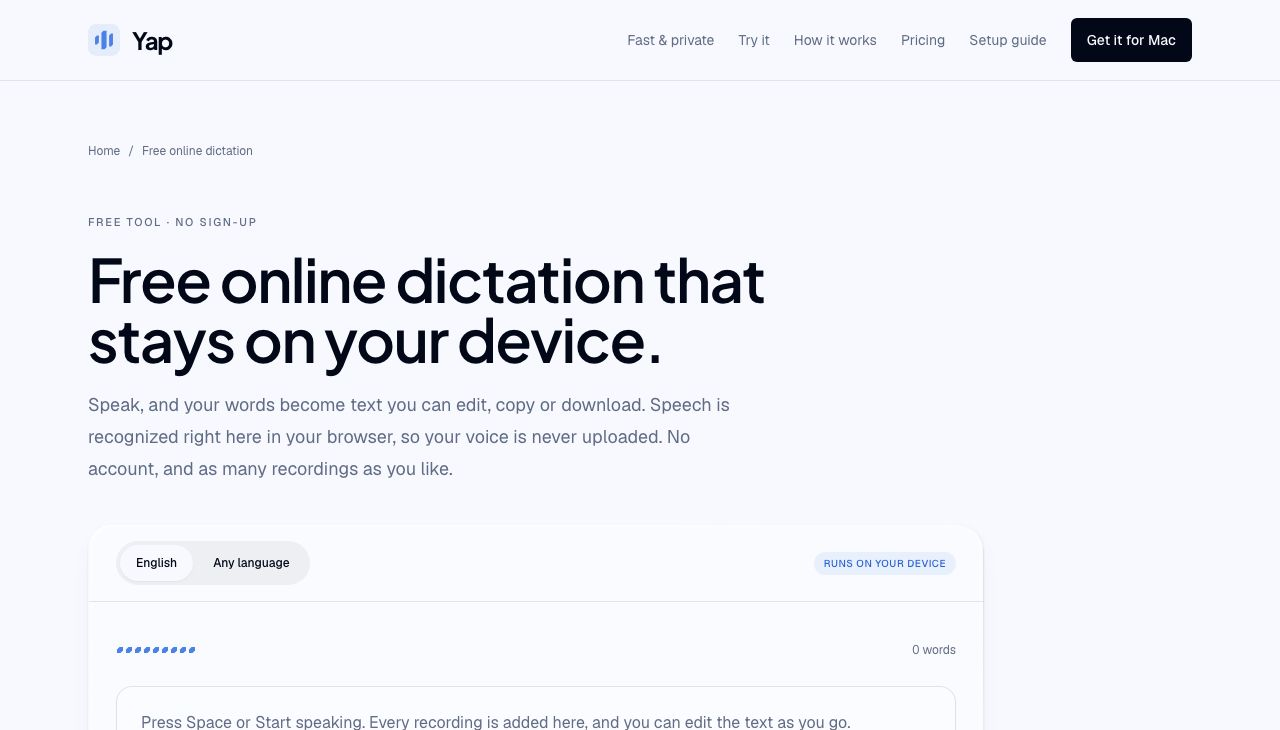
Yap Online Dictation is the right pick for anyone who needs fast, private speech-to-text without creating an account or trusting a cloud service with their audio. Accuracy is limited by the small Whisper model a browser can run, so it trails cloud-based transcription on names, jargon, and noisy recordings. If you need to dictate directly into other apps rather than copy-paste from a browser tab, you need the paid Yap desktop app instead.
What is Yap Online Dictation?
Free online dictation that stays on your device. Speak and get text you can edit, copy or download as .txt. Speech is recognized in your browser with OpenAI Whisper, so your voice is never uploaded. Free, no sign-up, no limit on recordings. Any language mode recognizes 99 languages with automatic detection; up to 2 minutes per recording. Works best in current desktop Chrome or Edge. Made by the team behind the Yap dictation app for Mac and Windows.
How we scored Yap Online Dictation
The free price and zero-friction setup earn a perfect value score: unlimited recordings, no account, and a genuinely useful multilingual mode at no cost. Ease of use is near the top because the tool has almost no interface to learn and the three-step flow (download model, speak, copy) is clear. Capability is limited by the hard 2-minute recording ceiling and the accuracy ceiling of a browser-runnable Whisper model, which the site itself acknowledges trails larger cloud models on names and jargon. Delivery drops sharply because no user reviews or independent assessments of this specific tool were found, making it impossible to verify that the tool performs as described for a broad range of users, and the delivery sub-score reflects that unverified state rather than assuming the best.
Pros and cons
What we liked
- Genuinely private: Whisper runs on your own CPU or GPU, audio is never uploaded, and no account is needed at any point.
- No usage caps: record as many 2-minute chunks as you like, with no daily quota or word limit, for free.
- Multilingual without extra cost: the any-language mode detects and transcribes 99 languages automatically, with no tier upgrade required.
Where it falls short
- Hard 2-minute recording ceiling per take: longer continuous speech requires stopping, copying, and restarting, which breaks flow for anything beyond short notes.
- No persistence: text and audio vanish when the tab closes, so there is no history, no search, and no way to recover a session you forgot to copy.
- Accuracy is constrained by browser-runnable model size: the site itself warns that names, jargon, and background noise cause more errors than larger cloud models, and the any-language mode is notably less accurate than the English-only mode.
Key features
Yap Online Dictation pricing
The online dictation tool is completely free: no account, no word cap, no trial expiry. The companion Yap desktop app (which types into any app on your computer) costs $6.90/month or $69/year, with a 3-day no-card trial followed by a 10-day card trial before billing starts.
| Plan | Price | Who it is for |
|---|---|---|
| Online Dictation (Free) | Free | Unlimited recordings in the browser, up to 2 minutes each. English and 99-language modes. No account required. Text and audio are not stored after the tab closes. |
| Yap Desktop (Monthly) | $6.90/month | Desktop app for Mac (Apple Silicon) or Windows 10/11 64-bit. Dictates into any application. Larger, more accurate speech models than the browser tool. Local dictation history. 3-day no-card trial, then 10-day card trial before billing. |
| Yap Desktop (Yearly) | $69/year | Same as the monthly desktop plan, billed annually. Saves $13.80 versus paying monthly. |
Pricing reflects what we saw at time of review (2026-10). Always confirm current pricing on the tool's own site.
Who should use Yap Online Dictation?
Yap Online Dictation fits people who occasionally need to turn spoken words into text without installing software or handing audio to a third-party service. A journalist drafting quick notes, a student transcribing short interview clips, or a privacy-conscious professional who refuses to let a cloud API hear their content will all find the zero-friction setup useful. Because nothing persists after the tab closes, it also suits anyone working with sensitive material who wants no server-side footprint.
It is a poor fit for anyone who needs to dictate into documents, emails, or chat apps directly, since the browser tab is a copy-paste dead end. It is also the wrong tool for recordings longer than 2 minutes per take, or for content heavy with proper names, acronyms, or domain-specific vocabulary where a small Whisper model will stumble. For those use cases, the paid Yap desktop app (at $6.90/month) handles in-app dictation with larger, more accurate models. Users who need transcription of pre-recorded audio files rather than live speech should look at Tremigos, which is already in this directory and covers transcription, translation, and captioning across 60-plus languages.
Skip it if: Anyone needing high accuracy on jargon, names, or audio longer than 2 minutes per take
Yap Online Dictation alternatives
Frequently asked questions
Is Yap Online Dictation actually free, or does it require a subscription eventually?+
It is free with no expiry. There is no account, no trial period, and no word or recording limit. The paid product is the separate Yap desktop app at $6.90/month or $69/year.
Does my voice get sent to a server?+
No. Whisper runs inside your browser tab on your own CPU or GPU. The site logs usage events (such as that a recording finished) but never your audio or transcript content.
What happens to my text when I close the tab?+
It is gone. Nothing is stored on a server or in local storage after the tab closes. Copy or download your text as a.txt file before closing.
How long can each recording be?+
Up to 2 minutes per recording. You can make as many recordings as you like in a session, and each one appends to the same editable text area.
Does it work in all browsers?+
The site recommends current desktop versions of Chrome or Edge. Mobile browsers and other desktop browsers may not support the WebAssembly and WebGPU features the tool depends on.
How accurate is it compared to cloud dictation tools?+
The site itself is candid: a model small enough to run in a browser makes more mistakes than large cloud models, especially on names, jargon, and recordings with background noise. English mode is more accurate than the 99-language any-language mode.
More AI Voice, Audio & Music tools
See all categoriesGet your tool listed on 300+ directories.
One listing here is a strong start. But the founders who get discovered everywhere are listed everywhere. Our sister site, Free AI Directories, submits your tool to 300+ AI directories for you, every single one by hand, by a real person.
It is a one-time payment of $49, no subscription, and you can follow along as the submissions land. Prefer the slow route? The same site keeps a free list of 450+ directories you can work through yourself.
Get my tool listed on 300+ directoriesOne-time payment, no subscription · 100% human submissions · Free list of 450+ directories included.