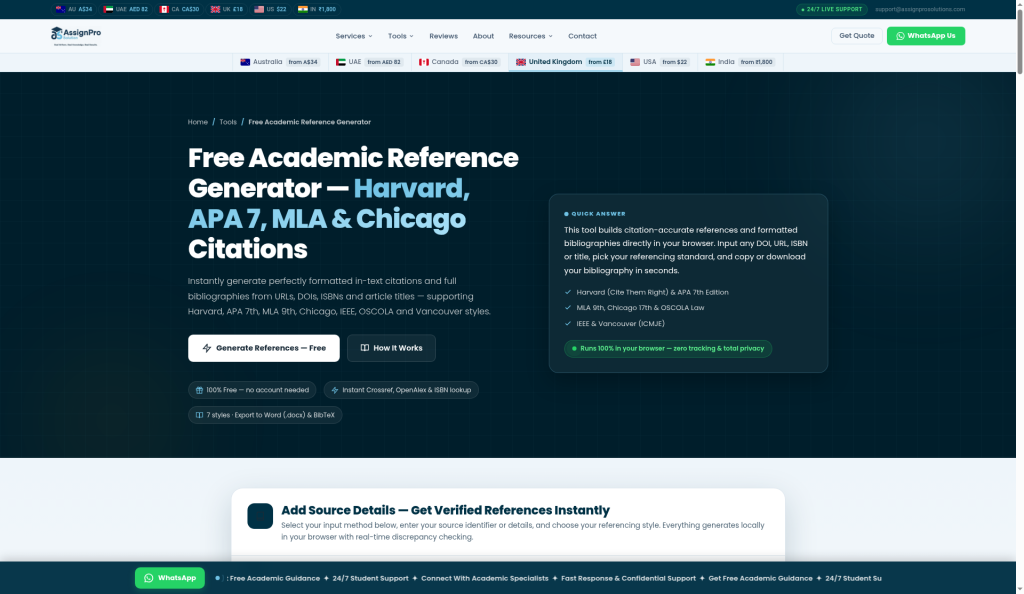
AssignPro Free Reference Generator
A fully free, browser-based citation tool supporting 7 referencing styles from DOI, ISBN, URL, or title input with no account required.
Are you the maker? Claim this listing to keep info, pricing and screenshots current. Verified via your tool's domain email.
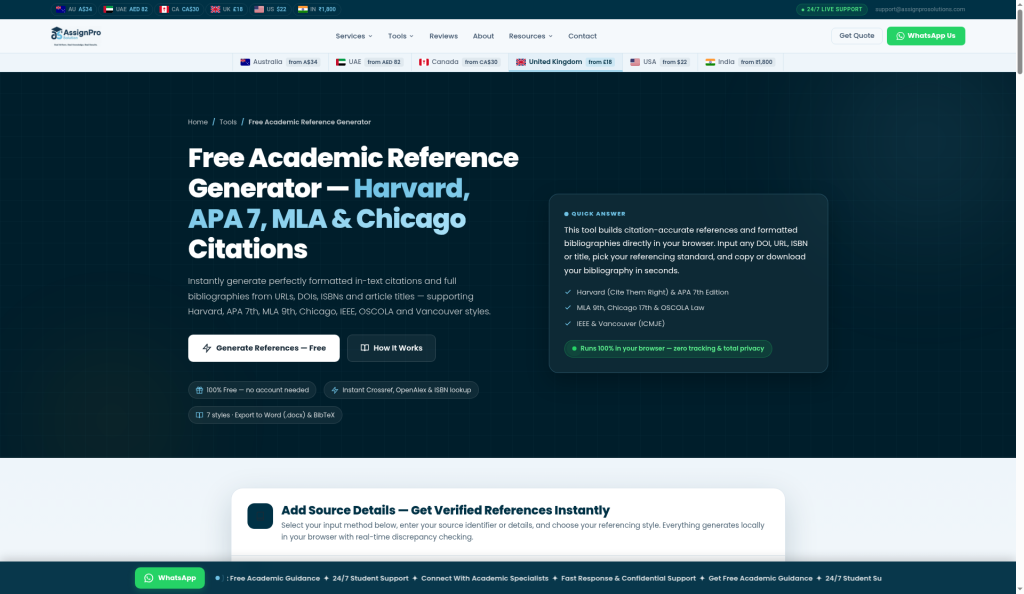
Students who need quick, correctly formatted citations without signing up or paying anything will find this genuinely useful, especially for OSCOLA and Vancouver styles that many free tools skip. It runs entirely in the browser with no server-side data storage, which is a real privacy advantage over cloud-based rivals. Researchers who need bulk processing, Zotero-style library management, or an API should look elsewhere.
What is AssignPro Free Reference Generator?
AssignPro Free Reference Generator is a client-side web tool that produces formatted citations and bibliographies without requiring an account or payment. Users paste a DOI, ISBN, URL, or article title, select from seven referencing styles (Harvard Cite Them Right, APA 7th, MLA 9th, Chicago 17th, OSCOLA, IEEE, or Vancouver), and receive a ready-to-copy citation with editable metadata fields. Lookups draw on Crossref, OpenAlex, and Open Library databases in real time.
The tool targets university students across English-speaking markets, particularly those studying law (OSCOLA), medicine (Vancouver), or engineering (IEEE) where style-specific free tools are scarce. Output can be exported as a Word document or BibTeX file. Because all processing happens locally in the browser, no user data is transmitted to or stored on external servers.
How we scored AssignPro Free Reference Generator
Capability scores 17 because the seven-style coverage including OSCOLA and Vancouver is genuinely above average for a free tool, but the absence of library management, no browser extension, unconfirmed RIS export, and no API puts it well behind dedicated citation managers. Ease of use scores 20 because the no-account, browser-local approach is as frictionless as a citation tool gets, with editable metadata fields reducing the main failure mode of bad database records. Value scores 22 because the tool is free with no stated limits and no upsell within the tool itself, which is hard to beat for the student audience it targets. Delivery scores 3 because there are zero independent user reviews or third-party coverage found, no public changelog to verify style accuracy, and the tool exists primarily as a lead-generation asset for a paid assignment-help service whose own site carries a disclaimer that all materials are for reference and must not be submitted as original work. That commercial context and complete absence of external validation make it impossible to confirm the tool delivers what it claims at any reliable standard.
Pros and cons
What we liked
- Covers OSCOLA and Vancouver in addition to the standard APA/MLA/Chicago trio, filling a genuine gap in the free-tool market for law and medical students.
- Runs entirely in the browser with zero tracking and no account required, so no personal data is collected or stored server-side.
- Accepts five input types (DOI, ISBN, URL, title search, manual entry, and paste citation) and exports to Word (.docx) and BibTeX, covering most student workflows in one place.
Where it falls short
- No reference library or save functionality: every session starts blank, so students building a bibliography across multiple sessions must export and re-import each time.
- The tool is a side feature of a paid assignment-help business, with no public changelog or style-guide update schedule, making it hard to verify whether APA 7th or MLA 9th implementations stay current with edition revisions.
- No RIS export is visible on the live pricing/feature page despite being mentioned in the submitted description, and there is no API or browser extension, limiting integration with word processors beyond manual copy-paste or the.docx download.
Key features
AssignPro Free Reference Generator pricing
Completely free. No paid tiers, no account required, no usage limits stated on the page.
| Plan | Price | Who it is for |
|---|---|---|
| Free | $0 | Full access to all seven referencing styles, all input methods (DOI, ISBN, URL, title, manual, paste), Word and BibTeX export, and all source types. No account required, no usage limits stated. |
Pricing reflects what we saw at time of review (2026-10). Always confirm current pricing on the tool's own site.
Who should use AssignPro Free Reference Generator?
Undergraduate and postgraduate students who need occasional citations formatted correctly and fast are the obvious fit. A law student who needs OSCOLA references, a nursing student working to ICMJE/Vancouver style, or an engineering student citing IEEE standards will find fewer free alternatives than they would for APA or MLA. The no-account requirement also makes it useful in library or lab settings where students do not want to create yet another login.
Anyone managing a growing reference library, working collaboratively on a literature review, or needing to annotate sources should look at Zotero (free, open-source, with browser extension and full library management) instead. For teams that need citation support woven into a broader writing workflow, Grammarly's citation features inside its editor offer tighter integration, though they cover fewer styles.
Skip it if: Researchers managing large reference libraries or teams needing citation management workflows
AssignPro Free Reference Generator alternatives
Frequently asked questions
Does the tool cost anything or require an account?+
No. The tool is listed at $0 and explicitly states no account is needed. All features, styles, and export options are available without registration.
Which referencing styles does it support?+
Seven: Harvard (Cite Them Right), APA 7th Edition, MLA 9th, Chicago 17th, OSCOLA, IEEE, and Vancouver (ICMJE). That covers the most common styles used in UK, Australian, US, and Canadian universities.
Can I save my reference list between sessions?+
The tool does not appear to offer any account-based save or library feature. You can export to Word or BibTeX at the end of a session, but returning later means starting a new list.
Where does the metadata come from, and is it accurate?+
DOIs are queried against Crossref and OpenAlex; ISBNs use Open Library; URLs fetch page metadata. All fields are editable before saving, which is important because database records are sometimes incomplete or contain errors.
Does it work for legal citations like OSCOLA?+
Yes. OSCOLA is one of the seven supported styles, which is notable because most free citation generators do not include it. The tool also lists legal case and legislation as supported source types.
Can I use it with LaTeX or Zotero?+
BibTeX export is available, so you can import the output into LaTeX directly. There is no native Zotero integration or browser extension, so Zotero users would need to import the BibTeX file manually.
More AI Writing & Content tools
See all categoriesGet your tool listed on 300+ directories.
One listing here is a strong start. But the founders who get discovered everywhere are listed everywhere. Our sister site, Free AI Directories, submits your tool to 300+ AI directories for you, every single one by hand, by a real person.
It is a one-time payment of $49, no subscription, and you can follow along as the submissions land. Prefer the slow route? The same site keeps a free list of 450+ directories you can work through yourself.
Get my tool listed on 300+ directoriesOne-time payment, no subscription · 100% human submissions · Free list of 450+ directories included.