LinguaPilot AI
LinguaPilot AI is a Windows AI writing coach that corrects, improves and explains selected text inside everyday desktop apps. It supports multilingual writing,
Are you the maker? Claim this listing to keep info, pricing and screenshots current. Verified via your tool's domain email.
Best for Windows users who want to learn from corrections in real time and value privacy through local processing. It trades off by being Windows-only and lacking collaborative or browser-based workflows that Grammarly offers. Mac users or teams needing cloud-based collaboration should look at Grammarly instead.
What is LinguaPilot AI?
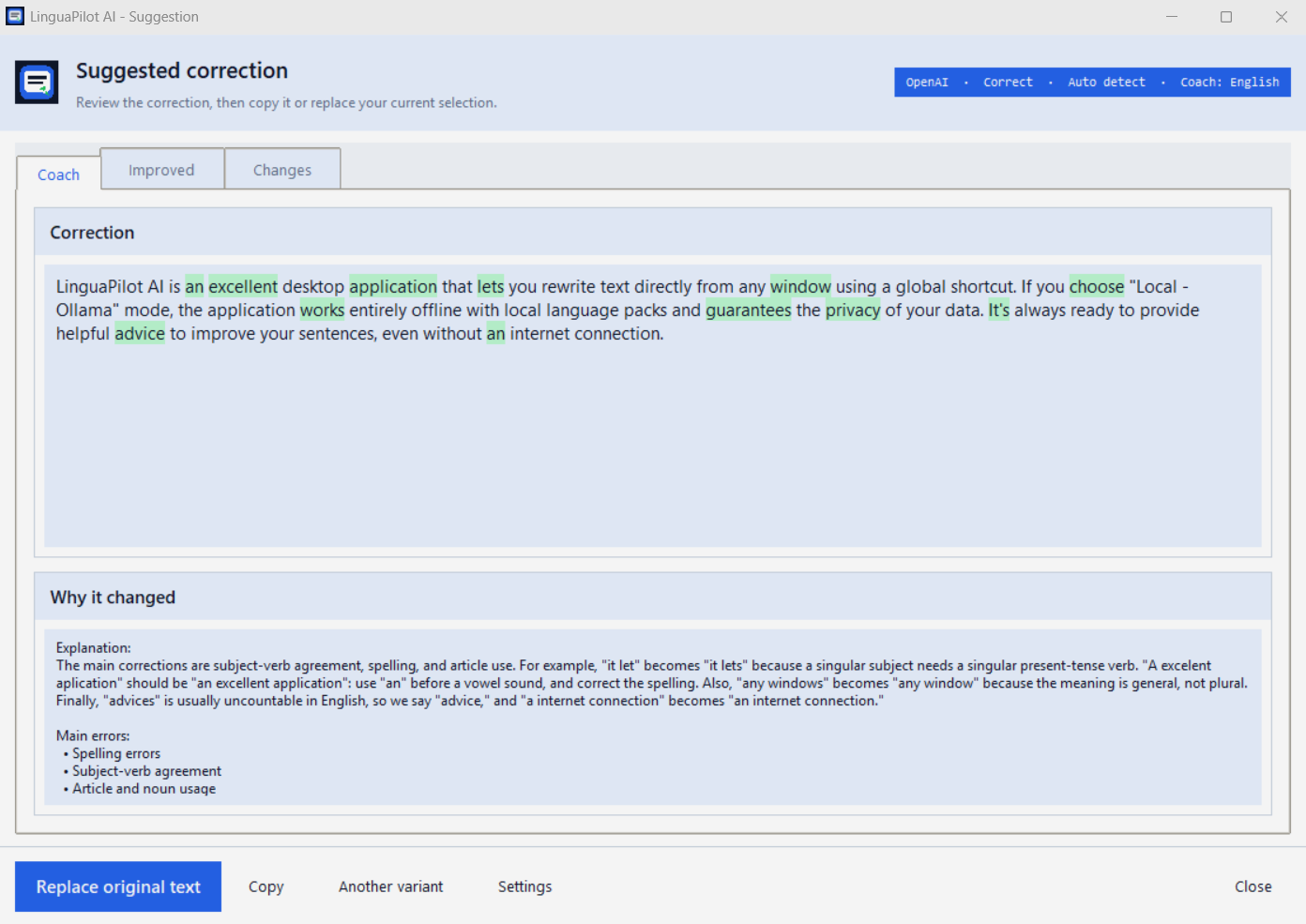
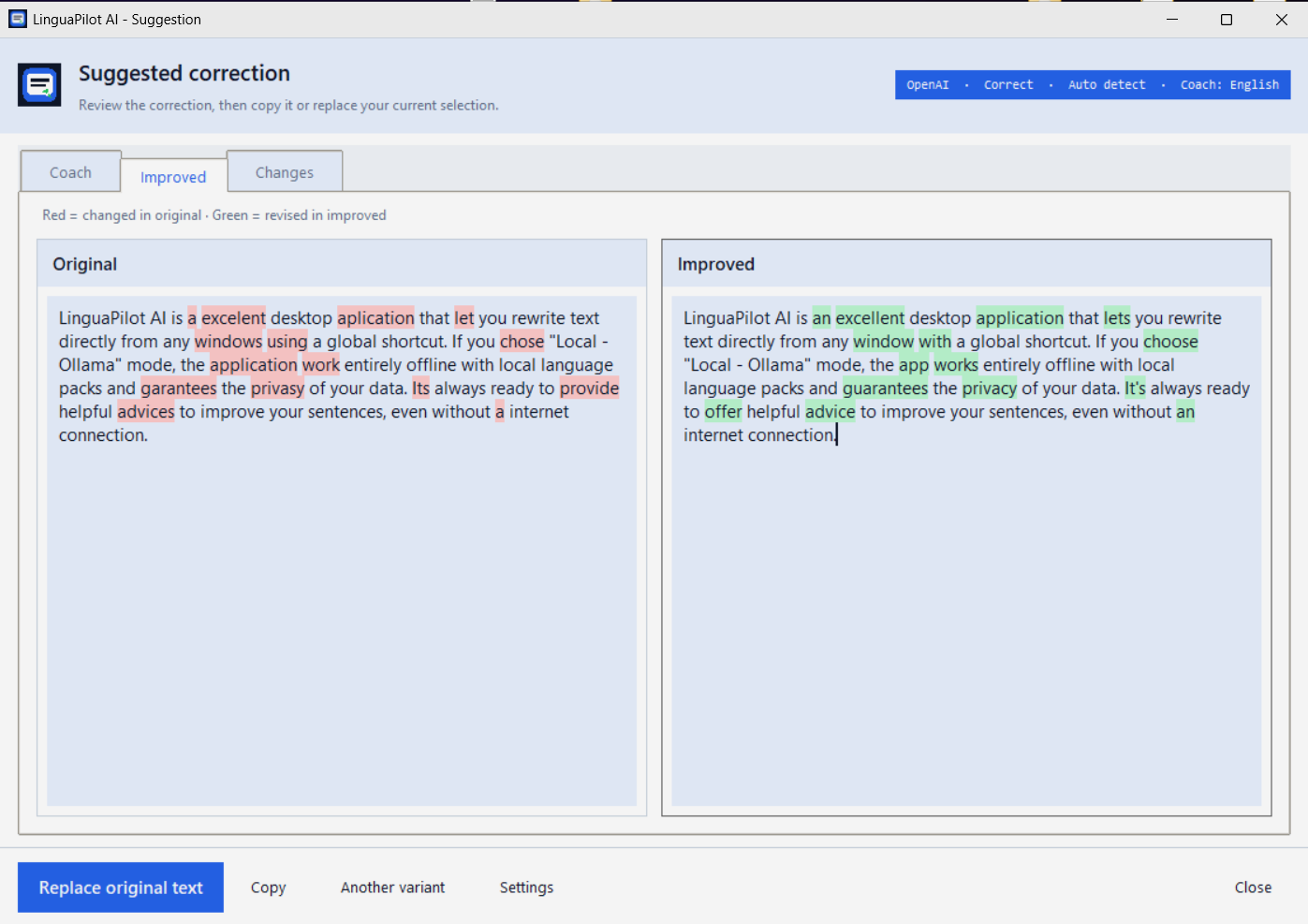
LinguaPilot AI is a Windows desktop writing coach designed to keep the user actively involved in the writing process. Select text in apps such as Word, Outlook, Notepad or a browser and use one global shortcut to receive a corrected version, an improved version and concise explanations of useful changes.
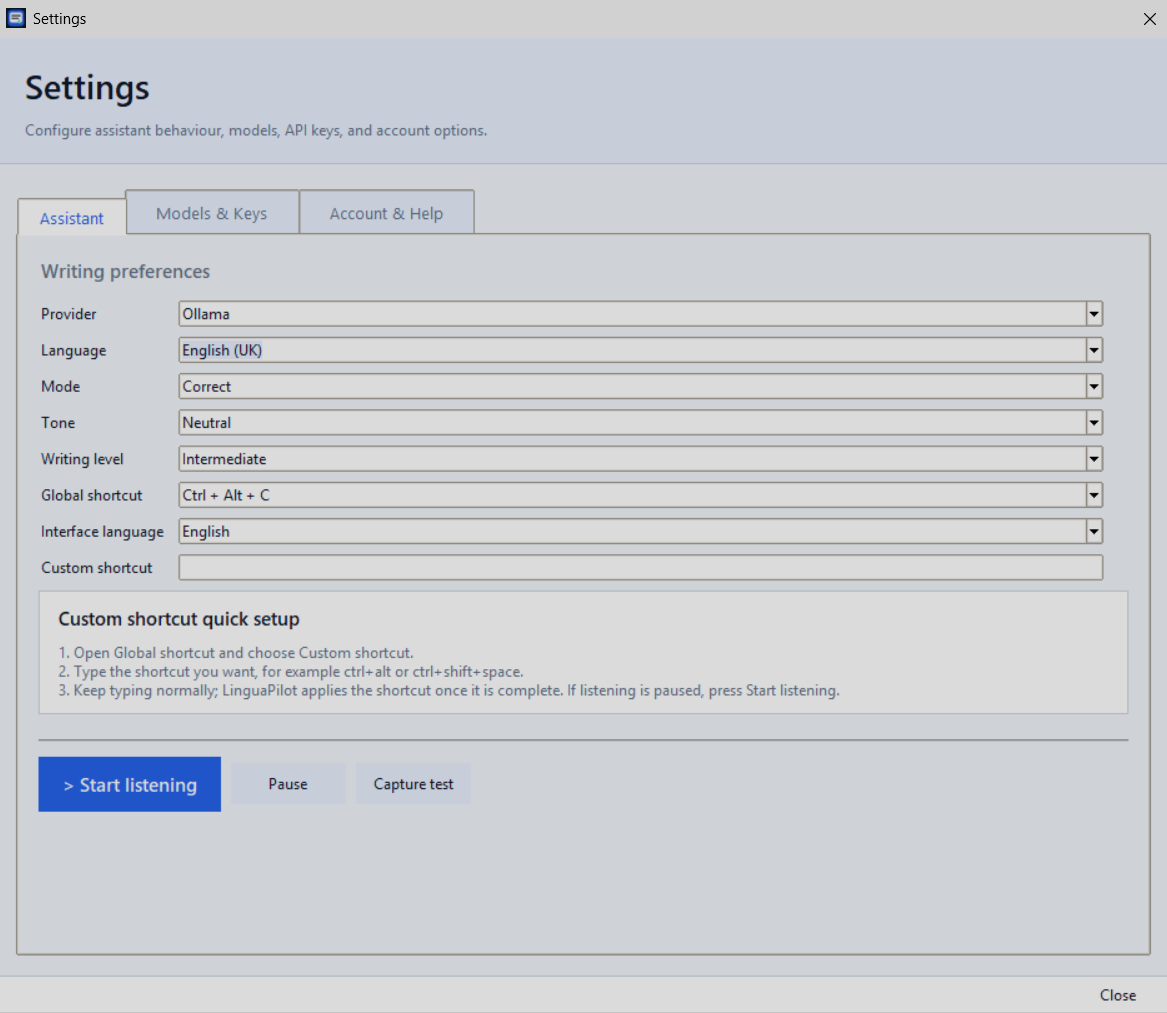
It supports multilingual writing, multiple writing modes and tone controls, with explanations that can be delivered in a preferred coaching language. For privacy-focused workflows, LinguaPilot can run locally with Ollama; optional cloud AI providers are also supported.
It is particularly useful for professionals and non-native writers who want to improve clarity, accuracy and naturalness while learning from the feedback they receive.
How we scored LinguaPilot AI
LinguaPilot AI earns points for its unique in-app coaching, local privacy mode, and one-time pricing. It loses points for being Windows-only, lacking collaboration or Mac support, and having no tiered pricing or team features.
Pros and cons
What we liked
- Instant in-app feedback via global shortcut without switching apps.
- Explains corrections in your preferred language, helping you learn.
- Supports fully local processing via Ollama for privacy, with optional cloud toggle.
Where it falls short
- Windows-only - no support for Mac or web platforms.
- No collaborative or team features like shared documents or browser extensions.
- One-time license lacks tiered options - no subscription or enterprise pricing.
Key features
LinguaPilot AI pricing
| Plan | Price | Who it is for |
|---|---|---|
| Free Trial | Free | Full app access for 14 days, including all features and providers. |
| Full License | $29 (launch price, normally $39) | One-time purchase, lifetime updates, unlimited usage, all local and cloud AI providers. |
Pricing reflects what we saw at time of review (2026-08). Always confirm current pricing on the tool's own site.
Who should use LinguaPilot AI?
Anyone writing in Windows apps - Word, Outlook, Notepad, browsers - who wants to improve writing skills rather than just get rewrites. It’s especially useful for professionals and non-native writers who want feedback and explanations in context. If you need cross-platform support, collaborative editing, or browser-based workflows, Grammarly may serve you better.
Tags
Frequently asked questions
What platforms does LinguaPilot AI support?+
It works only on Windows 10 and 11 as a native app via a global shortcut.
How much does it cost after the trial?+
After the 14-day free trial, you pay a one-time $29 launch price (normally $39) for lifetime access.
Can I use it without sending my text to the cloud?+
Yes - if you connect to Ollama, all processing stays local with no data leaving your computer.
Which cloud AI providers can I connect?+
You can optionally connect to OpenAI, Google Gemini, Anthropic Claude, or Mistral AI for faster suggestions.
Does it support multiple languages?+
Yes - it auto-detects languages like English, French, Arabic, Spanish, and more without manual switching.
More AI Writing & Content tools
See all categoriesGet your tool listed on 300+ directories.
One listing here is a strong start. But the founders who get discovered everywhere are listed everywhere. Our sister site, Free AI Directories, submits your tool to 300+ AI directories for you, every single one by hand, by a real person.
It is a one-time payment of $49, no subscription, and you can follow along as the submissions land. Prefer the slow route? The same site keeps a free list of 450+ directories you can work through yourself.
Get my tool listed on 300+ directoriesOne-time payment, no subscription · 100% human submissions · Free list of 450+ directories included.