
Claude Watermark Remover
A browser-based tool that strips hidden Unicode characters and invisible markers from AI-generated text, no sign-up required.
Are you the maker? Claim this listing to keep info, pricing and screenshots current. Verified via your tool's domain email.
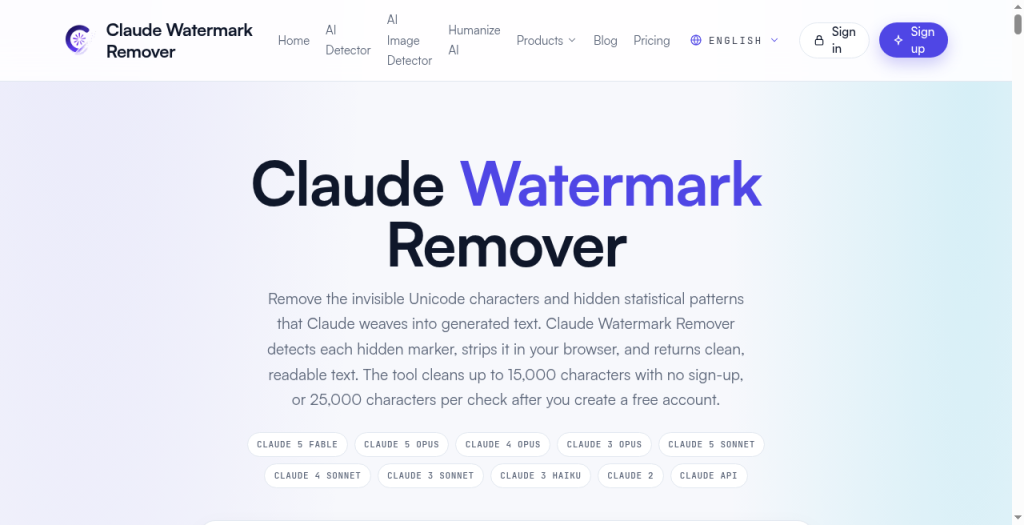
Solo writers who regularly paste Claude or ChatGPT output and need a fast, no-account invisible-character scrub will find the free tier genuinely useful. The statistical deep-clean that actually addresses AI writing patterns is locked behind a paid plan, which puts it behind AnyAIZero for users who want detection and humanization in one free pass. Anyone needing a full AI humanizer or grammar rewriter should skip this entirely.
What is Claude Watermark Remover?
Claude Watermark Remover is a free browser-based cleaner for text copied from Claude, ChatGPT and other AI assistants. It strips hidden Unicode characters such as zero-width spaces, non-breaking spaces and other invisible markers, normalizes quotes and dashes, and returns clean plain text you can paste anywhere. No signup, and text is processed in your browser. It also offers a dedicated ChatGPT watermark remover and an AI text cleaner.
How we scored Claude Watermark Remover
Capability lands at 14 because the tool's core function, invisible Unicode character removal, is genuinely useful but narrow, and the site itself admits it cannot read Anthropic's cryptographic watermark standard, which is the thing its name most strongly implies it can do. Ease of use scores 20 because the no-account, paste-and-click flow with clearly labeled safe versus destructive options is about as low-friction as a web tool gets. Value scores 16 because the free tier is real and useful up to 25,000 characters with a free account, but the paid plan price is undisclosed, making it impossible to assess whether the Deep Clean upgrade is fairly priced. Delivery scores 8 because the tool's name and positioning promise watermark removal from Claude text, but the homepage explicitly states it does not read Anthropic's cryptographic watermark, meaning the core marketing claim does not match the actual capability delivered. That gap between name and function is a meaningful trust issue that pulls delivery into the low range.
Pros and cons
What we liked
- Processes up to 15,000 characters entirely in the browser with no account, and 25,000 characters after a free sign-up, making it genuinely usable without a paywall for most single-document jobs.
- Cleaning options are split into clearly labeled safe and advanced/destructive groups, giving users explicit control over what gets changed rather than applying a black-box transformation.
- The tool is transparent about what it cannot do: the homepage states plainly that it does not read Anthropic's cryptographic watermark, which is more honest than most tools in this niche.
Where it falls short
- The statistical deep-clean, the feature that actually addresses AI writing patterns beyond invisible characters, is locked to the paid plan, and the exact price of that plan is not clearly surfaced on the pricing page or in search results, making it hard to evaluate value before committing.
- The tool explicitly does not detect or remove Anthropic's cryptographic watermark standard, only heuristic Unicode and typographic signals, so its name overpromises what it actually delivers for users worried about verified watermark detection.
- All processing is web-only with no API, no browser extension, and no desktop app, which means writers working inside Word, Google Docs, or other editors must copy-paste every time rather than cleaning text in place.
Key features
Claude Watermark Remover pricing
Free up to 15,000 characters with no account. A free account raises the per-check limit to 25,000 characters. A paid plan exists for unlimited character processing and the statistical deep-clean feature; exact paid tier price(s) were not returned by search results and could not be confirmed from the live pricing page extract provided.
| Plan | Price | Who it is for |
|---|---|---|
| Free (No Account) | Free | Up to 15,000 characters per check, browser-side processing, safe and advanced cleaning options, inline detection view, heuristic AI signal meter. No sign-up required. |
| Free Account | Free | Up to 25,000 characters per check after creating a free account. Same feature set as the no-account tier. |
| Paid Plan | Not publicly confirmed | Unlimited character processing, Deep Clean AI rewrite feature for statistical pattern removal and humanization. Exact price not surfaced on the pricing page extract or in search results. |
Pricing reflects what we saw at time of review (2026-09). Always confirm current pricing on the tool's own site.
Who should use Claude Watermark Remover?
A student submitting a paper who wants to strip any invisible formatting artifacts from a Claude-drafted essay will get real value from the free tier, no account needed. Freelance writers who regularly clean up AI drafts before sending to editors will find the safe-defaults cleaning fast and low-friction, and the option to normalize markdown, quotes, and dashes in one pass saves manual find-and-replace work.
Anyone running a content team at volume, or anyone whose primary concern is making AI text pass detection tools rather than just removing invisible characters, should look elsewhere. AnyAIZero, already in this directory, combines AI detection and humanization with transparent multi-dimension analysis at no cost, making it the stronger pick for writers who need both detection and rewriting in one tool. Users who want grammar and clarity improvements alongside cleanup should consider Grammarly instead.
Skip it if: Teams or anyone needing full AI humanization, grammar correction, or a verifiable cryptographic watermark remover
Claude Watermark Remover alternatives
Frequently asked questions
Does Claude Watermark Remover actually remove Anthropic's official watermark?+
No. The tool's own homepage states plainly that it does not read Anthropic's cryptographic watermark. It targets heuristic signals: invisible Unicode characters, zero-width spaces, and typographic patterns, not any verified cryptographic standard.
How many characters can I clean for free?+
Up to 15,000 characters with no account at all. Creating a free account raises the per-check limit to 25,000 characters. The paid plan removes the character ceiling entirely.
Is my text uploaded to a server when I use the free cleaner?+
The free scan runs locally in your browser and the site states that text is not uploaded or stored. The paid Deep Clean feature does involve a server-side AI engine, so that step does send text off-device.
What is the Deep Clean feature and do I need it?+
Deep Clean is a server-side AI rewrite that addresses statistical writing patterns beyond invisible characters, aiming to humanize content while preserving meaning. It is only available on the paid plan. For most users who just want invisible characters stripped, the free tier is sufficient.
Does it work on ChatGPT and Gemini text, not just Claude?+
Yes. The tool accepts pasted text from Claude, ChatGPT, or Gemini, and the site also hosts a dedicated ChatGPT Watermark Remover tool under the same character limits.
What is the exact price of the paid plan?+
The exact price was not clearly listed on the pricing page extract available at review time and could not be confirmed from search results. Check the pricing page directly before purchasing.
More AI Writing & Content tools
See all categoriesGet your tool listed on 300+ directories.
One listing here is a strong start. But the founders who get discovered everywhere are listed everywhere. Our sister site, Free AI Directories, submits your tool to 300+ AI directories for you, every single one by hand, by a real person.
It is a one-time payment of $49, no subscription, and you can follow along as the submissions land. Prefer the slow route? The same site keeps a free list of 450+ directories you can work through yourself.
Get my tool listed on 300+ directoriesOne-time payment, no subscription · 100% human submissions · Free list of 450+ directories included.