MarkAny
A web-based freemium converter that turns PDF, Office, HTML, EPUB, and images into Markdown, and exports Markdown back to nine file formats.
Are you the maker? Claim this listing to keep info, pricing and screenshots current. Verified via your tool's domain email.
MarkAny is the clearest pick for developers and technical writers who need bidirectional conversion between Markdown and common document formats without installing anything. The 50 MB per-file cap and the absence of any API or automation hooks mean it loses ground to more developer-oriented tools the moment you need to plug conversion into a pipeline. If you need local processing, zero uploads, or a broader utility toolkit, EveryTool4U is the better call.
What is MarkAny?
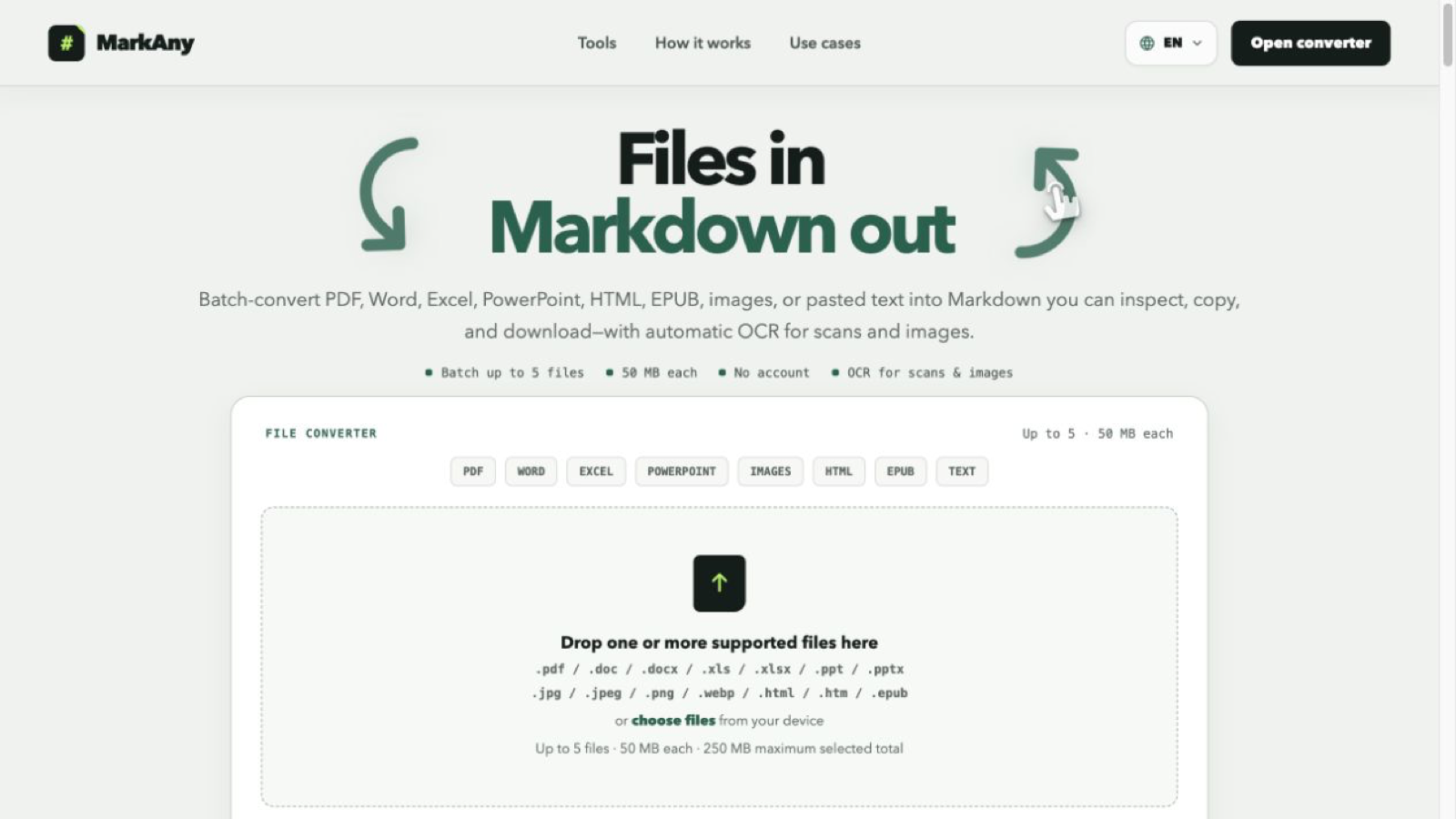
MarkAny is a web-based file and Markdown converter that batch-converts PDF, Word, Excel, PowerPoint, HTML, EPUB, and image files into structured Markdown with automatic OCR for scans and images. Pricing is freemium.
How we scored MarkAny
Capability lands at 17 because MarkAny's bidirectional conversion across nine formats is genuinely useful, but the absence of an API, a desktop client, or any automation hook means it cannot compete with tools like Markovo for developer workflows, and the OCR quality on handwriting and merged-cell tables is explicitly limited. Ease of use scores 21 because the browser-only, no-install approach with per-file status tracking and automatic OCR is about as frictionless as this category gets. Value scores 20 because the $49/year Pro Yearly plan is a fair price for unlimited bidirectional conversion, and the no-card free tier lowers the barrier to try it. Delivery scores 8 because the tool is very new (founded 2025), has no substantial independent review corpus, and the social search returned no confirmed official profiles, making it difficult to verify that the product consistently delivers what the pricing page promises; the lack of any API despite being positioned partly at developers also suggests the product is still thin relative to its stated roadmap.
Pros and cons
What we liked
- Genuine two-way conversion: nine output formats from Markdown, plus the full inbound format list, in a single tool with no install required.
- Pro Yearly plan at $49/year ($4.10/month) is among the lowest flat-rate prices in the file-to-Markdown category for unlimited conversions.
- Automatic OCR on scanned PDFs and images fires without any configuration step, and per-file status tracking lets a batch partially succeed without losing completed work.
Where it falls short
- No API and no automation hooks exist at launch, so MarkAny cannot be integrated into any pipeline or scripted workflow, a gap that direct competitors like Markovo already fill.
- The 50 MB per-file cap and a maximum batch size of five files will block users working with large document archives or high-volume conversion jobs.
- OCR output on handwritten content and scanned tables with merged cells is explicitly imperfect and requires a manual proofread before the result is usable, which limits reliability for production workflows.
Key features
MarkAny pricing
Free plan gives 5 lifetime conversions with no card required. Pro Monthly is $9.00/month for unlimited conversions in both directions. Pro Yearly is $4.10/month, billed as $49/year, saving roughly 54% versus monthly. Pay-as-you-go credit packs are listed as coming soon but not yet available.
| Plan | Price | Who it is for |
|---|---|---|
| Free | Free | 5 lifetime conversions (shared across both directions) with no credit card required. Supports all file formats, 50 MB per file, batch up to 5 files, and OCR on scans. |
| Pro Monthly | $9.00/month | Unlimited conversions in both directions, billed monthly. Supports Word, PDF, HTML, images, EPUB, PowerPoint, and Excel. 50 MB per file, batch up to 5 files, OCR on scans. Cancel anytime. |
| Pro Yearly | $4.10/month | Same unlimited access as Pro Monthly, billed as $49/year. Saves approximately 54% versus the monthly rate. Cancel anytime. |
Pricing reflects what we saw at time of review (2026-10). Always confirm current pricing on the tool's own site.
Who should use MarkAny?
Technical writers and developers who keep notes or documentation in Markdown but regularly receive files in Office or PDF format will get the most from MarkAny. The bidirectional flow means they can convert an incoming Word draft to Markdown for editing, then export the finished version back to PDF or DOCX for a client, all without leaving the browser. Solo bloggers who want to move legacy Word drafts into a static-site workflow are another natural fit, especially since the $49/year plan removes any per-conversion friction.
Anyone who needs to process files without uploading them to a third-party server should look elsewhere. EveryTool4U runs its 100-plus utilities locally in the browser with no uploads required, which is a meaningful privacy and security advantage for sensitive documents. Teams that need to plug document conversion into a CI pipeline or automation workflow will also find MarkAny too limited until an API ships.
Skip it if: Teams needing API access, pipeline automation, or files larger than 50 MB
MarkAny alternatives
Frequently asked questions
How many files can I convert for free?+
The free plan gives 5 conversions total, shared across both directions (file to Markdown and Markdown to file). No credit card is needed to create an account and use them.
What is the file size limit?+
Each file can be up to 50 MB. Batches accept up to 5 files at once, with a combined limit of 250 MB per batch and two conversions running in parallel.
Does MarkAny have an API?+
No API is available at launch. The tool is browser-only. Pay-as-you-go credit packs are listed as coming soon on the pricing page, but no API timeline is published.
How accurate is the OCR on scanned documents?+
OCR fires automatically on scanned PDFs and images. Handwritten content and scanned tables with merged cells are acknowledged as producing imperfect output that requires a manual proofread before use in production.
What formats can I export Markdown to?+
MarkAny exports Markdown to Word (DOCX), PDF, HTML, images, EPUB, PowerPoint (PPTX), and Excel (XLSX), covering nine output formats in total.
Can I cancel a subscription at any time?+
Yes. Both the monthly and yearly plans can be cancelled at any time from your account. Access continues until the end of the current billing period.
More AI Productivity Tools
See all categoriesGet your tool listed on 300+ directories.
One listing here is a strong start. But the founders who get discovered everywhere are listed everywhere. Our sister site, Free AI Directories, submits your tool to 300+ AI directories for you, every single one by hand, by a real person.
It is a one-time payment of $49, no subscription, and you can follow along as the submissions land. Prefer the slow route? The same site keeps a free list of 450+ directories you can work through yourself.
Get my tool listed on 300+ directoriesOne-time payment, no subscription · 100% human submissions · Free list of 450+ directories included.