
Noter AI
A mobile-first meeting recorder that transcribes, summarizes, and extracts action items across 60+ languages on iPhone, iPad, and Android.
Are you the maker? Claim this listing to keep info, pricing and screenshots current. Verified via your tool's domain email.
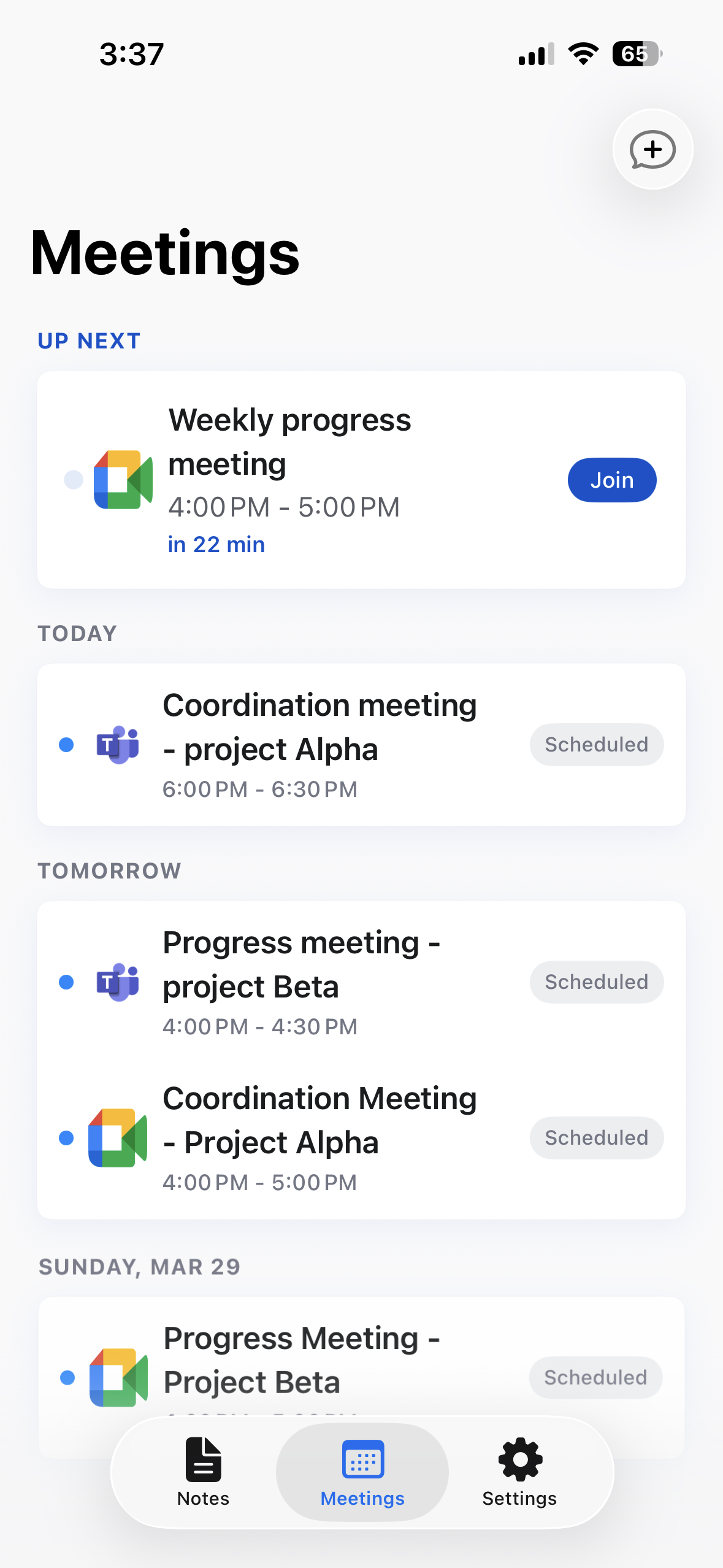
Noter AI is the clearest choice for professionals who take meetings away from a desk and need a phone-native recorder that also sends a bot into Zoom, Teams, Meet, or Webex. Its flat individual pricing with no AI credit caps or per-seat fees undercuts most competitors, though it lacks the deep third-party integrations that desktop-first tools like Fireflies or Otter.ai offer. If your workflow lives in Slack, Salesforce, or Notion and you need those connections out of the box, look elsewhere.
What is Noter AI?
Noter AI records, transcribes and summarizes meetings on iPhone, iPad and Android. Capture in-person audio or use a meeting bot with Zoom, Microsoft Teams, Google Meet and Webex. It supports transcription in 60+ languages with automatic language detection, speaker labels, summaries and action items. Users can ask questions about their notes, translate transcripts into 46 languages and export PDF, Word or text files. A free trial is available, followed by a subscription.
How we scored Noter AI
Capability scores 19 because the mobile-first architecture, 60+ language transcription with automatic detection, and cross-archive AI chat are genuine strengths, but the absence of native integrations to Slack, Salesforce, or Notion puts it behind desktop-first competitors that offer those connections. Ease of use scores 21 because the one-tap recording, Control Center widget, Siri support, and bot-by-link flow are as low-friction as this category gets, and the 4.8 App Store rating across 87+ ratings supports that. Value scores 18 because $11.99/month with no credit caps or seat fees is fair for heavy users, but the complete absence of a permanent free tier means occasional users pay full price or nothing, which is a real gap versus Notta's free plan at 120 minutes/month. Delivery scores 14 because the product appears to do what it claims and user sentiment is positive, but social profiles could not be confirmed, the pricing page shows a discrepancy with the tool's own blog content suggesting a recent price change, and the trial terms are not clearly disclosed, all of which reduce confidence in transparency.
Pros and cons
What we liked
- Genuinely mobile-first: iOS Dynamic Island status, Control Center widget, Siri capture, and background recording are built in, not bolted on after the fact.
- Flat individual pricing at $11.99/month or $89.99/year covers unlimited recordings, bot access on four platforms, transcription in 60+ languages, translation into 46 languages, and AI chat with no credit caps.
- Cross-archive AI chat lets you query your entire meeting history in one question, not just the note you have open.
Where it falls short
- No permanent free tier: once the trial ends, there is no fallback plan for occasional users who cannot justify a monthly subscription.
- Export destinations are limited to PDF, Word, and plain text; there are no native push integrations to Slack, Salesforce, Notion, or project management tools, which desktop-first competitors like Fireflies and Notta offer.
- The app is individual-only by design, so there is no shared workspace, team dashboard, or admin controls for organizations that want centralized visibility across multiple users' meeting notes.
Key features
Noter AI pricing
One paid tier at $11.99/month or $89.99/year (flat, individual, no per-seat fees, no AI credit caps). A free trial is available; there is no permanent free tier.
| Plan | Price | Who it is for |
|---|---|---|
| Free Trial | Free | Access to the full feature set for a limited trial period. No permanent free plan exists after the trial ends. |
| Monthly | $11.99/mo | Unlimited recordings (in-person and via bot on Zoom, Teams, Meet, Webex), transcription in 60+ languages, translation into 46 languages, AI summaries, action items, AI chat across all notes, PDF/Word/text export, and cloud sync. No AI credit caps or per-seat fees. |
| Yearly | $89.99/yr | Everything in the monthly plan at roughly $7.50/month effective rate. Same unlimited, uncapped feature set with no additional restrictions. |
Pricing reflects what we saw at time of review (2026-10). Always confirm current pricing on the tool's own site.
Who should use Noter AI?
Solo consultants, field sales reps, and researchers who move between in-person client meetings and video calls will get the most from Noter AI. The phone-native design means you can drop the app on a conference table, walk out, and have a finished note waiting. The flat per-person pricing also suits small teams where each member holds their own subscription and nobody wants to negotiate a seat-based contract.
If you manage a larger team that needs meeting notes piped directly into Salesforce, Slack, or a project management tool, Noter AI's export options (PDF, Word, plain text) will feel thin. Notion AI is worth considering if your team already lives in Notion and wants summaries and search built into the same workspace where you store everything else.
Skip it if: Teams needing deep CRM or project-management integrations from a desktop-first platform
Noter AI alternatives
Frequently asked questions
Is there a free plan, or just a free trial?+
Just a free trial. Once it ends, the only option is the paid subscription at $11.99/month or $89.99/year. There is no permanent free tier.
Which video conferencing platforms does the meeting bot support?+
The bot joins Zoom, Microsoft Teams, Google Meet, and Webex. You can trigger it by pasting a meeting link or by syncing your Google or Outlook calendar.
How many languages does Noter AI support?+
It transcribes in 60+ languages with automatic detection and translates finished transcripts into 46 languages. No manual language selection is required before a recording starts.
Can I use Noter AI on a desktop or only on mobile?+
The recording and note-taking experience is mobile-only (iOS and Android). The meeting bot handles virtual calls without needing the phone present, but there is no standalone desktop or browser app.
Does the paid plan have any recording or AI usage limits?+
No. The paid subscription covers unlimited recordings, transcription, summaries, translation, and AI chat with no credit caps or minute allowances.
What export formats are available?+
Notes export to PDF, Word, or plain text. There are no direct push integrations to tools like Slack or Salesforce.
More AI Productivity Tools
See all categoriesGet your tool listed on 300+ directories.
One listing here is a strong start. But the founders who get discovered everywhere are listed everywhere. Our sister site, Free AI Directories, submits your tool to 300+ AI directories for you, every single one by hand, by a real person.
It is a one-time payment of $49, no subscription, and you can follow along as the submissions land. Prefer the slow route? The same site keeps a free list of 450+ directories you can work through yourself.
Get my tool listed on 300+ directoriesOne-time payment, no subscription · 100% human submissions · Free list of 450+ directories included.