
PhotoFig
AI product photo editor built for e-commerce sellers who need consistent catalog images at scale, with native WooCommerce publishing.
Are you the maker? Claim this listing to keep info, pricing and screenshots current. Verified via your tool's domain email.
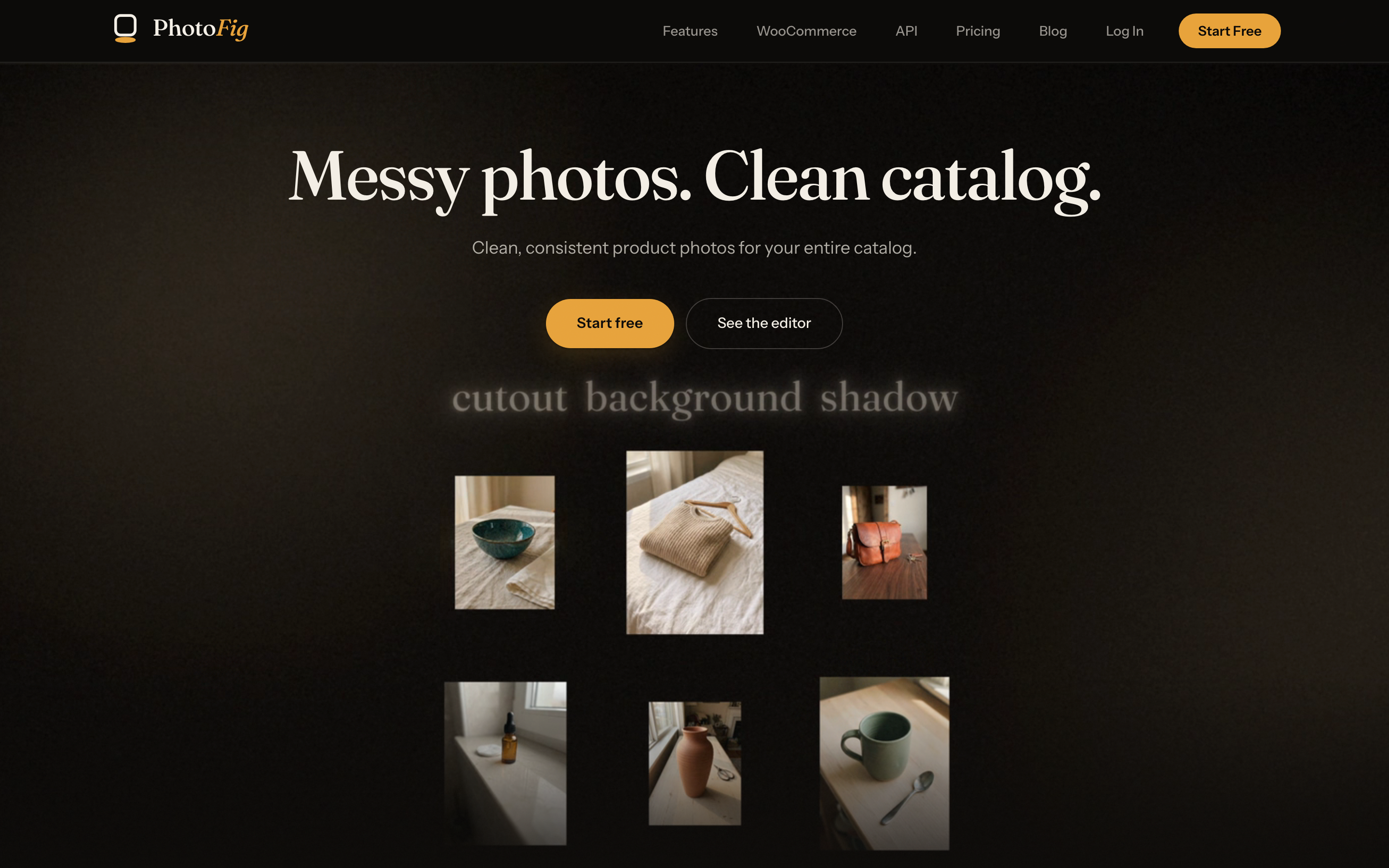
PhotoFig is the clearest choice for WooCommerce store owners who need to process product catalogs in bulk without hiring a designer or renting a studio. The free tier is genuinely usable for testing, but 15 AI credits per month makes it a trial, not a working plan, and the Pro tier at $29.95/month is where the tool actually becomes practical. Sellers who need general-purpose AI image generation rather than product-catalog-specific workflows will find dedicated image generators a better fit.
What is PhotoFig?
PhotoFig turns everyday product photos into consistent, store-ready catalog images without a studio or a designer.
Every upload gets automatic background removal. From there, place the product in an AI-generated scene, picked from suggested themes or written as your own prompt, add shadows that sit it naturally in that scene, clean up stray marks with Magic Eraser, and upscale small photos. OpenAI's GPT-Image-2.5 models make precise, prompt-driven edits to the product itself. A full canvas editor handles layout, text and brand styling.
Catalog work is where PhotoFig differs from one-photo-at-a-time tools. Save any finished look as a template and run it over hundreds of photos in a batch. Catalog Resize produces every size a store needs from the same images. Results published directly to WooCommerce, and Pro and Studio plans include a REST API with signed webhooks for automating the whole pipeline.
PhotoFig is available in English, German, French, Italian and Lithuanian.
How we scored PhotoFig
Capability scores 20 because the WooCommerce direct-publish integration, batch template system, and REST API with signed webhooks are genuinely differentiated features for e-commerce sellers, and 4K export on every tier including Free is above category norms. Ease of use scores 19 because the workflow is linear and purpose-built, with a no-card-required free tier that covers the full editing loop, though no mobile app exists and the tool is web-only. Value scores 18 because the free tier's 15 AI credits per month is functionally a demo rather than a working plan, forcing most real users to Starter at $9.95/month or Pro at $29.95/month, and API access is entirely absent below $29.95/month, which is a meaningful paywall for developers. Delivery scores 15 because no independent user reviews or third-party sentiment data were found to verify that the tool performs as described, and the 24-hour batch artifact retention on Free and 7-day retention on Starter create real operational pressure that the marketing framing does not foreground.
Pros and cons
What we liked
- WooCommerce direct publishing is built into every plan, including Free, with limits scaling from 5 to 15,000 publishes per month. No other tool in the directory offers this integration.
- Up to 4K (4,096 px) export resolution is available on all four tiers, including the free plan, which is unusually generous for a freemium product photo tool.
- The REST API with signed webhooks on Pro (1 key, 60 req/hr) and Studio (3 keys, 500 req/hr) lets developers automate the full background-removal-to-publish pipeline without manual intervention.
Where it falls short
- The free tier's 15 AI credits per month is so low it functions only as a demo. A seller with even a small catalog will exhaust credits in a single session and must upgrade to Starter ($9.95/month) to do any real work.
- Batch artifact retention is only 24 hours on Free and 7 days on Starter, meaning processed batches disappear quickly. Competitors with longer or unlimited retention do not impose this pressure to re-download immediately.
- API access is locked entirely behind Pro ($29.95/month) and above. There is no way to automate even basic tasks on the Starter plan, which limits its usefulness for developers or agencies managing multiple stores.
Key features
PhotoFig pricing
Four tiers: Free (15 AI credits/month, 5 batch exports, 30 stored images), Starter at $9.95/month (600 AI credits, 1,000 batch exports), Pro at $29.95/month (2,000 AI credits, 5,000 batch exports, API access), and Studio at $79/month (7,500 AI credits, 25,000 batch exports, 3 API keys). Annual billing saves up to 25%: Starter drops to $7.50/month, Pro to $22.50/month, Studio to $59/month. Enterprise pricing is available on request.
| Plan | Price | Who it is for |
|---|---|---|
| Free | Free | 15 AI credits/month, Magic Eraser included, 5 batch exports/month, unlimited editor exports, up to 4K export resolution, background removal included, 30 new photos/month, 30 stored images, 0.3 GB source upload storage, 24-hour batch artifact retention, solo use only, no API access, 5 WooCommerce publishes/month. |
| Starter | $9.95/mo | 600 AI credits/month, Magic Eraser included, unlimited background removals, 1,000 batch exports/month, unlimited editor exports, up to 4K export, 1,000 stored images, 10 GB source upload storage, 7-day batch artifact retention, unlimited team members, no API access, 300 WooCommerce publishes/month. Billed yearly: $90/year ($7.50/month effective). |
| Pro | $29.95/mo | 2,000 AI credits/month, Magic Eraser included, unlimited background removals, 5,000 batch exports/month, unlimited editor exports, up to 4K export, 5,000 stored images, 50 GB source upload storage, 14-day batch artifact retention, priority processing, 1 API key at 60 requests/hour, unlimited team members, 3,000 WooCommerce publishes/month. Billed yearly: $270/year ($22.50/month effective). |
| Studio | $79/mo | 7,500 AI credits/month, Magic Eraser included, unlimited background removals, 25,000 batch exports/month, unlimited editor exports, up to 4K export, 20,000 stored images, 200 GB source upload storage, 30-day batch artifact retention, highest priority processing, 3 API keys at 500 requests/hour, unlimited team members, 15,000 WooCommerce publishes/month. Billed yearly: $708/year ($59/month effective). |
| Enterprise | Contact sales | Custom AI credits, batch exports, stored images, storage, retention, team members, API keys, and rate limits. Includes all Studio features. |
Pricing reflects what we saw at time of review (2026-10). Always confirm current pricing on the tool's own site.
Who should use PhotoFig?
PhotoFig fits solo marketplace sellers and small e-commerce teams who shoot their own product photos and need a repeatable, consistent look across a catalog. A Shopify or WooCommerce store owner managing dozens to thousands of SKUs gets the most from the batch template system and the direct WooCommerce publish integration. The Pro plan at $29.95/month is the realistic entry point for anyone processing more than a handful of products per week, given the 5,000 batch export allowance and API access.
Developers building automated product-image pipelines for agencies or multi-vendor marketplaces will find the Studio plan's 500 requests per hour API rate limit and 25,000 monthly batch exports genuinely useful. Sellers who need only occasional one-off edits, or who work outside the WooCommerce ecosystem and have no interest in batch processing, should look at a general-purpose AI image tool instead. The directory does not currently list a direct product-photo competitor, but for broader AI business automation needs, Leadping covers a different slice of the seller workflow.
Skip it if: General creative AI image generation or non-e-commerce photography workflows
Tags
Frequently asked questions
Does PhotoFig work with Shopify or only WooCommerce?+
The direct publish integration is WooCommerce-only across all plans. Shopify sellers can still use PhotoFig for editing and batch processing, but they would need to download and upload images manually or use the API on Pro and Studio plans to connect to other platforms.
What counts as an AI credit?+
AI credits are consumed by AI-powered operations such as scene generation and prompt-driven edits. Background removal and Magic Eraser are separate from the credit pool. The free plan includes 15 credits per month; Starter gives 600, Pro gives 2,000, and Studio gives 7,500.
Is there a free plan, and is a credit card required to start?+
Yes, there is a permanent free plan with no credit card required to sign up. It includes unlimited editor exports and up to 4K resolution, but limits AI credits to 15 per month and batch exports to 5 per month.
Which plan includes API access?+
API access starts at Pro ($29.95/month), which includes 1 API key at 60 requests per hour. Studio ($79/month) provides 3 API keys at 500 requests per hour. Free and Starter plans have no API access.
How does batch processing work and what are the limits?+
Users save a finished edit as a template and run it over a folder of photos server-side. Batch export limits are 5/month on Free, 1,000/month on Starter, 5,000/month on Pro, and 25,000/month on Studio. Batch artifacts are retained for 24 hours on Free, up to 30 days on Studio.
What languages does PhotoFig support?+
PhotoFig is available in English, German, French, Italian, and Lithuanian.
More AI Business Tools
See all categoriesGet your tool listed on 300+ directories.
One listing here is a strong start. But the founders who get discovered everywhere are listed everywhere. Our sister site, Free AI Directories, submits your tool to 300+ AI directories for you, every single one by hand, by a real person.
It is a one-time payment of $49, no subscription, and you can follow along as the submissions land. Prefer the slow route? The same site keeps a free list of 450+ directories you can work through yourself.
Get my tool listed on 300+ directoriesOne-time payment, no subscription · 100% human submissions · Free list of 450+ directories included.