
Remove AI Meta
Browser-based metadata stripper that removes C2PA, EXIF, and GPS from images locally, with a before-and-after verify pass.
Are you the maker? Claim this listing to keep info, pricing and screenshots current. Verified via your tool's domain email.
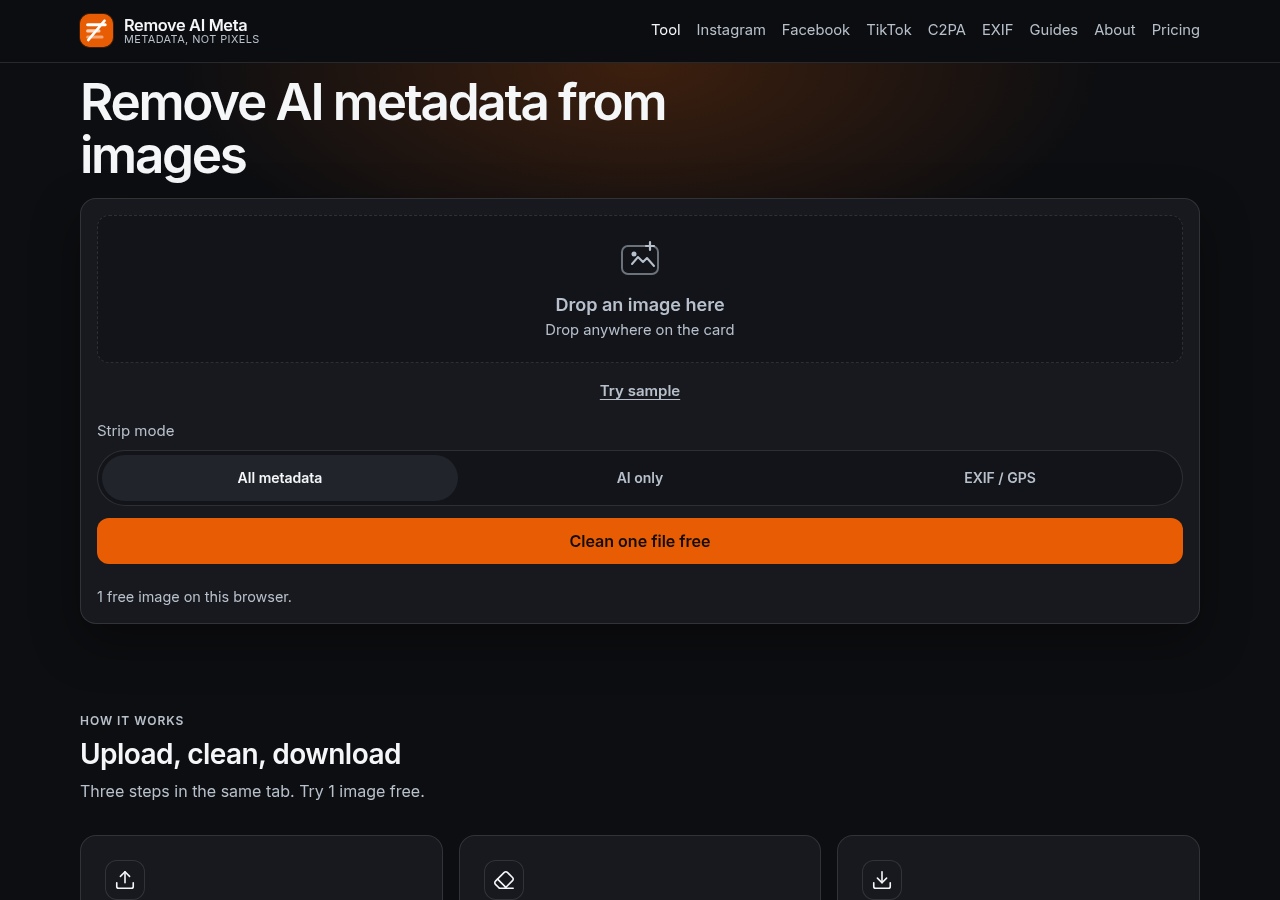
Remove AI Meta is the right pick for photographers and privacy-conscious sharers who need GPS and AI provenance gone before handing off a file, and who will not trust a cloud service with the originals. The free tier is genuinely limited to one image per browser session, so anyone with a folder to clean must pay; and the $9.99 one-time Pro price is fair but the tool does nothing for pixel-level watermarks like SynthID, which is a hard ceiling on what it can promise. If you need a general-purpose local file toolkit rather than a metadata-specific tool, EveryTool4U covers more ground for free.
What is Remove AI Meta?
Remove AI Meta is a freemium browser tool that strips C2PA Content Credentials, AI provenance tags, EXIF, GPS, and XMP from JPEG, PNG, and WebP images. Cleaning runs locally in the browser, so photos are never uploaded. The free tier cleans one file with no account; Pro unlocks batch. For anyone sharing photos without leaking camera data or AI metadata.
How we scored Remove AI Meta
Capability lands at 18 because the tool does its narrow job well, with four strip modes, broad format support including HEIC and AVIF, and a genuine verify pass, but video is entirely unsupported and SynthID removal is out of scope, which are real ceilings for a metadata tool in 2026. Ease of use scores 21 because the three-step workflow requires no account, no upload, and no configuration, and the site is unusually clear about what the tool cannot do. Value scores 20 because $9.99 one-time for unlimited batch processing is genuinely fair pricing, though the one-image free limit is tight enough to frustrate evaluation. Delivery scores 11 because the tool is very new with no substantial user review corpus found, the honest SynthID disclosure is a positive signal, but there is no track record to verify that the verify pass actually catches all metadata categories it claims to handle, and the category mismatch between 'AI Productivity Tools' and a privacy utility adds uncertainty about the intended audience.
Pros and cons
What we liked
- All processing is local: files never leave the browser, which matters when the images contain sensitive GPS or client data.
- The before-and-after re-scan shows exactly which fields were removed, not just a generic success message.
- Pro access costs $9.99 once with no subscription, covering unlimited images and batch ZIP output.
Where it falls short
- The free tier is limited to one image per browser session with no way to increase that limit without paying, making it nearly unusable for any real workflow beyond a quick test.
- SynthID, TrustMark, and other pixel-embedded watermarks are explicitly out of scope, so the tool cannot help if a platform's AI label is driven by a pixel signal rather than file metadata.
- Video is not supported at all; anyone needing to strip metadata from MP4 or MOV files must go elsewhere.
Key features
Remove AI Meta pricing
Free for one image per browser session. Pro is a one-time payment of $9.99 for unlimited images and batch ZIP output, with no subscription.
| Plan | Price | Who it is for |
|---|---|---|
| Free | Free | One image cleaned per browser session, no account required. Includes all strip modes and the before-and-after verify pass. |
| Pro | $9.99 | One-time payment. Unlimited single-image cleans and batch ZIP output for folders. No subscription, no account required. Payment via card, Apple Pay, or Google Pay. |
Pricing reflects what we saw at time of review (2026-10). Always confirm current pricing on the tool's own site.
Who should use Remove AI Meta?
Photographers handing finished JPEGs to clients are the clearest fit. Phone photos routinely embed GPS coordinates in EXIF, and images processed with tools like Adobe Generative Fill carry C2PA manifests. Remove AI Meta handles both in one pass, locally, with a verify step that proves the job is done. The one-time $9.99 Pro price makes it a reasonable line item for anyone doing this more than once a week.
Solo creators who occasionally need to scrub a single image before posting will find the free tier sufficient. But if you need a broader local file toolkit covering format conversion, compression, and other utilities alongside metadata cleaning, EveryTool4U offers 100-plus browser-based tools at no cost and no account. If your concern is specifically social-platform AI labels rather than file-level metadata, the site itself redirects you to its own Instagram AI Info tool, which is the more targeted starting point for that problem.
Skip it if: Anyone expecting SynthID or pixel-watermark removal, or needing video metadata support
Remove AI Meta alternatives
Tags
Frequently asked questions
Does Remove AI Meta upload my photos to a server?+
No. All processing runs locally in the browser using client-side code. The tool's pricing page explicitly states 'files never leave your browser.'
How much does Pro cost and is it a subscription?+
Pro is a one-time payment of $9.99 with no subscription. It covers unlimited image cleans and batch ZIP output. Payment is accepted via card, Apple Pay, or Google Pay.
Will this remove the AI label Instagram shows on my posts?+
Not necessarily. The tool removes file-level metadata including C2PA Content Credentials, but Instagram can also detect AI content through pixel-level signals like SynthID, which this tool explicitly does not touch. The site recommends starting with its dedicated Instagram AI Info page for that specific problem.
What image formats are supported?+
JPEG, PNG, WebP, HEIC/HEIF, AVIF, GIF, TIFF, and BMP are all handled in the browser. HEIC and AVIF are returned as clean JPEGs or PNGs. Video files are not supported.
What is the difference between the strip modes?+
There are four modes: AI only (removes C2PA, Content Credentials XMP, and AI provenance fields while keeping ordinary camera EXIF), EXIF/GPS (removes location and device data plus C2PA by default), all metadata (clears every detected category), and a strip-all pass. The right choice depends on whether the concern is AI provenance, location privacy, or both.
Can I process a whole folder at once on the free tier?+
No. Batch ZIP output requires Pro at $9.99 one-time. The free tier is limited to one image per browser session.
More AI Productivity Tools
See all categoriesGet your tool listed on 300+ directories.
One listing here is a strong start. But the founders who get discovered everywhere are listed everywhere. Our sister site, Free AI Directories, submits your tool to 300+ AI directories for you, every single one by hand, by a real person.
It is a one-time payment of $49, no subscription, and you can follow along as the submissions land. Prefer the slow route? The same site keeps a free list of 450+ directories you can work through yourself.
Get my tool listed on 300+ directoriesOne-time payment, no subscription · 100% human submissions · Free list of 450+ directories included.