
TestWhiz
AI study assistant that lets students chat with PDFs, generate quizzes and flashcards, and get step-by-step problem solutions.
Are you the maker? Claim this listing to keep info, pricing and screenshots current. Verified via your tool's domain email.
TestWhiz is a solid pick for high school and early college students who want one place to turn lecture PDFs and YouTube videos into quizzes, flashcards, and notes. Its $39.99/semester plan undercuts Notion AI on price for a student budget, but the feature set is shallower than general-purpose AI assistants for anything beyond study prep. Students who need serious writing support or research synthesis should look elsewhere.
What is TestWhiz?
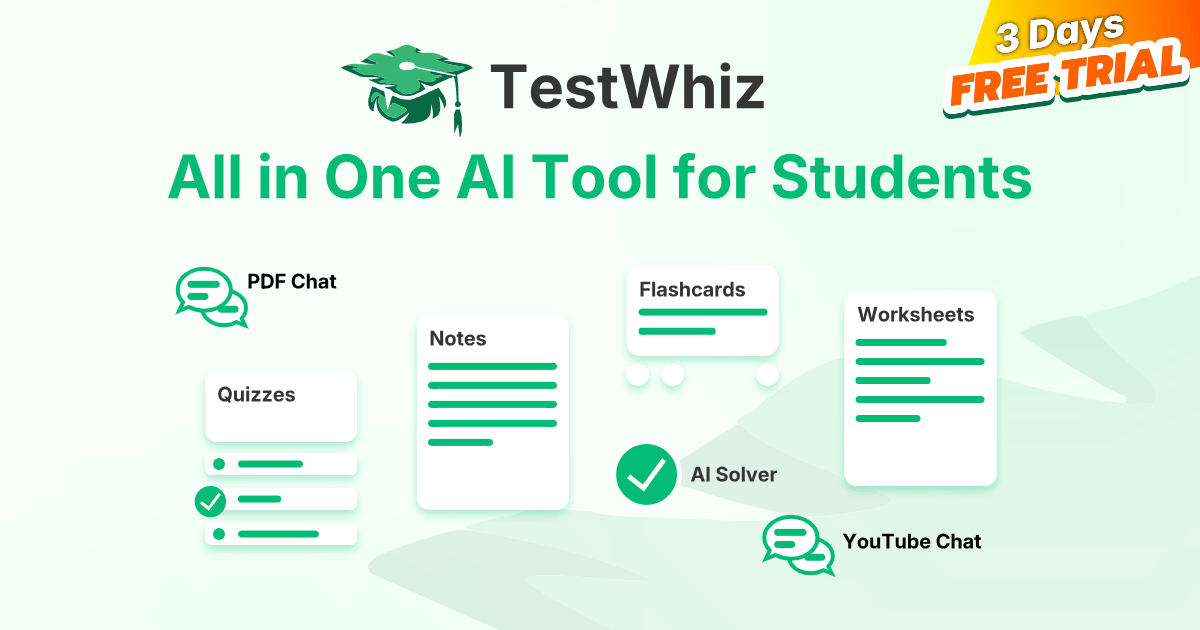
TestWhiz is an AI-powered study assistant designed for students at the high school and college level. It lets users chat with uploaded PDFs and YouTube videos to extract summaries and key points, then generate quizzes with instant feedback, flashcard decks, structured notes, and printable worksheets from the same source material. A dedicated AI Solver provides step-by-step explanations for math and science problems.
The tool runs on the web and includes a Chrome extension that works across major learning management systems such as Canvas and Blackboard. Pricing runs from $5.99 per week to $39.99 per semester, with a 3-day free trial available on all plans. All paid tiers include the full feature set with no stated usage limits on any individual capability.
How we scored TestWhiz
Capability scores 16 because the eight named features cover study prep well but the tool lacks cross-document analysis, citation support, or writing assistance that named competitors like Notion AI provide. Ease of use scores 19 because the feature set is purpose-built and the Chrome extension removes friction for LMS users, though the absence of a mobile app limits access. Value scores 17 because the $39.99 semester plan is genuinely student-friendly, but the lack of any permanent free tier means students pay or lose access after three days, which is a real barrier compared to free alternatives. Delivery scores 10 because the explicit 'undetectable' marketing claim is a documented trust concern: it signals the product is designed to help students circumvent academic integrity policies, which is a meaningful delivery problem regardless of whether the underlying features work as described.
Pros and cons
What we liked
- Semester plan at $39.99 brings the effective monthly cost below the standalone monthly tier, making it genuinely affordable for full-time students.
- All paid tiers include every feature with no stated usage caps, so there is no artificial ceiling on PDF chats, quiz generation, or flashcard creation.
- Chrome extension works across Canvas, Blackboard, and other LMS platforms, letting students use the AI Solver without switching tabs during an online assignment.
Where it falls short
- No permanently free tier: the 3-day trial ends and students must pay or lose access, which is a real barrier for users who want to test it across a full assignment cycle before committing.
- The tool explicitly markets itself as 'undetectable,' which creates a genuine academic integrity concern that could get students flagged or disciplined depending on their institution's AI policy.
- Feature depth is thin compared to general AI assistants: there is no citation support, no long-form writing help, and no ability to cross-reference multiple documents in a single session.
Key features
TestWhiz pricing
Three paid tiers after a 3-day free trial: Weekly at $5.99/week, Monthly at $12.99/month, and Semester at $39.99/semester. All tiers include the same full feature set with no usage caps listed. No permanently free tier.
| Plan | Price | Who it is for |
|---|---|---|
| Weekly | $5.99/week | Full feature access including unlimited PDF chats, YouTube video chats, flashcard generation, quiz generation, notes generation, worksheet generation, AI Problem Solver, and priority support. 3-day free trial available. |
| Monthly | $12.99/month | Same full feature set as Weekly. Marketed as the plan for occasional users. 3-day free trial available. |
| Semester | $39.99/semester | Same full feature set as Weekly and Monthly. Marketed as best value for frequent users. 3-day free trial available. |
Pricing reflects what we saw at time of review (2026-10). Always confirm current pricing on the tool's own site.
Who should use TestWhiz?
TestWhiz fits students who are already spending time manually making flashcards or re-watching lecture recordings to pull out key points. A college freshman with weekly problem sets and a stack of lecture PDFs gets real time savings here: one upload produces a quiz, a flashcard deck, and a set of notes without any manual formatting. The semester plan at $39.99 makes the most sense for anyone enrolled full-time, since the per-month cost drops below the monthly plan price.
Students who need help with writing essays, structuring arguments, or managing a research workflow will find TestWhiz too narrow. For that use case, Notion AI is a better fit: it handles drafting, summarizing, and searching across a personal knowledge base, which is more useful for writing-heavy coursework than a quiz generator.
Skip it if: Graduate researchers or anyone needing deep writing, citation, or research synthesis tools
TestWhiz alternatives
Frequently asked questions
Is there a free version of TestWhiz?+
There is no permanently free tier. TestWhiz offers a 3-day free trial on all plans, after which you must subscribe to continue using the tool.
What is the cheapest way to use TestWhiz long-term?+
The Semester plan at $39.99 is the lowest cost over a full academic term. Across a 16-week semester it works out to roughly $2.50 per week, well below the $5.99/week plan.
Does TestWhiz work with my school's learning management system?+
The Chrome extension is stated to work with Canvas, Blackboard, and other major LMS platforms, letting you use the AI Solver and other features without leaving the assignment page.
Can TestWhiz handle any subject, or is it limited to math and science?+
The PDF and YouTube chat features work across subjects. The AI Problem Solver is specifically highlighted for math and science step-by-step explanations, but quiz and flashcard generation apply to any uploaded text.
Will my school's AI detection tools flag TestWhiz outputs?+
TestWhiz markets its outputs as undetectable and plagiarism-free, but institutional AI detection policies vary widely. Students should check their school's academic integrity policy before submitting AI-generated content.
Does TestWhiz have a mobile app?+
Based on available information, TestWhiz runs as a web app with a Chrome extension. No dedicated iOS or Android app is listed on the product page.
More AI Productivity Tools
See all categoriesGet your tool listed on 300+ directories.
One listing here is a strong start. But the founders who get discovered everywhere are listed everywhere. Our sister site, Free AI Directories, submits your tool to 300+ AI directories for you, every single one by hand, by a real person.
It is a one-time payment of $49, no subscription, and you can follow along as the submissions land. Prefer the slow route? The same site keeps a free list of 450+ directories you can work through yourself.
Get my tool listed on 300+ directoriesOne-time payment, no subscription · 100% human submissions · Free list of 450+ directories included.