
VideoBGRemover
A web-based AI tool that removes or replaces video backgrounds without a green screen, built around a credit-based membership model.
Are you the maker? Claim this listing to keep info, pricing and screenshots current. Verified via your tool's domain email.
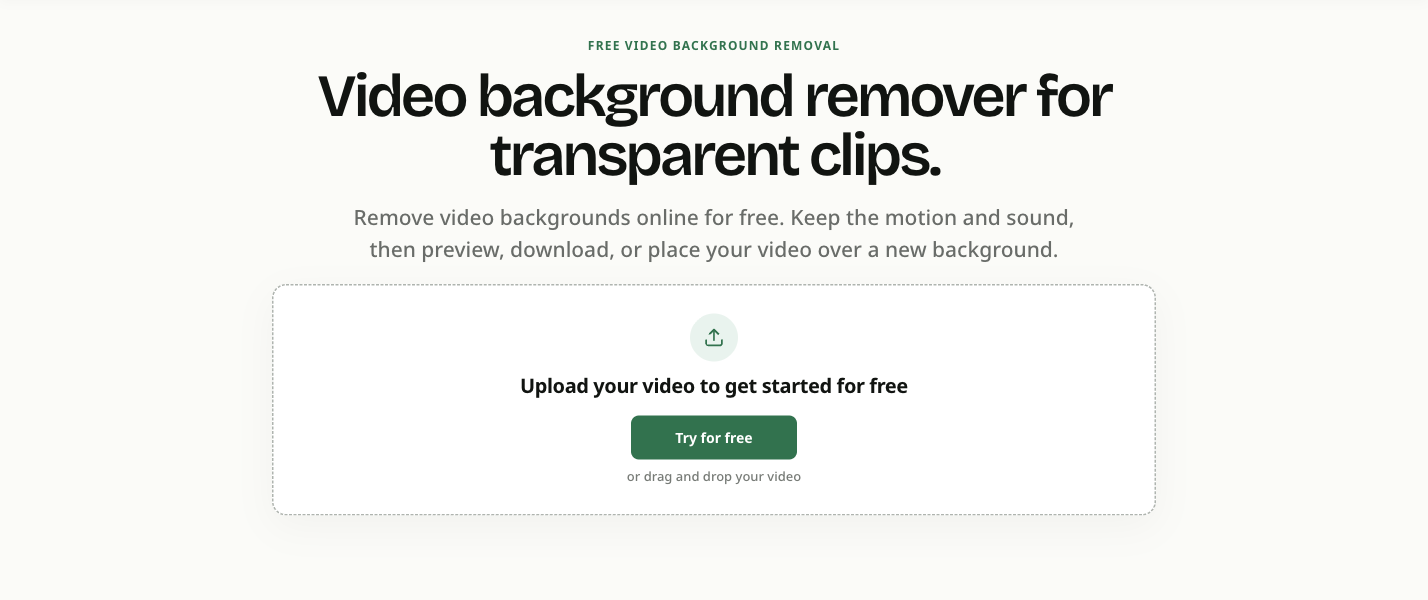

VideoBGRemover is a focused pick for creators who need clean background removal on a regular clip volume and want transparent WebM export without touching a green screen. It does one job and does not pretend otherwise, but Runway covers the same background removal need inside a much broader editing environment for users who need more than a single-purpose tool. Anyone needing real-time collaboration, timeline editing, or caption workflows should skip this entirely.
What is VideoBGRemover?
Remove video backgrounds with AI, then keep a transparent background or replace it with a color, image, or video. VideoBGRemover helps creators prepare clips for editing and social media without setting up a green screen. Upload a clip through the website, preview the result, and export your edited video. Paid plans use credits, with free trial credits available to try the tool.
How we scored VideoBGRemover
Capability lands at 16 because the tool does background removal well and offers transparent WebM export as a genuine differentiator, but it has no editing, captioning, or generation features that named competitors like Runway include; the hard per-video length cap (5 minutes on Creator) is a real functional constraint absent from most alternatives. Ease of use scores 20 because the browser-only, upload-and-export workflow is genuinely low-friction and requires no software install or prior editing knowledge. Value scores 15: the Creator plan at $19/month billed annually is not cheap for a single-function tool with a 5-minute-per-video ceiling, and the annual-only commitment raises the cost of experimentation; the credit top-up system is a genuine plus but does not offset the structural pricing rigidity. Delivery scores 15 because the tool is a real, active product with a clear workflow, but the significant discrepancy between the.net subscription model and the.com pay-per-use model found in search results creates genuine uncertainty about what a buyer is actually purchasing, and no independent user sentiment base was found to verify output quality claims.
Pros and cons
What we liked
- Transparent WebM export is a first-class output, not an afterthought, making it directly useful for compositing in external editors without additional conversion steps.
- Non-expiring top-up credits mean overflow processing in a heavy month does not force a plan upgrade; members can buy exactly the extra capacity they need.
- The per-second credit model is genuinely granular: a 47-second clip costs 47 credits, not a rounded-up minute or a flat fee, which matters for creators processing many short clips.
Where it falls short
- Per-video length caps are hard limits tied to the membership tier, not the credit balance: a Creator member with 600 credits cannot process a single 6-minute video, even if they have credits to spare. This is a structural constraint that does not exist on pay-per-use competitors.
- The tool does only background removal. There is no trimming, color correction, caption layer, or any other editing function, so every clip still requires a separate editor before it is publish-ready.
- No monthly billing option is surfaced on the pricing page; all three membership tiers are billed annually, which means a creator testing the tool for a one-off project is locked into a year-long commitment or must rely on trial credits alone.
Key features
VideoBGRemover pricing
Three annual membership tiers: Creator at $19/month (600 credits/month, up to 5 minutes per video), Pro at $49/month (1,800 credits/month, up to 15 minutes per video), and Studio at $89/month (3,600 credits/month, up to 30 minutes per video). All prices are billed annually. Credit top-ups are available for active members: 300 credits for $19, 900 credits for $49, and 1,800 credits for $89, and purchased top-up credits do not expire. One credit equals one second of successful processing. No permanently free tier is listed; the site references free trial credits to start.
| Plan | Price | Who it is for |
|---|---|---|
| Free Trial | Free | Trial credits to test the AI output quality before purchasing a membership. Credit amount not specified on the pricing page. |
| Creator | $19/month | Billed annually. 600 credits per month (credits refresh monthly), up to 5 minutes per video. Exports: transparent WebM, background MP4, and eligible ProRes MOV. |
| Pro | $49/month | Billed annually. 1,800 credits per month (credits refresh monthly), up to 15 minutes per video. Exports: transparent WebM, background MP4, and eligible ProRes MOV. |
| Studio | $89/month | Billed annually. 3,600 credits per month (credits refresh monthly), up to 30 minutes per video. Exports: transparent WebM, background MP4, and eligible ProRes MOV. |
| 300 Credit Top-Up | $19 one-time | 300 non-expiring credits. Available to active members only. Does not change the per-video length limit of the base membership. |
| 900 Credit Top-Up | $49 one-time | 900 non-expiring credits. Available to active members only. |
| 1,800 Credit Top-Up | $89 one-time | 1,800 non-expiring credits. Available to active members only. |
Pricing reflects what we saw at time of review (2026-10). Always confirm current pricing on the tool's own site.
Who should use VideoBGRemover?
A solo YouTuber or social media creator who regularly needs clean subject cutouts, say for weekly talking-head clips or product demos, and wants a repeatable browser workflow without installing software or owning a green screen. The Creator plan at $19/month covers 600 seconds of processing, which works out to about ten one-minute clips per month. A small production team turning around branded video content at volume would find the Pro or Studio tiers more practical, especially with the non-expiring top-up credits for overflow months.
Anyone who needs more than background removal should look elsewhere. Runway is the stronger choice if you want AI-assisted generation, inpainting, or a proper editing timeline alongside background removal. Descript is the right pick if your workflow centers on transcript-based editing, podcast clips, or caption-driven social cuts, none of which VideoBGRemover touches.
Skip it if: Anyone needing a full video editor or caption/transcript-based workflow
VideoBGRemover alternatives
Tags
Frequently asked questions
How many videos can I process on the Creator plan each month?+
The Creator plan gives you 600 credits per month, and one credit equals one second of processed video. That is 600 seconds (10 minutes) of total processing time, split across as many clips as you like, as long as no single clip exceeds 5 minutes.
Do unused monthly credits roll over?+
No. The included monthly credits refresh each billing cycle, meaning unused credits from one month do not carry forward. Top-up credits purchased separately do not expire.
Is there a monthly billing option?+
The pricing page lists all three membership tiers as billed annually only. No monthly billing option is shown.
What export formats does VideoBGRemover support?+
All membership tiers export transparent WebM (with alpha channel), background-replaced MP4, and eligible ProRes MOV. Input formats include MP4, MOV, and WebM.
Can I process a 20-minute video on the Pro plan?+
No. The Pro plan caps individual videos at 15 minutes. The Studio plan raises that cap to 30 minutes. Top-up credits extend your total processing volume but do not raise the per-video length limit.
Is there an API for bulk or developer use?+
Third-party sources reference an API for VideoBGRemover, but the `.net` pricing page does not list API access as a named feature of any membership tier. Confirm API availability and pricing directly with the team before relying on it for a production integration.
More AI Video Tools
See all categoriesGet your tool listed on 300+ directories.
One listing here is a strong start. But the founders who get discovered everywhere are listed everywhere. Our sister site, Free AI Directories, submits your tool to 300+ AI directories for you, every single one by hand, by a real person.
It is a one-time payment of $49, no subscription, and you can follow along as the submissions land. Prefer the slow route? The same site keeps a free list of 450+ directories you can work through yourself.
Get my tool listed on 300+ directoriesOne-time payment, no subscription · 100% human submissions · Free list of 450+ directories included.