
Yap
On-device voice dictation for Mac and Windows that types into any app, with no audio ever leaving your computer.
Are you the maker? Claim this listing to keep info, pricing and screenshots current. Verified via your tool's domain email.
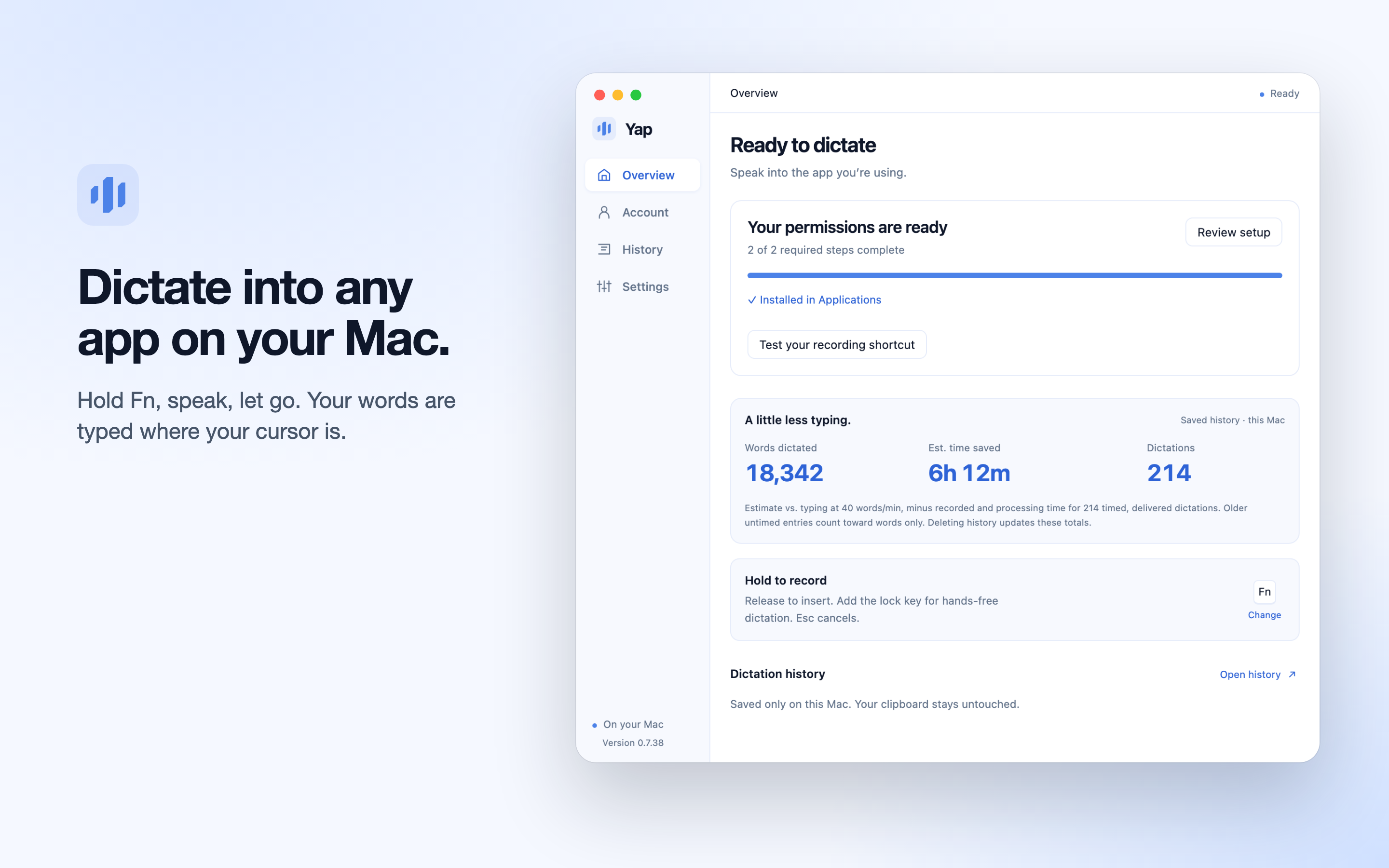
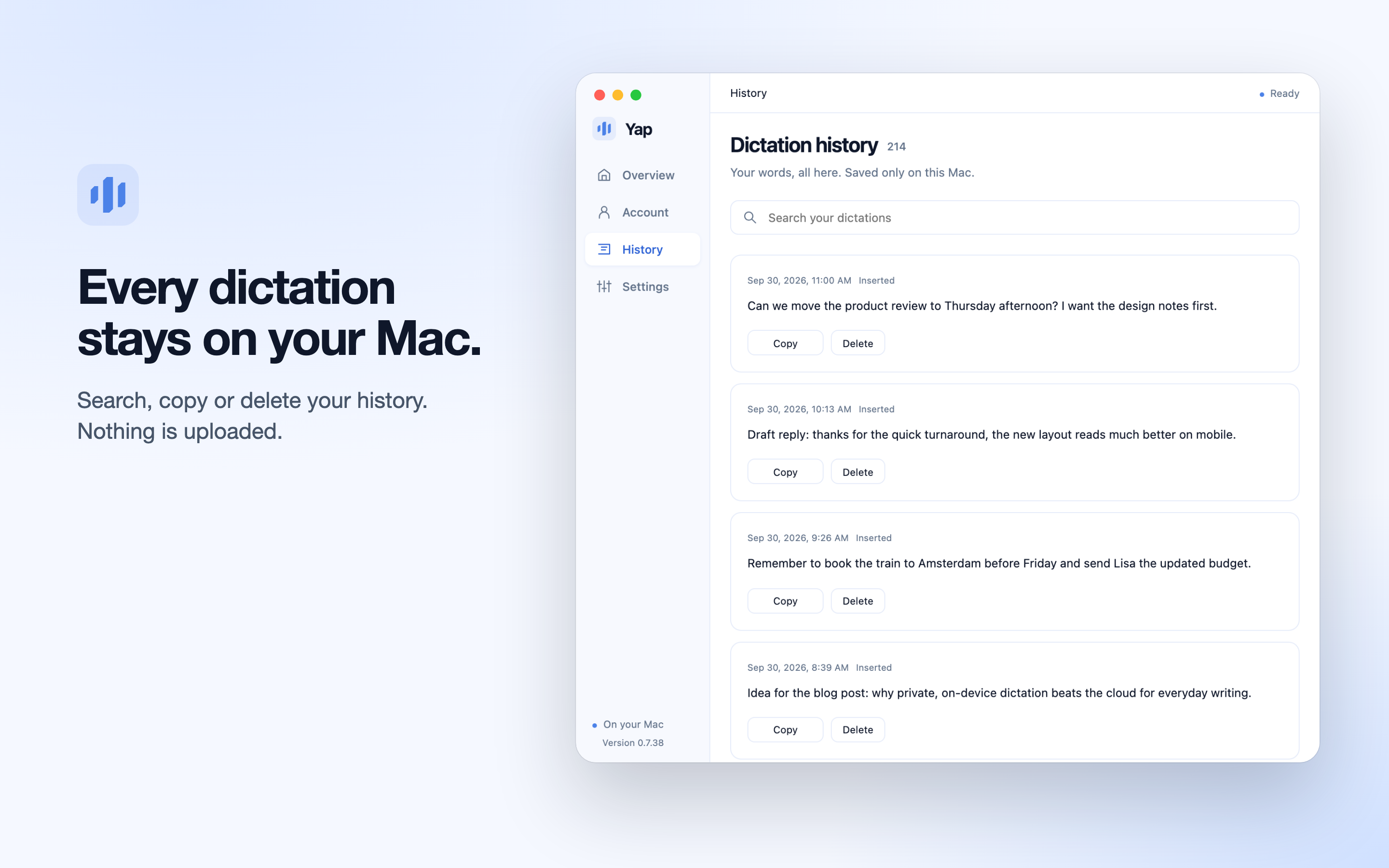
Yap is the right pick for anyone who wants fast, private dictation without trusting a cloud service with their audio. At $6.90 per month it costs less than most cloud-based rivals, but the Mac-only Apple Silicon requirement and the absence of any AI cleanup pass put it behind tools that do more with your transcribed text. If you need cross-platform mobile dictation or post-processing features, look elsewhere.
What is Yap?
Yap is a desktop voice dictation application for Mac (Apple Silicon) and Windows 10/11, developed by O-mega Enterprise Inc. It converts speech to clean, punctuated text and types it directly into whichever app is active, using on-device speech recognition so audio never leaves the computer. The app supports 25 languages with automatic detection, stores a searchable local history of every session, and allows custom keyboard shortcuts including hands-free recording triggers.
Yap is aimed at writers, developers, and knowledge workers who dictate regularly and want a private, subscription-based alternative to cloud transcription services. It offers a 3-day free trial with no account required, followed by a 10-day card-required trial, then $6.90 per month or $69 per year. Both paid plans are identical in features, with no usage caps on dictation.
How we scored Yap
Capability scores 16 because Yap does its core job well but has a real feature gap: no AI cleanup, no filler-word removal, and no post-processing of any kind, features that named rivals at similar or higher price points include. Ease of use scores 21 because the hold-to-talk model is about as simple as dictation gets, setup requires no account for the first 3 days, and the interface is minimal by design. Value scores 20 because $6.90/month with unlimited dictation and no usage caps is genuinely competitive, and the 3-day no-card trial lowers the barrier to try it. Delivery scores 11 because no meaningful user review corpus could be found for yapapp.cc specifically, the 24-hour offline cap undercuts the fully-private pitch, and the Intel Mac exclusion is an undisclosed hardware restriction that will surprise buyers who do not read the fine print; the score reflects uncertainty about real-world delivery rather than a documented trust failure.
Pros and cons
What we liked
- All speech processing stays on-device with no audio uploads, making it one of the few paid dictation tools that can genuinely claim zero cloud exposure.
- Flat pricing at $6.90/month covers unlimited dictation in 25 auto-detected languages with no word caps or usage tiers.
- Works across any desktop app without integrations: text lands at the cursor in browsers, editors, email clients, terminals, and chat tools alike.
Where it falls short
- No AI post-processing: Yap transcribes what you say verbatim and does not remove filler words, restructure sentences, or offer any cleanup pass, a gap that cloud rivals like Wispr Flow fill at a higher price.
- Offline access is capped at 24 hours between internet checks, which undermines the fully-private pitch for users in air-gapped or restricted-network environments.
- Mac support is limited to Apple Silicon machines; Intel Mac users are excluded entirely, which is an unusual hardware restriction for a paid subscription product.
Key features
Yap pricing
Free for 3 days with no account or card, then a 10-day trial with a card required. After the trial: $6.90/month billed monthly, or $69/year (saving $13.80 annually). Both plans include identical features. No free tier beyond the initial 3-day window.
| Plan | Price | Who it is for |
|---|---|---|
| 3-Day Free Access | Free | Full app access for 3 days from first launch, no account or card required. All features included. Expires after 3 days. |
| Monthly | $6.90/month | 10-day card-required trial, then billed monthly. Unlimited on-device dictation, 25 languages, dictation in any desktop app, custom shortcuts, hands-free recording, local history, automatic app updates. |
| Yearly | $69/year | 10-day card-required trial, then billed annually. Identical features to Monthly. Saves $13.80 compared to paying monthly. |
Pricing reflects what we saw at time of review (2026-10). Always confirm current pricing on the tool's own site.
Who should use Yap?
Yap fits a solo writer, developer, or analyst who dictates throughout the day and wants the assurance that nothing they say is processed on a remote server. If you produce long-form content by voice, file notes into apps like Obsidian or Notion by speaking, or simply type slowly and want to close that gap, Yap's hold-to-talk model is fast enough to replace a significant portion of keyboard input.
It is a poor fit for anyone who needs dictation on a phone or tablet, since Yap is desktop-only. It also falls short for users who want AI to clean up filler words, restructure sentences, or summarize what was said. For those needs, Notion AI (already in this directory) handles post-dictation editing and summarization inside a workspace, and is worth considering if your workflow is already Notion-centered. If budget is the primary concern and you are comfortable with open-source software, the free Frigade Yap project (unrelated, available on GitHub) covers basic on-device dictation at no cost.
Skip it if: Mobile-first users or anyone who needs AI-powered text cleanup and summarization after dictation
Yap alternatives
Frequently asked questions
Does Yap send my voice recordings to the cloud?+
No. Speech recognition runs entirely on your device. According to the product page, audio and transcripts stay on your computer and are never uploaded. An internet connection is required only for activation and periodic license checks.
What happens to my history if I cancel?+
Your existing local history stays on your computer and remains readable, copyable, and deletable after cancellation. New dictation pauses, but nothing already saved is deleted.
How much does Yap cost after the trial?+
After the 10-day card-required trial, Yap costs $6.90 per month or $69 per year. The yearly plan saves $13.80 compared to paying monthly. Both plans include identical features with no usage caps.
Does Yap work on Intel Macs?+
No. The Mac version requires Apple Silicon. Windows 10 or 11 (64-bit) is also supported, but Intel-based Macs are not listed as a supported platform.
Can I use Yap without an internet connection?+
Yes, for up to 24 hours between internet checks. The app requires an online connection for first launch, activation, and periodic access verification, but offline dictation works within that 24-hour window.
Is there a free plan, or just a free trial?+
There is no ongoing free plan. Yap is free for the first 3 days from first launch with no account or card, then requires a card to start the 10-day trial. After that, a paid subscription is required to continue dictating.
More AI Productivity Tools
See all categoriesGet your tool listed on 300+ directories.
One listing here is a strong start. But the founders who get discovered everywhere are listed everywhere. Our sister site, Free AI Directories, submits your tool to 300+ AI directories for you, every single one by hand, by a real person.
It is a one-time payment of $49, no subscription, and you can follow along as the submissions land. Prefer the slow route? The same site keeps a free list of 450+ directories you can work through yourself.
Get my tool listed on 300+ directoriesOne-time payment, no subscription · 100% human submissions · Free list of 450+ directories included.