AI Image Generator Best Tools: Quality, Ease, and Price
A ranked look at the AI image generator best choices for quality, features, ease of use, and pricing. Check vendor sites for current plan details.
Which AI image generator is best if the finished image still needs corrected lettering, editable shapes, or a private client workflow? Most rankings name a single winner before asking what the work requires. A poster designer, an illustrator, and an Adobe production team don't need the same tool.
Choosing an AI image generator without guesswork starts with the deliverable. Text inside images, editable vectors, conversational editing, and expressive illustration are different jobs. These options suit different needs, and the directory provides a starting point for exploring beyond them.
A broader reference such as starryai's guide to image generators can support discovery, but the final choice should depend on output, editing requirements, privacy, and commercial terms. Pricing and usage limits change. Readers should confirm those details on each vendor's website before committing, especially when a subscription will support paid work.
Table of Contents
- AI Image Generators Directory
- Midjourney
- ChatGPT Images
- Google Gemini
- Adobe Firefly
- Ideogram
- Recraft
- How the six image generators compare on free access, editing tools, API access, and best use
- Turning the Shortlist Into a Decision
AI Image Generators Directory
Best fit: building a shortlist before choosing a generator.
The AI Image Generators directory gathers image-generation tools into a focused category, with an Editor's Score on every listing. Those scores work as a discovery aid. Whether a tool suits an assignment still depends on what the output has to do.
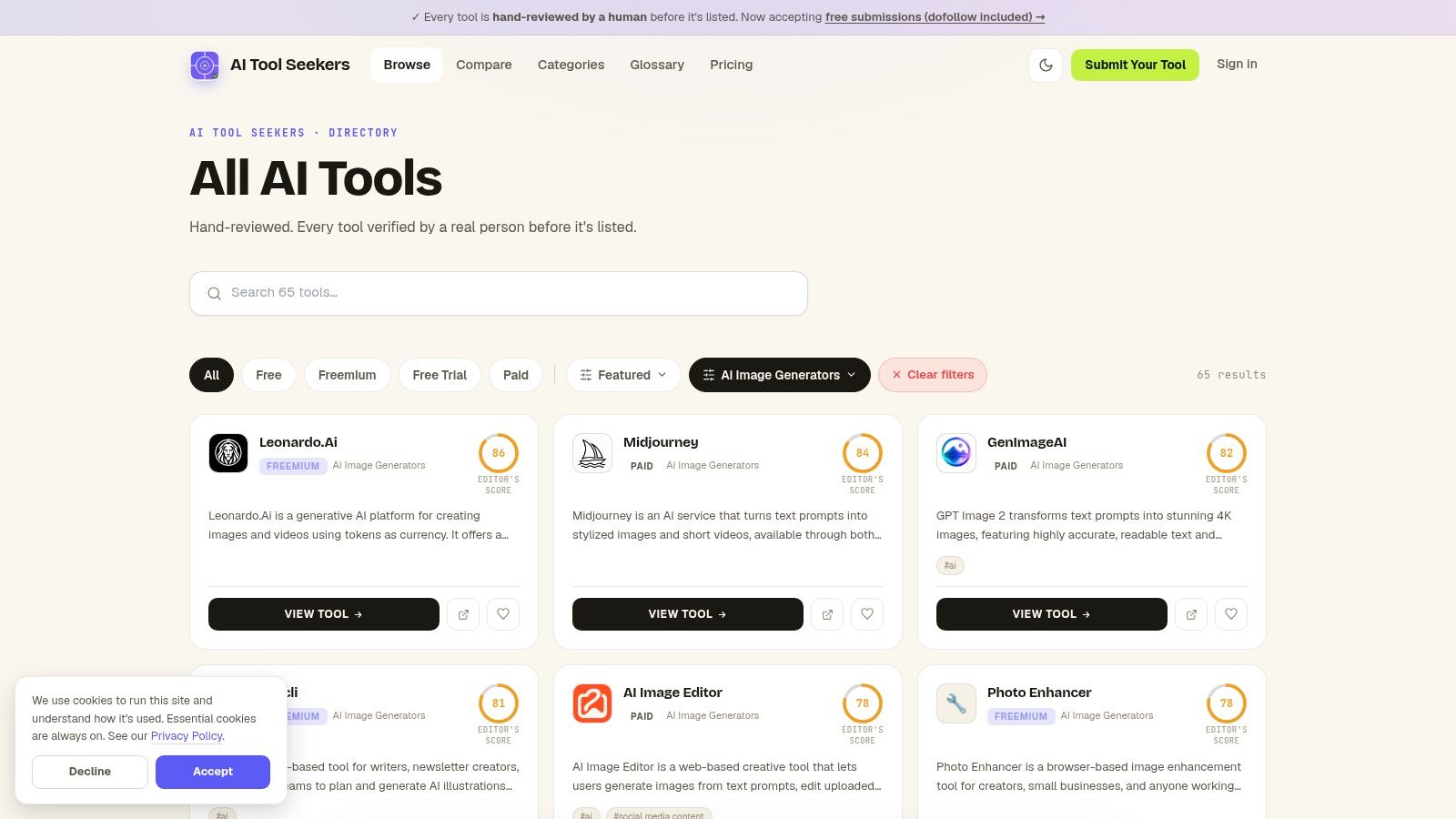
AI Tool Seekers reviews each submission by hand before publication, then scores tools on Capability, Ease of Use, Value, and Delivery. Single-template novelty generators get folded into the parent product or rejected, so the category reflects distinct tools rather than trend clones. Readers can examine features, pricing models, strengths, and limitations instead of comparing product names alone. No tool pays to be mentioned or ranked.
Where the Directory Helps
The directory compares tools rather than generating images itself. Its practical role is narrowing a broad search into candidates worth testing.
Discovery: Category browsing gathers relevant tools without requiring separate searches for every product.
Comparison: Editorial scores and structured listings give each candidate the same yardstick.
Alternatives: The image-generator alternatives page matches each listed tool with at least three substitutes chosen on what it does, which helps when an initial pick lacks a required feature.
Limitation: Detailed features and current vendor terms still require inspection of individual listings and product websites.
A reader preparing to create visuals with an AI generator gains more from ranking requirements than from ranking tools. A missing export format disqualifies a candidate outright; a preferred illustration style rarely does.
Shortlist rule: A high editorial score justifies closer inspection. It never replaces checking export formats, privacy terms, or workflow fit.
An optional paid Fast Track review changes only how quickly a submission is processed. Score, position, category placement, and badges stay identical to a free listing, so high-ranked tools reflect editorial judgment rather than purchased placement. Vendors remain the authority for current pricing and contractual terms.
Midjourney
Best fit: expressive illustration and visual exploration.
Midjourney describes a dedicated image-generation workflow built around text prompts, image references, style references, and editing. Its web interface lets users organize creations and revisit prompts, while Discord remains another access route. These options make it a candidate for concept art, stylized illustrations, and exploring a visual direction.
The distinction is between developing a look and finishing a production file. An illustrator exploring lighting and composition may value reference-guided generation. A designer who needs editable lettering or vector shapes should treat those as separate requirements rather than assume an attractive result supplies them.
Editing and Plan Trade-Offs
Midjourney includes inpainting, panning, and zoom-out tools. Inpainting changes a selected part of an image; panning and zoom-out extend the composition. Those controls provide ways to refine a concept without abandoning it.
Strength: Image and style references support directed visual exploration.
Workflow choice: Both web and Discord access are available.
Privacy constraint: Midjourney's site limits Stealth Mode to Pro and Mega.
Usage constraint: Its site lists limited fast GPU time on Basic, with unlimited relaxed generation beginning at Standard.
Midjourney's website doesn't list an ongoing free plan. Readers should check its current subscriptions and generation terms before paying, particularly when private creation matters.
The Leonardo.Ai versus Midjourney comparison provides another way to examine features, pricing, and editorial assessments. The deciding question is whether creative iteration or a particular production requirement matters more.
ChatGPT Images
Best fit: conversational creation and revision.
A content creator may know what needs changing without knowing image-editing terminology. ChatGPT Images supports that kind of interaction through natural-language requests, follow-up edits, and uploaded images. Users can also select an area to modify rather than describe its location only in words.
Its features include aspect ratios, templates such as poster starting points, and an Images area for saving and revisiting work. Web and mobile access make it an option for people who prefer an assistant interface to a dedicated design workspace. That convenience doesn't establish that it will outperform specialist tools on typography, illustration, or editable output.
The Cost of Repeated Revisions
The image-generation documentation says image generations consume included usage limits three to five times faster on average than comparable turns without image generation, depending on image quality and size. Website availability and limits depend on the plan and workspace settings, so readers should verify current allowances there.
A conversational interface can make revisions easier to request. It doesn't make repeated revisions unlimited or guarantee that an edit will stay inside a selected area.
The main advantage is approachable iteration. A user can request a different background, inspect the result, and refine the instruction.
The main limitation is control. Selection-based edits may affect more than the marked area, and a conversational workflow may be less suitable than a specialist editor when precise production changes dominate the assignment.
Google Gemini
Best fit: image creation within a broader assistant workflow.
Google Gemini combines image generation and editing with general AI assistance. It may suit someone who wants to develop an idea, revise supporting copy, and request a visual in the same assistant environment. That's a different buying proposition from paying solely for a specialist image workspace.
Google's site offers free access with limited usage, while paid Google AI plans provide higher limits and additional services. Readers should check current plan details and availability on Google's website. A bundled subscription is only useful if its other features matter to the buyer.
Provenance Is Part of the Comparison
Google's image-generation documentation says generated images include SynthID, a digital watermark embedded directly into AI-generated content. Google's verification tools can check whether content was created or edited with its AI tools. That isn't a general detector for images from every generator.
Strength: Image work can sit alongside general assistant tasks.
Plan consideration: Paid tiers raise usage limits and bundle other Google services.
Workflow limitation: Gemini is a general assistant, not a dedicated image-editing workspace.
Trust consideration: A named provenance mechanism provides something concrete to investigate before publication.
The useful comparison is therefore broader than image appearance. A publisher may care about both generation and disclosure, while an illustrator may place more weight on editing controls.
Gemini belongs on the shortlist when the surrounding assistant features have practical value. Otherwise, a dedicated tool may be a more focused purchase.
Adobe Firefly
Best fit: Adobe-based editing and production.
Adobe Firefly combines image generation with Generative Fill, Generative Expand, and Text to Vector Graphics. It connects with Photoshop, Illustrator, and Express. For an existing Adobe user, the relevant question is whether those connections reduce transfers between generation and finishing work.
Adobe describes its own Firefly models as using licensed and public-domain training content and attaching Content Credentials. Those statements concern Adobe's models. They shouldn't be extended automatically to partner models available through the same product.
Credits and Commercial Terms
According to Adobe's Firefly product page, paid plans use monthly generative credits, with consumption varying by feature, output, size, resolution, and model. Adobe also offers free daily generations; readers should check its website for current access, pricing, and plan details rather than treat credits as a fixed image allowance.
Strength: Generation and practical editing fit into Adobe creative workflows.
Output option: Vector creation makes Firefly relevant beyond finished raster images.
Cost constraint: Premium features and partner models may consume credits.
Buying caution: A larger subscription may be unnecessary for occasional generation.
Adobe's generative-credits FAQ says non-beta outputs can be used commercially, and beta outputs can generally be used commercially unless stated otherwise. It separately notes that beta outputs aren't indemnified for eligible teams and enterprise customers.
Commercial permission and indemnification aren't interchangeable. Teams should read the terms that apply to the actual feature and model selected.
The Firefly alternatives page can help readers compare other workflows when Adobe integration isn't a priority.
Ideogram
Best fit: poster and promotional concepts with text inside the image.
A bakery promotion needs more than an appealing pastry illustration. It also needs the offer, business name, and event wording to remain readable. Ideogram focuses on rendering text within generated images, making it a candidate when wording forms part of the composition.
That emphasis distinguishes it from choosing a generator mainly for atmosphere or illustration style. It doesn't remove the need to proofread every word. A promotional image with attractive lettering but an incorrect offer still fails the assignment.
Typography, Privacy, and Access
Ideogram's website lists free and paid plans, plus API access. Paid plans include private generation and larger queues, while Pro includes batch generation and quality export. Readers should check the vendor's site for current prices, credits, queues, and feature eligibility before subscribing.
Strength: Text-focused generation suits poster and graphic concepts.
Access options: Self-serve plans and an API support different workflows.
Privacy limitation: Free-plan images are published by default.
Finishing requirement: Detailed layouts may still need a separate editor.
Production caution: Correct wording isn't the same as editable typography. A client may still need independently adjustable text, spacing, and layout after approving the concept.
For a poster assignment, the evaluation should include spelling, line breaks, hierarchy, and space around the lettering. A visually appealing sample without those checks says little about readiness for publication.
Ideogram deserves consideration when text belongs inside the generated scene or design. It's a less complete answer when the handoff requires a fully editable layout.
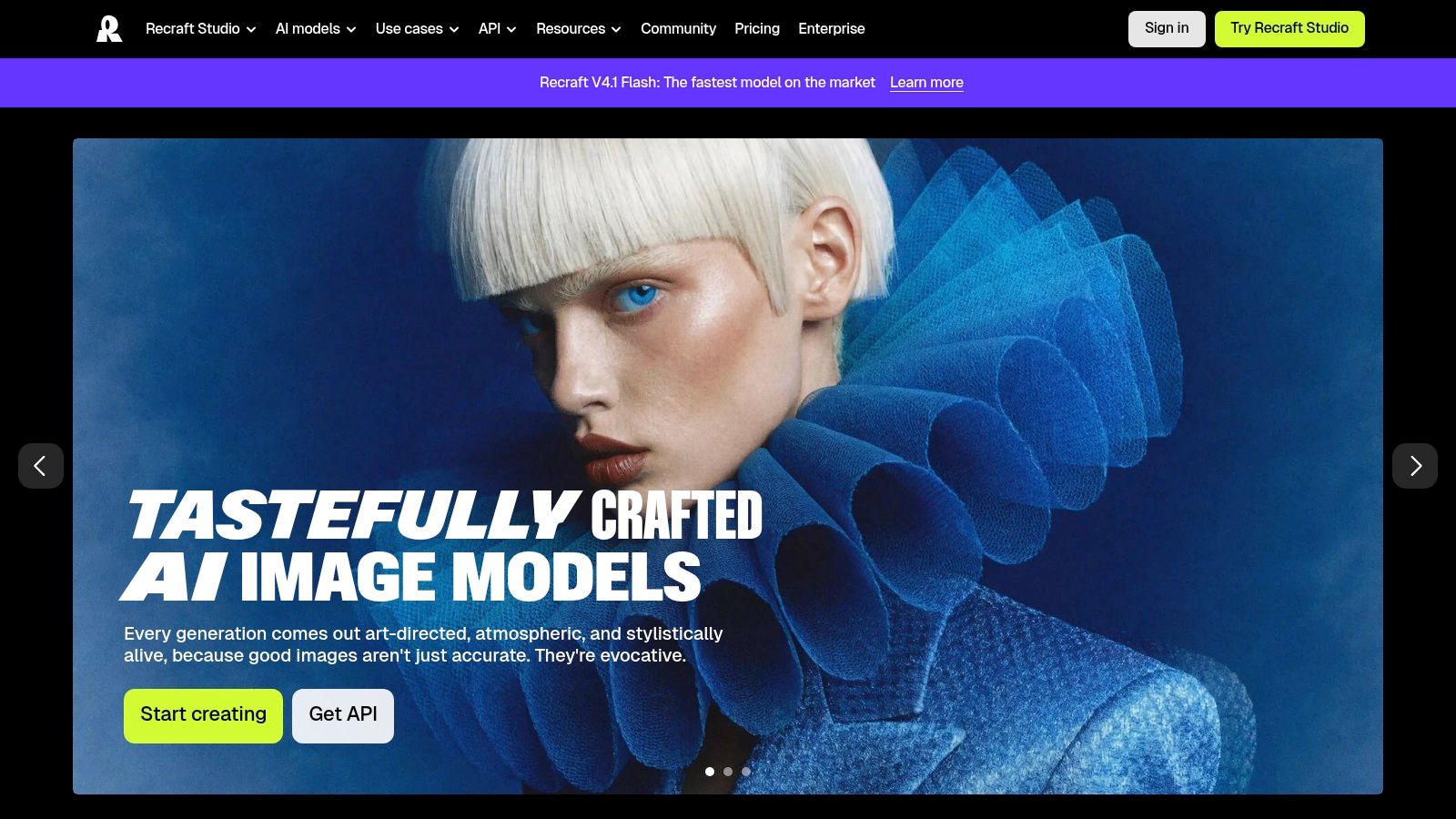
Recraft
Best fit: editable vector assets and design production tasks.
An image that looks like vector art isn't necessarily an editable vector file. Recraft offers native editable SVG generation alongside raster images. That distinction matters when a designer needs to adjust shapes rather than accept a flattened image.
Recraft also includes image editing, background removal, mockup creation, and an API for image and vector workflows. These features make it relevant to asset preparation as well as image creation. The practical comparison should include what happens after generation, not just how the first result looks.
File Usability and Rights
Recraft's website offers free access with daily credits. It also states that free-plan images are public and aren't licensed for commercial use. Readers should verify current pricing, privacy provisions, and commercial-rights conditions on the vendor's site before using it professionally.
Strength: Native SVG output supports further vector editing.
Production tools: Background removal and mockups address tasks beyond initial generation.
Integration option: API access supports software-based image and vector workflows.
Usage constraint: Generation and editing consume credits, so the full workflow matters when estimating usage.
For a brand illustration, a sensible evaluation includes opening the exported SVG in the intended editor. The reviewer should inspect shape organization, unwanted fragments, and whether revisions are practical.
Recraft's strongest reason for inclusion is therefore editable output, not an unsupported claim of superior image quality. It belongs on the shortlist when the deliverable must remain workable after export.
How the six image generators compare on free access, editing tools, API access, and best use
The directory stays out of the table because it is for discovery and comparison, not image generation. For an integration-dependent workflow, only the rows with API access satisfy that criterion before style is judged.
| Tool | Free access | Editing tools | API access | Best for |
|---|---|---|---|---|
| Midjourney | No ongoing free plan listed | Inpainting, panning, and zoom-out | No API listed in this comparison | Stylized images and creative exploration |
| ChatGPT Images | Available through ChatGPT plans, with usage set by plan | Conversational and selection-based image edits | No API listed in this comparison | Approachable, iterative image creation |
| Google Gemini | Free plan with limited usage | Image generation and editing | No API listed in this comparison | Image creation within a general AI assistant |
| Adobe Firefly | Free daily generations | Generative Fill, image expansion, and vector creation | No API listed in this comparison | Image production within Adobe workflows |
| Ideogram | Free plan available | Text-focused generation and prompt-based refinement | Available | Posters and graphics featuring text |
| Recraft | Free access with daily credits | Image editing, background removal, and mockup creation | Available | Editable SVGs and design production workflows |
Read the table by deliverable rather than by overall rank. Text-heavy work points to Ideogram, Adobe-based production favors Firefly, and files that must remain editable after export make Recraft relevant. Midjourney, ChatGPT Images, and Gemini are stronger candidates when the job benefits from exploration, conversation, or a broader assistant workflow.
Turning the Shortlist Into a Decision
The search phrase “AI image generator best” leaves out the decisive question: best for which deliverable? Text-heavy posters point toward Ideogram. Editable vectors make Recraft relevant, Adobe-based production favors consideration of Firefly, and expressive illustration makes Midjourney a candidate.
ChatGPT Images and Gemini offer conversational workflows, but their broader assistant features shouldn't substitute for checking image-specific requirements. The directory helps readers find and compare candidates without treating any single ranking as a final answer. A manageable shortlist should include tools that meet the essential output requirements before price becomes the deciding factor.
Compare the Finished Work
A useful evaluation uses the same assignment across the shortlisted tools. For a promotional poster, that means identical wording, composition requirements, and intended dimensions. For a vector asset, it means inspecting the exported file in the editor that will handle revisions.
Output: Does the result contain the required objects, wording, and composition?
Editing: Can the necessary changes be made without rebuilding the asset elsewhere?
Usage: Do generation and revision allowances fit the expected workload?
Rights: Do privacy and commercial terms permit the intended project?
The Human Preference Score study supports preference-oriented comparison while recognizing that aesthetic preference alone doesn't establish production readiness. A pleasing image can still miss an instruction or create extra finishing work.
Readers should compare features, current pricing, and editorial scores, then read each vendor's plan terms. Privacy, uploaded-reference policies, and commercial-use rights deserve attention before paid or client work begins. AI Tool Seekers' listings reflect editorial opinion, not professional advice, so the terms that govern the actual project remain essential.
AI Tool Seekers offers human-reviewed listings, editorial scores, alternatives, and side-by-side comparisons for narrowing an image-generator shortlist. Readers can visit AI Tool Seekers to compare candidates by features, pricing models, and intended use before checking the vendors' current terms.