Low Code No Code Automation: What It Is and How It Works
Learn how low code no code automation works, how it differs from traditional scripting, and where each approach fits real business workflows.
A finance coordinator still forwards every vendor invoice to a manager, waits on a reply, and types the approved total into a spreadsheet. The same loop shows up in sales follow-ups, new-hire checklists, and support inboxes. Low code no code automation is the family of visual tools that can run those steps when a set event happens, with little programming or none at all. The names get mixed up on purpose by vendors, and the expensive problems usually start after a flow is already live.
Table of Contents
- Why Low Code and No Code Get Mixed Up
- How the Three Approaches Compare at a Glance
- How a Low-Code Workflow Runs From Trigger to Result
- Where Each Approach Fits Real Work
- Common Myths About Automating Without Code
- Governing Automations After They Go Live
- Choosing Your First Automation to Build
Why Low Code and No Code Get Mixed Up
That invoice loop is a good place to pin the words down. An automation is a rule that runs an action when something happens. A new invoice email can open an approval request, so nobody copies the amount by hand.
The labels describe how much of the build happens on a screen versus in code. They do not describe how good the result is.
No-code is a meal kit. The parts arrive pre-cut, and picture cards show the assembly order.
Low-code is a written recipe you can season. The steps are set, and a few custom touches go in where the dish needs them.
Scripted automation is cooking from raw ingredients with your own tools.
Why the product pages blur the line
Vendors use these words loosely, and plenty of products sit between the buckets. A tool sold as no-code may still offer a formula box. A low-code platform may build most of a flow from blocks, with code only at one step. A demo of boxes and arrows looks similar either way. The split shows up when the logic is unusual, such as a tax rule that changes by region, or a field the blocks do not offer.
Working rule: The best label is the one that matches the work in front of you, not the word on the pricing page.
The comparison below, a full run from trigger to result, a fit guide, the myths that mislead buyers, the controls after launch, and a way to pick a first project all follow from that rule.
How the Three Approaches Compare at a Glance
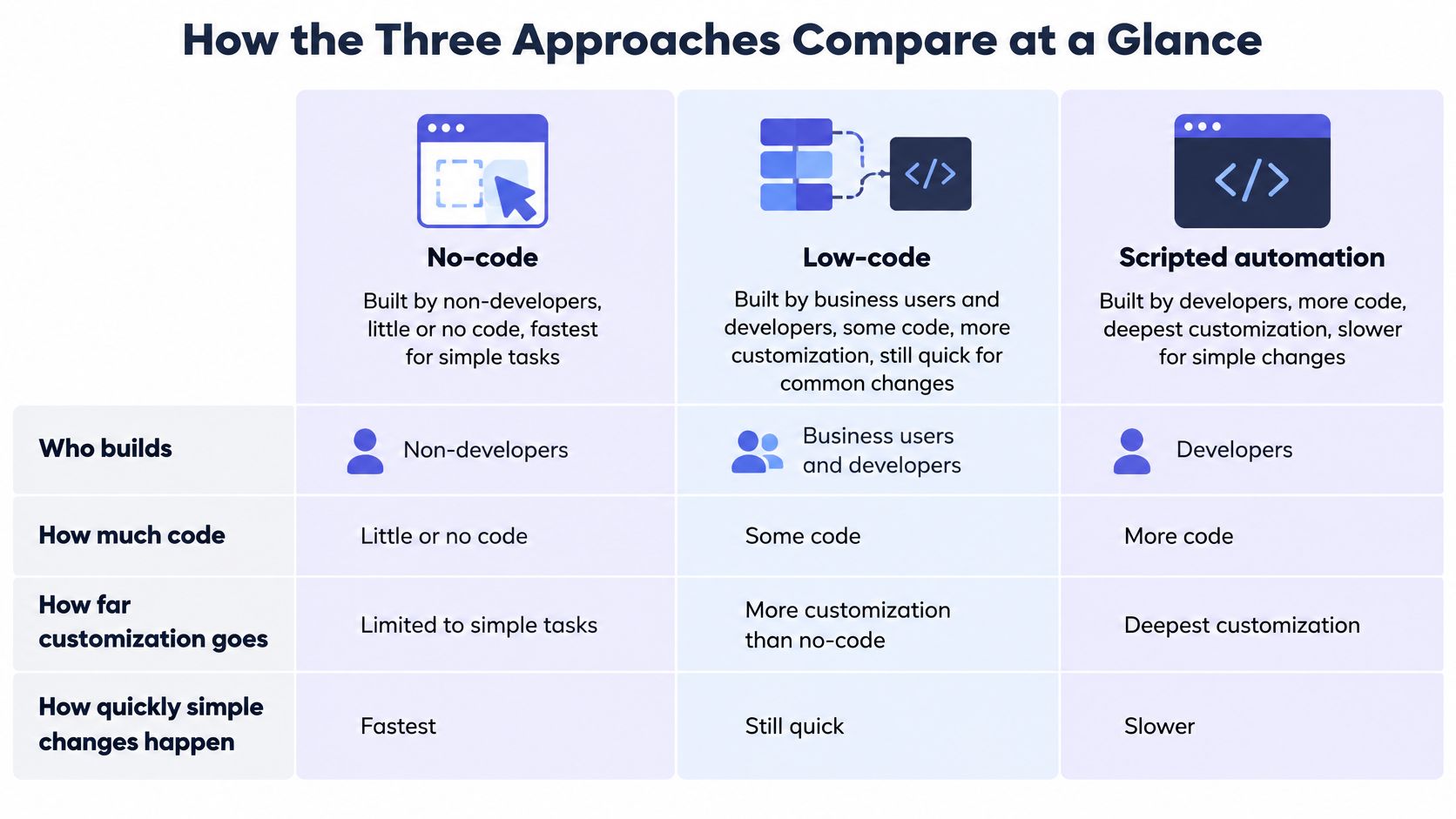
The table sets no-code, low-code, and scripted automation side by side. It records who builds, how much code is involved, how far customization goes, and how quickly a simple change ships. These are general patterns, not a ranking. Individual products blur the lines.
| Approach | Who Builds It | Code Needed | Customization Limit | Speed for Simple Changes |
|---|---|---|---|---|
| No-code automation | Business users | None | Limited to built-in blocks | Fast for standard flows |
| Low-code automation | Business builders with IT support | Optional scripts or formulas | Extendable at defined points | Fast, with more review for custom steps |
| Scripted automation | Developers | Full code | Set by the team's skills and tools | Slower to start, flexible to change |
A bookshelf makes the trade-off concrete. A flat-pack kit goes up fast, and its depth cannot change. A kit plus a saw lets someone cut a shelf to size. Lumber and tools give full control, at a higher cost in time and skill.
No-code automation
Business users build these flows from blocks, triggers, and fields. A form submission that creates a row and posts a chat message is a standard fit. Simple changes, such as a new recipient, ship quickly because the path stays inside the blocks. Unusual logic hits a wall. If the platform has no block for it, the flow stops there.
Low-code automation
Business builders work next to IT. Most of the path is still visual. Optional scripts or formulas add a custom step or a data transform at defined points. A simple field change can still ship fast. A custom step needs more review, because a formula can break a later system even when the canvas looks fine.
Scripted automation
Developers write the full flow. Control is deepest, and the ceiling is the team's skills and tools. Starting is slower for a simple task, because even a short job needs design, tests, and a place to run. Later changes are flexible, since nothing is locked to a vendor's block list. Maintenance stays with people who can read the code.
Speed, control, and who can keep the result running pull against each other. A flat-pack that only the original builder understands is not a bargain. Start with the simplest approach that handles the logic, and move up only when a real limit appears.
How a Low-Code Workflow Runs From Trigger to Result
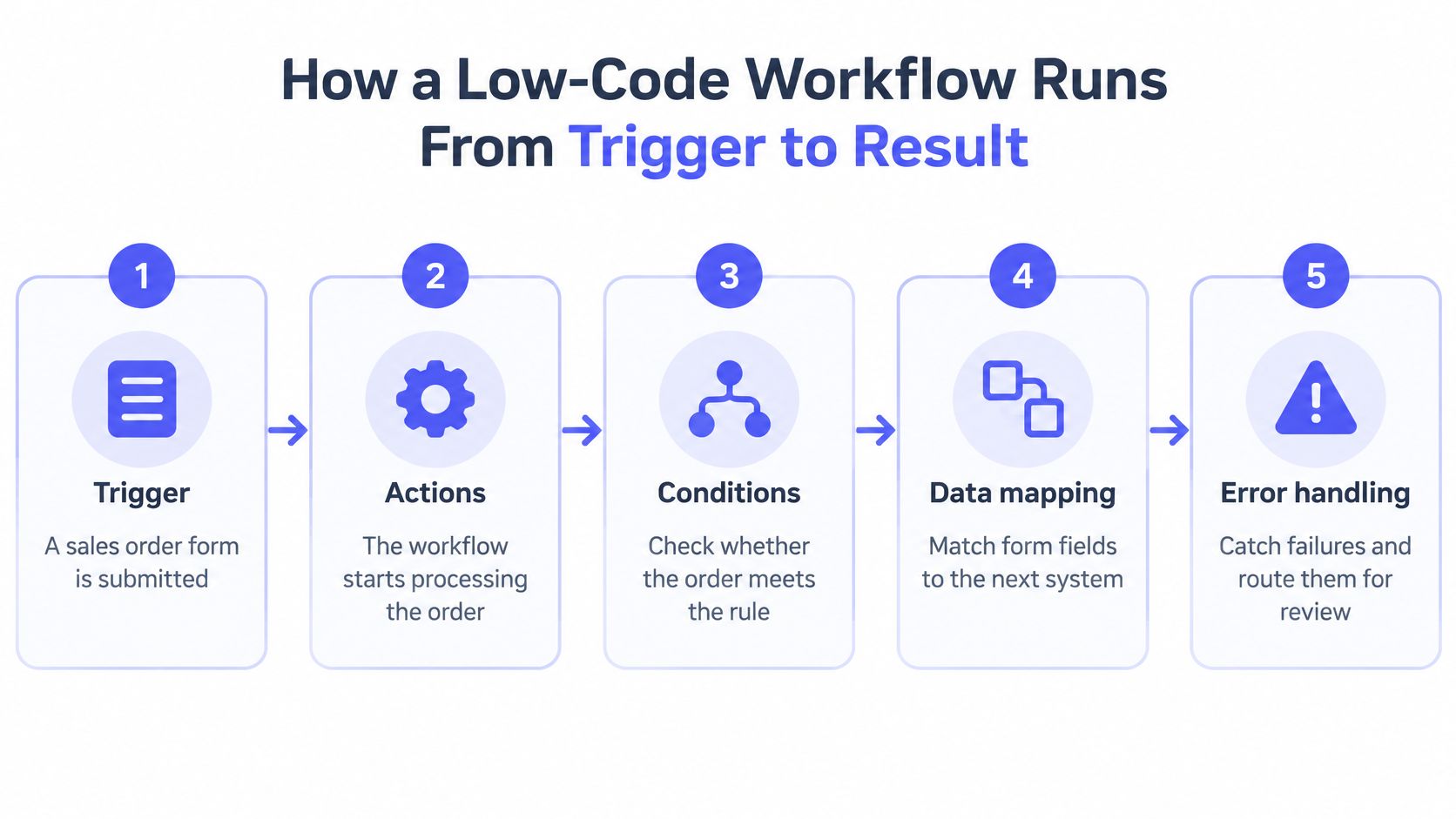
A workflow is a chain of five parts: a trigger, actions, conditions, data mapping, and error handling. Think of a relay race. Each step hands on a baton of data, and the handoffs are where most runs succeed or fail.
A sales order form is submitted. That submission is the trigger, the starting gun. The first actions create the run and pull the form fields into the platform. Nothing has been approved yet. The system is only holding the order.
The branch, the pause, and the handoff
A condition checks whether the order is above a set amount. Under that amount, the flow can continue. Over it, an approval request goes to a manager and the workflow pauses until a reply arrives. The pause matters. A flow that keeps going before the reply treats a maybe as a yes.
Data mapping moves the customer name and the amount from the form into an invoice template and an accounting record. Field names rarely match across apps. "Full name" in the form may need to become "Customer" in the ledger. A confirmation then posts to the team chat so the people closest to the order can see the result.
Connectors are prebuilt bridges to each app, maintained by the platform. They save teams from writing every login and every field call. They also hide failure. If the accounting connector times out, the chat message should not pretend the books updated.
Where a custom step and a log fit
Low-code shows up as a short formula that splits a full name into first and last fields before the invoice is filled. The rest of the canvas can stay visual. The same idea shows up when teams look at choosing tools for automated bookkeeping, where a clean handoff into the ledger matters as much as the trigger.
Error handling retries a timed-out accounting call twice, then alerts the workflow owner. Two retries cover a brief blip. An immediate alert avoids a silent stack of failed orders.
The run log records each execution and the data that moved. When something breaks, check that log first. It shows which step ran, which fields crossed, and where the baton dropped. Builders comparing platforms for this kind of chain can start in the agents and automation category, then test the log and the retry behavior on a copy of real orders.
Where Each Approach Fits Real Work
Match the job to the approach before picking a brand. The rows below are common office work, not a scorecard.
| Situation | Better Fit | Why It Fits |
|---|---|---|
| Form submissions copied into a CRM | No-code | Simple trigger and direct field mapping |
| Approval routing with two or three branches | Low-code or no-code | Visual branches handle most rules; add logic only where needed |
| Invoice data read from email and checked against rules | Low-code | Parsing and validation usually need a formula or short script |
| Nightly sync between a legacy database and a data warehouse | Scripted or integration engineering | Volume, error handling and security need engineering control |
| Customer-facing portal with its own user roles | Low-code app platform | Needs an interface, roles and a data model together |
The pattern is steady. Clear, linear rules across common apps suit no-code. Flows with branches, validation, or light custom logic suit low-code. High-volume data movement, older systems, and strict security needs suit scripted work or integration engineering.
In 2023, business-operations teams automated 27.7% of their processes, while 44% of all automated processes were built outside IT, according to Workato's 2024 Work Automation and AI Index, based on 1,055 companies and 82,000 automated processes. Much of this work now starts with the people closest to the task, which makes both speed and oversight matter.
Across a normal week
Marketing can route a new lead to the right owner from a form. HR can tick off an onboarding checklist as each system account is created. Finance can pull invoice fields from email and stop a total that fails a rule. Operations can post a stock alert when a count drops. Support can tag a ticket from words in the subject line.
A customer-facing portal is a different shape. It needs screens, roles, and stored records together, so a low-code app platform fits better than a pure connector tool. A nightly sync of a legacy database is different again. Volume and access control belong with engineers. Money movement has the same flavor of care. Teams that connect several payment paths can read about orchestrating payments across multiple connections before they treat checkout as a simple block.
A rare task, a low-volume task, or work that needs fresh judgment each time is often a poor automation. A template or a checklist serves better.
For a sense of how agent-style tools differ from fixed flows, the write-up on AI agent examples is a useful contrast. Fixed rules and open-ended agents are not the same job.
Common Myths About Automating Without Code
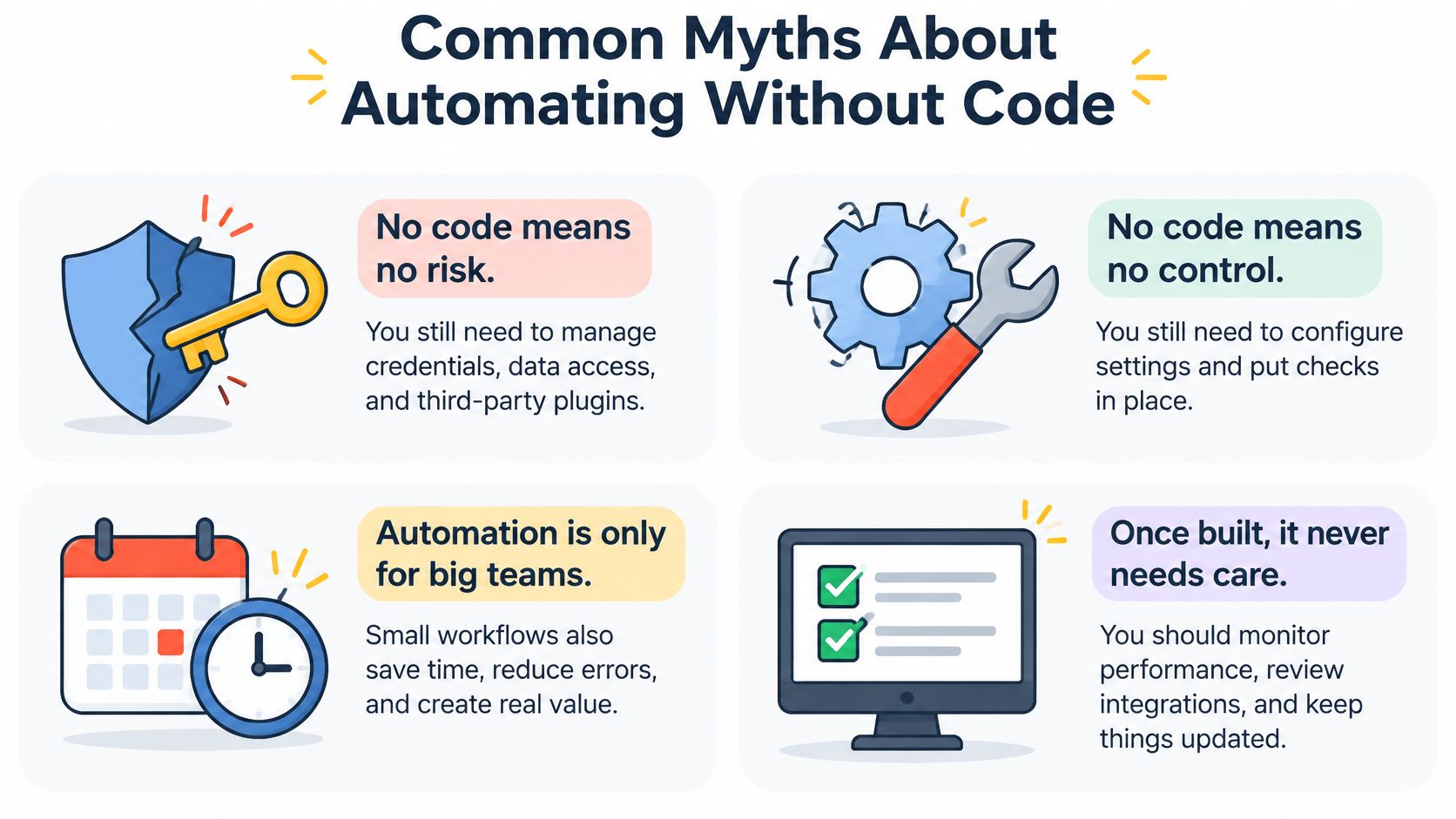
Buyers repeat four lines. Each one is half true.
"No code means no risk"
Credentials, data access, and third-party plugins still create exposure. An unverified plugin can connect a flow to a party nobody approved. Check who can see production data, and treat plugins as software, not as decorations.
"No developers are needed"
Someone must own the design, handle exceptions, and keep the flow running after the builder changes roles. In 2024, 49% of technology professionals surveyed globally used no-code or low-code tools, according to SlashData's Q3 2024 survey of nearly 10,000 technology-project participants. These tools also sit in professional kits, not only with non-technical staff. Check that a named person can fix a failed run.
"Automation saves time automatically"
Savings depend on a stable process. Automating a messy process produces a faster mess, so standardize the steps first. Check the current error rate before anyone celebrates a shorter cycle.
"The demo is a typical day"
Demos use clean sample data and few exceptions. A realistic copy of the data, including bad records, blank fields, and duplicates, is the definitive test. Check a week of actual inputs, not the vendor's sample file.
Workflows built in one platform rarely move cleanly to another. Record the logic and the field mappings in plain text while the flow is fresh. That note is the portable part. The canvas is not.
Governing Automations After They Go Live
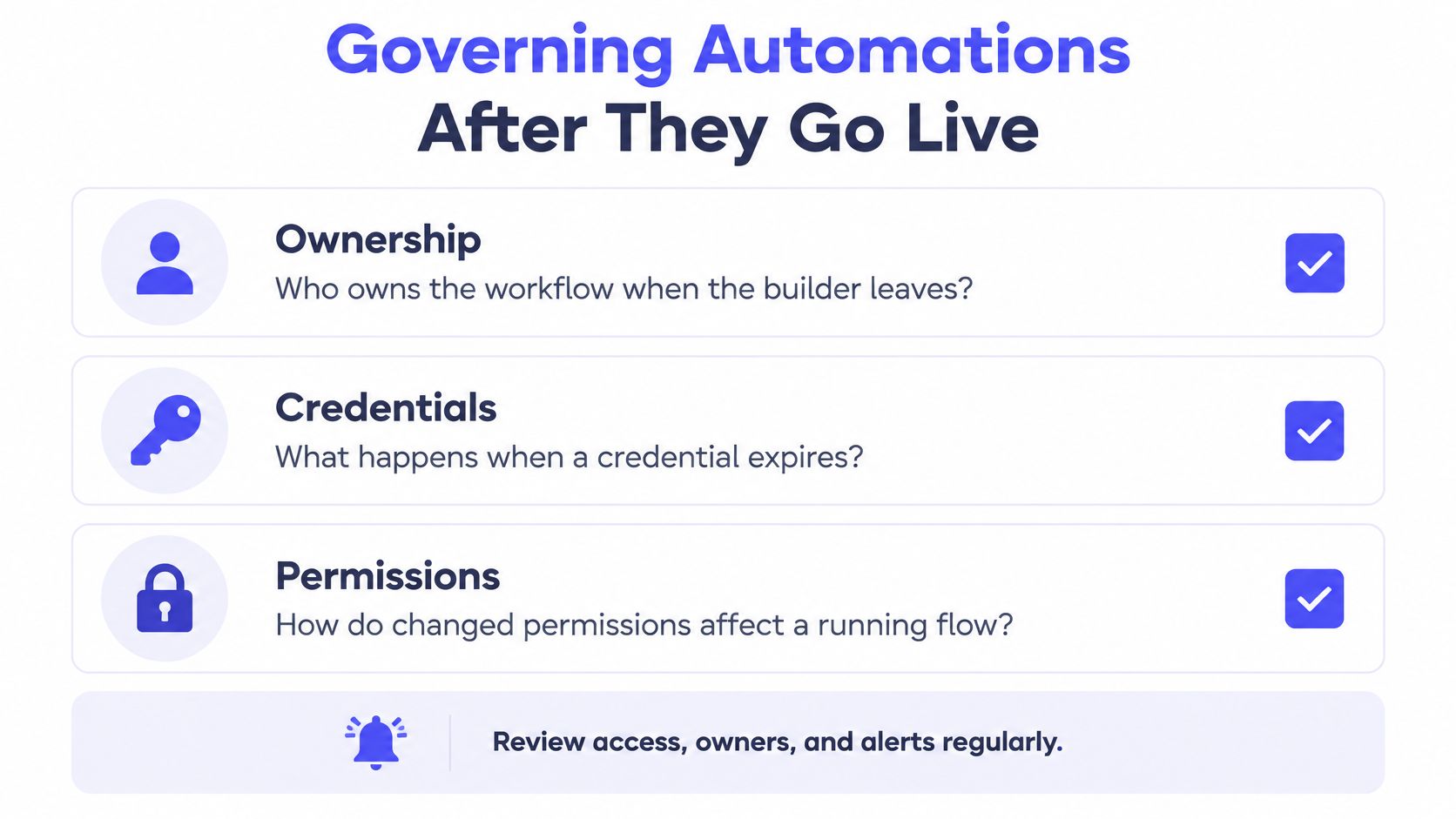
The hard questions arrive after launch. Who owns a workflow when its builder leaves? What happens when a credential expires? How do changed permissions affect a flow that is still running?
Treat the life of a flow as a sequence, not a single publish button.
Name an owner at design. The owner is a role, not only the person who clicked publish.
Use approved connectors. New bridges to outside apps go through the same list.
Test with realistic samples. Include bad rows, not only the happy path.
Release through an approval step. A second person sees high-impact flows before they run.
Monitor runs, review access, version changes, and retire unused flows. A flow nobody opens is still a key to company data.
Controls that keep speed without personal logins
Use service accounts with least-privilege access instead of a builder's personal login. Separate development credentials from production credentials. Keep an inventory of every connector and plugin. Check external plugins before use, because an unverified plugin can open a path to an unknown party.
In 2024, 83% of CIOs at enterprises with more than 5,000 employees reported having an active citizen-development program, according to Kissflow's Citizen Development Trends Report. At that scale, governance is part of running the program, not an extra memo.
Builders shape the steps. IT owns platforms, environments, and release paths. Security sets identity and plugin rules. Data owners decide which records a flow may touch. Compliance sets what must be logged when the data is personal or financial.
| Risk Tier | Example | Minimum Controls |
|---|---|---|
| Low | Internal reminder sent to a team channel | Named owner, written purpose, periodic review |
| Medium | Syncs customer records between two systems | Named owner, least-privilege service account, access review, change log |
| High | Moves personal or payment data, or makes decisions about people | Formal approval before release, tested rollback, audit logging, incident runbook, retirement date |
A low-tier reminder still needs an owner, or it becomes noise nobody can turn off. A medium-tier sync of customer records needs a service account and a change log, because a bad mapping can overwrite good data. A high-tier flow that moves payment data, or that decides something about a person, needs a tested rollback and a written incident path before it ever runs.
Choosing Your First Automation to Build
The best first candidate is repetitive, with clear inputs, a clear finished state, few exceptions, and a named owner. A weekly export that three people already do the same way beats a vague "improve onboarding" goal.
List three candidate processes. Write the trigger and the finished state for each in one line.
Measure current time per run and the error rate. A baseline is what later results get compared with.
Pick the approach that matches the rules. Use the comparison of who builds and how far customization goes, and the situation rows for CRM copies, approvals, invoices, syncs, and portals.
Build a pilot on a copy of real data. Include blank fields and duplicates so the pilot fails in private.
Set an owner and a review date. The owner is accountable after the builder moves on.
Compare results with the baseline after a few weeks. Keep the flow only if time or errors moved.
Pricing and plan details change. Check them on each vendor's own site before anyone commits, and treat a trial as a trial, not as a standing free plan.
AI Tool Seekers organizes tools by category and task, like AI tool finder, with side-by-side comparison pages and a glossary. Listings are free, each carries an editorial review with an Editor's Score, and an optional paid Fast Track add-on only speeds review. Every tool is hand-reviewed by a person before it is listed. A shortlist still needs a hands-on trial on the team's own data.
Pick one process this week and write down its owner, its trigger, and its finished state.
AI Tool Seekers is a hand-reviewed directory for people comparing automation platforms, agents, and the tools around them. Category pages, comparison pages, and a glossary help a team match a platform to a real task instead of a demo. Visit AI Tool Seekers to browse the listings and shortlist a tool worth a trial.