
AI Image to Video Generator
A credit-based web platform that converts still images or text prompts into short AI-generated videos using models like Kling, Veo,
Are you the maker? Claim this listing to keep info, pricing and screenshots current. Verified via your tool's domain email.
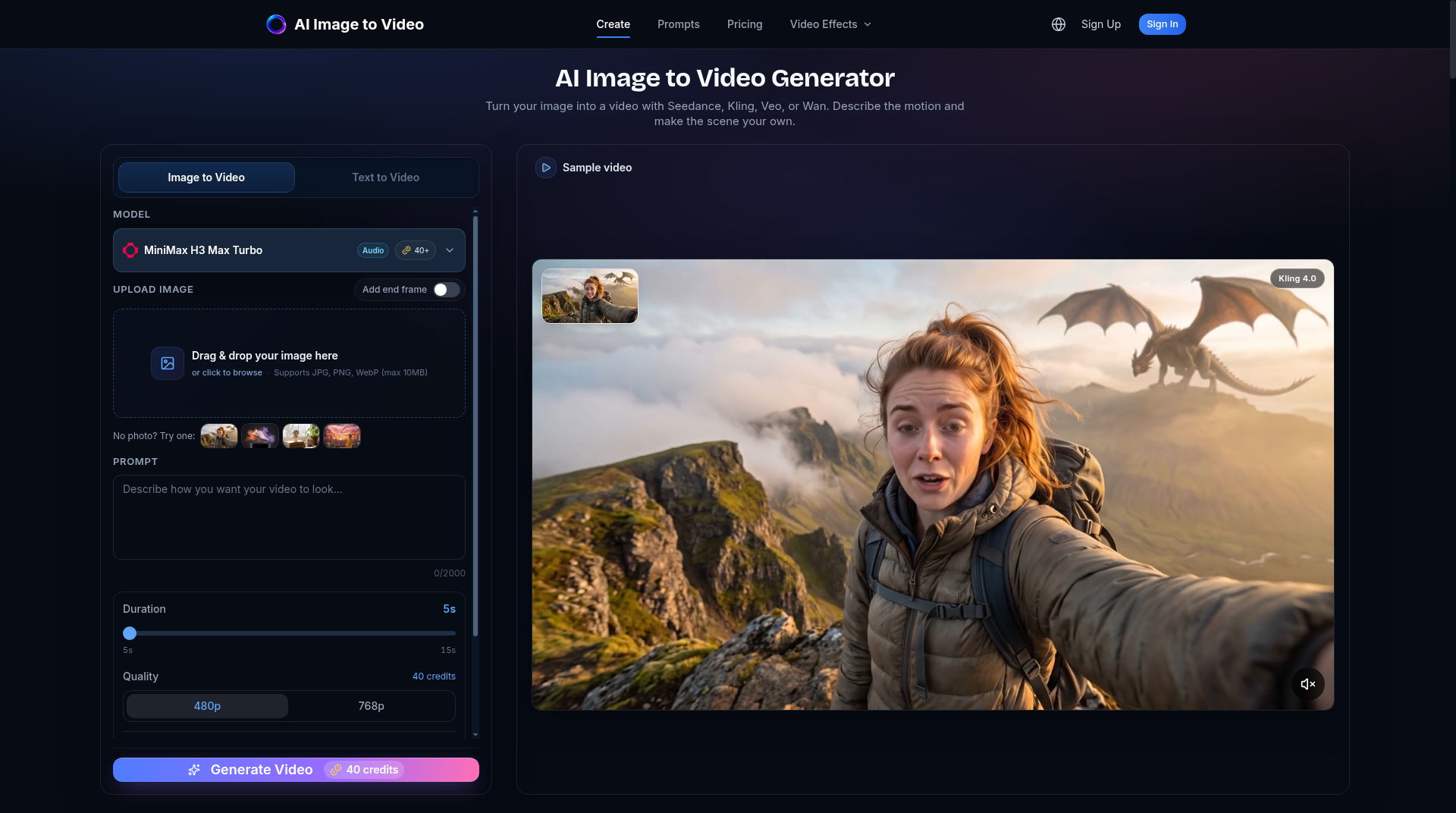
Best suited for content marketers and social media managers who want a single subscription to access multiple frontier video models without managing API keys. Runway offers a more polished editing environment with timeline controls that this tool lacks entirely. If you need avatar-based video, talking heads, or video translation, skip this and go to HeyGen.
What is AI Image to Video Generator?
AI Image to Video Generator is a web-only platform that animates still images and generates video from text prompts using a roster of third-party AI models. Supported models include Kling, Veo, Seedance, Wan, and MiniMax, with the platform routing each job to the selected model and returning a downloadable video clip. Users control motion prompts, duration, aspect ratio, resolution, and optional audio generation before each job.
The tool targets content creators, marketers, and social media managers who need to produce short animated clips at volume without managing individual model APIs. It runs entirely in the browser with no software installation required. Access is gated behind a credit-based subscription, with seven monthly tiers ranging from 600 to 30,000 credits, plus one-time credit packs for users who prefer pay-as-you-go flexibility.
How we scored AI Image to Video Generator
Capability scores in the mid-teens because the tool aggregates third-party models rather than offering any proprietary generation, and it has no editing, captioning, or post-generation tools that named competitors like Runway include natively. Ease of use is the strongest sub-score: browser-only, no install, and a credit-cost preview before generation reduces friction meaningfully. Value is pulled down by the absence of any free tier or trial, expiring monthly credits with no rollover (a $29.99/month Pro subscriber loses unused credits every cycle), and a credit-per-video rate that depends entirely on third-party model costs the platform does not control. Delivery lands in the low teens because no independent user sentiment or reviews were found for this specific domain, the platform is a wrapper on external APIs with no documented proprietary infrastructure, and the annual billing discount advertised on the pricing page could not be verified from the extracted page content.
Pros and cons
What we liked
- Access to 10+ named AI video models (Kling, Veo, Seedance, Wan, MiniMax, and others) under a single subscription, removing the need to manage separate API accounts.
- One-time credit packs with no expiry give occasional users a genuine pay-as-you-go option without forcing a recurring commitment.
- Credit cost is shown before generation, so users can see exactly what a job will cost and choose a cheaper model or lower resolution to stay within budget.
Where it falls short
- No free tier and no trial credits: a buyer must purchase a subscription or credit pack before generating a single video, which makes it harder to evaluate output quality before committing money.
- Monthly subscription credits expire at each renewal with zero rollover, meaning a $29.99/month Pro subscriber who uses only 1,000 of their 2,500 credits in a slow month loses the remainder permanently.
- The platform is generation-only with no editing tools: no timeline, no caption layer, no trim or cut controls, so every generated clip must be taken to a separate editor before it is publish-ready.
Key features
AI Image to Video Generator pricing
Seven paid subscription tiers from $9.99/month (600 credits, up to 15 videos) to $299.99/month (30,000 credits, up to 750 videos). No free tier. One-time credit packs also available; those credits never expire, unlike monthly subscription credits which reset each billing cycle. Annual billing is offered but prices shown are the same monthly rate.
| Plan | Price | Who it is for |
|---|---|---|
| Starter | $9.99/month | 600 monthly credits, up to 15 videos/month, access to all AI video models. Credits expire at monthly renewal. |
| Plus | $19.99/month | 1,400 monthly credits, up to 35 videos/month, access to all AI video models. Credits expire at monthly renewal. |
| Pro | $29.99/month | 2,500 monthly credits, up to 62 videos/month, access to all AI video models. Marked as recommended on the pricing page. Credits expire at monthly renewal. |
| Studio | $59.99/month | 6,000 monthly credits, up to 150 videos/month, access to all AI video models. Credits expire at monthly renewal. |
| Scale | $99.99/month | 10,000 monthly credits, up to 250 videos/month, access to all AI video models. Credits expire at monthly renewal. |
| Business | $199.99/month | 20,000 monthly credits, up to 500 videos/month, access to all AI video models. Credits expire at monthly renewal. |
| Ultimate | $299.99/month | 30,000 monthly credits, up to 750 videos/month, access to all AI video models. Credits expire at monthly renewal. |
Pricing reflects what we saw at time of review (2026-11). Always confirm current pricing on the tool's own site.
Who should use AI Image to Video Generator?
A social media manager producing weekly product animations or a small marketing team that needs to turn a library of product photos into short video ads will get real value here. The multi-model access under one subscription removes the friction of maintaining separate accounts with Kling, Veo, and Seedance individually. The Pro tier at $29.99/month for up to 62 videos is a reasonable unit cost for anyone generating consistently.
Anyone who needs to edit the generated footage, add captions, or work with a timeline should look elsewhere. Runway is the stronger choice for creators who want generation and editing in one place. For teams that need talking-head videos, AI avatars, or video translation, HeyGen is the right tool and handles those use cases far more completely than this platform does.
Skip it if: Anyone needing timeline editing, avatar videos, or a free tier to test before buying
AI Image to Video Generator alternatives
Frequently asked questions
Is there a free plan or free trial?+
No. The pricing page lists no free tier and no trial credits. The cheapest entry point is the Starter plan at $9.99/month for 600 credits, or a one-time credit pack purchase.
Do unused credits roll over to the next month?+
Only credit pack credits carry over indefinitely. Monthly subscription credits expire at each renewal date with no rollover. If you buy the Pro plan and use 500 of your 2,500 credits, the remaining 2,000 are lost at the end of the billing period.
How many credits does one video cost?+
It varies. The pricing page uses MiniMax H3 Max Turbo at 5 seconds and 480p as a baseline example, which costs 40 credits per video. Longer duration, higher resolution, and audio generation all increase the credit cost.
Which AI models are available?+
The platform lists more than ten models including Kling, Veo, Seedance, Wan, and MiniMax variants. The site notes the lineup can expand as new models become available.
Can I generate video from text alone, without uploading an image?+
Yes. The platform supports text-to-video generation in addition to image-to-video, using the same model selection and credit system.
Can I cancel my subscription at any time?+
Yes, the pricing page states subscriptions can be cancelled at any time. Credits from a cancelled subscription that have already been added for the current period are usable until they expire at the next renewal date.
More AI Video Tools
See all categoriesGet your tool listed on 300+ directories.
One listing here is a strong start. But the founders who get discovered everywhere are listed everywhere. Our sister site, Free AI Directories, submits your tool to 300+ AI directories for you, every single one by hand, by a real person.
It is a one-time payment of $49, no subscription, and you can follow along as the submissions land. Prefer the slow route? The same site keeps a free list of 450+ directories you can work through yourself.
Get my tool listed on 300+ directoriesOne-time payment, no subscription · 100% human submissions · Free list of 450+ directories included.