
AI Rap Video Generator - GetAIRapVideo
A free, no-signup browser tool that turns a theme or photo into a 15-second AI rap video for TikTok, Reels, or Shorts.
Are you the maker? Claim this listing to keep info, pricing and screenshots current. Verified via your tool's domain email.
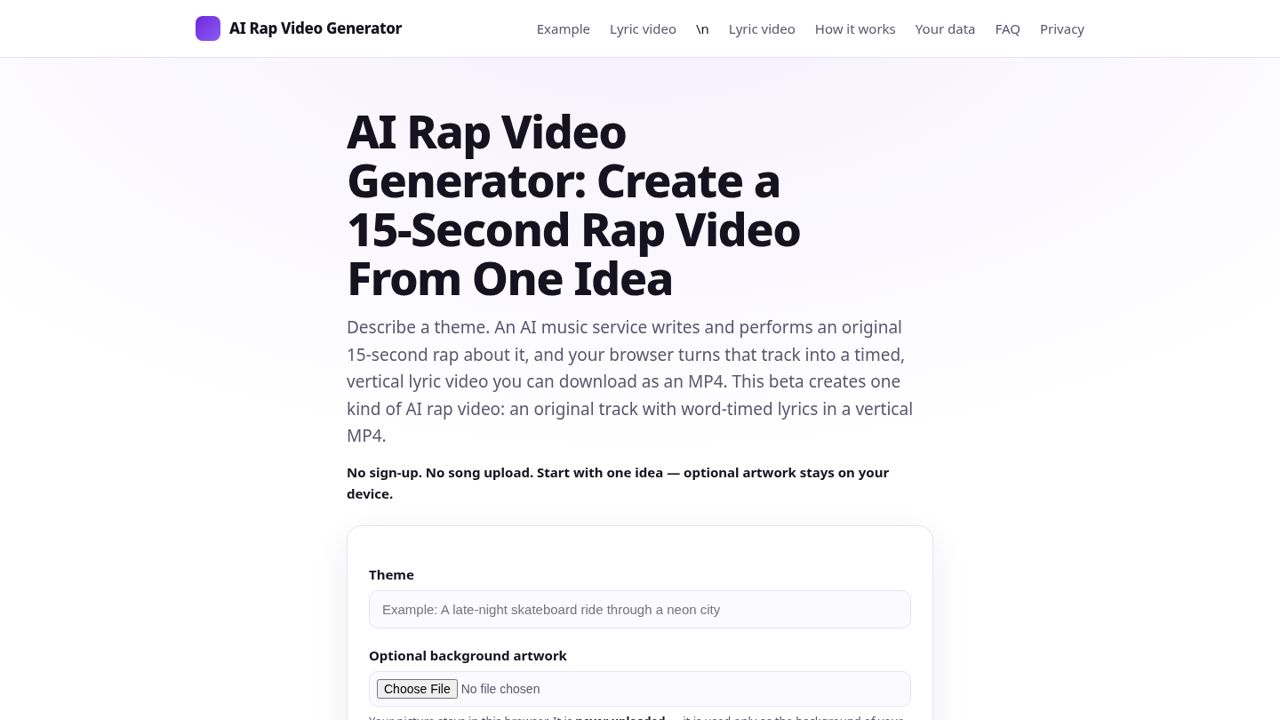
GetAIRapVideo is best for someone who wants to make a funny 15-second rap clip right now, for free, without creating an account. Its site-wide daily cap of 10 videos means it is not a reliable production tool, and the output quality is beta-stage at best. Anyone needing consistent output, longer videos, or professional-grade results should look at Runway instead.
What is AI Rap Video Generator - GetAIRapVideo?
GetAIRapVideo is an AI rap video generator that writes lyrics, generates a rap vocal track with beats, and renders a matching music video in minutes. Pick a style, enter a topic or your own lyrics, and download a share-ready video for TikTok, Reels or YouTube Shorts. No studio or editing skills needed.
How we scored AI Rap Video Generator - GetAIRapVideo
Ease of use is the tool's genuine strength: no account, no payment, no file upload to a server, and a generation flow that takes a typed theme to a downloadable MP4 with minimal friction. Capability is limited by the fixed 15-second output, beta-stage quality signals, and the absence of any feature that a paying competitor does not also offer at higher quality. Value scores low despite the $0 price because the 1-per-IP-per-day limit and the shared 10-video site-wide beta cap make the tool unreliable as a production resource; free is not valuable if you cannot actually use it when you need it. Delivery scores in the single digits because the site-wide cap is a structural delivery failure: the tool literally cannot fulfill a generation request when the daily pool is exhausted, and no paid path exists to work around it. No social presence, no user sentiment, and no confirmed track record were findable for this specific domain.
Pros and cons
What we liked
- Genuinely free with no account required: one video per day per IP, no watermark, no signup wall.
- Face photos are processed entirely in the browser and never uploaded to a server, a concrete privacy advantage over most competitors.
- Rap Duo mode lets two photos trade bars on the same beat, a feature not common at the free tier anywhere in this category.
Where it falls short
- A site-wide beta cap of 10 total video generations per UTC day across all users means the tool can be completely unavailable during peak hours, regardless of your own daily limit.
- No paid tier exists at time of review, so there is no way to buy your way past the cap or generate more than one video per day per IP address.
- Output is capped at 15 seconds and the site explicitly recommends Chrome or Edge on desktop, leaving mobile users (especially iPhone and iPad) with a documented workaround rather than a smooth experience.
Key features
AI Rap Video Generator - GetAIRapVideo pricing
Fully free at the time of review: one video per IP per UTC day, no account required. The site lists no paid tiers. A site-wide beta cap of 10 videos per UTC day across all users applies, which can block generation entirely during busy periods.
| Plan | Price | Who it is for |
|---|---|---|
| Free | $0 | 1 video per IP address per UTC day, no account required, no watermark. Site-wide beta cap of 10 total videos per UTC day across all users and 3 per hour. Failed generations do not count against the limit (up to 3 per day). Output is a 15-second vertical MP4. |
Pricing reflects what we saw at time of review (2026-11). Always confirm current pricing on the tool's own site.
Who should use AI Rap Video Generator - GetAIRapVideo?
GetAIRapVideo suits someone who wants a one-off funny rap clip, a birthday shout-out, a pet rap, or a quick social post and does not want to pay or sign up for anything. The free-daily-video model works well for a casual personal user who generates one clip a week and does not mind working around the UTC reset.
Anyone running a content channel, a social media team, or a brand campaign should look elsewhere. The 1-per-IP-per-day limit and the shared 10-video site-wide cap make consistent output impossible to plan around. For creators who need reliable short-form video generation at volume, Runway offers a proper credit-based system with professional-grade output and no shared pool limits. For teams that need talking-head or avatar-style video at scale, HeyGen is the more appropriate choice.
Skip it if: Content teams or creators who need reliable daily output beyond one video per IP
Frequently asked questions
Is GetAIRapVideo actually free, or is there a catch?+
It is free with no account required. The catch is a hard limit of 1 video per IP address per UTC day, plus a shared site-wide beta cap of 10 total videos per day across all users. On a busy day, the site-wide cap can be exhausted before you get your turn.
Do my photos get uploaded to a server?+
No. The site states explicitly that photos are processed only in your browser and are never uploaded. The same applies to background images you upload.
How long are the videos, and what format do they come in?+
Videos are 15 seconds long and delivered as vertical 9:16 MP4 files, sized for TikTok, Instagram Reels, and YouTube Shorts.
Can I use this on my phone?+
The site recommends Chrome or Edge on a desktop for best results. iPhone and iPad users can download via Safari's Downloads menu and then save to their camera roll, but this requires a manual extra step rather than a direct save.
Is there a paid plan to get more videos per day?+
No paid tier exists at time of review. There is no way to purchase additional daily videos or bypass the site-wide cap. The tool is free-only.
What happens if my video fails to generate?+
Failed generations do not count against your daily limit, up to 3 failed attempts per day. The site states this explicitly on the generation page.
More AI Video Tools
See all categoriesGet your tool listed on 300+ directories.
One listing here is a strong start. But the founders who get discovered everywhere are listed everywhere. Our sister site, Free AI Directories, submits your tool to 300+ AI directories for you, every single one by hand, by a real person.
It is a one-time payment of $49, no subscription, and you can follow along as the submissions land. Prefer the slow route? The same site keeps a free list of 450+ directories you can work through yourself.
Get my tool listed on 300+ directoriesOne-time payment, no subscription · 100% human submissions · Free list of 450+ directories included.