
BibGenie
A native Zotero plugin that brings AI chat, semantic library search, and academic discovery into your existing reference manager.
Are you the maker? Claim this listing to keep info, pricing and screenshots current. Verified via your tool's domain email.
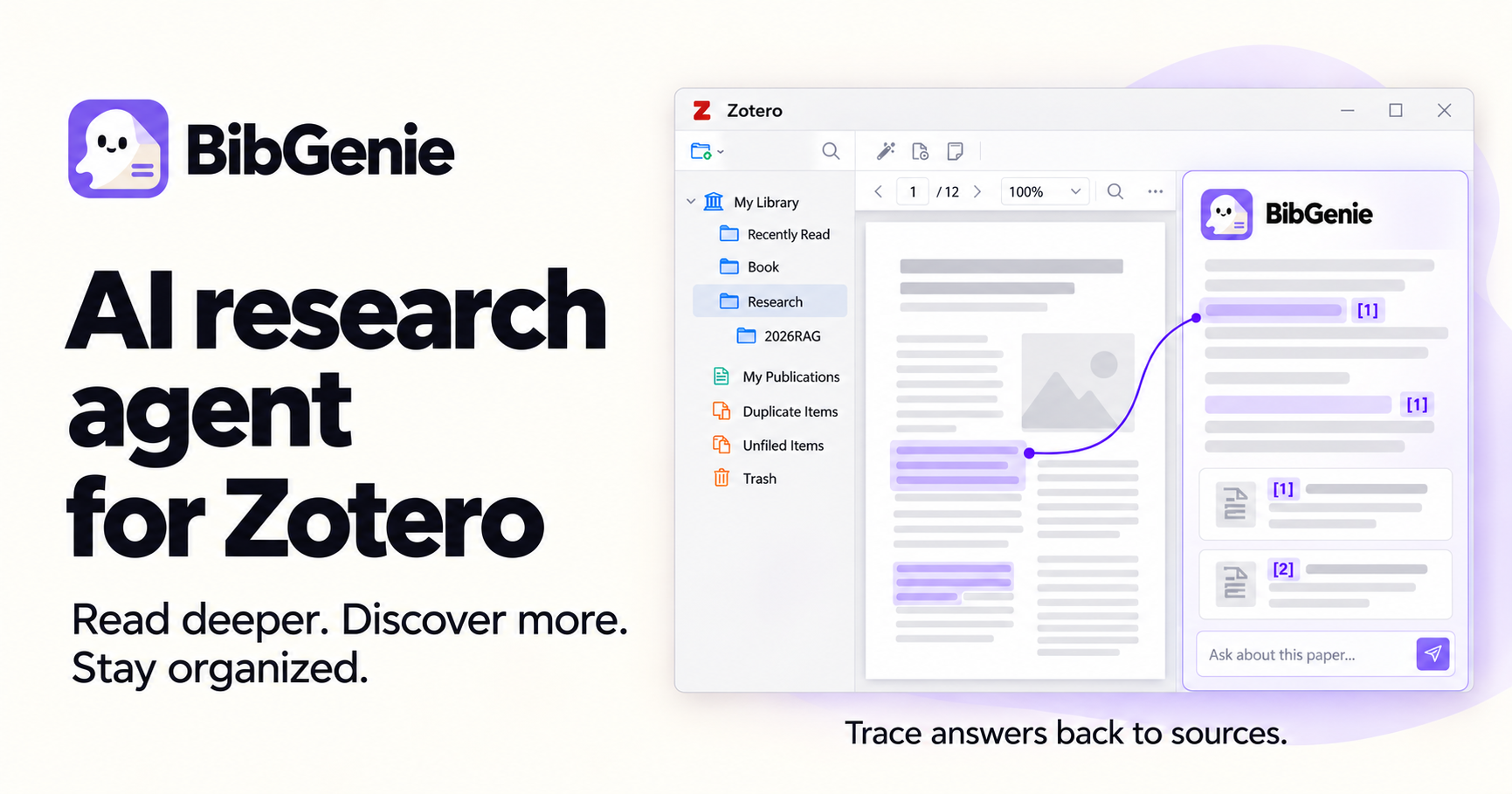
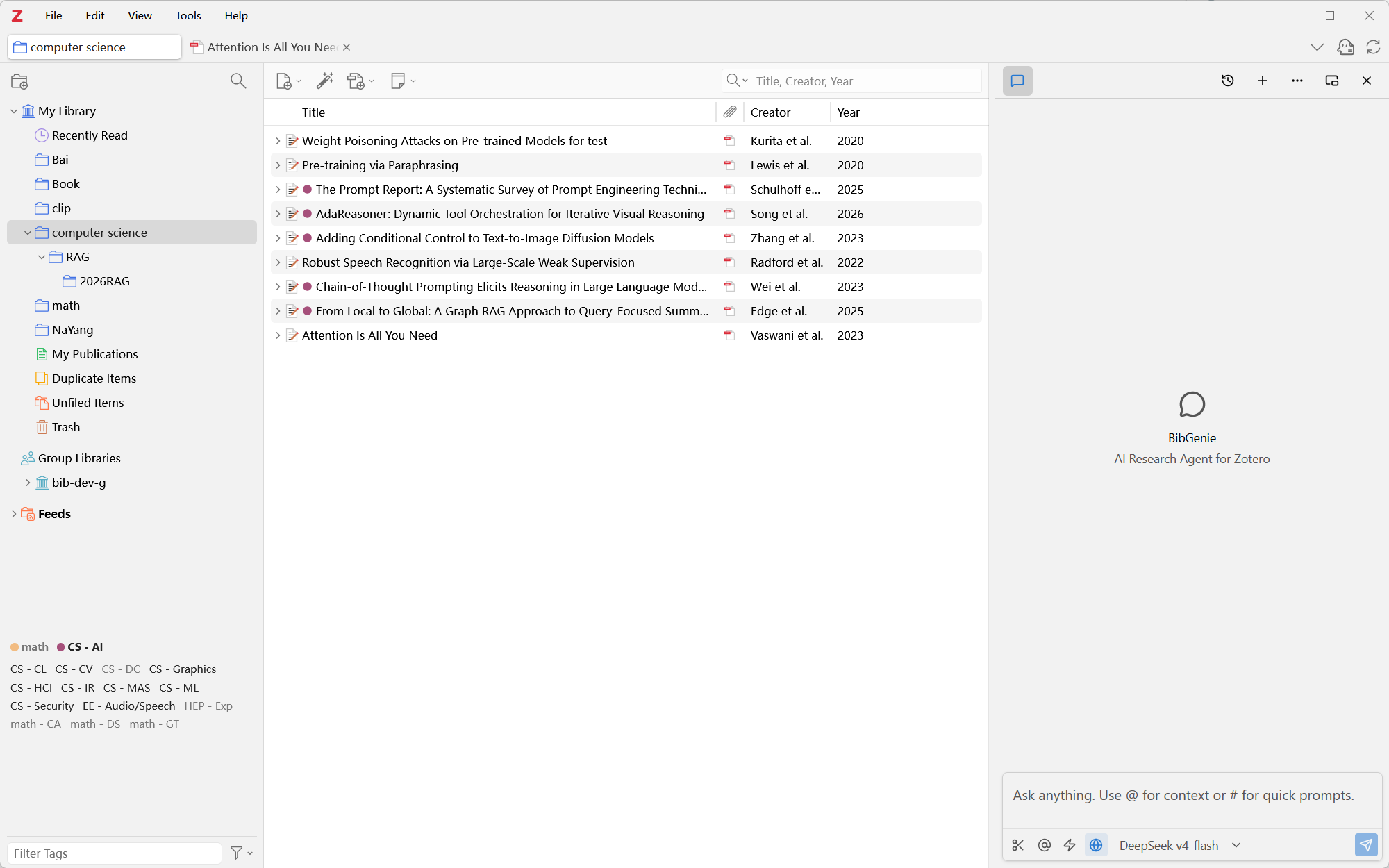
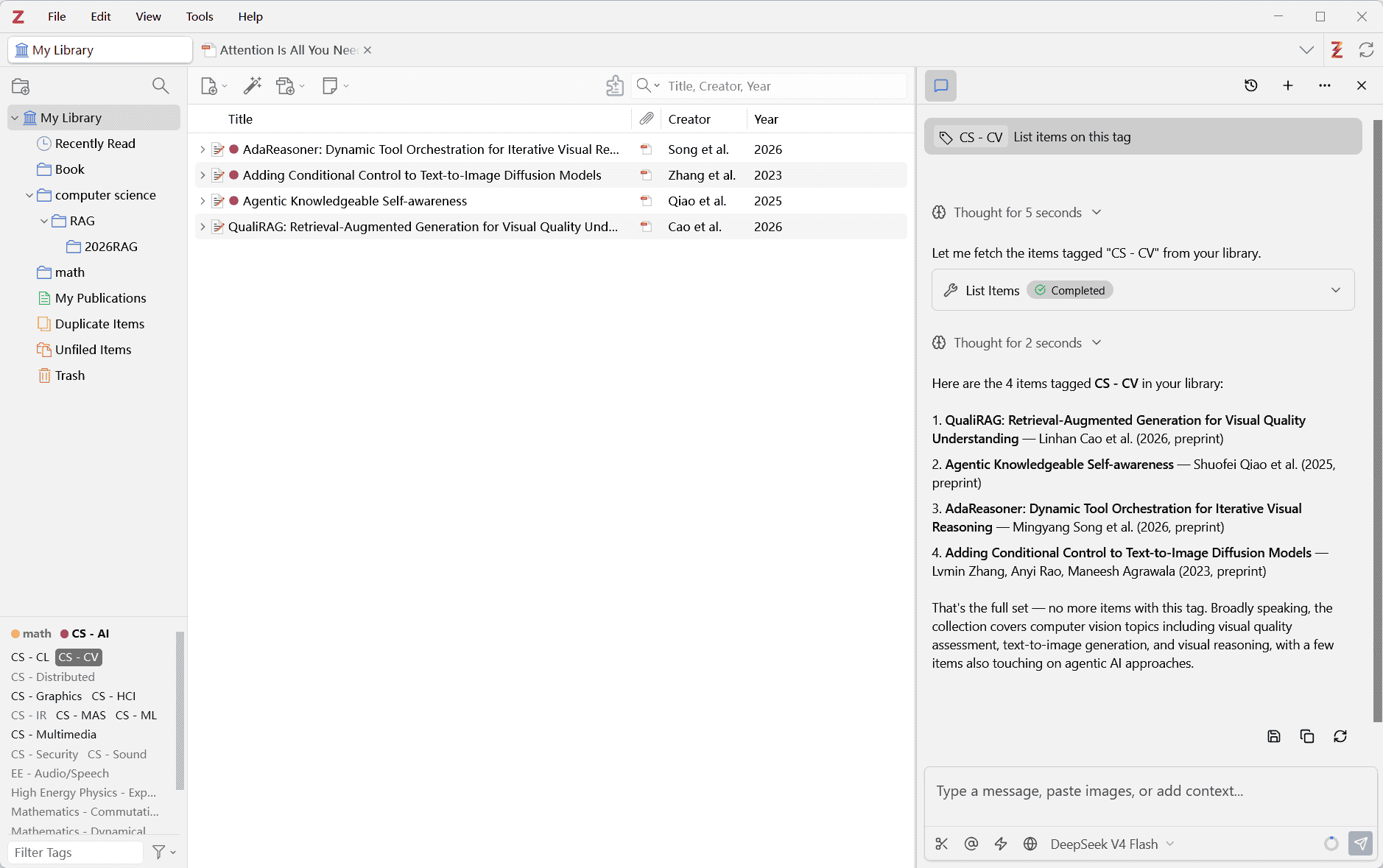
BibGenie is the most purpose-built AI layer for Zotero users: it runs inside the app, keeps chat history local, and lets researchers chat with PDFs, clean metadata, and search OpenAlex without leaving their library. The free tier's 200 monthly credits disappear fast with any serious model, and the tool is useless to anyone not already on Zotero. If you want AI research assistance that is not tied to a single reference manager, look elsewhere.
What is BibGenie?
BibGenie is an AI research agent that runs as a native plugin inside Zotero on Windows, macOS, and Linux. It supports Zotero versions 7 through 10 and lets researchers chat with their library items, PDF attachments, notes, images, and screenshots directly from the Zotero sidebar, with answers traced back to specific sources.
The plugin supports built-in managed models, bring-your-own API keys for providers including OpenAI, Anthropic, DeepSeek, Gemini, and Groq, and fully local models via Ollama and LM Studio. Core capabilities include keyword and semantic library search, OpenAlex academic discovery, metadata cleaning with preview-first approval, and saving AI responses as structured Zotero notes. Chat records are stored locally in Zotero's database by default.
How we scored BibGenie
Capability scores well because BibGenie does something genuinely distinct: it runs inside Zotero with local-first storage, supports eight-plus AI providers including local models, and covers the full research workflow from PDF chat to metadata cleaning with preview-first approval. Ease of use takes a small hit because the credit system has no fixed per-paper cost, making it hard for new users to predict consumption, and the tool is explicitly under active development. Value is reasonable given the $9.99/month Pro entry point and the $199 lifetime option, though the free tier's 200 credits are thin for real research sessions. Delivery lands lower because there is no substantial independent user sentiment to verify claims, the product is self-described as still in active development, and the hard Zotero-only dependency means a large portion of potential buyers cannot use it at all.
Pros and cons
What we liked
- Runs entirely inside Zotero with local chat storage, so paper content stays off BibGenie's servers when using BYOK or local models.
- Supports many AI providers and local models (OpenAI, Anthropic, DeepSeek, Gemini, Groq, Ollama, LM Studio, OpenRouter) with no credit consumption when using your own keys.
- Metadata cleaning and library organization use a preview-first, explicit-approval workflow that prevents accidental bulk changes to your library.
Where it falls short
- Hard dependency on Zotero desktop makes BibGenie completely inaccessible to researchers using Mendeley, EndNote, or no reference manager at all.
- The free plan's 200 monthly credits are exhausted quickly with any capable model on longer papers; a single multi-paper comparison session can consume a significant portion of the monthly allowance.
- The tool is explicitly described as under active development, meaning feature gaps and breaking changes are a real possibility for early adopters.
Key features
BibGenie pricing
Free plan with 200 credits/month. Pro at $9.99/month (or $99/year) with 10,000 credits and no credit cost for OpenAlex, Web Search, or Web Extract. Max at $30/month (or $295/year) with 35,000 credits. Pro Lifetime one-time payment of $199 (early bird). Credit boosters available at $6.99 for 5,000 extra credits, valid 6 months.
| Plan | Price | Who it is for |
|---|---|---|
| Free | Free | 200 credits per month. Core Zotero chat, Add Context, library search, Save as Note, BYOK and custom models. OpenAlex, Web Search, and Web Extract calls each cost 1 credit per successful call. |
| Pro (Monthly) | $9.99/month | 10,000 credits per month. Everything in Free. OpenAlex, Web Search, and Web Extract calls do not consume credits. |
| Pro (Yearly) | $99.00/year | Same as Pro Monthly at a reduced annual rate. 10,000 credits per month with no credit cost for OpenAlex, Web Search, or Web Extract. |
| Max (Monthly) | $30.00/month | 35,000 credits per month. Everything in Pro. Suited for intensive reading, multi-paper comparison, and literature reviews. |
| Max (Yearly) | $295.00/year | Same as Max Monthly at a reduced annual rate. 35,000 credits per month. |
| Pro Lifetime (Early Bird) | $199.00 | One-time payment for lifetime Pro access. Everything in Pro with no recurring subscription. Early bird price (regular listed at $359). |
| Credit Booster | $6.99 one-time | 5,000 extra credits valid for 6 months. Available as an add-on to any plan without changing your subscription tier. |
Pricing reflects what we saw at time of review (2026-10). Always confirm current pricing on the tool's own site.
Who should use BibGenie?
Academic researchers, PhD students, and postdocs who already use Zotero as their primary reference manager will get the most out of BibGenie. The plugin is particularly well suited to anyone doing literature reviews across dozens of papers: you can pull multiple PDFs into a single chat, ask comparative questions about methods or findings, and save structured summaries directly into your library without switching applications. The local-first model and BYOK support also make it a reasonable choice for researchers at institutions with strict data-handling requirements.
If you do not use Zotero, BibGenie is simply not available to you. Researchers who prefer a browser-based or standalone AI research tool, or who need collaborative features for a team, should look at Notion AI instead, which offers AI-assisted writing, summarization, and search across a shared workspace that any team member can access without installing a desktop reference manager.
Skip it if: Anyone not using Zotero, or teams needing collaborative AI research tools
Tags
Frequently asked questions
Does BibGenie work with reference managers other than Zotero?+
No. BibGenie is built exclusively as a Zotero desktop plugin and requires Zotero 7, 8, 9, or 10. It does not support Mendeley, EndNote, or any other reference manager.
How much does BibGenie cost, and is there a free plan?+
Yes, there is a free plan with 200 credits per month. Paid plans start at $9.99/month (Pro) with 10,000 credits, and $30/month (Max) with 35,000 credits. A Pro Lifetime early bird option is available for a one-time $199 payment.
Will my research papers be uploaded to BibGenie's servers?+
Chat records are stored locally in Zotero's database by default and are not uploaded to BibGenie's server. When using a custom or local model, requests go directly to the provider you configure, bypassing BibGenie's infrastructure entirely.
What counts as a credit, and how fast do they run out?+
Credit usage depends on the model selected, input context length, output length, and current model pricing. There is no fixed cost per paper. The Usage page shows the exact charge for each request. On Pro and Max plans, OpenAlex, Web Search, and Web Extract calls do not consume credits.
Can I use my own AI API keys instead of BibGenie's managed models?+
Yes. BibGenie supports BYOK for OpenAI, Anthropic, DeepSeek, Gemini, OpenRouter, Groq, and OpenAI-compatible endpoints, as well as fully local models via Ollama and LM Studio. BYOK usage does not consume BibGenie credits on any plan.
Is BibGenie a finished product?+
The pricing page explicitly states the tool is under active development. A public changelog is maintained, and the early bird lifetime pricing suggests the team is still in a growth phase. Buyers should expect ongoing updates but also potential rough edges.
More AI Productivity Tools
See all categoriesGet your tool listed on 300+ directories.
One listing here is a strong start. But the founders who get discovered everywhere are listed everywhere. Our sister site, Free AI Directories, submits your tool to 300+ AI directories for you, every single one by hand, by a real person.
It is a one-time payment of $49, no subscription, and you can follow along as the submissions land. Prefer the slow route? The same site keeps a free list of 450+ directories you can work through yourself.
Get my tool listed on 300+ directoriesOne-time payment, no subscription · 100% human submissions · Free list of 450+ directories included.