
BugOtter
All-in-one app monitoring for solo founders: uptime, analytics, revenue, and errors in a single dashboard.
Are you the maker? Claim this listing to keep info, pricing and screenshots current. Verified via your tool's domain email.
BugOtter is the right pick for a solo founder juggling five or more small apps who wants one monthly bill instead of four separate tools. The app-count caps and single-seat restriction mean it breaks down fast for any team context, and the MCP/Autopilot features that make it interesting for AI-assisted workflows only appear on the $39 Builder plan and above. Developers who need deep error analysis, team collaboration, or more than 30 apps should look at purpose-built tools instead.
What is BugOtter?
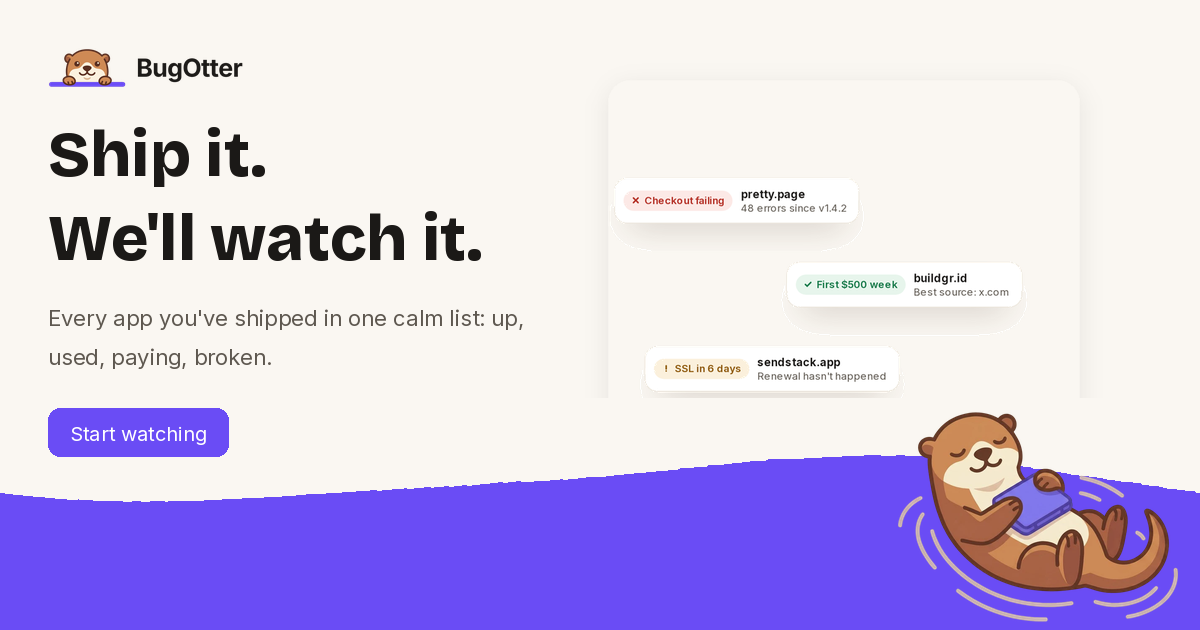
BugOtter is monitoring for solo founders who run many apps. One calm list shows what's up, used, paying, and broken - uptime with status pages, cookieless analytics with revenue by source, read-only Stripe/Paddle/Polar revenue, Sentry-compatible errors, and MCP so Claude Code, Cursor, or Codex can read it and Autopilot can open a fix PR. Plans: Starter $12, Builder $39, Pro $79. 14-day free trial, no card.
How we scored BugOtter
Capability scores 17 because BugOtter genuinely replaces four tools in one dashboard and the MCP/Autopilot angle is real and differentiated, but each individual feature (analytics capped at 20k pageviews on Starter, error tracking without deep debugging, uptime without team alerting) is shallower than a dedicated tool in that category. Ease of use scores 20 because the no-card trial, demo with sample data, and a single-list interface suggest low onboarding friction, though no independent user reviews exist to confirm this at scale. Value scores 19 because the Builder plan at $39/month genuinely undercuts the four-tool equivalent stack the site prices at $153/month, but the one-person-per-account restriction and low Starter pageview cap (20,000/month across all apps) limit who can actually extract that value. Delivery scores 12 because no independent reviews, G2 listings, or community sentiment were found to verify that the product delivers on its claims in practice; the score reflects the absence of corroborating evidence rather than documented problems, but a tool with no third-party validation cannot score in the high teens here.
Pros and cons
What we liked
- Replaces four separate paid tools (analytics, uptime, error tracking, revenue) at a fraction of the combined cost, with the Builder plan at $39/month covering up to 10 apps.
- MCP server lets AI coding agents like Claude Code and Cursor read live uptime, traffic, and revenue data directly, making it genuinely useful inside an agentic coding workflow rather than just a passive dashboard.
- Cookieless analytics with no IP or name storage by default, plus read-only payment processor keys, means the privacy and security surface is narrow for a tool handling revenue data.
Where it falls short
- Hard one-person-per-account limit on every plan with no team seat option at any price point, making it unusable for any shared codebase or collaborative team.
- Autopilot (the AI fix-PR feature) and per-minute uptime checks are locked behind the $39 Builder plan; the $12 Starter only checks uptime every five minutes and has no AI remediation.
- The 20,000 pageview monthly cap on the Starter plan, shared across all three apps, is low enough that a single modest launch could exhaust it, forcing an upgrade or a gap in analytics data.
Key features
BugOtter pricing
Three paid tiers: Starter at $12/month (3 apps), Builder at $39/month (10 apps), Pro at $79/month (30 apps). Annual billing saves roughly two months: $120, $390, and $790 per year respectively. A 14-day free trial at Pro limits requires no credit card. No permanent free tier exists.
| Plan | Price | Who it is for |
|---|---|---|
| Starter | $12/month | 3 apps. Uptime every 5 minutes from 3 regions, 3 extra endpoint checks per app, 1 flow check every 30 minutes, 20,000 pageviews/month, 5,000 errors/month, 6 months of history. No Autopilot. Annual option: $120/year. |
| Builder | $39/month | 10 apps. Everything in Starter plus Autopilot (Claude fixes outages in GitHub), uptime every minute, 10 endpoint checks per app, 3 flow checks every 15 minutes, 200,000 pageviews/month, 50,000 errors/month, 1 year of history. Annual option: $390/year. |
| Pro | $79/month | 30 apps. Everything in Builder plus 10 flow checks every 15 minutes, 1,000,000 pageviews/month, 250,000 errors/month, 2 years of history, status pages on your own domain with no BugOtter branding. Annual option: $790/year. |
Pricing reflects what we saw at time of review (2026-11). Always confirm current pricing on the tool's own site.
Who should use BugOtter?
BugOtter fits a specific profile precisely: a solo developer or indie hacker who has shipped several side projects or micro-SaaS apps and is tired of logging into four dashboards to get a picture of what is alive, earning, and broken. The sleeping-app feature, which keeps uptime running for quiet apps without counting them against your plan limit, is a small but telling detail that shows the product was built for someone who starts things and does not always finish them.
Anyone running an AI-assisted coding workflow with Claude Code or Cursor gets extra value from the MCP integration, since the agent can pull live app context without copy-pasting from a browser tab. That said, if you work with even one other developer, BugOtter's single-seat restriction is a hard wall. GitHub Copilot handles the AI coding assistant side for teams and integrates with existing monitoring setups, making it the more practical choice for any collaborative context. If your primary need is error monitoring with deep stack inspection and team triage, a dedicated tool will outperform BugOtter's error feature, which is designed for quick triage rather than deep debugging.
Skip it if: Teams, or anyone needing deep error debugging beyond readable stack traces
BugOtter alternatives
Frequently asked questions
Is there a free plan?+
No permanent free tier exists. BugOtter offers a 14-day free trial at Pro limits with no credit card required. After the trial, traffic and error tracking pause; uptime continues for seven more days before checks also pause.
Can multiple people on a team use one account?+
No. Every plan is explicitly one person per account. There is no team seat option at any price point.
What happens if I exceed my pageview or error limit?+
BugOtter does not drop data in the month you first go over. You get email alerts at 80% and 100% of the limit. Only if the following month also exceeds the same limit do new pageviews or errors pause once the cap is reached.
Which payment processors does BugOtter connect to?+
Stripe, Paddle, Polar, Creem, and Dodo Payments. All connections use read-only keys; BugOtter cannot charge, refund, or modify anything in those accounts.
What is Autopilot and which plans include it?+
Autopilot detects outages or broken browser flows and sends the context to Claude in GitHub, which opens a fix pull request. It is available on Builder ($39/month) and Pro ($79/month) only, not on Starter.
How does the MCP integration work with AI coding agents?+
BugOtter exposes an MCP server that Claude Code, Cursor, or Codex can connect to. Agents can read live uptime, traffic, revenue, and error data in context. Write access lets an agent log recurring costs so the Revenue page shows accurate profit figures.
More AI Coding & Dev Tools
See all categoriesGet your tool listed on 300+ directories.
One listing here is a strong start. But the founders who get discovered everywhere are listed everywhere. Our sister site, Free AI Directories, submits your tool to 300+ AI directories for you, every single one by hand, by a real person.
It is a one-time payment of $49, no subscription, and you can follow along as the submissions land. Prefer the slow route? The same site keeps a free list of 450+ directories you can work through yourself.
Get my tool listed on 300+ directoriesOne-time payment, no subscription · 100% human submissions · Free list of 450+ directories included.