Caddie
An all-in-one Mac productivity app combining notes, tasks, calendar, meeting notes, dictation, and AI agents in one notch-resident
Are you the maker? Claim this listing to keep info, pricing and screenshots current. Verified via your tool's domain email.
Caddie is best for Mac-first solo professionals who want one app to replace Notion, Granola, Calendly, and Wispr Flow without juggling subscriptions. Its dictation accuracy claim (self-reported #1 ahead of Wispr Flow and Kivi) and bot-free meeting recording are genuinely differentiated, but the tool is Mac-only and Apple silicon-only, which immediately rules out most teams. Anyone on Windows, Linux, or Intel Mac should look elsewhere; Notion AI is the closest directory alternative for cross-platform note and task work.
What is Caddie?
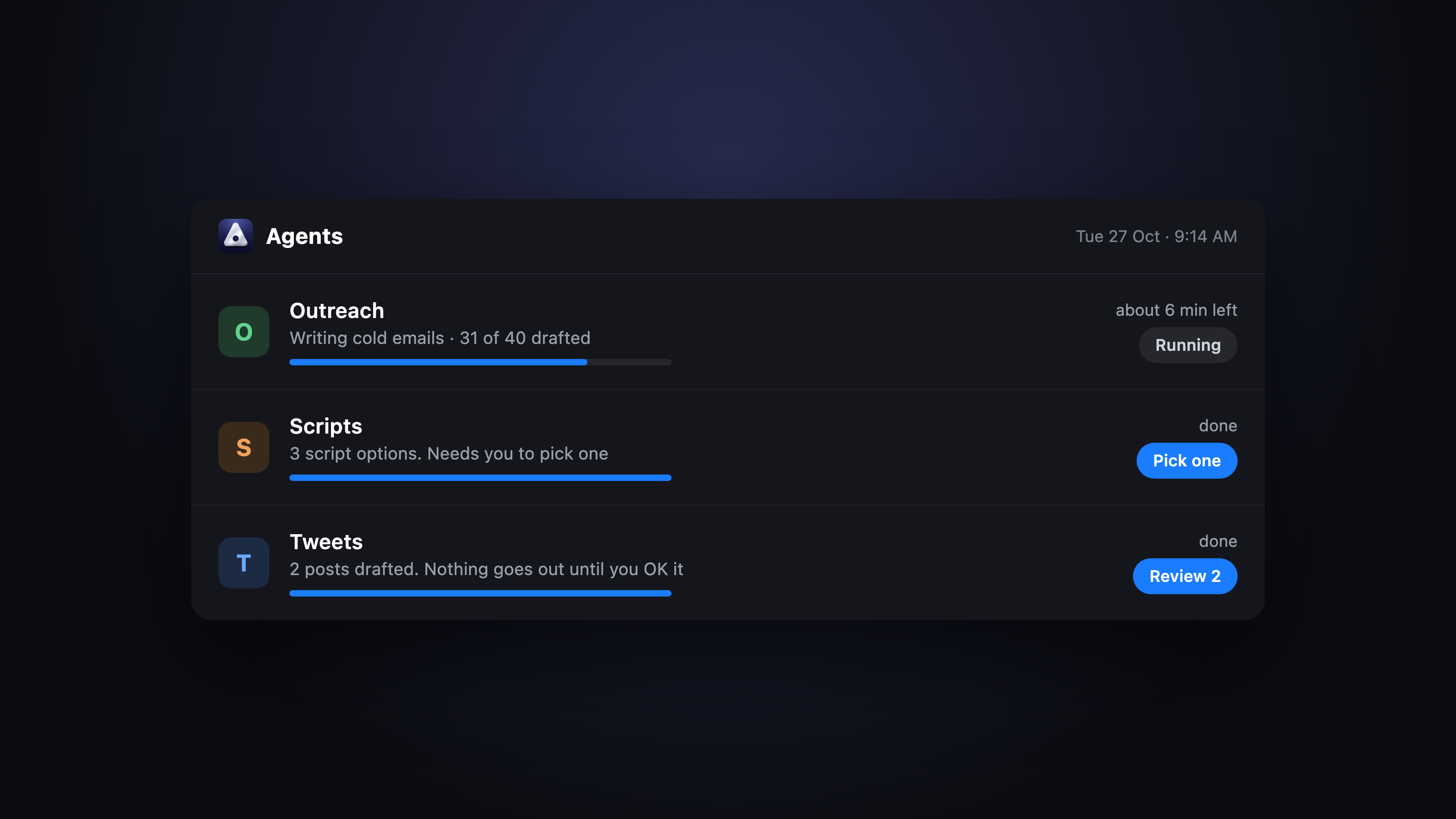
Caddie is a Mac productivity app for Apple silicon machines running macOS 13.3 or later. It combines note-taking with automatic smart-folder sorting, a daily planner that integrates Google Calendar, bot-free on-device meeting recording with automatic action-item extraction, system-wide fn-key dictation, booking links, and AI agent support via Claude Code and Codex. An MCP server lets external AI tools like Claude and ChatGPT read and write to your notes and tasks.
The app targets solo professionals and small teams who want to reduce the number of subscriptions they manage. It positions itself as a replacement for Notion, Granola, Calendly, Wispr Flow, and Sunsama simultaneously. A shared team workspace is available. The tool is free during its beta period, with a stated post-beta price of $10 per month for individual users; team pricing is available on request.
How we scored Caddie
Capability scores 20 because the feature breadth is genuinely unusual for a single app: bot-free on-device meeting recording, system-wide fn-key dictation, an MCP server, AI agents via Claude Code and Codex, video notes, and booking links in one product. The one cap is that the full feature set is locked to Apple silicon plus macOS 26, which materially narrows the addressable user base compared to cross-platform competitors. Ease of use scores 19 because the notch-resident interface and fn-key dictation shortcut suggest low friction for Mac users, and the onboarding appears straightforward based on the homepage, though the macOS 26 requirement for key features adds a real setup hurdle for users who have not upgraded. Value scores 22 because the tool is free during beta and the stated post-beta price of $10 per month is competitive against the five or six tools it claims to replace, each of which typically costs $10 to $20 per month individually. Delivery scores 10 because the primary accuracy claim (dictation ranked #1 ahead of Wispr Flow and Kivi) is self-published with no independent verification found, teams pricing is opaque, and the product is still in beta with no public track record of post-launch reliability, all of which make it hard to confirm the tool delivers what it promises at scale.
Pros and cons
What we liked
- Bot-free, on-device meeting recording means no bot joins your calls and audio is not streamed to a third-party server mid-meeting, a genuine architectural advantage over Otter and Fireflies.
- System-wide fn-key dictation works in any app, and Caddie's self-published accuracy leaderboard places it ahead of Wispr Flow and Kivi, the two most-used Mac dictation tools.
- The MCP server exposes notes and tasks to Claude, ChatGPT, and other AI agents, letting external tools act on your personal knowledge base without manual copy-paste.
Where it falls short
- Locked to Apple silicon Macs for the full feature set; dictation and meeting recording additionally require macOS 26, which cuts out a large share of even Apple silicon owners who have not yet upgraded.
- The accuracy benchmark that underpins the dictation claim is self-published on the Caddie website, not independently verified, so buyers cannot confirm the #1 ranking from a neutral source.
- Teams pricing is not publicly listed; 'talk to us' is the only path to a per-seat figure, which makes budget planning impossible without a sales conversation.
Key features
Caddie pricing
Free while in beta. The pricing page states the post-beta price will be $10 per month. Teams pricing requires contacting Caddie directly; no per-seat figure is publicly listed.
| Plan | Price | Who it is for |
|---|---|---|
| Beta (current) | $0 | Full feature access during the beta period. All features including notes, meeting recording, dictation, agents, MCP server, booking links, and team workspaces are available at no charge while the product is in beta. |
| Individual (post-beta) | $10/mo | Stated post-beta price for individual users. Exact feature limits versus the beta period are not yet specified on the pricing page. |
| Teams | Contact for pricing | Shared workspace and knowledge base; per-seat pricing billed monthly. No public figure listed; requires contacting Caddie directly. |
Pricing reflects what we saw at time of review (2026-10). Always confirm current pricing on the tool's own site.
Who should use Caddie?
Caddie fits a specific kind of Mac power user: someone who currently pays for a note app, a meeting recorder, a dictation tool, and a scheduling tool separately and wants to collapse all of that into one monthly bill. A solo consultant who records client calls, dictates follow-up notes on the go, and shares booking links will find the most value here. Developers who already use Claude Code or Codex will get extra mileage from the MCP server integration, which lets agents read and write directly to Caddie notes and tasks.
If you are on Windows, Linux, or an Intel Mac, stop here. The full feature set is locked to Apple silicon, and the web version strips out meetings, agents, and dictation entirely. Teams that need a shared, cross-platform workspace should look at Notion AI instead, which covers collaborative notes and AI-assisted drafting across every major platform and is already in our directory.
Skip it if: Windows or Linux users, Intel Mac owners, and teams needing a cross-platform or browser-first workflow
Frequently asked questions
Is Caddie really free right now?+
Yes. The pricing page states it is free while in beta, with a planned post-beta price of $10 per month. No credit card is required during the beta period.
What Mac hardware and OS do I need?+
Caddie requires Apple silicon and macOS 13.3 or later for the core app. Dictation and meeting recording additionally require macOS 26. Intel Macs are not supported.
Does the meeting recorder join my call as a bot?+
No. Recording happens on-device on your Mac, so no bot appears in the participant list and audio is not sent to a third-party server during the call. Notes and action items are generated after the call ends.
Can I use Caddie on Windows or in a browser?+
A web version exists for notes and tasks only. Agents, meeting recording, and dictation all require the Mac app. Windows and Linux are not supported.
How does the MCP server work?+
Caddie runs an MCP server that exposes your notes and tasks to any MCP-compatible AI tool, including Claude and ChatGPT. External agents can then read and write to your Caddie data without manual copy-paste.
What is the team pricing?+
Team pricing is per seat, billed monthly, but the exact per-seat figure is not publicly listed. You need to contact Caddie directly to get a quote.
More AI Productivity Tools
See all categoriesGet your tool listed on 300+ directories.
One listing here is a strong start. But the founders who get discovered everywhere are listed everywhere. Our sister site, Free AI Directories, submits your tool to 300+ AI directories for you, every single one by hand, by a real person.
It is a one-time payment of $49, no subscription, and you can follow along as the submissions land. Prefer the slow route? The same site keeps a free list of 450+ directories you can work through yourself.
Get my tool listed on 300+ directoriesOne-time payment, no subscription · 100% human submissions · Free list of 450+ directories included.