
Caught at the Window AI
A one-purpose browser tool that turns a single photo into the viral caught-at-the-window TikTok video, no editing or prompting required.
Are you the maker? Claim this listing to keep info, pricing and screenshots current. Verified via your tool's domain email.
Caught at the Window AI is the right pick for anyone who wants the window-peeper video done in minutes without touching a video editor. Its one-trick focus is also its ceiling: it does exactly one scene, and if the output misses, your creative options are limited to trying again. Creators who want to remix the format, change the scene, or produce other kinds of short-form content should go straight to Runway instead.
What is Caught at the Window AI?
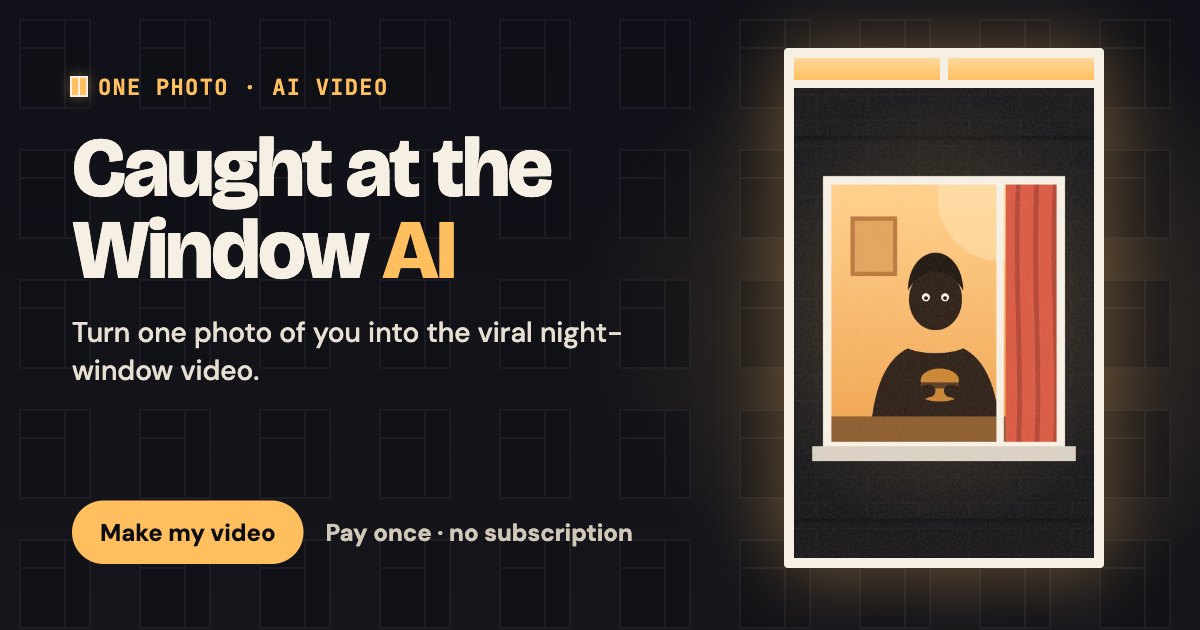
Caught at the Window AI is a browser tool that turns one photo into an AI-generated caught-at-the-window video, the Window Peeper trend on TikTok. Upload one clear photo and a camera zooms toward a lit night window, you are caught mid-snack, stare straight back and pull the curtain. No filming, no prompt writing and no app or template needed. Download a 720p vertical MP4 without a watermark for TikTok, Reels or Shorts.
How we scored Caught at the Window AI
Ease of use is the clear strength: one photo, no prompts, no account, and a fixed scene means the onboarding friction is about as low as it gets for any video tool, earning 22 out of 25. Capability scores 14 because the tool does exactly one scene with zero adjustable parameters; named competitors like Runway offer full generative video direction, and even within the same trend niche a competing site was found offering 19 templates versus this tool's single format. Value lands at 13: the minimum spend is $8.90 with no free tier and no trial, which is a real barrier for a tool whose output quality cannot be previewed, and the per-video cost at the entry pack ($8.90) is high relative to the fixed, non-adjustable output. Delivery scores 12 because no independent user sentiment could be found to verify output consistency, the niche is already contested by at least one direct competitor, and the 30-day video storage limit combined with no preview option before purchase are friction points that undercut the tool's core promise of frictionless creation.
Pros and cons
What we liked
- No subscription and no expiring credits: the one-time pack model means you pay only when you want a video, and leftover credits carry forward indefinitely.
- Failed generations return credits automatically, so a bad render does not cost you money, only time.
- The fixed scene removes all prompt-writing friction: one photo in, one trend-ready 720p MP4 out, with no watermark.
Where it falls short
- Exactly one scene is available. If the output does not look right, the only option is to regenerate with the same photo or give up; there is no way to adjust camera angle, timing, or any other parameter.
- No free tier and no trial: the minimum spend to see any output is $8.90, which is a real barrier when you cannot preview quality before committing.
- The niche is narrow enough that at least one competing site targets the identical trend with overlapping pricing, meaning this tool's differentiation could evaporate quickly if the trend fades.
Key features
Caught at the Window AI pricing
Three one-time credit packs: One Take at $8.90 for 10 credits (about 1 video), Group Chat at $19.90 for 30 credits (about 3 videos, $6.63 each), and After Hours at $39.90 for 80 credits (about 8 videos, $4.99 each). Each video costs 10 credits. No subscription, no renewal, credits never expire. No free tier and no trial offer.
| Plan | Price | Who it is for |
|---|---|---|
| One Take | $8.90 | 10 credits, enough for about 1 video at approximately $8.90 per video. One-time purchase, no subscription. |
| Group Chat | $19.90 | 30 credits, enough for about 3 videos at approximately $6.63 per video. Saves 25% versus One Take per-video rate. |
| After Hours | $39.90 | 80 credits, enough for about 8 videos at approximately $4.99 per video. Saves 44% versus One Take per-video rate. |
Pricing reflects what we saw at time of review (2026-10). Always confirm current pricing on the tool's own site.
Who should use Caught at the Window AI?
This tool suits a TikTok or Reels creator who wants to participate in the caught-at-the-window trend without filming anything or learning video software. The fixed scene and one-photo input mean someone with no production background can get a shareable result in a single session. The After Hours pack at $39.90 for eight videos also makes sense for a social media manager running multiple brand accounts who wants to produce several variations cheaply.
Anyone who wants to experiment with different AI video scenes, iterate on prompts, or produce content beyond this one format should look elsewhere. Runway gives you a full generative video studio where you can direct your own scenes and work across many formats; it costs more but the creative range is incomparable. HeyGen is the better choice if the goal is putting a face on a talking avatar or translating video content across languages rather than recreating a specific trend.
Skip it if: Anyone needing flexible video formats, multiple scenes, or a free trial before spending money.
Frequently asked questions
How much does one video actually cost?+
Each video uses 10 credits. The cheapest pack, One Take, is $8.90 for 10 credits, making the first video cost $8.90. Buying the After Hours pack at $39.90 for 80 credits brings the per-video cost down to about $4.99.
Is there a free trial or any way to test quality before paying?+
No. The pricing page states explicitly that no free trial or first-purchase discount is currently available. The minimum spend to generate any video is $8.90.
What happens if my video generation fails?+
A confirmed failed generation returns the 10 credits to your balance automatically. Any job that has not finished within 30 minutes is also counted as failed and refunded in credits. A credit return is not a cash refund.
Do credits expire if I do not use them right away?+
Credits never expire, so you can buy a pack now and use the remaining credits months later. Finished videos, however, are only stored on the site for 30 days, so download your copy before that window closes.
Can I get a cash refund if I change my mind?+
Unused credits from an order are refundable within 7 days of payment by submitting a support ticket. Credits spent on delivered videos, including videos you dislike, are not refundable.
What photo works best, and can I include a product?+
A clear, well-lit, front-facing photo of one adult with the face unobstructed works best; waist-up or head-and-shoulders framing is recommended. An optional second product photo can replace the food on the table in the scene.
More AI Video Tools
See all categoriesGet your tool listed on 300+ directories.
One listing here is a strong start. But the founders who get discovered everywhere are listed everywhere. Our sister site, Free AI Directories, submits your tool to 300+ AI directories for you, every single one by hand, by a real person.
It is a one-time payment of $49, no subscription, and you can follow along as the submissions land. Prefer the slow route? The same site keeps a free list of 450+ directories you can work through yourself.
Get my tool listed on 300+ directoriesOne-time payment, no subscription · 100% human submissions · Free list of 450+ directories included.