
ClipTrend
A credit-based AI video workspace that routes your photo or prompt through 40+ models and trending TikTok templates in one place.
Are you the maker? Claim this listing to keep info, pricing and screenshots current. Verified via your tool's domain email.
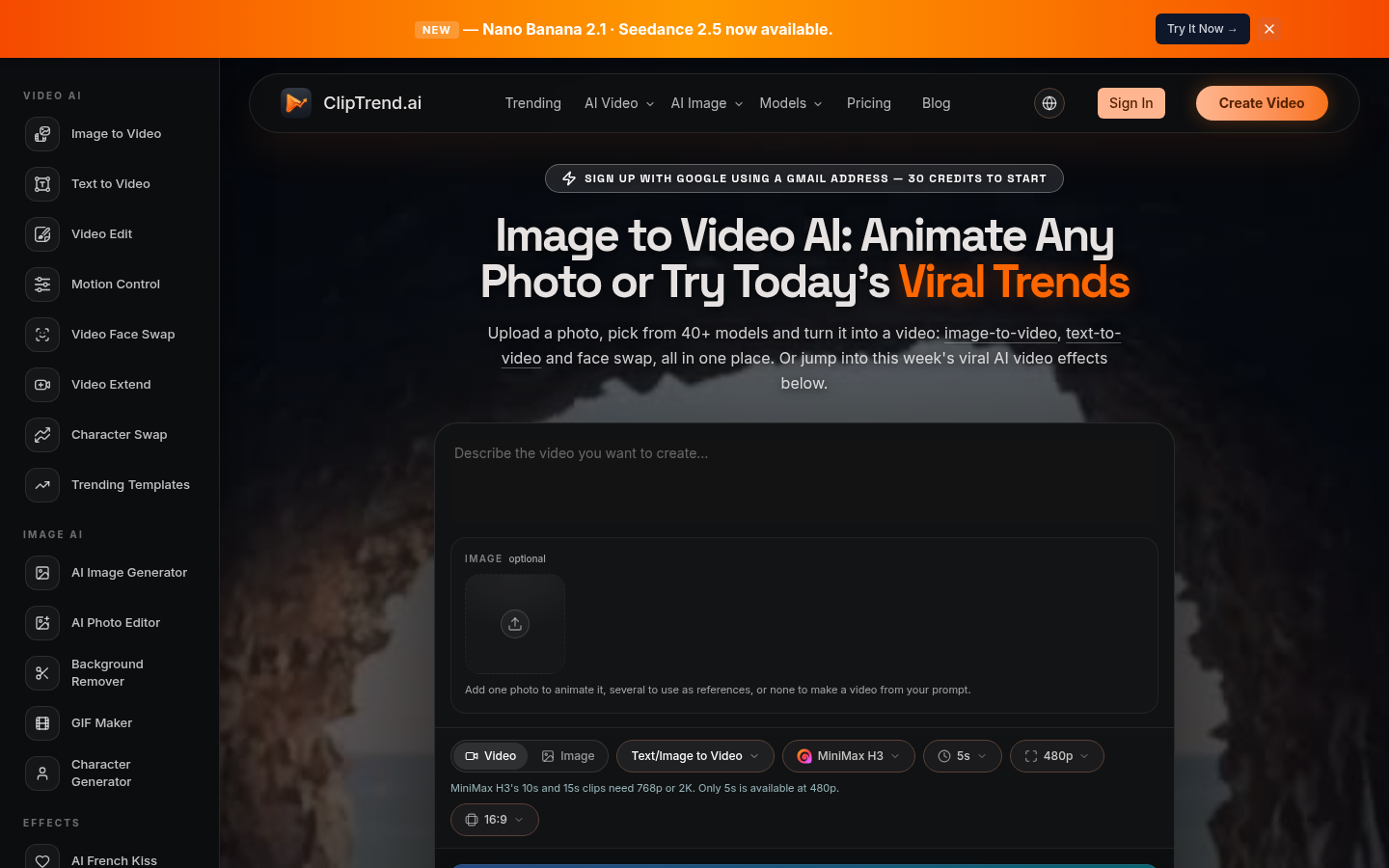
ClipTrend is the clearest choice for short-form creators who want to chase TikTok and Reels trends without juggling five separate model subscriptions. The tradeoff is real: support is email-only with a two-day reply window, and the annual billing structure means credits enable in monthly drips rather than all at once. If you need professional-grade timeline editing or avatar-based video at scale, Runway or HeyGen will serve you better.
What is ClipTrend?
ClipTrend is a web-based AI video and image workspace that consolidates more than 40 AI models, including Kling, Veo 3.1, Seedance 2.5, and Wan 2.7, under a single credit balance. It is aimed at short-form content creators who want to produce image-to-video clips, face swaps, motion-controlled animations, and trend-driven effects without managing multiple platform subscriptions.
The platform offers over 50 trending templates drawn from TikTok and YouTube, each showing live view counts so creators can gauge a trend's momentum before generating. Additional tools cover text-to-video, video extension, video editing, AI image generation, background removal, and GIF creation. Paid plans start at $10 per month billed annually, and one-time credit packs are available for occasional use. ClipTrend is developed by Seantin Labs LLC.
How we scored ClipTrend
Capability scores well because routing 40+ models including Veo 3.1, Kling 2.6, and Seedance 2.5 under one credit balance is genuinely useful and the trending-template layer with live view counts is a concrete differentiator, but the absence of a timeline editor, API access, and any collaboration tooling keeps it below Runway's level. Ease of use benefits from the one-click template model and transparent per-clip credit costs shown before generation, though the monthly credit drip on annual plans adds friction for batch work. Value is solid at $10/month annually for all-model access with commercial rights, but the annual-only billing for the best rates and the monthly credit enable structure limit flexibility for buyers who need burst capacity. Delivery takes the biggest hit: email-only support with a two-day reply window is a real operational risk for time-sensitive social content, and social profiles could not be confirmed, making it harder to assess community trust and product momentum for a tool this new.
Pros and cons
What we liked
- One credit balance covers 40+ AI models including Kling 2.6, Veo 3.1, Seedance 2.5, and Wan 2.7, eliminating the need for stacked subscriptions that individually run $12 to $30 per month each.
- Trending-template library shows live TikTok and YouTube view counts per effect, letting creators verify a trend's momentum before spending credits, a workflow no major standalone model interface replicates.
- Every plan, including the entry-level Lite tier, enables all models, highest available resolution, commercial licensing, and watermark-free downloads with no feature gating by tier.
Where it falls short
- Annual plans release credits in monthly portions rather than all at once, so a Lite subscriber gets roughly 625 credits per month rather than the full 7,500 upfront, which can block larger batch projects mid-month.
- Support is email-only with a stated two-day reply window, which is slow for a tool where a failed render or billing question can block a time-sensitive content calendar.
- The platform is web-only with no desktop app, no API access listed on any public plan, and no timeline editor, making it unsuitable for creators who need frame-level control or want to integrate AI generation into an existing production pipeline.
Key features
ClipTrend pricing
No true free tier: new users get 30 credits on Google signup, enough to test but not to produce finished work. Annual plans run $10/month (Lite, 7,500 credits/year), $49/month (Pro, 38,500 credits/year), and $169/month (Ultra, 140,000 credits/year), all billed as a single annual charge. Monthly plans are available at higher per-month rates. One-time credit packs are also sold. All tiers enable every model, include commercial rights, and carry no watermark.
| Plan | Price | Who it is for |
|---|---|---|
| Free (signup credits) | Free | 30 credits on Google signup. Enough to preview the platform and run one or two low-cost generations; not a recurring free tier. |
| Lite | $10/month | Billed annually at $120/year. 7,500 credits per year, enabled in monthly portions of approximately 625. All models enabled, priority rendering, highest available resolution, no watermark, commercial license. Unused enabled credits roll over until annual renewal. |
| Pro | $49/month | Billed annually at $588/year. 38,500 credits per year, enabled monthly at approximately 3,208 per month. All models enabled, priority rendering, highest available resolution, no watermark, commercial license. Unused enabled credits roll over until annual renewal. |
| Ultra | $169/month | Billed annually at $2,028/year. 140,000 credits per year, enabled monthly at approximately 11,666 per month. All models enabled, priority rendering, highest available resolution, no watermark, commercial license. Unused enabled credits roll over until annual renewal. |
| Credit Packs (one-time) | Varies | One-time purchases with no subscription. Credits roll over for up to two years. Cover full commercial usage rights. Exact pack sizes and prices require checking the pricing page directly. |
Pricing reflects what we saw at time of review (2026-11). Always confirm current pricing on the tool's own site.
Who should use ClipTrend?
A solo creator publishing weekly to TikTok or Instagram Reels who currently pays for two or three separate AI video tools will find ClipTrend's unified credit model genuinely useful. The trending-template library with live view counts is a concrete time-saver: instead of scrolling TikTok to find what is working, the platform surfaces it directly. The Lite plan at $120/year works out to roughly $10/month, which is competitive for access to models that individually cost $12 to $30 per month each.
Agencies or teams producing high volumes of client video should look at the Ultra plan ($169/month billed annually for 140,000 credits/year) or consider Runway instead, which offers a proper timeline editor and collaboration tools ClipTrend does not have. Anyone whose primary need is AI avatar videos or talking-head content for sales or training should go straight to HeyGen, which is purpose-built for that format and far ahead of ClipTrend on avatar quality and lip-sync accuracy.
Skip it if: Teams needing timeline editing, avatar videos, or fast customer support
ClipTrend alternatives
Frequently asked questions
Is there a real free plan, or just a trial?+
New users who sign up with Google receive 30 credits, which is enough to test a small number of low-cost generations. There is no recurring free tier; once those credits are used, a paid plan or credit pack is required.
What AI models does ClipTrend include?+
The platform currently includes Kling 2.6 and 3.0, Veo 3.1, Seedance 2.5, Wan 2.7, Grok Imagine, and Nano Banana Pro, among others, totaling 40+ models. All are accessible on every paid plan without tier gating.
How much does a single video clip cost in credits?+
Costs vary by model and duration. A 5-second Kling 2.6 clip costs 76 credits, an 8-second Veo 3.1 Quality shot costs 150 credits, a 5-second Seedance render costs 123 credits, and a 5-second Wan 2.2 clip costs 24 credits. Each template card shows the exact cost before you generate.
Why do annual plan credits enable monthly instead of all at once?+
ClipTrend states this is to reduce payment-fraud exposure. A Lite subscriber gets roughly 625 credits per month rather than the full 7,500 upfront. Unused enabled credits roll over until the annual renewal date.
Can I use ClipTrend output in paid ads or client work?+
Yes. All plans, including one-time credit packs, include a commercial license covering paid advertising, client deliverables, and monetized content.
Does ClipTrend have an API or desktop app?+
No API access is listed on any public plan, and the platform is web-only with no desktop application. Creators who need programmatic access or offline editing will need a different tool.
More AI Video Tools
See all categoriesGet your tool listed on 300+ directories.
One listing here is a strong start. But the founders who get discovered everywhere are listed everywhere. Our sister site, Free AI Directories, submits your tool to 300+ AI directories for you, every single one by hand, by a real person.
It is a one-time payment of $49, no subscription, and you can follow along as the submissions land. Prefer the slow route? The same site keeps a free list of 450+ directories you can work through yourself.
Get my tool listed on 300+ directoriesOne-time payment, no subscription · 100% human submissions · Free list of 450+ directories included.