
Cyanvid
A credit-based AI video studio giving solo creators access to seven video models, from budget Wan 2.2 to flagship Veo 3.1, starting at
Are you the maker? Claim this listing to keep info, pricing and screenshots current. Verified via your tool's domain email.
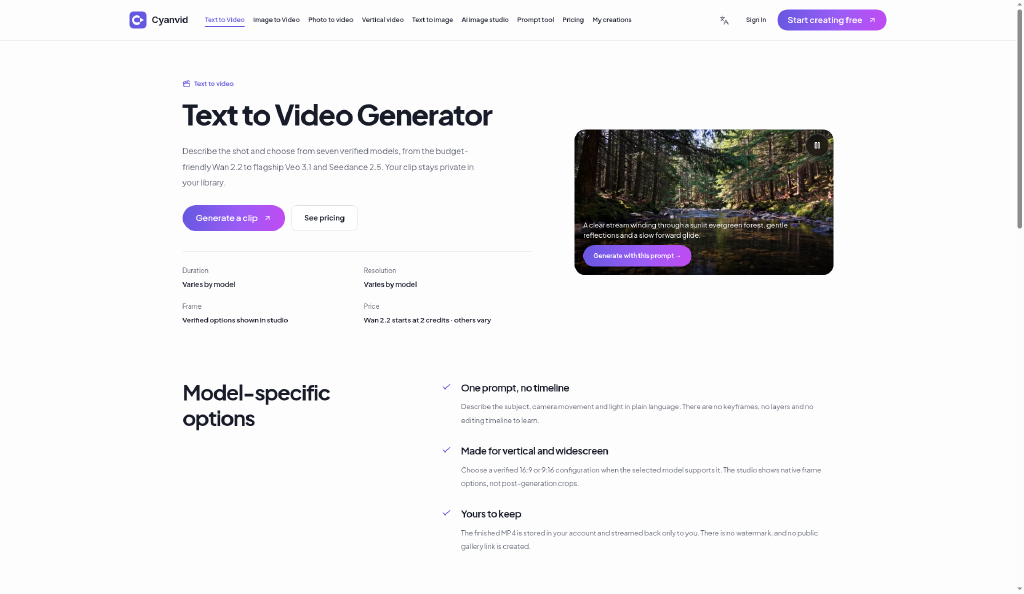

Cyanvid suits solo creators and marketers who want to test multiple AI video models without committing to a single vendor's output style. The credit system is transparent and failed generations refund credits, but the $29.90 Pro plan's 400 credits evaporate fast once you move past the entry-level Wan 2.2 model to flagship options like Veo 3.1 or Seedance 2.5, which cost 25 times more per clip. Teams that need editing, captions, or post-production tools should look at Runway or Descript instead.
What is Cyanvid?
Cyanvid is an AI video subscription site. Create videos from text or images with modern models. Built for creators and marketers who want ideas in motion without a heavy production stack.
How we scored Cyanvid
Capability scores 17 because access to seven video models including Veo 3.1 and Seedance 2.5 is genuinely broad for the price point, but the platform generates only raw clips with no editing, captioning, or post-production layer, which both Runway and Descript offer. Ease of use scores 18 because the credit-per-model pricing is unusually transparent and the free tier lets you test before paying, but the gap between advertised video counts and real flagship-model counts creates real confusion for new users. Value scores 15 because the $9.90 entry price looks attractive until you realize 100 credits buys only 2 Veo 3.1 clips, credits expire monthly with no rollover, and there is no annual discount visible on the pricing page. Delivery scores 13 because no third-party reviews, user sentiment, or press coverage could be found for Cyanvid in web search, making it impossible to verify that the tool delivers on its model availability claims; the complete absence of any public footprint for a paid subscription product is itself a trust signal that warrants caution.
Pros and cons
What we liked
- Seven live video models and four image models accessible from one credit balance, with per-model credit costs published upfront before purchase.
- Failed generations refund credits automatically, removing the risk of losing budget to broken outputs.
- No watermark and private results on all paid tiers, including the $9.90/month Max plan.
Where it falls short
- Credits expire at the end of each billing period with no rollover, so a $29.90 Pro plan's 400 credits are lost if unused, punishing irregular publishing schedules.
- Flagship models consume credits at a rate that makes the advertised video counts misleading: 100 Max plan credits buy 50 Wan 2.2 clips but only 2 Veo 3.1 or Seedance 2.5 clips at 50 credits each.
- No editing, captioning, voiceover, or publishing tools exist within the platform, meaning every generated clip requires a separate tool to finish and distribute.
Key features
Cyanvid pricing
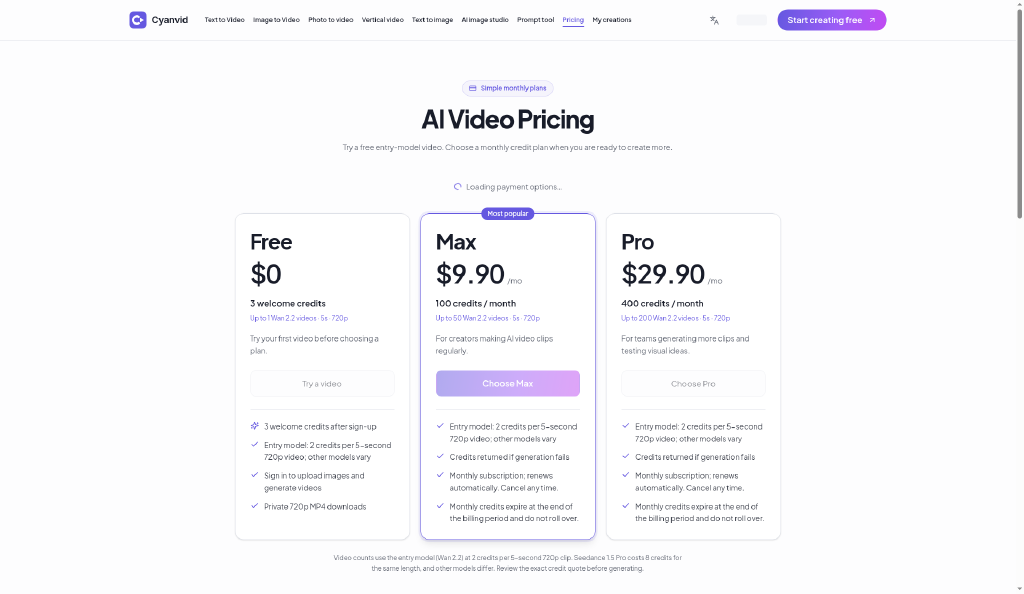
Free tier gives 8 welcome credits (enough for about 4 Wan 2.2 clips). Max plan is $9.90/month for 100 credits. Pro plan is $29.90/month for 400 credits. Credits do not roll over and expire at the end of each billing period.
| Plan | Price | Who it is for |
|---|---|---|
| Free | $0 | 8 welcome credits after sign-up. Enough for approximately 4 Wan 2.2 videos at 5 seconds and 720p. Entry model only (2 credits per clip). Private 720p MP4 downloads. Image upload requires sign-in. |
| Max | $9.90/mo | 100 credits per month. Up to 50 Wan 2.2 videos at 5 seconds and 720p using the entry model. Credits expire at end of billing period and do not roll over. Failed generations refund credits. No watermark. Cancel any time. |
| Pro | $29.90/mo | 400 credits per month. Up to 200 Wan 2.2 videos at 5 seconds and 720p using the entry model (or 8 Veo 3.1 or Seedance 2.5 clips at 50 credits each). Credits expire at end of billing period and do not roll over. Failed generations refund credits. No watermark. Cancel any time. |
Pricing reflects what we saw at time of review (2026-10). Always confirm current pricing on the tool's own site.
Who should use Cyanvid?
Cyanvid fits the solo creator or small marketing team that wants to audition multiple AI video models without subscribing to each one separately. A DTC brand owner testing product launch clips, a Reels ad creator who wants to compare Kling output against Seedance output on the same brief, or a freelance content producer who bills per deliverable and needs to keep generation costs predictable will find the transparent per-model credit pricing genuinely useful. The 8 free welcome credits let you run a real test before committing.
Anyone who needs to edit footage, add captions, record voiceover, or publish directly to social platforms should look elsewhere. Runway is the stronger choice if you want generation plus a real editing timeline in one browser tab. Descript is the better pick if your workflow starts with recorded footage or a script and you need transcript-based editing alongside any AI generation.
Skip it if: Teams needing editing, captions, or post-production in the same tool
Tags
Frequently asked questions
Do unused credits carry over to the next month?+
No. Monthly credits expire at the end of each billing period on both the Max ($9.90/month) and Pro ($29.90/month) plans and do not roll over.
How many videos does the $9.90 Max plan actually get me?+
Up to 50 videos if you use only the entry-level Wan 2.2 model at 2 credits per 5-second 720p clip. If you use Veo 3.1 or Seedance 2.5 at 50 credits each, the same 100 credits buy exactly 2 clips.
What happens if my video generation fails?+
Credits are refunded automatically if a generation fails, so you do not lose budget to platform errors.
Is there a watermark on free or paid outputs?+
No watermark appears on any tier, including the free welcome credits and both paid plans.
Can I generate 1080p video on any plan?+
Yes, but only through the Kling 2.5 Turbo Pro model, which costs 20 credits per 5-second clip. All other video models output at 720p. The Max plan's 100 credits would cover 5 Kling 1080p clips.
Does Cyanvid include any editing or captioning tools?+
No. Cyanvid generates clips and delivers them as private MP4 downloads. There are no editing, captioning, voiceover, or publishing features on the platform.
More AI Video Tools
See all categoriesGet your tool listed on 300+ directories.
One listing here is a strong start. But the founders who get discovered everywhere are listed everywhere. Our sister site, Free AI Directories, submits your tool to 300+ AI directories for you, every single one by hand, by a real person.
It is a one-time payment of $49, no subscription, and you can follow along as the submissions land. Prefer the slow route? The same site keeps a free list of 450+ directories you can work through yourself.
Get my tool listed on 300+ directoriesOne-time payment, no subscription · 100% human submissions · Free list of 450+ directories included.