
easi.run
Self-hosted, open-source Chrome browser for AI agents, connectable via MCP or REST with live human takeover built in.
Are you the maker? Claim this listing to keep info, pricing and screenshots current. Verified via your tool's domain email.
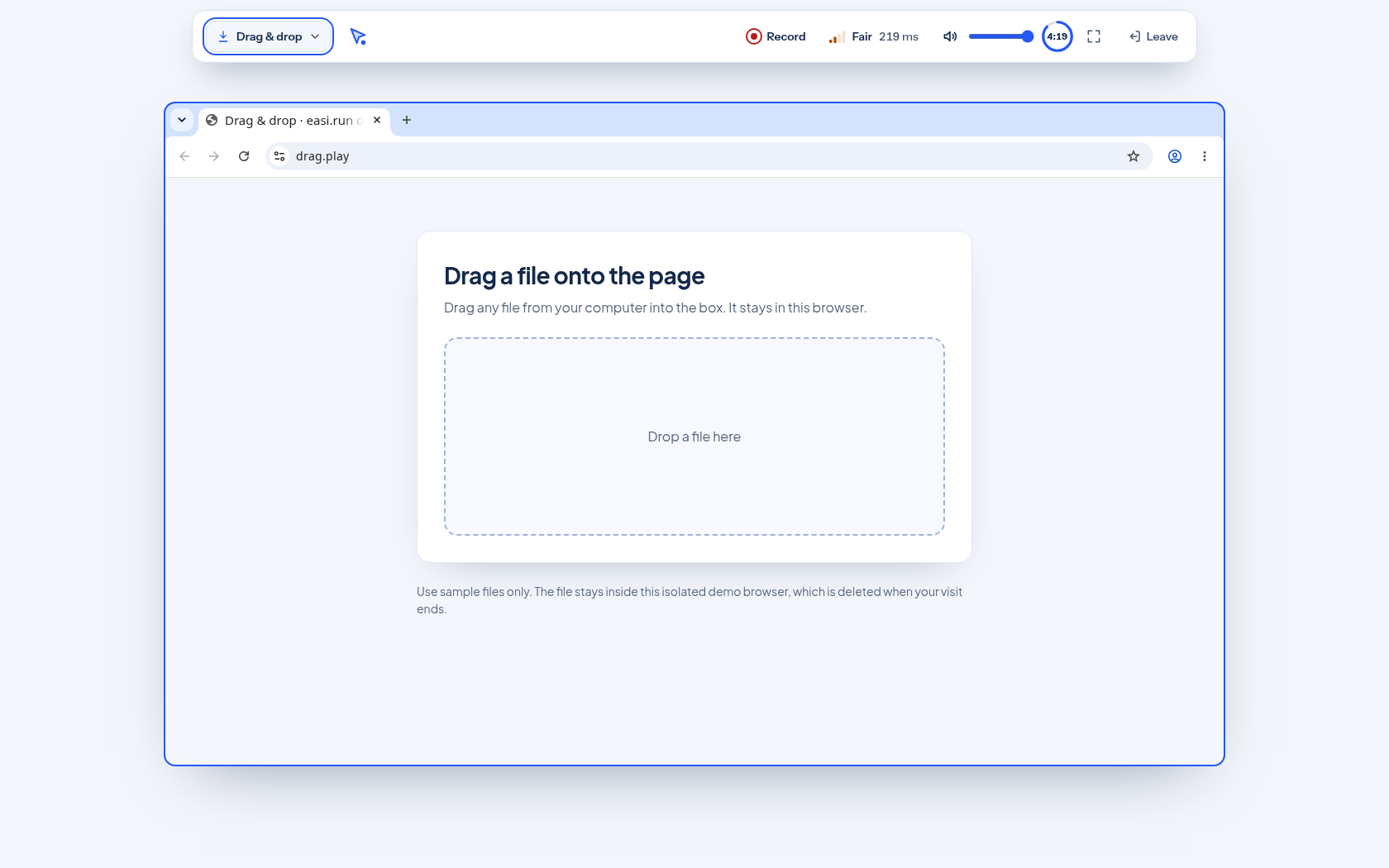
easi.run is the right pick for developers who need a self-hosted, zero-subscription browser layer for AI agents and want human takeover for logins and CAPTCHAs without paying per session. The tradeoff is real: you own the ops burden entirely, from provisioning a Linux x86-64 server to managing Docker, and there is no managed cloud fallback if your infra goes down. Teams that want a hosted service with SLA guarantees should look at a managed alternative instead.
What is easi.run?
easi.run is a free, open-source browser runtime for AI agents, licensed under AGPL-3.0-only and designed to run on a self-hosted Linux x86-64 server via Docker. It launches isolated Chrome sessions that AI agents can control through either an MCP connection or a REST API, with a live session viewer and a human takeover mode for handling logins, CAPTCHAs, and approval steps.
The tool supports saved browser profiles for persisting authentication state between runs, plus native file upload and download. Because it is entirely self-hosted, all session data stays on infrastructure the operator controls, and there are no per-session or per-hour fees from the tool itself. Developers pay only their own server costs and any model-provider API charges.
How we scored easi.run
Value scores high at 22 because the tool is genuinely free with no usage caps, and the only costs are server and model-provider fees the user would pay regardless. Capability lands at 17: the human takeover mode and dual MCP/REST connectivity are real differentiators, but the lack of built-in anti-bot evasion, no CAPTCHA automation, and Linux-only host support leave meaningful gaps compared to managed alternatives. Ease of use scores 13 because self-hosting Docker on a Linux x86-64 server, configuring MCP or REST connections, and managing browser profiles all require meaningful technical setup with no managed onboarding path. Delivery scores 10 because the project has no verifiable user sentiment, no track record visible in search results, and no community signals to confirm it delivers reliably at scale; the AGPL-3.0-only license also creates a real delivery constraint for commercial builders that is not disclosed upfront on the homepage.
Pros and cons
What we liked
- Completely free with no usage fees from the tool itself; the only costs are your own server and model-provider API charges.
- Human takeover mode lets a developer drop into a live agent session to handle CAPTCHAs, logins, or approval steps without restarting the workflow.
- Dual connection options (MCP and REST API) mean it integrates with many agent frameworks without requiring a specific SDK.
Where it falls short
- Requires a Linux x86-64 server with Docker; there is no Windows or macOS host support and no managed cloud fallback, so you are the ops team from day one.
- AGPL-3.0-only licensing means any commercial product or SaaS built on top of easi.run must also be open-sourced under the same terms, which blocks most proprietary commercial use cases.
- No built-in anti-bot evasion, proxy rotation, or CAPTCHA-solving service; the human takeover handles CAPTCHAs manually, but automated CAPTCHA resolution requires external tooling.
Key features
easi.run pricing
Fully free and open-source under AGPL-3.0-only. No subscription tiers, no usage fees from easi.run itself. You pay only your own server costs and any model-provider API costs you incur.
| Plan | Price | Who it is for |
|---|---|---|
| Open Source (Self-Hosted) | Free | Full feature set: isolated Chrome sessions, MCP and REST API, live viewer, human takeover, saved profiles, file upload/download. You supply the Linux x86-64 server and Docker environment. No usage caps imposed by easi.run; server costs and model-provider API fees are your own. |
Pricing reflects what we saw at time of review (2026-11). Always confirm current pricing on the tool's own site.
Who should use easi.run?
easi.run fits developers building or prototyping AI agent pipelines who need a browser layer they fully control. A solo developer running agents against internal tools, a small team automating authenticated workflows on a private server, or a researcher who cannot send session data to a third-party cloud will all find the self-hosted model attractive. The human takeover feature is genuinely useful for anyone whose agents regularly hit login screens or CAPTCHAs that break fully autonomous runs.
If you need a managed service with uptime guarantees, horizontal scaling, or a no-ops setup, easi.run is the wrong tool. GitHub Copilot is a better fit if your primary need is AI assistance inside a code editor rather than a browser runtime for agents. For teams that want an open-source coding agent that handles end-to-end GitHub workflows without managing browser infrastructure, Orbi is worth evaluating instead.
Skip it if: Teams that need a managed, SLA-backed browser service with no server ops overhead.
easi.run alternatives
Tags
Frequently asked questions
Does easi.run cost anything to use?+
The tool itself is free under AGPL-3.0-only. You pay your own server hosting costs and any model-provider API fees. There are no subscription tiers or usage fees charged by easi.run.
What server do I need to run easi.run?+
You need a Linux x86-64 machine with Docker installed. There is no support for Windows or macOS hosts, and no managed cloud option is provided by the project.
What does the AGPL-3.0-only license mean for commercial use?+
AGPL-3.0-only requires that any software you build on top of easi.run and offer as a network service must also be released under the same license. This effectively blocks proprietary SaaS products built around easi.run without a separate commercial license arrangement.
How do agents connect to easi.run?+
Agents connect via MCP (Model Context Protocol) or a REST API. Both options are supported natively, so you are not locked into a specific agent framework or SDK.
Can easi.run handle CAPTCHAs automatically?+
Not automatically. The human takeover feature lets a developer drop into a live session to solve a CAPTCHA manually, but there is no built-in automated CAPTCHA-solving service. External tooling would be needed for fully unattended CAPTCHA resolution.
Where is the source code and documentation?+
The source code is on GitHub at julianosig/easi.run and documentation is at docs.easi.run.
More AI Coding & Dev Tools
See all categoriesGet your tool listed on 300+ directories.
One listing here is a strong start. But the founders who get discovered everywhere are listed everywhere. Our sister site, Free AI Directories, submits your tool to 300+ AI directories for you, every single one by hand, by a real person.
It is a one-time payment of $49, no subscription, and you can follow along as the submissions land. Prefer the slow route? The same site keeps a free list of 450+ directories you can work through yourself.
Get my tool listed on 300+ directoriesOne-time payment, no subscription · 100% human submissions · Free list of 450+ directories included.