
EraseNoise
Browser-based AI noise remover for audio and video, with a free 30-second before/after preview before you pay.
Are you the maker? Claim this listing to keep info, pricing and screenshots current. Verified via your tool's domain email.
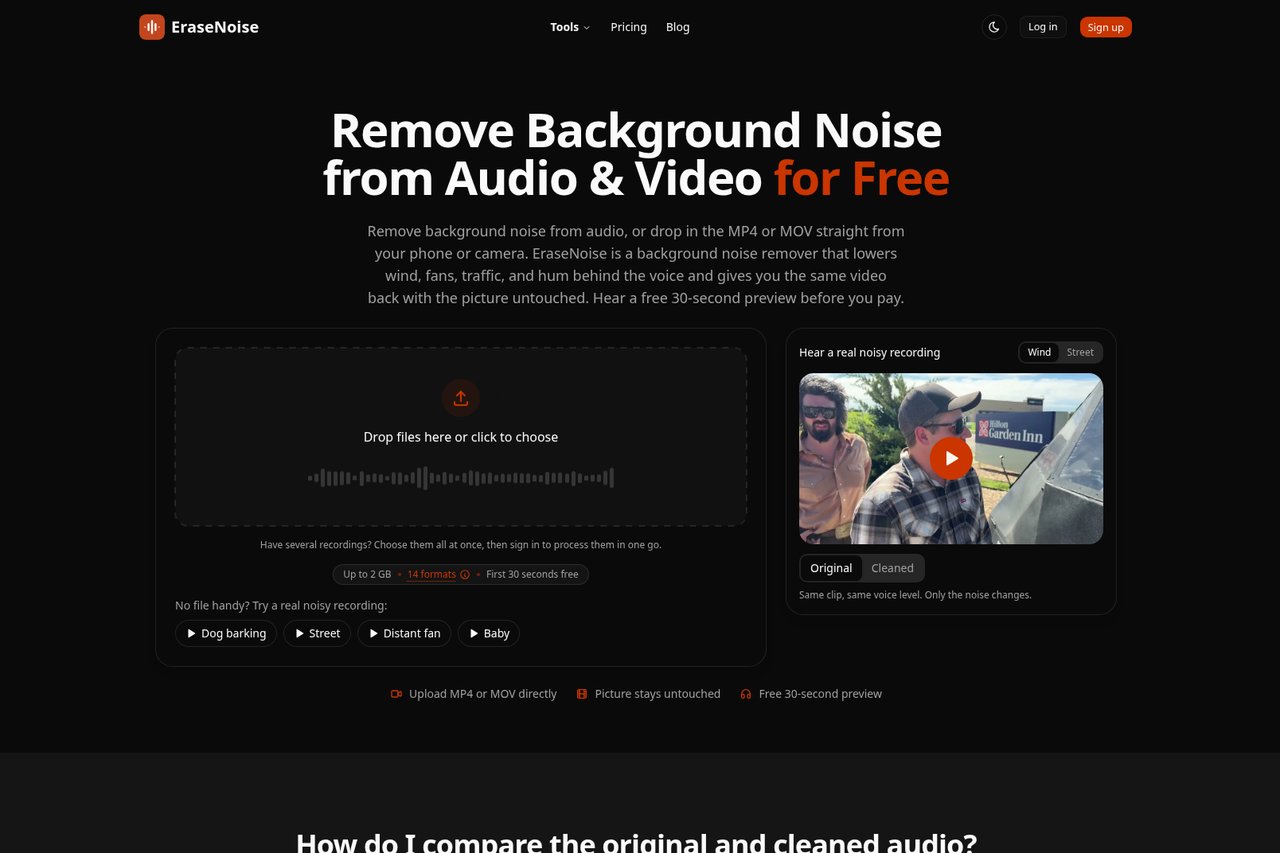
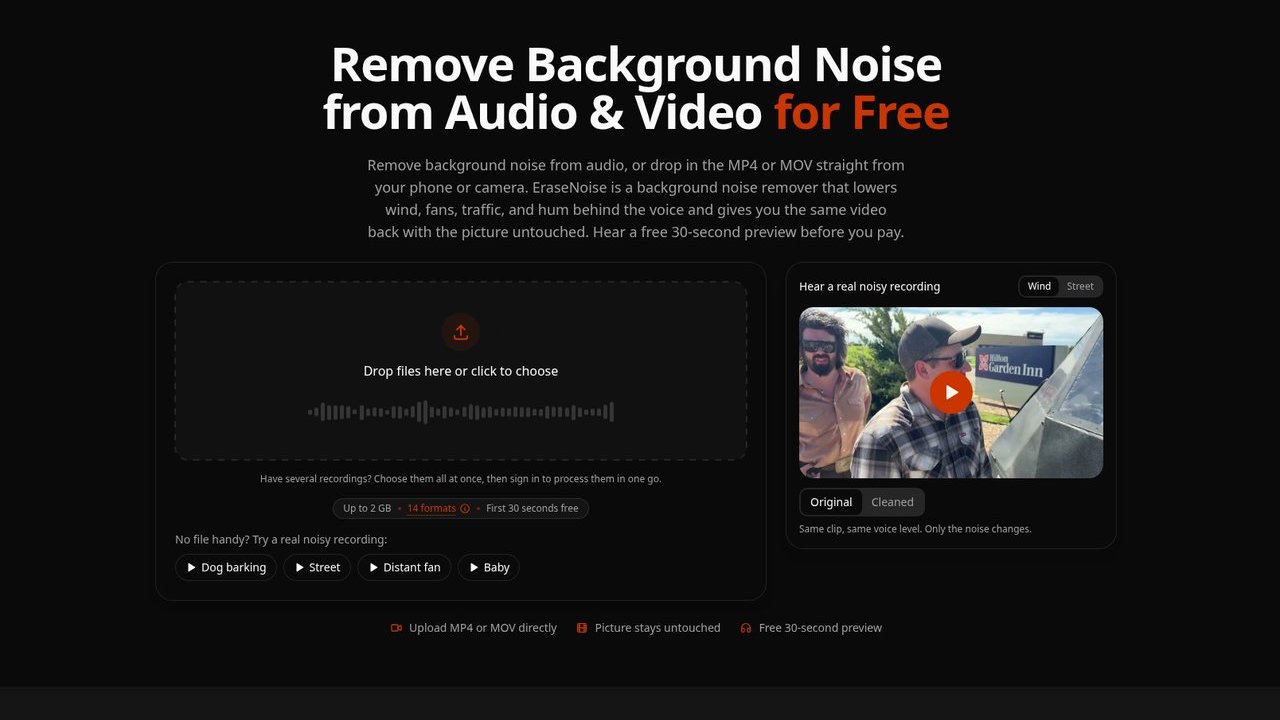
EraseNoise is the right pick for solo podcasters and video creators who record in imperfect environments and want to test cleanup before spending a cent. Its one-time hour packs are genuinely useful for irregular users, but it handles only steady background noise and will disappoint anyone dealing with overlapping voices or variable noise. If you need voice generation or studio-grade mastering rather than cleanup, look elsewhere.
What is EraseNoise?
EraseNoise is a web app that removes steady background noise behind speech in audio and video. Upload MP3, WAV, M4A, AAC, OGG, Opus, FLAC, MP4, MOV, M4V, or WebM (up to 2 GB). Compare a free 30-second preview of the original and cleaned audio, then download WAV or MP4 that keeps the same picture. Extra tools cover echo, reverb, buzz/hum, applause, and in-browser silence removal. Uploads and results delete after 24 hours.
How we scored EraseNoise
Capability scores 17 because EraseNoise handles steady noise types well and the adjustable strength control is a real differentiator, but it cannot address dynamic noise, overlapping voices, or music bleed, and none of the directory competitors have this same hard ceiling on noise types. Ease of use scores 21 because the three-step workflow (upload, preview, download) is about as frictionless as a web tool gets, and the representative 30-second preview is genuinely useful design. Value scores 18 because the never-expiring hour packs ($4.99 for 60 minutes, $14.99 for 600 minutes) are fairly priced for irregular users, but the free tier's full-download allowance is thin enough that most real projects require payment quickly. Delivery scores 12 because the tool is newly launched in 2026 with no substantial third-party user review base to verify output quality claims, the site's own copy acknowledges the tool works less well on non-steady noise, and social presence could not be confirmed, all of which limit confidence in delivery at scale.
Pros and cons
What we liked
- Free 30-second preview picks the most speech-dense segment, so you hear a realistic sample of the cleaned output before paying anything.
- One-time hour packs ($4.99 for 60 minutes, $14.99 for 600 minutes) with no expiry suit irregular users who do not want a recurring subscription.
- Silence removal is free and unlimited, making it a genuinely usable standalone tool for podcast editors trimming dead air.
Where it falls short
- Only handles steady, nameable noise types (fan, wind, traffic, hum). Variable noise, overlapping voices, and music bleed are outside its capability, a hard ceiling that competing tools with more advanced models do not share.
- No API access is listed at any tier, which rules out developers or teams wanting to automate cleanup as part of a production pipeline.
- The free tier's full-download allowance is thin: 1 free minute on signup and free downloads only for files under 30 seconds (up to 10 per day), so any real project quickly requires a paid plan or pack.
Key features
EraseNoise pricing
Free tier gives unlimited silence removal and 30-second previews, plus 1 free minute of full downloads on signup and free downloads of files under 30 seconds (up to 10 per day). Pro is $9.99/month (or $95.88/year, billed as $7.99/month) for 20 hours of processing. One-time packs: 1 Hour Pack at $4.99, 10 Hour Pack at $14.99 ($1.50/hour). Minutes on packs never expire.
| Plan | Price | Who it is for |
|---|---|---|
| Free | Free | 30-second previews on all files, 1 free minute of full downloads on signup, free downloads of files up to 30 seconds (up to 10 per day), unlimited silence removal. Files deleted after 24 hours. |
| Pro (Monthly) | $9.99/month | 20 hours of processing per month, audio and video noise and echo removal. |
| Pro (Yearly) | $95.88/year | 20 hours of processing per month, audio and video noise and echo removal. Billed annually. |
| 1 Hour Pack | $4.99 | 60 minutes of processing for audio and video. Minutes never expire. One-time purchase. |
| 10 Hour Pack | $14.99 | 600 minutes of processing for audio and video at $1.50/hour. Minutes never expire. One-time purchase. |
Pricing reflects what we saw at time of review (2026-11). Always confirm current pricing on the tool's own site.
Who should use EraseNoise?
A solo podcaster who records weekly episodes at home with a fan or air conditioner running in the background will get real value here. The free preview means you can check whether a salvageable recording is actually salvageable before paying anything, and the $4.99 one-hour pack suits someone who does not need a monthly subscription. Video creators who shoot outdoors or in noisy rooms and want to clean audio without re-encoding the video will also find the direct MP4 output useful.
If you need AI voice generation, text-to-speech, or voice cloning, EraseNoise does none of that. ElevenLabs is the right tool for those jobs. If your primary need is automatic audio mastering rather than noise cleanup, Waveroom Mastering is a better fit, with browser-based mastering and a free starter credit model. EraseNoise is also a poor match for anyone dealing with music separation, overlapping speakers, or noise that changes dynamically across a recording.
Skip it if: Anyone needing voice synthesis, translation, or variable/dynamic noise removal
Tags
Frequently asked questions
Does the free plan let me download full cleaned files?+
Only in limited cases. You get 1 free minute of full downloads when you sign up, and files under 30 seconds download free (up to 10 per day). Anything longer requires a paid plan or a one-time hour pack.
What is the cheapest way to clean a single long recording?+
The 1 Hour Pack at $4.99 gives 60 minutes of processing with no expiry. For a single podcast episode or interview, this is more economical than the $9.99/month Pro plan unless you process multiple files regularly.
Do the hour pack minutes expire?+
No. Both the 1 Hour Pack and 10 Hour Pack minutes never expire, so you can buy once and use them across multiple sessions over time.
Can EraseNoise remove music or a second speaker's voice from a recording?+
Not through the noise removal tool. EraseNoise targets steady background noise like fans, wind, and hum. It includes a separate vocal remover for music tracks, but it is not designed to isolate or remove a second human voice from a conversation.
Is there a file size limit?+
Yes. The maximum upload size is 2 GB per file, which covers most audio and video recordings. All uploaded files and results are deleted from EraseNoise servers after 24 hours.
Does EraseNoise require installing any software?+
No. It runs entirely in a desktop or mobile browser with no download or installation required.
More AI Voice, Audio & Music tools
See all categoriesGet your tool listed on 300+ directories.
One listing here is a strong start. But the founders who get discovered everywhere are listed everywhere. Our sister site, Free AI Directories, submits your tool to 300+ AI directories for you, every single one by hand, by a real person.
It is a one-time payment of $49, no subscription, and you can follow along as the submissions land. Prefer the slow route? The same site keeps a free list of 450+ directories you can work through yourself.
Get my tool listed on 300+ directoriesOne-time payment, no subscription · 100% human submissions · Free list of 450+ directories included.