
Facing AI
Browser-based AI toolkit for face swapping, image generation, and video creation with a credit-based subscription.
Are you the maker? Claim this listing to keep info, pricing and screenshots current. Verified via your tool's domain email.
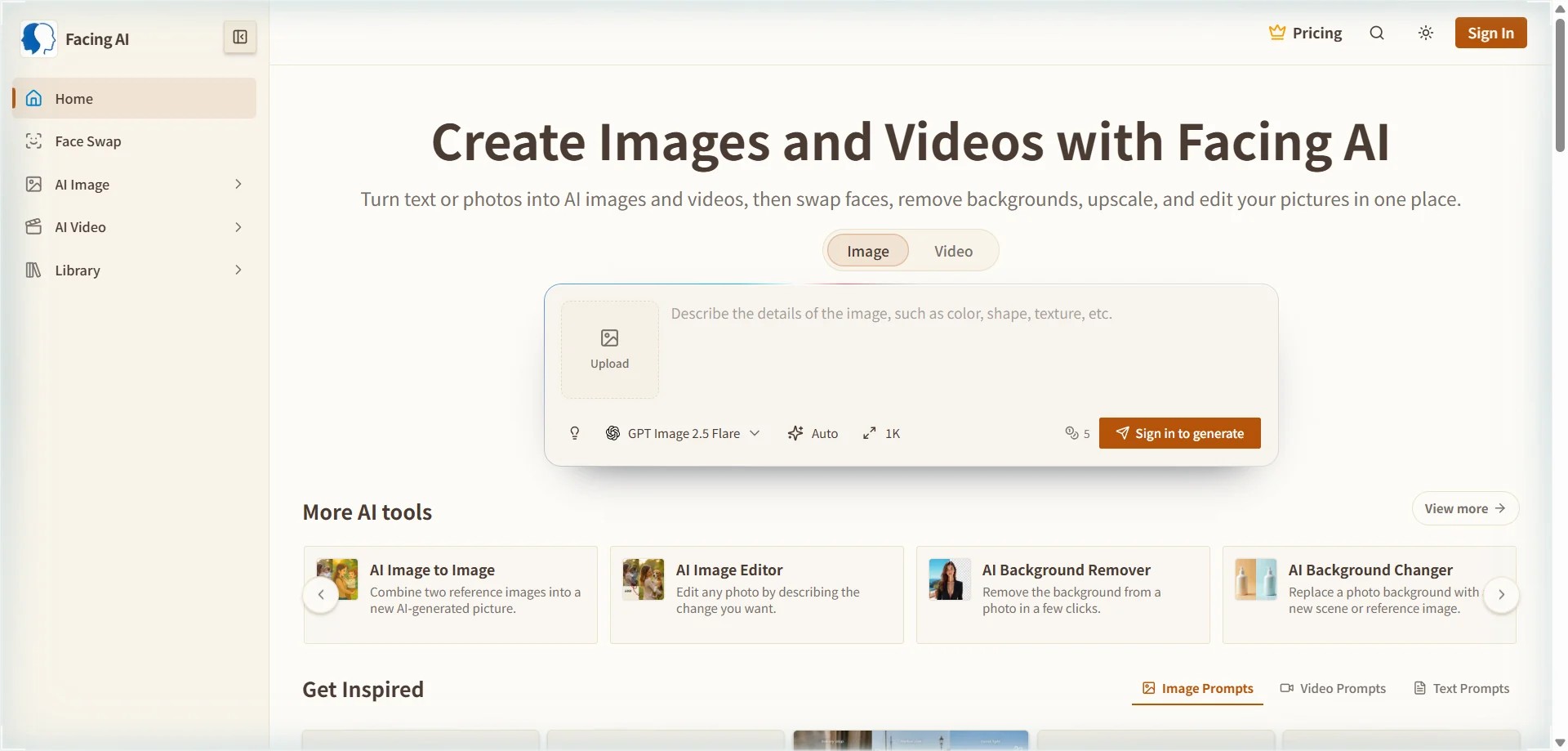
Facing AI suits solo creators and social media managers who want face swapping and basic AI image generation in one tab without juggling separate apps. Its breadth is real, but it does not match the output quality or model depth of dedicated image generators like Leonardo.Ai or Midjourney. If image quality is your priority over face-swap convenience, look elsewhere.
What is Facing AI?
Facing AI is a browser-based toolkit for face swapping, image generation and video creation. Swap faces in photos or videos, generate visuals from text or reference photos, remove backgrounds and upscale images. It helps creators and social media teams explore portrait edits and visual content without moving between separate tools. New accounts receive starting credits; tasks consume credits and additional usage is available through paid options.
How we scored Facing AI
Capability scores 16 because the face swap modes (three distinct types including video) are a genuine differentiator, but the AI image generation module is a secondary feature that does not approach the model depth or output quality of Leonardo.Ai or Midjourney, both of which are named competitors in this directory. Ease of use scores 19 because the browser-only setup, built-in prompt library, and single-interface design genuinely reduce friction for non-technical users. Value scores 15 because the pricing page shows no permanent free tier despite the homepage's 'free' positioning, the yearly commitment is required to reach the advertised prices, and the credit caps (500/month on Lite at $15) are modest compared to what dedicated image generators offer at similar price points. Delivery scores 13 because the 'free' claim on the homepage conflicts with the subscription-only pricing page, which is a bait-and-switch signal; the API is mentioned in a user testimonial but has no documented public offering; and third-party review data shows the pricing structure has changed at least once, suggesting instability in what buyers can expect.
Pros and cons
What we liked
- Three distinct face swap modes (Face Swap, Face Morph, Head Swap) in one browser tool, with no desktop install required.
- All paid plans include full commercial usage rights, no watermarks, and access to a built-in prompt library, which is useful for creators who do not write their own prompts.
- Pro Max at $29/month (yearly) delivers 3,000 credits covering up to 600 AI images or 150 AI videos per month, which is a reasonable volume for active solo creators.
Where it falls short
- The pricing page lists no permanent free tier with recurring credits; the 'free' positioning on the homepage appears to refer only to limited starting credits, which is misleading for users expecting an ongoing free plan.
- No API access is mentioned anywhere on the public pricing or features pages, which rules Facing AI out for developers or teams wanting to integrate generation into their own workflows.
- Image generation quality is a secondary feature built around face swap, not a primary model investment; users comparing AI image output directly against Leonardo.Ai or Midjourney will find Facing AI's results noticeably shallower in style control and fidelity.
Key features
Facing AI pricing
Three subscription tiers billed yearly: Lite at $15/month (500 credits, up to 100 AI images or 25 AI videos per month), Pro at $19/month (1,000 credits, up to 200 AI images or 50 AI videos), and Pro Max at $29/month (3,000 credits, up to 600 AI images or 150 AI videos). Monthly billing is also available at higher rates ($19, $29, and $49 respectively). The site claims free starting credits for new accounts, but no permanent free tier appears on the pricing page.
| Plan | Price | Who it is for |
|---|---|---|
| Lite | $15/mo | Billed yearly ($19/month if billed monthly). 500 credits per month, up to 100 AI images or 25 AI videos per month. Full prompt library access, commercial usage rights, no watermark, no ads, priority support. |
| Pro | $19/mo | Billed yearly ($29/month if billed monthly). 1,000 credits per month, up to 200 AI images or 50 AI videos per month. Full prompt library access, commercial usage rights, no watermark, no ads, priority support. |
| Pro Max | $29/mo | Billed yearly ($49/month if billed monthly). 3,000 credits per month, up to 600 AI images or 150 AI videos per month. Full prompt library access, commercial usage rights, no watermark, no ads, priority support. |
Pricing reflects what we saw at time of review (2026-11). Always confirm current pricing on the tool's own site.
Who should use Facing AI?
A solo content creator publishing to Instagram or TikTok who wants to produce face-swapped images, AI-generated visuals, and short videos without paying for four separate subscriptions will find Facing AI a practical consolidation. The prompt library lowers the barrier for users who are not confident writing generation prompts from scratch, and the browser-only setup means no software to install or update.
Anyone whose primary need is high-quality AI image generation should look elsewhere. Leonardo.Ai offers far deeper model selection, style controls, and generation quality at a comparable price point, and Midjourney remains the benchmark for artistic output quality. Facing AI's image generation is a supporting feature, not a lead product, and it shows in the results.
Skip it if: Teams or professionals who need high-fidelity AI image generation or API access on lower tiers
Facing AI alternatives
Tags
Frequently asked questions
Is there a permanent free plan, or just starting credits?+
The pricing page lists only three paid subscription tiers (Lite, Pro, Pro Max). The homepage references free starting credits for new accounts, but no recurring free tier with monthly credit replenishment appears on the pricing page. Treat this as a free trial rather than a true free plan.
Do unused credits roll over to the next month?+
The pricing page FAQ asks this question but the extracted page text does not show the answer text. This should be verified directly on the pricing page before publishing.
Can I use generated images and videos commercially?+
Yes. Full commercial usage rights are included on all three paid plans (Lite, Pro, and Pro Max) with no additional licensing fee.
What is the difference between the three paid tiers?+
The tiers differ in credit volume and output caps. Lite gives 500 credits (up to 100 images or 25 videos per month), Pro gives 1,000 credits (up to 200 images or 50 videos), and Pro Max gives 3,000 credits (up to 600 images or 150 videos). All three tiers include the same feature set.
Is there an API for developers?+
A user review on the facing.app pricing page mentions integrating the face swap via API, but no API tier or developer documentation appears on the public pricing or features pages. Developers should contact the team directly to confirm availability and pricing.
Does Facing AI work on mobile?+
Facing AI is browser-based and does not list a dedicated iOS or Android app on its homepage or pricing page. It should be accessible via a mobile browser, but there is no native mobile app confirmed.
More AI Image Generators tools
See all categoriesGet your tool listed on 300+ directories.
One listing here is a strong start. But the founders who get discovered everywhere are listed everywhere. Our sister site, Free AI Directories, submits your tool to 300+ AI directories for you, every single one by hand, by a real person.
It is a one-time payment of $49, no subscription, and you can follow along as the submissions land. Prefer the slow route? The same site keeps a free list of 450+ directories you can work through yourself.
Get my tool listed on 300+ directoriesOne-time payment, no subscription · 100% human submissions · Free list of 450+ directories included.