
Fliki
Text-to-video and AI voiceover tool with 2,000+ voices across 80+ languages, built for solo creators and small teams.
Are you the maker? Claim this listing to keep info, pricing and screenshots current. Verified via your tool's domain email.
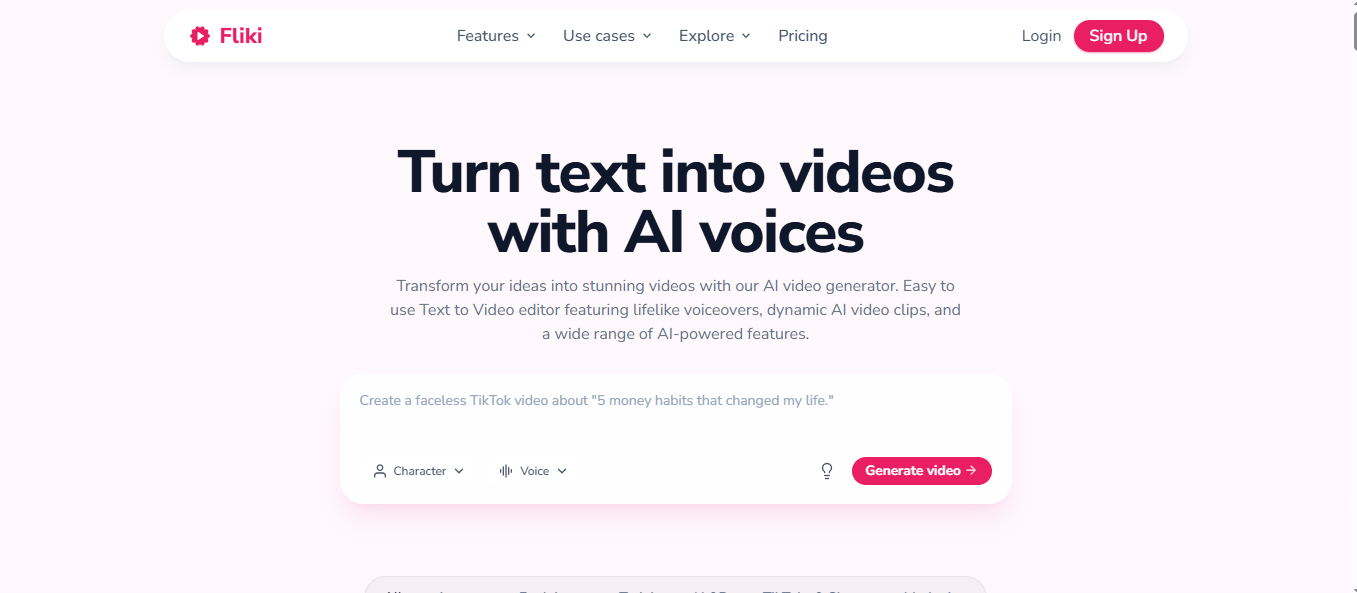
Fliki is the right pick for solo creators who need fast, narrated video from a script or blog post without touching a microphone. The credit system burns faster than the headline minutes suggest, and the scene-based editor cannot replace a real timeline for anything complex. Teams needing avatar-heavy or AI-generated video footage should look at dedicated avatar platforms instead.
What is Fliki?
Fliki is a web-based AI video and voiceover platform that converts text inputs, including scripts, blog posts, and presentation files, into narrated videos using a library of over 2,000 AI voices in 80+ languages. The platform uses a scene-based editor that automatically pairs stock footage or AI-generated images with each segment of text, letting users produce finished video without recording audio or editing a timeline.
Fliki operates on a credit system across four tiers: a permanently free plan with 3 credits per month and a 720p watermarked export, a Standard plan at $28 per user per month with 180 credits and 1080p output, a Premium plan at $88 per user per month with 600 credits and API access, and a custom Enterprise tier. Paid plans add commercial rights, voice cloning, AI avatars, and longer export limits up to 40 minutes. The platform is used primarily by individual content creators, marketers, and educators who need consistent narrated video output without voiceover recording.
How we scored Fliki
Capability scores 20 because the voice library depth (2,000+ voices, 80+ languages, voice cloning, multilingual expressive models) is genuinely strong for the category, but the absence of a timeline editor and the Premium-only gate on AI-generated video footage are real feature gaps versus tools like Synthesia or Pictory. Ease of use scores 21 because the blog-to-video and PPT-to-video pipelines are unusually frictionless for new users, and the scene-based editor keeps complexity low, though the credit estimator complexity adds friction. Value scores 16 because $28/month for Standard is competitive on paper, but the no-rollover credit system, the no-refund annual policy, and the fact that commercial rights require a paid plan all reduce real-world value for budget-conscious buyers; the Free plan's 3 credits per month is too thin to evaluate the tool meaningfully before committing. Delivery scores 15 because the no-refund-on-annual-cancellation policy is a documented trust issue, the credit burn rate is faster than the headline minutes imply (a known user complaint), and the pricing page does not render dollar figures in plain HTML, which creates confusion at the point of purchase.
Pros and cons
What we liked
- Voice library depth is genuine: 2,000+ voices on Premium including 1,000+ ultra-realistic options across 80+ languages, with multilingual expressive models that most competitors charge extra for.
- Multiple input formats accepted natively: raw script, blog post URL, PowerPoint file, and idea prompts all feed the same video pipeline without manual reformatting.
- YouTube publishing integration and series management are built into paid plans, letting creators schedule and organize multi-episode content without a separate tool.
Where it falls short
- The scene-based editor has no timeline, so any edit requiring precise audio-to-visual sync, b-roll cuts mid-sentence, or multi-track audio mixing is simply not possible inside Fliki.
- Credits do not roll over month to month, and the credit estimator on the pricing page shows that adding AI avatars or generative video clips to even a short video can consume credits faster than the headline minutes imply.
- No refunds on annual plans: Fliki's own FAQ confirms that canceling mid-year does not produce a prorated refund, which is a real financial risk for buyers who commit to the discounted annual rate and then find the tool does not fit their workflow.
Key features
Fliki pricing
Free plan gives 3 credits per month (roughly 5 minutes of video) at 720p with a Fliki watermark and no commercial rights. Standard is $28 per user per month (monthly) or about $21 per user per month billed annually, with 180 credits, 1080p, and 1 voice clone. Premium is $88 per user per month monthly, with 600 credits, exports up to 40 minutes, 3 voice clones, and API access. Enterprise is custom-priced, billed annually. Annual billing saves 25% across paid tiers.
| Plan | Price | Who it is for |
|---|---|---|
| Free | $0 | 3 credits per month (roughly 5 minutes of video), 300 voices across 80+ languages, 720p export, Fliki watermark on all videos, no commercial rights, no voice cloning, no translation, scene limit of 100. No credit card required. |
| Standard | $28/user/mo, about $21/user/mo billed annually | 180 credits per month, 1,000 voices including 500 ultra-realistic, 1080p export, exports up to 15 minutes, 1 voice clone, limited stock avatars, 1 brand kit, 1 series, 50 YouTube publications per month, commercial rights, no watermark, email and live chat support. |
| Premium | $88/user/mo billed monthly | 600 credits per month, 2,000+ voices including 1,000+ ultra-realistic, 1080p export, exports up to 40 minutes, all AI avatars, photo avatars, custom characters, 3 voice clones, 3 brand kit, custom fonts, AI video clip generation, API access, 3 series, 120 YouTube publications per month, priority support. |
| Enterprise | Custom, billed annually | Custom credits with bulk discounts, invoiced billing, API access, modern AI models, personalized avatars, professional voice cloning, branded custom templates, team collaboration, and a dedicated account manager. |
Pricing reflects what we saw at time of review (2026-11). Always confirm current pricing on the tool's own site.
Who should use Fliki?
A solo YouTuber, course creator, or marketing freelancer who publishes narrated explainer videos regularly and wants to skip the recording booth will get real value from Fliki's Standard plan. The blog-to-video and PPT-to-video workflows are genuinely useful for repurposing existing content fast, and 180 credits per month covers a reasonable publishing cadence if videos stay under 10 minutes.
Creators who need frame-precise editing, AI-generated video footage rather than stock clips, or a multi-avatar conversation format should look elsewhere. Synthesia is the stronger choice for avatar-led corporate training video, where presenter realism and slide integration matter more than voice variety. Anyone on a very tight budget who needs commercial rights from day one should note that the Free plan explicitly excludes them, making even the lowest paid tier a required entry point for monetized work.
Skip it if: Teams needing timeline editing, AI-generated footage, or avatar-first video production
Frequently asked questions
How many videos can I make on the free plan?+
The Free plan gives 3 credits per month, which covers roughly 5 minutes of video using stock footage. Adding AI avatars or generative video clips to a video increases credit consumption, so a single avatar-heavy video can exhaust the monthly allowance.
Does Fliki give commercial rights on the free plan?+
No. Commercial rights are only included on Standard and above. Free plan exports also carry a Fliki watermark, which makes them unsuitable for any published or client-facing content.
What happens to unused credits at the end of the month?+
Credits do not roll over. Any unused credits from a given month are forfeited when the billing cycle resets.
Can I get a refund if I cancel an annual plan mid-year?+
No. Fliki's own FAQ states that annual plan cancellations do not produce prorated refunds. This is a meaningful risk for buyers who commit to the discounted annual rate before fully testing the tool.
Is there an API for bulk video generation?+
API access is available on the Premium plan ($88/user/month) and Enterprise only. Standard and Free plans have no API access.
Does Fliki generate AI video footage, or does it use stock clips?+
By default, Fliki matches stock footage to each scene. AI-generated video clips are available in the Playground, but only on the Premium plan. The Free and Standard plans rely on the stock media library.
More AI Voice, Audio & Music tools
See all categoriesGet your tool listed on 300+ directories.
One listing here is a strong start. But the founders who get discovered everywhere are listed everywhere. Our sister site, Free AI Directories, submits your tool to 300+ AI directories for you, every single one by hand, by a real person.
It is a one-time payment of $49, no subscription, and you can follow along as the submissions land. Prefer the slow route? The same site keeps a free list of 450+ directories you can work through yourself.
Get my tool listed on 300+ directoriesOne-time payment, no subscription · 100% human submissions · Free list of 450+ directories included.