
Floowed
AI operations platform that runs document-heavy business workflows end-to-end, priced on credits not seats, from $100/month.
Are you the maker? Claim this listing to keep info, pricing and screenshots current. Verified via your tool's domain email.
Floowed is the right pick for ops teams running repeatable, document-heavy workflows like client onboarding or supplier due diligence, where a single case spans multiple people, documents, and systems. Its credit-based pricing with no per-seat charge is genuinely unusual and favors growing teams, but the platform is narrower than general-purpose automation tools and offers no visual drag-and-drop workflow builder comparable to what TRam Studio provides for enterprise governance. Teams that need broad trigger-based automation across hundreds of app integrations should look at a different category of tool entirely.
What is Floowed?
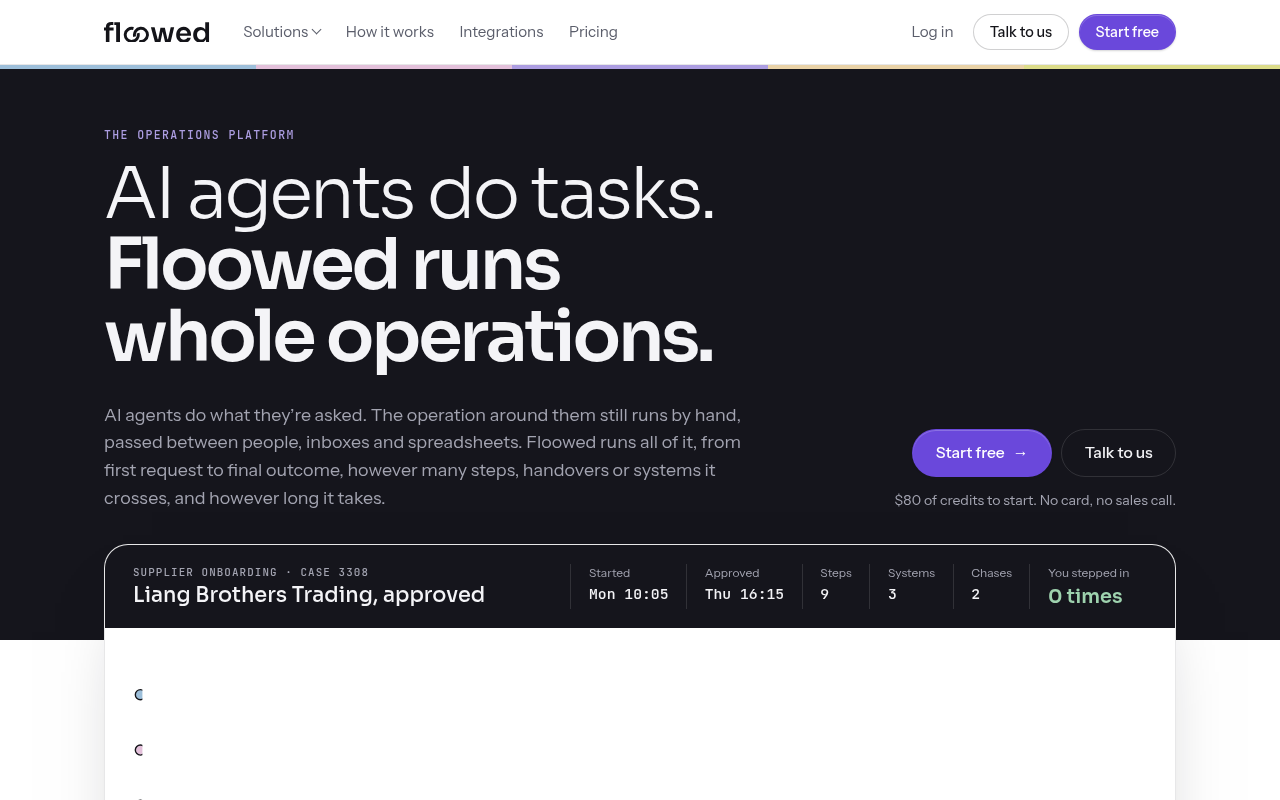
Floowed is an operations platform for AI workflow automation. While AI agents handle single tasks, Floowed runs whole operations from first request to final outcome, across steps, handovers, and systems.
Every case repeats five stages as needed: Gather, Interpret, Chase, Decide, and Act. Use it for client and supplier onboarding, due diligence, document-heavy approvals, and other mid-office flows between CRM, accounting, and project tools. Rules can be written in plain words or code. Every case keeps its evidence. New rule versions can be tested on past cases before going live.
Start with $80 of credits (no card). Team from $100/month for 10,000 credits. Credits are shared, not per seat. Integrations, API, and MCP on every plan.
How we scored Floowed
Capability scores 18 because the five-stage case runtime with active chasing and evidence trails is genuinely differentiated from trigger-based automation tools, but the platform is narrow by design and lacks a visual workflow builder that competitors like TRam Studio offer. Ease of use scores 17 because the no-card, no-sales-call free start and natural-language rule writing lower the entry barrier, but the credit consumption model requires real case testing to understand costs, and the absence of a confirmed visual builder raises the floor for non-technical users. Value scores 20 because the no-seat pricing model at $100/month for a whole team is genuinely competitive, the free $80 of credits never expire, and the $1-per-100-credits rate is consistent across every plan. Delivery scores 13 because only two third-party ratings exist (both 5-star but from a negligible sample), the platform is relatively new with limited independent validation, and the credit consumption range for heavy cases (up to 4,000 credits, or $40 per case) could surprise buyers on the entry Team plan who run complex due-diligence workflows.
Pros and cons
What we liked
- No per-seat pricing: the entire team shares one credit pool, so adding users costs nothing and the $100/month Team entry price covers unlimited builders and runners.
- Full evidence trail on every case, with the ability to test new rule versions against historical cases before going live, which is a meaningful advantage for compliance-sensitive workflows.
- Runs natively inside Slack and Microsoft Teams as well as its own dashboard, with API and MCP access on every plan including the free tier.
Where it falls short
- Credit consumption is opaque until you run real cases: a heavy due-diligence case can consume 1,500 to 4,000 credits, meaning the $100/month plan (10,000 credits) covers as few as two or three heavy cases before the pool runs dry.
- No visual drag-and-drop workflow builder is evident from the product's own positioning; operations are described in natural language or code, which raises the floor for non-technical users compared to tools like TRam Studio.
- The platform is purpose-built for structured, repeatable case operations and does not function as a general-purpose app-to-app automation layer, so teams with mixed automation needs will likely need a second tool alongside it.
Key features
Floowed pricing
Free tier gives $80 of credits (8,000 credits) with no card required and no expiry. Team plans start at $100/month for 10,000 credits, scaling up to 250,000 credits/month. Every plan includes all features, integrations, API, and MCP access. Credits are shared across the whole team with no per-seat charge. $1 buys 100 credits on every plan. Custom pricing is available for larger or bespoke setups.
| Plan | Price | Who it is for |
|---|---|---|
| Free | $0 | 8,000 credits ($80 of credit value) that never expire. Includes every feature and integration, API and MCP access, and the ability to build and run operations in Slack, Teams, or the Floowed Dashboard. No card required. |
| Team | From $100/month | Monthly credit allocations ranging from 10,000 credits/month ($100) up to 250,000 credits/month. Every feature and integration included. Whole team shares one credit pool with no per-seat charge. Unused credits roll over one month. Top-up available at the same rate ($1 per 100 credits) at any time. |
| Custom | Contact for quote | For larger or bespoke setups. Quoted directly by the Floowed team. |
Pricing reflects what we saw at time of review (2026-10). Always confirm current pricing on the tool's own site.
Who should use Floowed?
Floowed fits operations managers, compliance leads, and agency account teams who run the same structured process dozens or hundreds of times a month. A recruitment firm chasing contractor timesheets, an accounting practice handling month-end director changes, or an agency managing client sign-off from brief to invoice are the kinds of buyers the platform is built around. The no-seat pricing model is a real advantage for teams where many people touch a case but only a few are heavy users.
Teams that need broad trigger-based automation across hundreds of SaaS apps, or who want a visual drag-and-drop flow builder with branching logic, will find Floowed's case-centric model too narrow. TRam Studio is a better fit for enterprise teams that need auditability, governance, and Azure-native deployment. Orkas suits teams that want a local-first, open-source agent workspace rather than a hosted SaaS platform.
Skip it if: Teams needing broad app-to-app trigger automation or a visual no-code flow builder
Tags
Frequently asked questions
How much does Floowed actually cost to run real cases?+
Credits cost one cent each on every plan. A light case (such as an employee offboarding) uses roughly 80 to 250 credits (under $2.50). A standard onboarding case with a missing field and a follow-up uses 250 to 800 credits ($2.50 to $8). A heavy due-diligence case with a 30-page ownership pack can use 1,500 to 4,000 credits ($15 to $40). The $100/month Team plan (10,000 credits) covers roughly 12 to 40 standard cases per month.
Is there really no per-seat charge?+
Correct. Floowed charges only for credits consumed by case work, not for the number of people building or running operations. The entire team draws from one shared pool.
Can I try it without a sales call or a credit card?+
Yes. The free tier provides $80 of credits (8,000 credits) with no card and no sales call required. Free credits never expire.
What integrations does Floowed support?+
Floowed runs inside Slack and Microsoft Teams natively, and can read Outlook mailboxes and SharePoint libraries directly. API and MCP access are included on every plan. The pricing page notes integrations are available on all tiers, but a full integration list is not published on the pricing page itself.
Do unused credits expire?+
Free credits never expire. On Team plans, unused credits roll over one month. Top-ups are available at any time at the same rate of $1 per 100 credits.
Is Floowed a general-purpose automation tool like Zapier?+
No. Floowed is built specifically for structured, repeatable case operations that involve document reading, chasing people for missing information, and applying decision rules. It does not function as a broad trigger-based app-to-app automation layer.
More AI Agents & Automation tools
See all categoriesGet your tool listed on 300+ directories.
One listing here is a strong start. But the founders who get discovered everywhere are listed everywhere. Our sister site, Free AI Directories, submits your tool to 300+ AI directories for you, every single one by hand, by a real person.
It is a one-time payment of $49, no subscription, and you can follow along as the submissions land. Prefer the slow route? The same site keeps a free list of 450+ directories you can work through yourself.
Get my tool listed on 300+ directoriesOne-time payment, no subscription · 100% human submissions · Free list of 450+ directories included.