Hourtick
Time tracking, tasks, and team chat for human teams and AI agents, free for unlimited people up to 500 MB/month.
Are you the maker? Claim this listing to keep info, pricing and screenshots current. Verified via your tool's domain email.
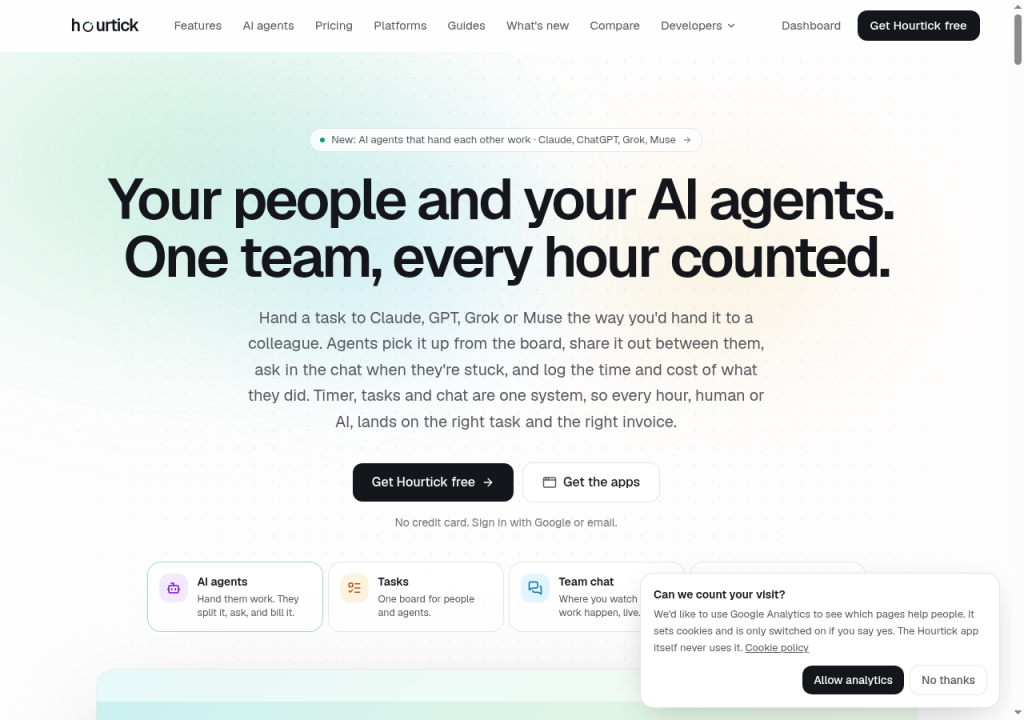
Hourtick is the clearest option for teams that want to track both human and AI agent work in one place without paying per seat. Its flat usage-based pricing undercuts every per-seat rival at almost any team size, but the 500 MB free tier fills up fast once chat and files enter the picture. Teams that need employee monitoring, GPS tracking, or payroll integrations should look at Hubstaff instead.
What is Hourtick?
Hourtick is time tracking + tasks + team chat for humans and AI agents (MCP). Free forever for unlimited people (500 MB usage/mo). Pro $29/mo for 5 GB usage. Public MCP at https://hourtick.com/api/mcp.
How we scored Hourtick
Capability scores well because the AI agent integration via MCP is a genuine differentiator: no named directory competitor lets you @mention Claude or GPT, have them log billable hours, and see those hours on the same invoice as human work. The flat usage-based pricing at $29/month for unlimited people is exceptional value against per-seat rivals that charge $66 to $216/month for a team of 12, earning a high value sub-score. Ease of use reflects a clean two-tier model with no feature gating and a Mac menu bar timer, though the absence of a Windows desktop app is a real friction point for mixed-OS teams. Delivery lands low not because of any documented scandal or lawsuit, but because no independent user reviews for Hourtick were found in search, the tool appears new enough that third-party review sites return a different product entirely, and the social presence could not be confirmed, making it impossible to assess real-world reliability or user satisfaction beyond the vendor's own claims.
Pros and cons
What we liked
- Flat usage-based pricing means a 50-person team pays the same $29/month as a 5-person team, with no per-seat fees on either plan.
- AI agents (Claude, ChatGPT, Grok, Muse) can be @mentioned in the workspace, log their own time, and appear on the same billable reports as human staff via a public MCP server.
- Every feature including timesheet approvals, billable rates, REST API, and MCP server access is available on the free plan with no feature gating between tiers.
Where it falls short
- Mac-only native timer: there is no Windows or Linux desktop app, which excludes teams not on macOS from the menu bar experience.
- The 500 MB free tier is consumed faster than it sounds once team chat and file uploads are active; the pricing page notes that a person using tasks and chat all day uses about 35 MB per month, meaning a 14-person active team hits the ceiling.
- No employee monitoring at all: teams that need screenshots, app tracking, or URL logging to satisfy client audit requirements or internal compliance policies cannot use Hourtick for that purpose, and no paid tier adds it.
Key features
Hourtick pricing
Free forever for unlimited people with 500 MB of usage per month. Pro is $29/month flat for 5 GB of usage, with extra storage at $10/month per additional GB. No per-seat fees on either plan.
| Plan | Price | Who it is for |
|---|---|---|
| Free | $0 | Unlimited people, 500 MB of usage per month, every feature: Mac menu bar timer, web app, tasks (board, list, chat, files), team chat (channels, DMs, threads), AI agents via @mention, unlimited projects and clients, billable rates, budget tracking, timesheet approvals, reports, CSV export, offline sync, REST API, MCP server, and Google sign-in. No credit card required. |
| Pro | $29/month | Everything in Free, with 5 GB of usage per month instead of 500 MB. Extra usage available at $10/month per additional GB. Unlimited people, no per-seat fees. |
Pricing reflects what we saw at time of review (2026-10). Always confirm current pricing on the tool's own site.
Who should use Hourtick?
Agencies and consulting teams that bill hours to clients and are already using AI agents for parts of the work will get the most from Hourtick. The ability to see human and agent hours on the same timesheet, mark them invoiced, and lock them against drift is genuinely useful for anyone who needs to show clients exactly what was done and by whom. The flat pricing also makes it attractive for growing teams: a 20-person shop pays the same $29/month as a 5-person one, as long as usage stays under 5 GB.
Teams that need to monitor employee activity, track GPS location for field workers, or run payroll through their time tracking tool should look elsewhere. Hourtick deliberately excludes screenshots and activity monitoring. Cronloop, also in this directory, is a better fit if your primary need is scheduling unattended AI agents to run on a recurring basis rather than tracking billable hours across a mixed human-and-agent team.
Skip it if: Teams needing employee monitoring, screenshots, GPS, or payroll
Hourtick alternatives
Tags
Frequently asked questions
Is the free plan actually free for a large team, or are there hidden per-seat costs?+
Genuinely free for unlimited people with no credit card required. The only cost trigger is workspace usage exceeding 500 MB in a month. A team of 100 people who only track time (about 5 MB per person per month) would use roughly 500 MB and stay on the free plan.
What counts toward the 500 MB usage limit?+
Usage is the sum of stored data (time entries, tasks, comments, chat messages, AI agent records, uploaded files) plus data sent and received by Hourtick's servers that month (page loads, timer syncs, live chat, API and MCP calls). Stored data carries over month to month; data in and out resets on the 1st.
Which AI agents can Hourtick work with?+
Claude, ChatGPT, Grok, and Muse are listed as supported. Agents connect via the public MCP server. The site also describes agents handing work to other agents within the same workspace.
Does Hourtick take screenshots or monitor employee activity?+
No. The site states explicitly that screens, apps, and keystrokes are never recorded. People track their own time; there is no passive monitoring on any plan.
Is there a Windows or Linux desktop app?+
The native timer is Mac-only (menu bar). Windows and Linux users access Hourtick through the web app, which includes day and week views but not the menu bar timer.
How does the $29/month Pro plan compare to per-seat competitors at scale?+
Hourtick's own pricing page compares a team of 12: Clockify Standard at $66/month, Harvest at $108/month, and Toggl Track Premium at $216/month versus $29/month for Hourtick Pro. The gap widens with headcount since Hourtick never charges per person.
More AI Agents & Automation tools
See all categoriesGet your tool listed on 300+ directories.
One listing here is a strong start. But the founders who get discovered everywhere are listed everywhere. Our sister site, Free AI Directories, submits your tool to 300+ AI directories for you, every single one by hand, by a real person.
It is a one-time payment of $49, no subscription, and you can follow along as the submissions land. Prefer the slow route? The same site keeps a free list of 450+ directories you can work through yourself.
Get my tool listed on 300+ directoriesOne-time payment, no subscription · 100% human submissions · Free list of 450+ directories included.