
InVideo AI
Browser video maker that builds full videos from a prompt with stock footage, avatars, voice clones and Seedance clips on one credit plan.
Are you the maker? Claim this listing to keep info, pricing and screenshots current. Verified via your tool's domain email.
Best for YouTubers, course creators and marketers who want a finished video from a script, with stock, voiceover and captions handled, rather than a single generated shot. The trade-off is that Seedance 2.5 and 4K sit behind the $30 Pro seat, and the free tier publishes no credit number, where Pika gives a priced credit table and Flow a fixed daily allowance. Skip it if you only need short generated clips; Hailuo, Pika or Flow are cheaper per clip.
What is InVideo AI?
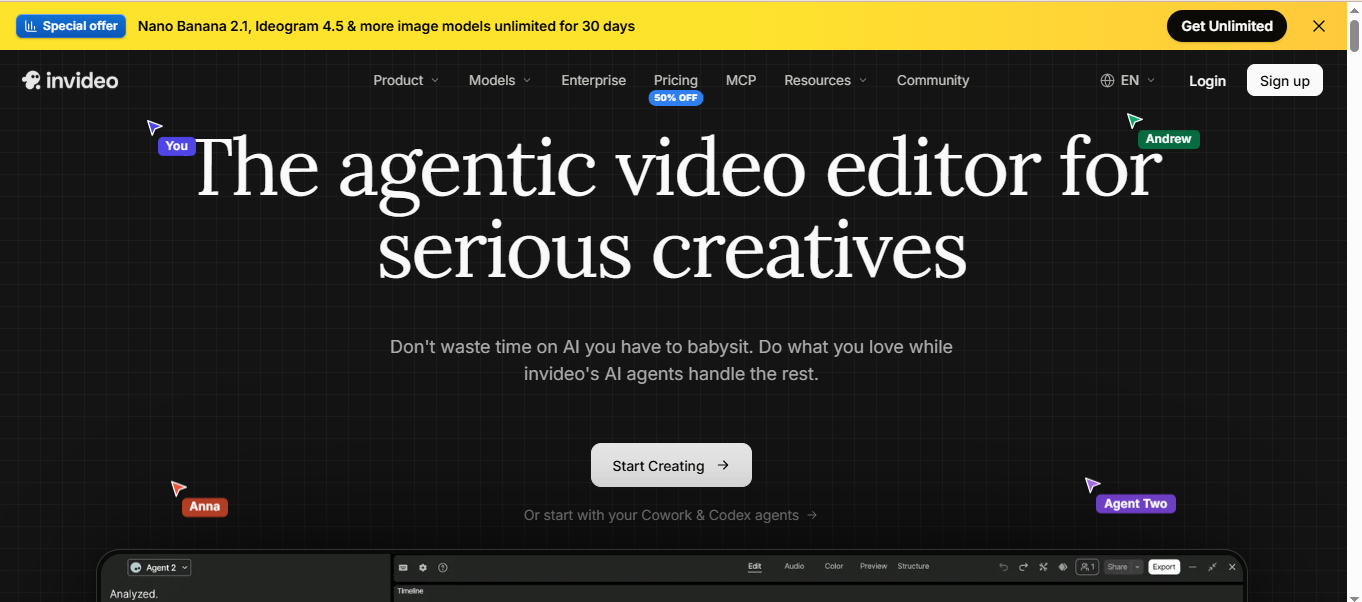
InVideo AI is a browser-based video maker that turns a text prompt or script into a finished video with stock footage, voiceover, captions and music, then lets the user change the result by describing the edit in plain words. Its tool set covers text to video, an AI avatar generator, voice cloning, a multitrack timeline and premium stock footage, and generative clips come from third-party models including Seedance 2.5, Seedance 2.0 and the lighter 2.0 Fast and Mini variants, priced per second of output.
The product runs on the web with companion apps on the App Store and Google Play, and an MCP connection lets ChatGPT or Claude drive it. Plans are sold per seat with a monthly credit pool, premium stock allowance and storage, and a free tier offers limited credits that reset every Monday. Marketers, YouTubers, course creators and small agencies use InVideo for explainers, faceless channel videos and social ads rather than for single cinematic shots.
How we scored InVideo AI
Capability is solid for an end-to-end maker with stock, avatars, voice clones and Seedance, but it is not a frontier clip generator. Ease of use is high: script in, video out, edits by text. Value loses points because the $9 tier excludes the current models and the free tier publishes no number. Delivery loses points for a pricing page that shows two different Basic annual prices and for free-tier terms that live in older pages rather than the current one.
Pros and cons
What we liked
- Builds a complete video from a script, stock footage, generated clips, voiceover, captions and music, then edits by plain-text instruction.
- Seedance 2.5 at 1080p and Seedance 2.0 at 4K are included on Pro, alongside avatars and voice cloning in the same seat.
- Exports do not consume credits, and Pro and Ultra include 10 or 20 free guest seats for client review.
Where it falls short
- The free plan gives only a small weekly credit allowance, enough to try the interface rather than publish from it.
- Basic at $9 is limited to Seedance 2.0 Fast and Mini; Seedance 2.5 and 4K need the $30 Pro seat.
- Credits are per seat and expire monthly, so a team that pauses for a month loses what it paid for.
Key features
InVideo AI pricing
Free: limited credits that reset weekly on Monday at 12 a.m. UTC, no card. Basic $9/month per seat ($4 annual) for 190 credits, 45 premium stock, Seedance 2.0 Fast and Mini only. Pro $30/month ($15 annual) for 1,000 credits, 150 stock, all models including Seedance 2.5 at 1080p and 2.0 at 4K, 10 free guest seats. Ultra $80/month ($40 annual) for 3,000 credits, 180 stock, 20 guest seats. Video models are priced per second; credits do not roll over.
| Plan | Price | Who it is for |
|---|---|---|
| Free | Free | Limited credits that reset every Monday at 12 a.m. UTC, no card required. |
| Basic | $9/mo per seat | 190 credits a seat a month, 45 premium stock clips, 100 GB storage, up to 5 seats, Seedance 2.0 Fast and 2.0 Mini only. $4 a seat on annual billing. |
| Pro | $30/mo per seat | 1,000 credits a seat a month, 150 premium stock clips, 300 GB, up to 10 seats plus 10 free guest seats, all models including Seedance 2.5 at 1080p and 2.0 at 4K. $15 a seat on annual billing. |
| Ultra | $80/mo per seat | 3,000 credits a seat a month, 180 premium stock clips, 800 GB, up to 20 seats plus 20 free guest seats, lowest cost per credit. $40 a seat on annual billing. |
Pricing reflects what we saw at time of review (2026-10). Always confirm current pricing on the tool's own site.
Who should use InVideo AI?
A faceless YouTube channel publishing two or three ten-minute explainers a week is the core InVideo user: the script goes in, stock and generated b-roll come out, and the owner edits by typing changes. A course creator who needs an avatar presenter and a cloned voice in several languages gets both in the same seat. A small agency on Pro can hand ten guest seats to clients for review without paying for them.
A creator who wants one striking 10 second cinematic shot should go to Luma or Flow, which are built for that and show the clip cost up front. A hobbyist expecting a real free allowance should look at Google Flow, which publishes 50 credits a day, or at Hailuo; InVideo does not state what its free weekly credits buy.
Skip it if: Anyone who only needs short generated clips or a free allowance
InVideo AI alternatives
Tags
Frequently asked questions
Is InVideo AI free?+
There is a free plan with limited credits that reset every Monday at midnight UTC and no card required. Paid plans start at Basic, $9 a month per seat for 190 credits.
How much does InVideo AI cost?+
Basic $9 a month per seat (190 credits), Pro $30 (1,000 credits) and Ultra $80 (3,000 credits). Annual billing drops those to $4, $15 and $40 a seat a month.
How many videos do 190 credits make?+
It depends on the model. InVideo prices video models per second and gives the example that a quick Kling 2.6 Standard clip might cost 0.5 credits while a Veo 3.1 4K clip with audio can cost 10 or more. Exports themselves cost nothing.
Which plan includes Seedance 2.5?+
Pro and Ultra. Basic is limited to Seedance 2.0 Fast and 2.0 Mini. Pro runs Seedance 2.5 at 1080p and Seedance 2.0 at 4K.
Do InVideo credits roll over?+
No. Plan credits and iStock allowance reset monthly on the activation date and anything unused is forfeited. Extra credits bought separately last up to 12 months.
Does InVideo have an app?+
Yes. The site links to the App Store and Google Play, and the main editor runs in the browser.
More AI Video Tools
See all categoriesGet your tool listed on 300+ directories.
One listing here is a strong start. But the founders who get discovered everywhere are listed everywhere. Our sister site, Free AI Directories, submits your tool to 300+ AI directories for you, every single one by hand, by a real person.
It is a one-time payment of $49, no subscription, and you can follow along as the submissions land. Prefer the slow route? The same site keeps a free list of 450+ directories you can work through yourself.
Get my tool listed on 300+ directoriesOne-time payment, no subscription · 100% human submissions · Free list of 450+ directories included.